Media Player
- 54.57K
- 3.6
- Installs
- 5.00M
- Price
- Free

Screenshots
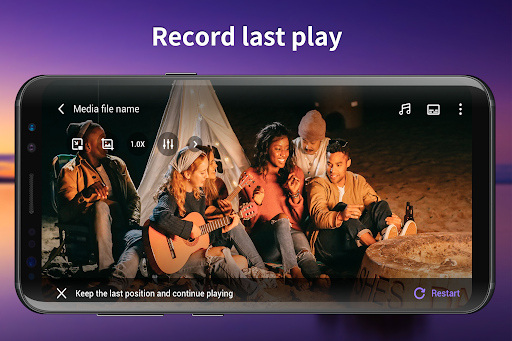
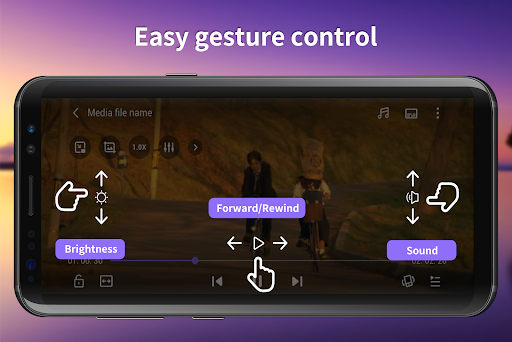
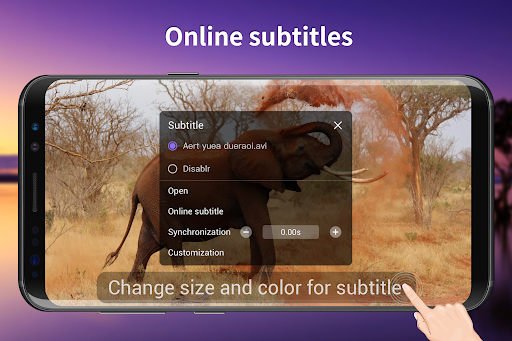
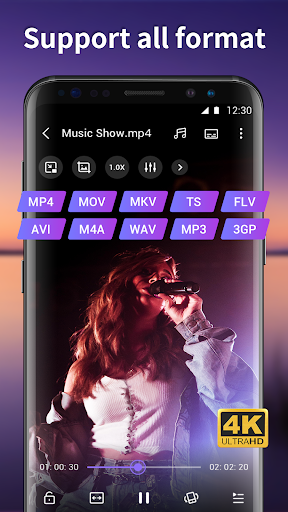
Analysis by Reviewed APKs
Media Player is an Android app for watching videos and playing music files stored on your phone, with Wi-Fi transfer and subtitle support among its extras. I see it suiting people who want a straightforward player for a mixed collection of files rather than a streaming service or a full media organizer. Its range of formats is appealing, though ads and a modest store rating temper my enthusiasm.
A player for ordinary evenings
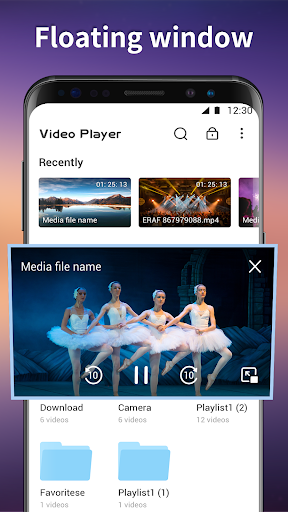
When I imagine using Media Player, it is on an ordinary evening: I have a video saved on my phone and want to watch it without first sorting out which app supports its format. The app is designed to find video files automatically, then let me browse thumbnail previews and play a selection. That makes its main job pleasantly simple: get from a file on the device to playback without much ceremony.
The same idea works for music files when I want to play something already stored locally. Media Player says it handles common formats such as MP4, AVI, MKV, WMV, MP3 and MPEG, so it is aimed at a varied personal library rather than one narrow file type. If I have a matching external subtitle file, the app can load it automatically, which could save a few taps before settling in.
Local playback, not streaming
Media Player makes the most sense beside the files already on my phone. Unlike a streaming service, its described role is not to supply a catalog of movies or songs; I bring the media, and it provides playback, playlists and basic file actions such as renaming or deleting. That distinction matters if I am comparing apps: this is a utility for local media, not a place to discover or subscribe to entertainment.
It also reaches beyond a bare-bones player by offering Wi-Fi transfer, so files can be uploaded to or downloaded from the phone over a wireless connection using a lightweight web server. That is a useful angle for moving media without special computer software. Still, I would not choose it expecting cloud syncing, social sharing or online radio. Those are different jobs, and they are not part of the described feature set.
Small habits that help
A little organization can make a local player feel less cluttered. I would keep related videos together on the phone and use playlists when I know I want several items in a particular order. Media Player supports playlists and continuous play, so a prepared queue is more convenient than stopping after every file to choose the next one.
For subtitle use, matching the subtitle file’s name to the video is a sensible habit because the app describes automatic loading when the names match. I would also make a quick pass through the thumbnail view before playing, especially if several clips have similar filenames. And when I need to move a file between a computer and phone, the Wi-Fi transfer feature gives me another option besides handling playback and file transfer as separate chores.
More From Our News Desk

Zoom Meetings, Google Meet, or Teams: Which Is Easiest to Join?

How I Build a Free Streaming Lineup With Tubi

Why Crunchyroll Is the Default Anime App for So Many Fans

YouTube TV: A Practical Guide to Cutting Cable

Rummikub and the Small Comfort of Phone Games

TeamViewer Remote Control or AnyDesk for Helping Family?
Who may enjoy it
I would recommend Media Player to Android users who keep videos or music on their device and want one place to play a range of common formats. It may be especially handy for someone who regularly watches downloaded personal files, uses external subtitles, or wants a wireless way to transfer media. The app’s mix of playback, playlists and basic file actions gives it a practical, everyday utility focus.
It may not suit someone whose main priority is a polished streaming catalog, cross-device syncing or elaborate library management. The store rating is 3.6 from around 55,000 ratings, so I would keep expectations measured and try it with the kinds of files I actually use. Ads are part of the experience, too, which may bother people who prefer an uninterrupted player.
Media Player is developed by Ellen Sweet Inc and is listed in Google Play’s Video Players & Editors category. It has over 5 million installs and a 3.6-star rating from about 55,000 ratings. The app is free to download and contains ads, with no in-app purchases reported in the supplied app facts.
Google Play gives the app an Everyone content rating. Its version is shown as varying with device, and it was released on February 20, 2014. I would check Google Play for current compatibility details and the version available for a particular phone, since those can vary by device.
Everyday playback with useful extras
First look and setup
When I first opened the idea of Media Player, what stood out was how direct its purpose is: find media on the phone and play it. Automatic identification of video files is central to the description, which suggests less manual importing than a player built around one file at a time. Thumbnail previews should also help me recognize a clip faster than reading a long string of filenames.
The app is intended for Android, and the practical starting point is a phone that already has media to play. I would begin with a familiar video and a music file, rather than moving my entire collection at once. That gives me a quick sense of whether the formats I rely on behave as expected and whether the ad-supported experience feels comfortable for regular use.
The day-to-day experience
The everyday appeal is reducing friction between choosing a file and watching it. Media Player supports common video and audio formats, including MP4, AVI, MKV, WMV and MP3. That range can be useful in a household where files arrive from different sources and not every clip has been converted into the same format. The app also describes hardware acceleration and multi-core decoding as playback aids.
A player is only as useful as its basic controls, and the supplied feature list includes play and pause along with rename and delete operations. I would treat those file actions carefully and use them only when I am sure I have selected the right item. Playlists and continuous playback suit longer sessions, while a one-off clip can stay a one-off without extra organization.
Features with a purpose
The Wi-Fi transfer feature is the most distinctive extra in this otherwise familiar player role. It is described as a lightweight web server that lets a user upload or download files to the phone over a wireless connection, without needing special software on the computer. In a practical routine, that could save me from relying on a cable when I want to move a video onto the device.
Subtitle handling is another small but useful touch: external subtitles with the same name as a video are described as loading automatically. The app also supports M3U playlists, which is relevant for users whose media is already arranged that way. These additions do not turn it into a full media-management system, but they make the local-player toolkit more flexible than playback alone.
A simple media routine
For a weekend trip, I might transfer a few videos to my phone over Wi-Fi, then make a playlist for the ride. Before leaving, I could check the thumbnails to find the right clips and confirm that any matching subtitle files sit alongside their videos. Once the trip starts, continuous play can keep the queue moving without asking me to pick each next item.
At home, the same app can be a quick option for a saved video or a music file that I do not want to stream. I would keep the library tidy enough that automatic discovery remains useful, and use the available rename or delete actions only when needed. This is not a complicated workflow; its value is in giving everyday files a straightforward route to playback.
Limits to keep in mind
The biggest trade-off is that Media Player contains ads. For occasional playback that may be an acceptable compromise, but frequent viewers may notice the interruption more. Its 3.6-star Google Play rating also suggests a mixed reception, so I would test it with a few representative files before relying on it as my only player.
The app’s described strengths are local playback and file transfer, not discovery, online streaming or syncing a library across devices. Also, the available Android requirement can depend on the device, so checking Google Play for compatibility is sensible before installing. The version is listed as varying with device, making the store’s current device-specific details more useful than assuming one version fits every phone.
Media Player has a clear, useful purpose: play local audio and video in a range of formats, with playlists, subtitle support and Wi-Fi file transfer adding practical flexibility. I like that the extras connect to ordinary tasks rather than trying to turn a simple player into a sprawling media service.
I would try it if I wanted an Android player for files already on my phone and did not mind ads. If I wanted streaming, a highly rated polished interface or syncing between devices, I would look elsewhere. For straightforward local playback, it is worth testing with my own media before settling on it.
Media Player Frequently Asked Questions
What is Media Player used for?
Media Player is an Android app for playing video and music files stored on a phone. It supports a range of common formats and includes playlists, continuous play, thumbnail previews, external subtitle loading when the subtitle shares the video’s name, and Wi-Fi file transfer. It is focused on local media rather than providing a streaming catalog.
Which devices can run Media Player?
Media Player is described as an Android app. The Android version requirement can vary with the device, so I would check its Google Play page for compatibility with a particular phone or tablet. The app’s version is also listed as varying with device, making the store page the practical place to review current device-specific details.
Does Media Player cost money?
Media Player is free to download and contains ads. The supplied app facts report no in-app purchases. Store details can change, so it is worth checking Google Play for the current cost and purchase information before installing, especially if you are comparing it with other players.
Can Media Player play subtitles and playlists?
Yes. Its described features include M3U playlist support and automatic loading of external subtitles when the subtitle file has the same name as the video. It also supports playlists and continuous playback. I would keep the related files together and use matching names to make the subtitle behavior work as intended.
Who is Media Player best suited to?
It may suit Android users who keep videos or music on their phones and want a player for common file formats, with Wi-Fi transfer as an extra. It may be less appealing if you want a streaming service, cross-device syncing or an ad-free experience. Ads are included, and individual preferences will vary.
Pros
- Plays a broad selection of common video and audio formats.
- Wi-Fi transfer offers a wireless way to move files to and from the phone.
- Includes playlists, continuous playback, thumbnail previews and subtitle support.
- Basic rename and delete actions sit alongside playback controls.
Cons
- Contains ads, which may interrupt frequent viewing or listening.
- Its 3.6-star rating points to a mixed user reception.
- Focused on local media rather than streaming or cross-device syncing.
- Category
- Video Players & Editors











