MarketWatch
- 50.60K
- 4.1
- Installs
- 1.00M
- Price
- Free

Screenshots
Analysis by Reviewed APKs
MarketWatch brings financial news, market data and stock tracking together for people who want a quick read on what is moving and why. I found its mix of headlines, quote pages and customizable watchlists more useful than a news feed alone, especially for keeping an eye on a handful of stocks. It suits curious investors and market watchers; it is not a substitute for careful research or a trading platform.
A Morning Market Check
When I first opened MarketWatch, I pictured using it during the small gaps in a normal day: a quick scan over breakfast, then another look during a commute or lunch break. The app combines business headlines with market figures, so I can move from a story about a company to relevant ticker information without treating news and prices as separate tasks.
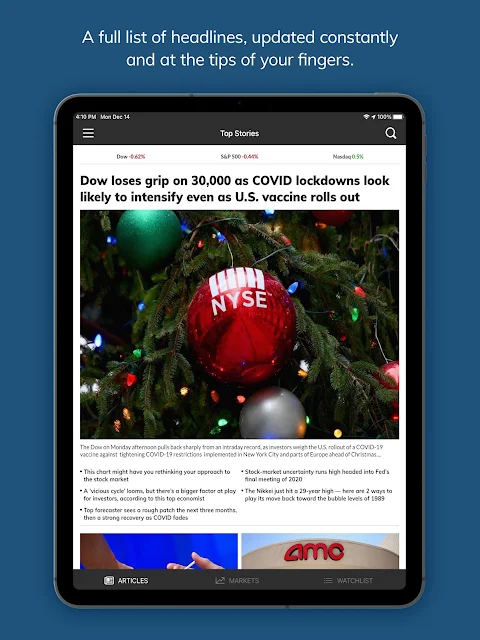
A practical check might start with the Top Stories bar, then shift to a market quote or one of my watchlists. If a headline catches my attention, I can save the article for later rather than trying to finish it while distracted. Market-moving alerts add another way to keep up, though I would choose notifications thoughtfully so a busy day does not become a stream of interruptions.
Newsroom, Not Brokerage
MarketWatch makes the most sense as a companion to the other tools in a market-watcher’s routine. Its strength is the combination of reporting, analysis, market data and a place to follow stock picks. A general news app may cover business less deeply, while a quote-focused tool can put prices first and leave the wider context to you. Here, the editorial side is a visible part of the experience.
I would not treat it as a place to place trades or as a complete personal-finance planning suite. The supplied feature set centers on reading, checking data, following stocks and receiving alerts; it does not describe trading or portfolio calculators. That distinction matters. MarketWatch can help me stay informed and organize things I want to follow, but it is one input into research, not a decision-maker.
Make the Watchlist Useful
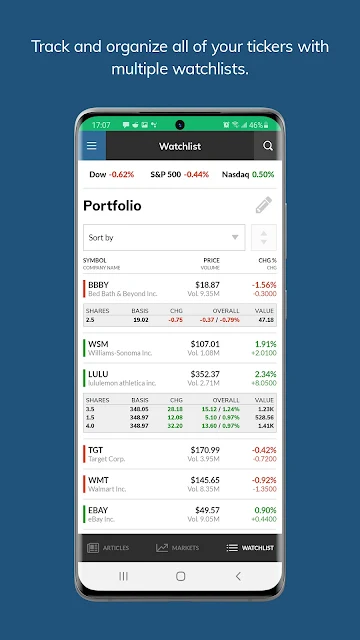
The simplest way to make MarketWatch feel personal is to use its watchlists for the names I actually care about. The app supports multiple personalized lists, and registered users can sync them with MarketWatch.com and view them across devices and platforms. That can keep a short list of companies separate from a broader set of market interests instead of making every check start from scratch.
I would also use the save and share options as small reading habits. Saving an article gives me a way to return when I have time, while sharing can pass a story along by social media, text or email. Customizing the Top Stories menu to emphasize channels such as U.S. markets, investing or personal finance can make routine browsing more focused without hiding the app’s broader coverage.
More From Our News Desk

Zoom Meetings, Google Meet, or Teams: Which Is Easiest to Join?

How I Build a Free Streaming Lineup With Tubi

Why Crunchyroll Is the Default Anime App for So Many Fans

YouTube TV: A Practical Guide to Cutting Cable

Rummikub and the Small Comfort of Phone Games

TeamViewer Remote Control or AnyDesk for Helping Family?
Who Will Get the Most From It
I would recommend MarketWatch to readers who follow business news and want market figures close to the stories they read. It can also suit someone building a habit of checking a few stocks, comparing market activity across regions or saving articles to read after work. The combination is approachable: there is useful context for a headline-focused reader as well as quote information for a more market-minded one.
It may be less appealing if you only want a bare-bones price ticker, or if you expect an app to handle trading and financial planning for you. The news coverage is part of the point, and the app contains ads. People who prefer a quiet, uncluttered feed may find that less comfortable. I see it as a practical information and tracking app, best used alongside other sources and tools.
MarketWatch is published by Dow Jones & Company, Inc. On Google Play, it has over 1 million installs and a 4.1-star rating from about 50,600 ratings. The app is free to download and contains ads. Google Play also shows in-app purchases, with individual items priced from $19.99 to $22.99.
Google Play gives MarketWatch an Everyone 10+ content rating. The listed version is 7.9.33, and the release date is August 13, 2013. The store’s listed last update is October 14, 2026. I have left out an Android minimum requirement because no version was supplied in the app facts.
A Closer Look at MarketWatch
Opening the App
My first impression of MarketWatch is that it wants to serve two related needs at once: keeping up with the day’s business news and checking what markets are doing. Headlines and images sit alongside market information for relevant tickers, which gives the opening experience a useful connection between events and securities rather than presenting every article in isolation.
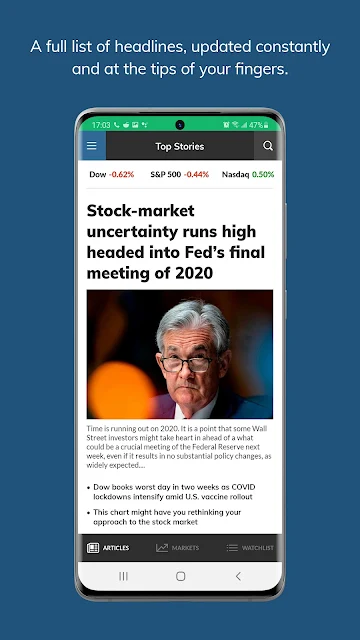
The Top Stories bar is more than a fixed row of headlines. Its customizable drop-down menu can lead to channels such as U.S. Markets, Investing and Personal Finance. I like that idea for setup: if I usually check a particular topic, I can make it easier to reach. The app also includes videos and in-depth analysis, so the experience is not limited to short headline scans.
Following the Daily Flow
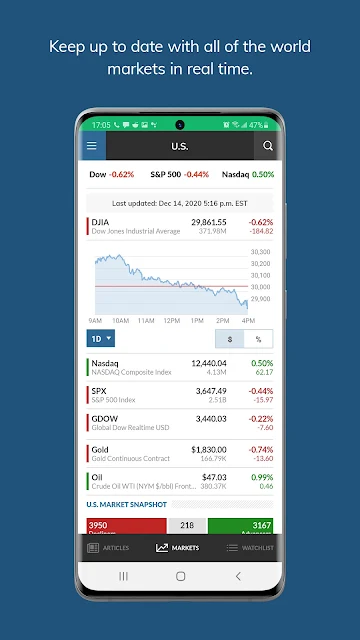
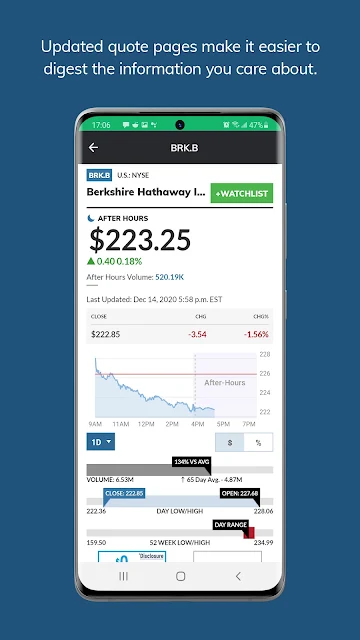
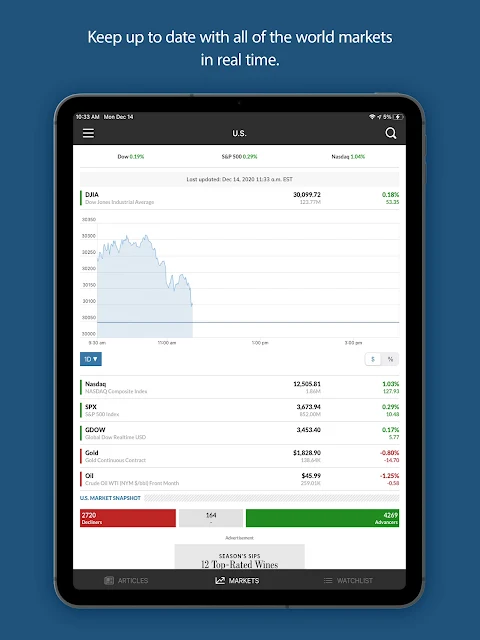
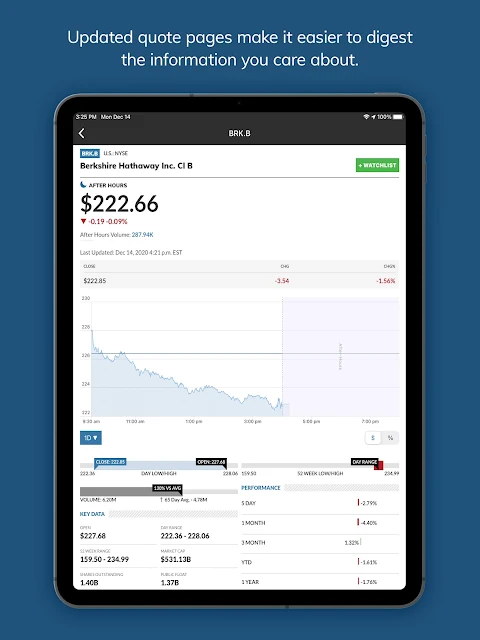
For everyday use, I would move between the news and market-data sections depending on what caught my attention. The market data center covers stocks, commodities, rates and currencies, while detailed stock quote pages include key trading information and interactive charts. It is a more connected routine than opening a separate article feed and then searching elsewhere for a quote.
The data can be viewed across date ranges and regions, including the U.S., Europe and Asia. That breadth is useful when a company or market story does not fit neatly into one local session. Still, I would treat a quick mobile check as a way to get oriented. A chart and a headline can inform my understanding, but they do not tell the whole story by themselves.
Stories and Stock Lists
The watchlist is one of MarketWatch’s more practical features because it links the stocks I follow with related MarketWatch stories. Instead of just seeing names collected in one place, I can keep an eye out for reporting that adds context. Multiple personalized watchlists also make it possible to separate different groups of stock picks rather than keeping one long, undifferentiated list.
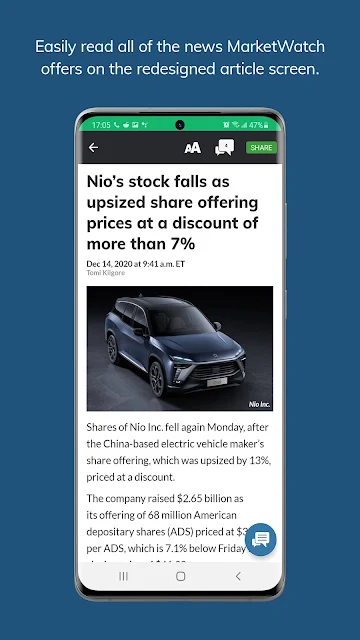
Registered MarketWatch users can sync a watchlist with MarketWatch.com, with lists available across devices and platforms. That is a useful bridge between checking on a phone and browsing elsewhere. I also appreciate that articles can be saved or shared through social media, text message or email. These options make the app more useful as a reading companion, not just a screen for live figures.
A Routine That Sticks
A workable routine could be modest: glance at the headlines once in the morning, check a watchlist for the stocks I follow, then save any story that deserves more attention. Later, I can return to saved reading when I have a quieter moment. That approach uses the app’s core strengths without turning every market move into an urgent task.
I would keep the Top Stories menu aligned with the topics I tend to read and use alerts selectively. MarketWatch describes alerts for market-moving developments, but notifications are most useful when they support a routine rather than dominate it. If I am researching a particular company, I can check its quote page and related stories together, then look at the broader market context before drawing conclusions.
Keep Its Role in View
MarketWatch covers a lot of ground, from business and investing news to personal finance, technology, politics, energy, retail and retirement planning. That range is valuable when I want context beyond a ticker, but it can also make the app feel broad. A reader looking only for a stripped-down quote screen may not want the editorial coverage and multiple channels that sit alongside the data.
The other practical caveat is that the app contains ads, and in-app purchases are available. I would also avoid reading its market data or reporting as a personalized recommendation: the described features are news, information, tracking and alerts. For an important decision, I would want to do additional research. Used with those limits in mind, MarketWatch is a convenient way to stay informed, not a shortcut around judgment.
MarketWatch earns its place on my phone by putting reporting, market information and stock tracking in one app. I especially like the path from a headline to a relevant ticker, plus the ability to save stories for a better reading moment. The experience is broad rather than purely utilitarian, which is a good fit for readers who want context with their numbers.
I recommend it to people who regularly follow markets or business news and want a flexible mobile reading routine. If all you need is a minimal quote display, or you want an app to trade or plan finances, this is not that. For news, watchlists and market checks together, MarketWatch is a useful companion.
MarketWatch Frequently Asked Questions
What is the MarketWatch app used for?
MarketWatch is used for business and financial news, market data and tracking stocks of interest. It includes headlines and analysis, market information for stocks, commodities, rates and currencies, detailed stock quote pages, alerts, and personalized watchlists. Users can also save stories to read later or share them. It is primarily an information and reading tool.
Which devices can run MarketWatch?
The app described here is MarketWatch for Android, distributed through Google Play. Its description also says registered users can sync watchlists with MarketWatch.com and view them across devices and platforms. Device compatibility can vary, so check the Google Play entry for the current requirements on a particular Android device.
What Android version does MarketWatch require?
The Android minimum version can vary with the app’s current release and the device. Check the Google Play entry before installing to see whether your phone or tablet is supported. MarketWatch’s listed version is 7.9.33, but that version detail alone does not establish the minimum Android version.
Is MarketWatch free, and does it have purchases?
MarketWatch is free to download on Google Play and contains ads. In-app purchases are also offered; Google Play lists individual items at $19.99 to $22.99. Store prices and availability can change, so check the current Google Play entry for the latest details before making a purchase.
Is MarketWatch a good fit for new investors?
It can suit readers who want to follow business news, inspect market information and keep personalized stock watchlists. The app provides reporting and data, rather than serving as a described trading or financial-planning tool. Someone seeking only a minimal quote display may prefer a more focused experience, while a news-minded market watcher may appreciate the added context.
Pros
- Combines financial reporting with market data and detailed stock quote pages.
- Supports multiple personalized watchlists and syncing for registered users.
- Lets readers save stories for later or share them with others.
- Offers market information across regions and a range of asset categories.
Cons
- Contains ads, which may distract readers who prefer a quieter feed.
- Broad news coverage may feel like more than a quote-only user needs.
- Its described tools focus on information and tracking, not trading.
- Category
- Finance
- Version
- 7.9.33











