Kali Linux Master: Hacking
- 2.15K
- 4.3
- Installs
- 1.00M
- Price
- Free

Screenshots
Analysis by Reviewed APKs
Kali Linux Master: Hacking is a phone-based course for people who want to understand Kali Linux, ethical hacking and cybersecurity without starting with a pile of technical textbooks. I like its step-by-step approach: it begins with Linux basics, then introduces security tools and testing concepts, with quizzes to check what stuck. It suits curious beginners and students best, though it is a learning guide, not a substitute for hands-on lab practice.
A lesson for spare minutes
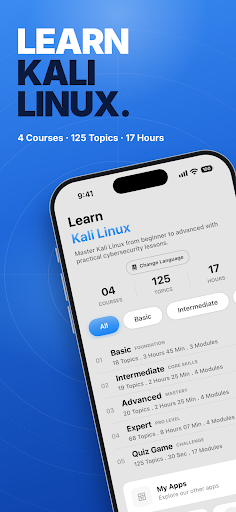
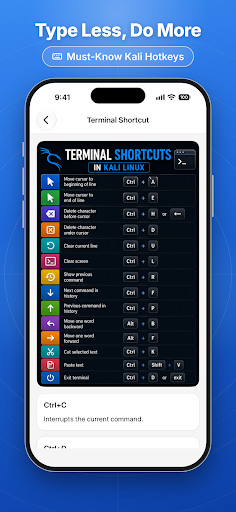
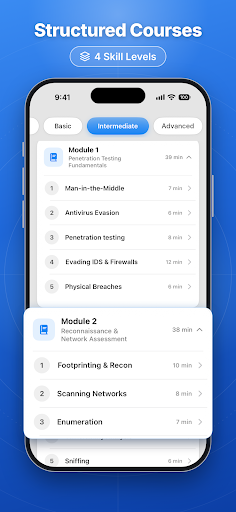
When I first opened Kali Linux Master, I pictured using it in the small gaps that usually disappear into scrolling: a bus ride, a wait between classes, or ten minutes before dinner. The course starts with the foundations, including what Kali Linux is, basic commands and the terminal, before moving toward penetration-testing topics. That sequence gives a beginner somewhere sensible to start instead of dropping them straight into a list of unfamiliar tools.
I would read a short lesson, then take its quiz while the explanation was still fresh. The app describes lessons as plain-English and includes commands that can be copied to try on a machine, which makes the material feel more concrete than a glossary. It also says it works offline and does not require an account, both practical touches when I want to study somewhere without a reliable connection.
Course, not a hacking toolkit
The useful comparison is with a beginner course or a pocket reference, not with a working Kali Linux installation. The app explains concepts and tools such as Nmap, Metasploit, Wireshark and Burp Suite; it is not presented as a replacement for those programs or a ready-made testing environment. I see its role as helping me understand what a tool is for before I sit down to practice in a lab of my own.
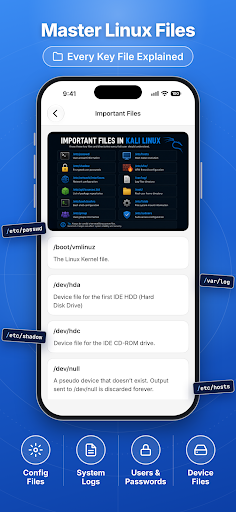
That distinction matters because the subject can sound more hands-on than a phone lesson really is. The app covers ethical testing, security concepts and topics ranging from Linux commands to web vulnerabilities, but reading about them is different from building practical skill. I would not choose it as my only preparation for a job or certification. It makes more sense as an accessible introduction alongside properly authorized practice.
Make the lessons stick
I would get the most from the app by keeping sessions small and regular. One topic followed by its quiz is a more manageable routine than racing through a whole category and hoping the details stay put. The quizzes include multiple-choice, true-or-false and scenario questions, and the app describes score tracking to show where more review may help.
A second useful habit is to keep notes on terms or commands that I want to revisit on a computer. The course spans Linux basics, networking, penetration-testing tools, forensics and OSINT, so a quick personal list can help connect a new lesson to an earlier one. I would also treat every example as educational material and keep any practical testing within systems I own or have permission to assess.
More From Our News Desk

Zoom Meetings, Google Meet, or Teams: Which Is Easiest to Join?

How I Build a Free Streaming Lineup With Tubi

Why Crunchyroll Is the Default Anime App for So Many Fans

YouTube TV: A Practical Guide to Cutting Cable

Rummikub and the Small Comfort of Phone Games

TeamViewer Remote Control or AnyDesk for Helping Family?
Who may enjoy this course
I would recommend Kali Linux Master to a beginner who wants a readable first pass through Kali Linux and cybersecurity vocabulary. Students, IT learners and developers curious about system security may also appreciate having short lessons and quizzes together in one place. The offline access and lack of a sign-up requirement suit casual study, especially if I want to pick up a topic without setting aside a full evening.
It may be less satisfying for someone who expects a complete practical lab, direct access to pentesting tools, or advanced instruction with extensive exercises. The app is an educational guide, so motivated learners will still need a separate, authorized environment to turn explanations into experience. People who prefer long-form technical references may also find the phone-sized lessons a bit brief for serious study.
Kali Linux Master: Hacking is an Education app from Guddu Bhasme. On Google Play it has over 1 million installs and a 4.3-star rating from 2,149 ratings. It is free to download, contains ads, and offers in-app purchases; the stated price is $2.99 per item. The content rating is Everyone.
The current version is 44.0. The app was released on May 24, 2020, and its last update is dated November 2, 2026. The available Android-version requirement is worth checking on Google Play for the device you plan to use.
Learning Security One Topic at a Time
An approachable first screen
My first impression is that the app is designed around reading and learning rather than operating a complicated security tool. Its stated course path starts with introductory Linux material and advances toward testing concepts, which is the right order for a newcomer who may not yet know what a terminal command does. I like that the subject is framed as ethical cybersecurity education rather than presented as a shortcut to breaking into systems.
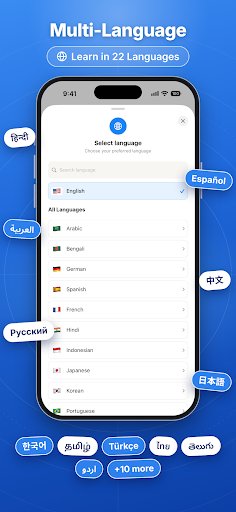
Getting started should be fairly low-friction: the description says there is no login or sign-up requirement, and lessons are available offline. That makes it easier to open the app and begin with a topic instead of spending the first few minutes creating an account. Multi-language support is also offered, though access to all languages is part of the optional premium offering.
A steady study rhythm
Day to day, I would use the app as a compact reading companion. A lesson on Linux permissions or networking can fit into a short break, while a quiz gives me a quick way to check whether I followed the explanation. The combination is more useful than reading a string of definitions with no pause to recall them, even if it remains a lightweight way to learn.
The course moves across a broad set of subjects, so I would resist treating it like a checklist to finish as quickly as possible. A few minutes with one concept, followed by a revisit later, is likely to be more useful than skimming tool names. The app describes score tracking as a way to spot areas that need practice, which can help give those short sessions a little direction.
Tools explained in context
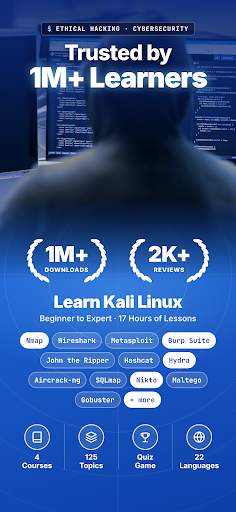
The range of tools is one of the app's more appealing features. It explains Nmap for network scanning, Metasploit and its framework, Wireshark for traffic analysis, and Burp Suite for web application security testing. It also covers SQLMap, Aircrack-ng, John the Ripper and Hydra. For someone who has heard these names in class or online, having them introduced within a course can make the landscape less intimidating.
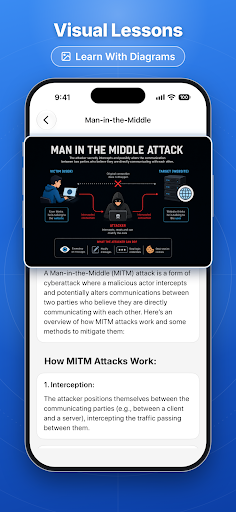
I also appreciate that the material is not limited to tool descriptions. The course covers penetration-test phases, vulnerability assessment, web security fundamentals, the OWASP Top 10, digital forensics, malware analysis, OSINT and bug bounty concepts. That breadth can help a learner see how different parts of cybersecurity relate, rather than assuming the field is just a collection of command-line programs.
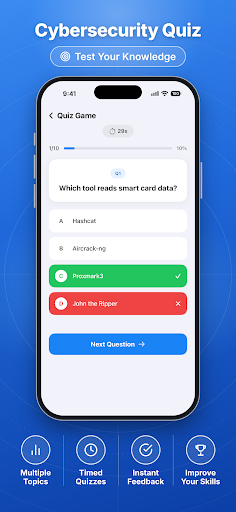
The quizzes add another layer, with multiple-choice, true-or-false and scenario questions. They are described as topic-based and include progress scores. That makes them a practical check-in after reading, not proof of professional readiness. I would use a good result as a reason to move on or review, rather than as evidence that I can safely test a real system.
A useful weekly routine
For a practical routine, I would choose one theme for the week, such as Linux commands or network security, and work through its short lessons in spare moments. At the end of each session, I would take the related quiz and note anything that needs a second look. Since the app says lessons work offline, this approach does not depend on having a connection during every study break.
When a lesson includes a command, I would save it for later and try it only in a machine or lab I am allowed to use. The app itself points learners toward practicing in their own lab and stresses permission for testing. Keeping that boundary in mind is especially important for topics involving scanning, password testing or web vulnerabilities, where context matters as much as the terminology.
Keep expectations grounded
The main limitation is the gap between learning about a security tool and learning to use it well. A phone-based explanation can introduce its purpose and vocabulary, but it cannot replace repeated practice in an appropriate environment. The course description mentions commands learners can copy and try on a machine; that still leaves the work of setting up and understanding the environment to the learner.
The broad syllabus is both a strength and a reason to keep expectations modest. Topics run from Linux fundamentals to reverse engineering, red teaming and bug bounty hunting, but coverage across many areas does not automatically mean deep instruction in each one. I would treat the app as a structured starting point, then seek more practice and detailed references where a topic calls for them.
There are also ads, and the app offers an optional premium purchase. Premium is described as unlocking unlimited quiz replays, all languages and an ad-free experience. That may matter if quizzes are central to a learner's routine or if advertising gets in the way. I would check the in-app details before deciding whether the paid option is worth it for my own use.
Kali Linux Master: Hacking works best as a pocket-sized introduction: readable lessons, a broad map of cybersecurity topics, and quizzes to reinforce the basics. I like the offline learning and beginner-friendly progression, while keeping in mind that the app is not a hands-on testing environment or a shortcut to expertise.
I would try it if I wanted an accessible starting point for Kali Linux and ethical hacking, especially for short study sessions. If I already know the fundamentals or need deep practical training, I would use it only as a supplement and look elsewhere for structured lab work.
Kali Linux Frequently Asked Questions
What is Kali Linux Master: Hacking used for?
Kali Linux Master: Hacking is an educational course about Kali Linux, ethical hacking and cybersecurity. It covers Linux basics, commands, networking and explanations of tools including Nmap, Metasploit and Wireshark. Lessons are paired with quizzes, and the app describes offline access. It is a learning guide, rather than a replacement for the tools or a practical lab.
Which devices can run Kali Linux Master: Hacking?
Kali Linux Master: Hacking is an Android app available through Google Play. Its lessons are intended for learning on a phone, and the description says they can be used offline. The Android version requirement can vary with app updates and devices, so check the Google Play information for the current requirement before installing.
Does Kali Linux Master: Hacking cost money?
The app is free to download and contains ads. It also offers in-app purchases, with a stated price of $2.99 per item. The optional premium offering is described as providing unlimited quiz replays, all languages and an ad-free experience. Purchase availability or pricing may vary, so check Google Play and the in-app purchase details.
What Android version does Kali Linux Master: Hacking require?
The Android version requirement may depend on the current release and the device. Check the Google Play information for Kali Linux Master: Hacking to see whether your phone meets the requirement. The app's current version is 44.0, but that number alone does not indicate which Android versions are supported.
Is Kali Linux Master: Hacking suitable for beginners?
It appears suited to beginners because its course starts with Linux basics and builds toward cybersecurity and penetration-testing topics, with quizzes along the way. It may be less suitable for someone expecting advanced hands-on training: lessons explain concepts and tools, while practical testing needs a separate environment. The app emphasizes educational and authorized use.
Pros
- Starts with Linux fundamentals before introducing a broad range of security topics.
- Short lessons, quizzes and score tracking support manageable study sessions.
- Offline access and no sign-up requirement make casual learning convenient.
- Explains well-known security tools in an educational context.
Cons
- Reading lessons cannot replace practical work in an authorized lab.
- Wide topic coverage may not provide deep instruction in every subject.
- Ads are included, while premium features require an in-app purchase.
- Category
- Education
- Version
- 44.0











