JPEG Converter-PNG/GIF to JPEG
- 20.58K
- 4.5
- Installs
- 5.00M
- Price
- Free
Screenshots
Analysis by Reviewed APKs
JPEG Converter-PNG/GIF to JPEG is a straightforward Android app for turning images into JPEG files. It suits anyone who occasionally runs into a PNG, GIF, or BMP that they need in a more familiar format. I like the clarity of its purpose: convert the image, account for transparency, and save the result in a named folder. It is a focused utility, not a general photo editor.
A Simple Conversion Job
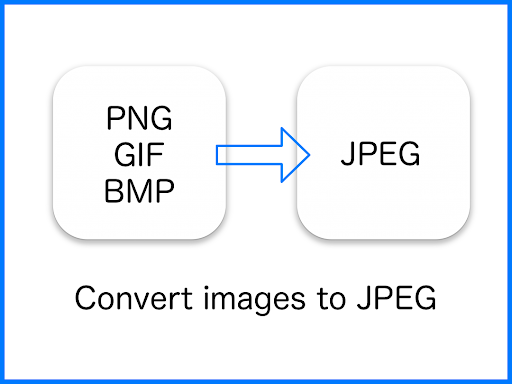
Imagine getting an image that looks fine on your phone but needs to be a JPEG for a form, a shared folder, or a piece of software that expects that format. This is the sort of small problem JPEG Converter is meant to solve. It converts PNG, GIF, BMP, and other image formats to JPEG, keeping the task focused instead of sending you through a full editing workflow.
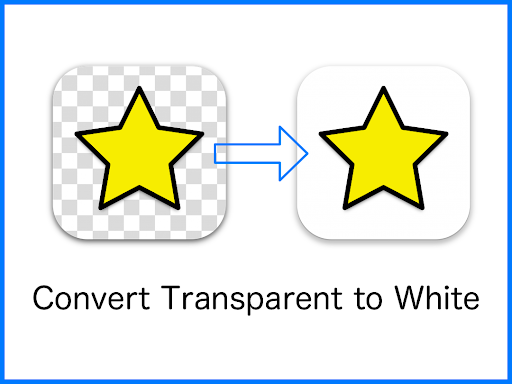
The main detail to remember is what happens to transparent areas: the app turns them white in the converted image. That can matter with a logo or graphic designed to sit on a colored background. I would check the result before sending it if the white background changes how the image looks. The finished files are saved in the Pictures/JPEG folder, giving you a specific place to look.
A Converter, Not An Editor
Compared with opening an image in a broader photo app, this one is about changing file format rather than adjusting the image itself. That narrow job is useful when I only need a JPEG and do not want to turn a quick conversion into an editing session. Its stated support includes PNG, GIF, BMP, and other image formats, with JPEG as the output.
It is not described as a tool for retouching photos, changing colors, or arranging a design. Nor would I choose it when transparency needs to remain intact: the transparent parts become white. If the image needs careful visual changes, a photo editor is the more suitable kind of app. JPEG Converter makes more sense when the format is the obstacle and a simple conversion is enough.
Keep The Result Easy To Find
A small habit that helps is to remember the destination folder before starting: converted images go to Pictures/JPEG. That gives me a straightforward place to check when I need to attach or share the finished file. It also avoids confusing the converted copy with the original, especially when I am dealing with an image whose name or appearance is familiar.
I would also make transparency part of my quick review. For a graphic with clear areas, the white replacement can change the look against whatever background I had in mind. Checking the converted image before using it is a practical safeguard, not a complicated extra step. This app’s clearest workflow is simple: convert, find the saved JPEG, and make sure the white areas suit the task.
More From Our News Desk

Zoom Meetings, Google Meet, or Teams: Which Is Easiest to Join?

How I Build a Free Streaming Lineup With Tubi

Why Crunchyroll Is the Default Anime App for So Many Fans

YouTube TV: A Practical Guide to Cutting Cable

Rummikub and the Small Comfort of Phone Games

TeamViewer Remote Control or AnyDesk for Helping Family?
Who May Find It Useful
I would recommend JPEG Converter to Android users who occasionally receive or keep images in PNG, GIF, or BMP format and need a JPEG instead. Its appeal is the directness of the job and the stated save location. If format conversion is an occasional nuisance rather than a daily creative project, a dedicated utility can be easier to approach than a larger app with many unrelated tools.
It may not suit someone who expects a complete image editor, needs transparent backgrounds preserved, or wants controls that are not part of the stated conversion task. The white fill is especially worth considering for logos and graphics. I would also look elsewhere if I needed a broader workflow for changing an image’s appearance. This is best viewed as a practical single-purpose converter.
JPEG Converter-PNG/GIF to JPEG is a Photography app from handyCloset Inc. On Google Play, it has over 5 million installs and a 4.5-star rating from about 20,600 ratings. It is free to download, contains ads, and has no in-app purchases. Its content rating is Teen.
The app was released on April 30, 2015, and its last update is dated November 4, 2026. Google Play gives its version as varying by device. No minimum Android version is provided in the available app details, so it is sensible to check the current store information for compatibility with a particular phone.
A Closer Look At The Conversion Flow
A Focused First Impression
When I first opened the app, the appeal I could see from its description was its narrow purpose. It is for converting an image to JPEG, rather than presenting itself as a place to organize or edit a whole photo library. That is a useful distinction for a utility: I can judge it by whether the output format is right and whether I can find the saved result.
There is no need to learn a long list of creative tools to understand the intended outcome. The app supports PNG, GIF, BMP, and other image formats as inputs, and JPEG as the destination. One thing I would keep in mind from the outset is that transparency becomes white, so a converted file may not look identical when placed over a different background.
The Day-To-Day Job
In ordinary use, a converter like this is most valuable in the moment a file format gets in the way. Perhaps an image needs to be delivered as a JPEG, or a workflow simply calls for that format. JPEG Converter is built around that change, without claiming to be a broader image-making workspace. The clear output folder, Pictures/JPEG, is a practical detail for finding the result afterwards.
The conversion itself is the central experience, so I would keep expectations modest and specific. The supplied description does not lay out editing controls or an elaborate set of conversion options. What it does make clear is the input-to-JPEG purpose and how transparent color is handled. For an occasional one-off need, that simplicity can be a benefit; for extensive image work, it is only one step.
What Sets It Apart
The most useful details are its stated range of input formats and its explicit handling of transparency. PNG, GIF, BMP, and other image formats can be converted to JPEG, while transparent color is replaced with white. That last point is more than a technical footnote. It tells me in advance what to expect from an image whose clear areas contribute to its design.
The save destination also makes the tool easier to place in a routine. Converted images go into Pictures/JPEG, rather than leaving the location entirely vague. I can use that information when looking for a finished file later. These are practical, concrete points rather than a promise of sophisticated editing, and they define the app’s useful scope quite neatly.
A Practical Routine
For a simple use case, I would start with an image that needs to become a JPEG, then keep the transparency behavior in mind if it contains clear areas. After conversion, I would check Pictures/JPEG for the saved file and take a quick look at the result before using it elsewhere. That routine is easy to remember and matches the app’s stated behavior without adding unnecessary steps.
This is particularly sensible for a graphic that will be shared or placed into another workflow. A white background may be perfectly fine for one image and distracting for another, so I would decide based on how the graphic is meant to appear. The app handles the format change; a quick inspection lets me confirm that the new JPEG is suitable for its intended use.
Limits To Keep In Mind
The most obvious limitation is the change from transparent areas to white. If a transparent background is important, JPEG is not a like-for-like replacement, and the result may not suit the original design. I would avoid assuming that conversion preserves every visual property simply because the image remains recognizable. The stated behavior makes checking the output especially worthwhile for logos, icons, and other graphics.
The app’s description is about conversion, not editing or a wide range of image-management features. That makes it a poor fit if the real goal is to retouch an image or control how it looks. It also contains ads, which may be a consideration for people who prefer an uninterrupted utility. Its value depends on needing this particular format change often enough to keep a dedicated converter handy.
JPEG Converter-PNG/GIF to JPEG has a clear, practical purpose: it converts images such as PNG, GIF, and BMP files into JPEGs and saves them in Pictures/JPEG. I appreciate that its treatment of transparency is spelled out, because white replacement can affect the result. This is a small utility to judge by a specific need, not by the breadth of a photo editor.
I would try it if I wanted a simple Android conversion tool and could work with transparent areas becoming white. If I needed to preserve transparency or make detailed visual changes, I would choose a different kind of app. For occasional format hassles, its focused job and known save location make it a reasonable option to consider.
JPEG Converter Frequently Asked Questions
What is JPEG Converter-PNG/GIF to JPEG used for?
JPEG Converter-PNG/GIF to JPEG is used to convert images to JPEG format. Its description names PNG, GIF, BMP, and other image formats as supported inputs. Transparent color is changed to white, and converted images are saved in the Pictures/JPEG folder. It is a format-conversion utility rather than a general-purpose photo editor.
Which devices can run JPEG Converter-PNG/GIF to JPEG?
The app is listed for Android on Google Play. The available details do not give a specific minimum Android version, and the version is described as varying by device. Compatibility can depend on the device, so check the current Google Play information for the phone or tablet you plan to use.
Does JPEG Converter-PNG/GIF to JPEG cost anything?
The app is free to download and its store details say it contains ads, with no in-app purchases. Store information can change over time, so it is worth checking Google Play for the current terms before installing. Its main stated function is converting image files to JPEG.
What happens to transparent backgrounds in JPEG Converter?
Transparent color is converted to white when an image is saved as JPEG. That means the result may look different if the original graphic relied on transparency to sit over another color. If the background matters to your use, check the converted image before sharing or placing it in another project.
Is JPEG Converter-PNG/GIF to JPEG right for everyone?
It may suit Android users who need to turn PNG, GIF, BMP, or other images into JPEG files. It is less suitable if you need to preserve transparency or expect image-editing features, since the stated purpose is conversion and transparent color becomes white. The app also contains ads.
Pros
- Converts PNG, GIF, BMP, and other image formats to JPEG.
- States clearly that transparent areas become white.
- Saves converted images in the Pictures/JPEG folder.
- Free to download, with no in-app purchases.
Cons
- Transparent areas are replaced with white, which can change a graphic’s appearance.
- Contains ads.
- Focused on conversion rather than broader image editing.
- Category
- Photography











