Jango Radio
- 112.77K
- 4.3
- Installs
- 10.00M
- Price
- Free
Screenshots
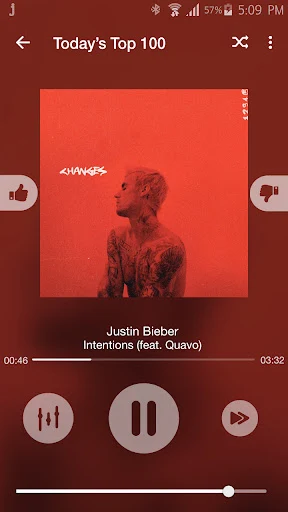
Analysis by Reviewed APKs
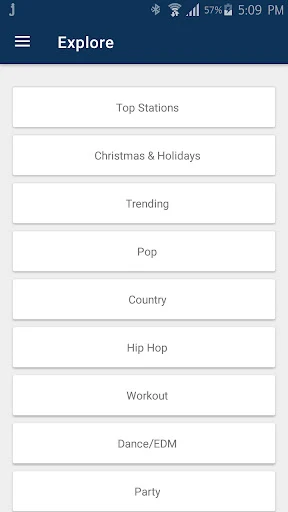
Jango Radio is a free streaming app for people who want music organized around artists, genres, and familiar radio-style stations. I found its appeal in the simple idea: pick a starting point and let a personalized station fill the gaps with similar music. It suits casual listening better than building a precise album queue, and the ad-free experience makes it an easy companion for everyday routines.
A station for the commute
When I want music for a drive or a slow morning at home, I don’t always have a specific album in mind. Jango Radio lets me start with an artist, band, or genre, then builds a station around that choice and related music. That makes it useful when I know the mood I want but would rather not spend the first ten minutes searching and arranging tracks.
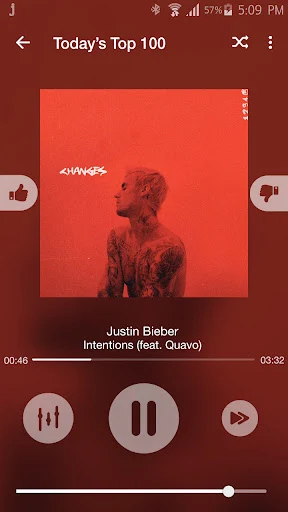
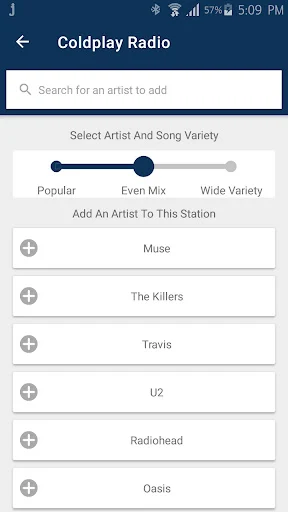
The radio format is the point: I choose a starting station, then let it play. If a song doesn’t fit, I can ban it, and if I want to steer the mix, I can add artists. I like that these controls offer some direction without turning listening into a full-time playlist-editing task. For background music while cooking or working, that balance feels practical.
Radio, not a music library
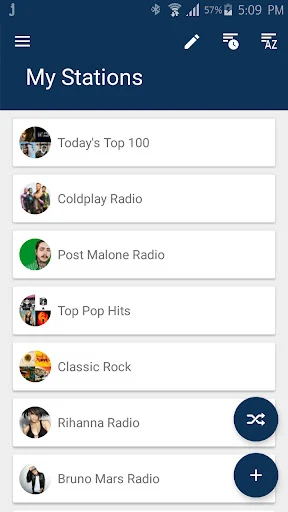
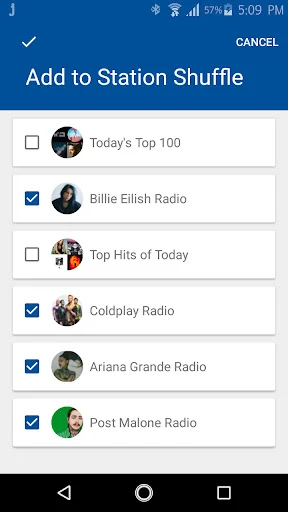
Jango sits between a fixed broadcast station and a manually assembled playlist. Its custom stations begin with artists I choose, while hundreds of curated genre stations offer a quicker way to get going. Shuffling stations can broaden the listening mix, and adding or banning artists and songs gives me a way to nudge the results over time.
That approach won’t suit everyone. If I want to pick every track in a specific order or treat the app as a personal music collection, radio-style listening is a different proposition. Jango is better for discovery and hands-off playback than for fine control over a queue. I’d choose it when I want music to keep flowing, not when I have a carefully sequenced set in mind.
Small ways to tune it
A useful habit is to start with an artist I genuinely like, then add other artists when I want the station to move in a new direction. Banning songs that miss the mark also helps keep a station closer to my taste. I wouldn’t expect one quick choice to capture every mood; treating the station as something I can gradually steer makes the experience feel more personal.
I’d also save stations I expect to revisit, especially if I use Jango on more than one device. The app can carry saved stations to other devices or the Jango website, and existing Jango.com listeners can log in to access their stations. If I’m listening while roaming, changing audio quality to use less data is a practical setting to consider.
More From Our News Desk

Zoom Meetings, Google Meet, or Teams: Which Is Easiest to Join?

How I Build a Free Streaming Lineup With Tubi

Why Crunchyroll Is the Default Anime App for So Many Fans

YouTube TV: A Practical Guide to Cutting Cable

Rummikub and the Small Comfort of Phone Games

TeamViewer Remote Control or AnyDesk for Helping Family?
Who will enjoy Jango
I’d recommend Jango Radio to listeners who like discovering music through artists and genres, and who want a station to run without constant input. It’s a good fit for everyday background listening, a commute, or a familiar routine where choosing a starting point is enough. The no-commercial, no-ad listening described for the service is especially appealing when interruptions would spoil that easygoing radio feel.
It may be less satisfying for someone who wants to select and arrange every song, or who thinks of a music app primarily as a library of specific tracks and albums. The station model gives me influence, but it still centers on radio playback. People who already use Jango.com may appreciate bringing their existing stations along; newcomers can start with an artist or one of the curated genre options.
Jango Radio is a Music & Audio app from Jango.com. Google Play shows more than 10 million installs and a 4.3-star rating from about 113,000 ratings. It is free, with no in-app purchases and no ads. The content rating is Teen, so it is worth keeping that rating in mind when deciding whether the app is appropriate for a younger listener.
The app’s listed version is 6.9.1. It was released on September 29, 2010, and its latest update is dated October 27, 2026. Google Play does not provide a minimum Android version in the supplied app details, so check the store page for device compatibility before installing.
How Jango Fits Into Everyday Listening
An easy starting point
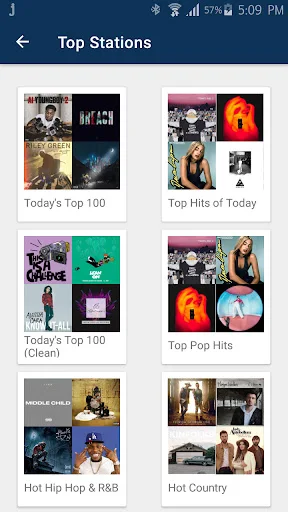
My first impression is that Jango is built around getting music started rather than asking me to configure a complicated listening setup. I can search for an artist, band, or genre and use that as the foundation for a custom station. If I’m not ready to make that choice, the curated genre stations provide another route into the music.
That simplicity suits the app’s radio-first purpose. I don’t need to plan a long queue before pressing play; the station is meant to keep going with related music. I found that especially appealing for moments when my attention is on something else, such as getting ready in the morning or doing chores.
A steady listening rhythm
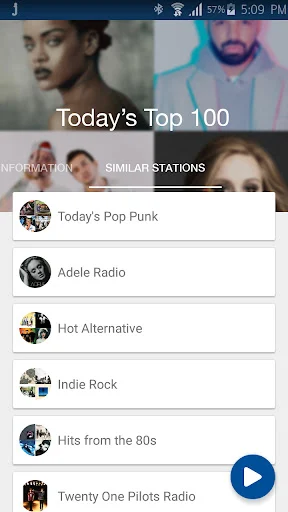
Day to day, the experience is about choosing a station and making small adjustments rather than managing every track. A station based on a favorite artist gives me a familiar anchor, while similar artists help the selection move beyond songs I already know. The result is a useful middle ground between replaying the same favorites and leaving everything to a broad genre broadcast.
I like having a way to respond when the mix misses. Adding artists can broaden or redirect a station, and banning songs I don’t like is a more direct correction. Those controls make the listening feel less anonymous without asking me to stop what I’m doing and curate a complete playlist.
Personal stations and discovery
The standout feature is the combination of custom stations and a large set of curated options. I can build from artists I already enjoy, or choose a programmed station such as a genre or hits-by-decade selection. Shuffling stations can extend the music further, which is handy when I want variety but don’t want to keep searching for the next thing.
There are a few thoughtful extras around that core. Jango can block music with explicit language, and its audio-quality setting can use less data while roaming. A sleep timer can schedule playback to stop later. These details serve ordinary listening situations without changing the app into something more complicated than a radio service.
I also appreciate the continuity for existing Jango.com listeners. Logging in on an Android device gives access to existing stations, and saved stations can be used on other devices or at jango.com. That makes the station itself more portable than a listening session tied to one device.
A routine that works
For an evening wind-down, I’d pick a mellow artist or genre station, let it play, and use the sleep timer to have the music turn off later. The timer is a small feature, but it matches a real habit: I often want music while settling in without needing to remember to stop playback once I’m ready to sleep.
For a longer day out, I’d start with a station suited to the trip, save it if I want to return to it, and consider lowering audio quality when roaming to use less data. I’d also make quick station adjustments when a song or artist doesn’t fit. A few small choices like these can make Jango feel more tailored without requiring much attention.
Where the format falls short
The main limitation is also the defining choice: this is radio-style listening, not a promise of precise track-by-track control. I can influence a station by adding artists and banning songs, but listeners who want to design a strict sequence may find that approach too loose. It helps to decide whether discovery and continuous playback are what I want before making Jango my main music app.
Another consideration is that a station needs some direction from me. Starting with an artist or genre is easy, but the quality of the fit depends on choosing a useful starting point and adjusting when needed. The curated stations offer an alternative, though they may not match every specific mood as closely as a carefully assembled playlist.
Jango’s listed content rating is Teen, and compatibility depends on the Android device and software. The supplied store details don’t specify a minimum Android version, so I’d check Google Play for current device requirements. These are practical details to keep in view, rather than reasons to dismiss an app whose simple radio approach fits your habits.
Jango Radio gets the basics of personalized radio right: start with an artist or genre, listen without commercial interruptions, and make a few adjustments as your tastes shift. I especially like its fit for background music and its small practical touches, such as the sleep timer and lower-data audio option.
I’d recommend it to listeners who want easy discovery and don’t need to control every track. If precise playlists are your priority, the radio format may feel restrictive. But for a free, straightforward station app that can keep music moving through an ordinary day, Jango is worth trying.
Jango Radio Frequently Asked Questions
What is Jango Radio used for?
Jango Radio is a personalized music-streaming service. You can start a custom station with an artist, band, or genre, or choose from curated genre stations. It also lets you add artists, ban songs you don’t like, shuffle stations, and use a sleep timer. Its focus is ongoing radio-style listening rather than manually arranging every song.
Which devices can I use Jango Radio on?
Jango Radio is available on Android, and the app description also says it is available for Wear OS smartwatches. Existing Jango.com listeners can log in on an Android device to access their stations, and saved stations can be used on other devices or at jango.com. Check the store page for current device compatibility.
What Android version does Jango Radio require?
The minimum Android version can vary with the app and device, so check the Jango Radio page on Google Play for the current requirement before installing. The listed app version is 6.9.1. The supplied details don’t give a minimum Android version, so the store page is the best place to confirm compatibility for your phone or tablet.
Does Jango Radio cost money?
Jango Radio is free on Google Play. The supplied app details show no in-app purchases and no ads. It offers unlimited listening, with stations based on artists or genres and a selection of curated options. Store details can change, so check Google Play for the current terms before installing.
Is Jango Radio a good choice for me?
It’s a good fit if you enjoy artist-based stations, music discovery, and hands-off listening for a commute or daily routine. The app lets you influence stations by adding artists and banning songs. If you want exact control over a song-by-song playlist, radio-style playback may not suit you as well.
Pros
- Creates personalized stations from artists, bands, or genres.
- Offers curated genre stations and station shuffling for variety.
- Includes a sleep timer and an audio-quality option to use less data while roaming.
- Free listening with no ads or in-app purchases.
Cons
- Radio-style playback may not suit listeners who want to arrange every track.
- Stations may need occasional adjustments to better match your taste.
- Minimum Android requirements should be checked on Google Play.
- Category
- Music & Audio
- Version
- 6.9.1











