Impulse - Brain Training
- 852.21K
- 4.7
- Installs
- —
- Price
- Free
Screenshots
Analysis by Reviewed APKs
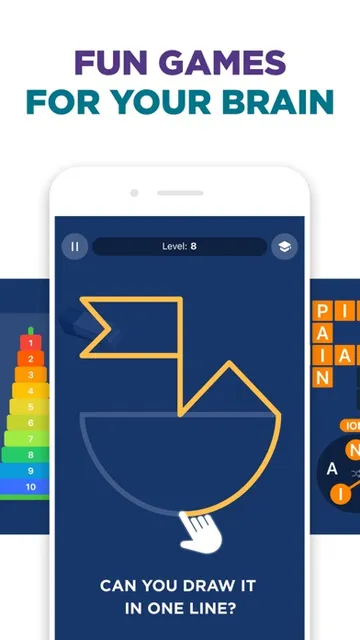
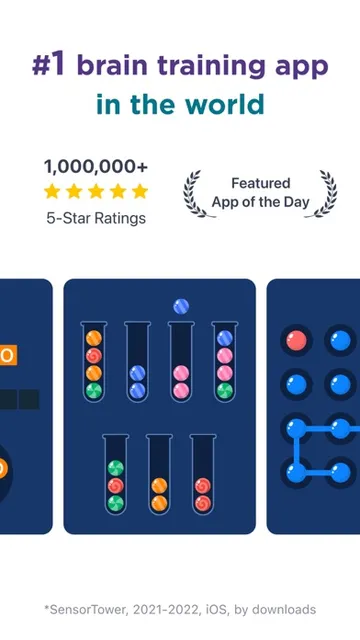
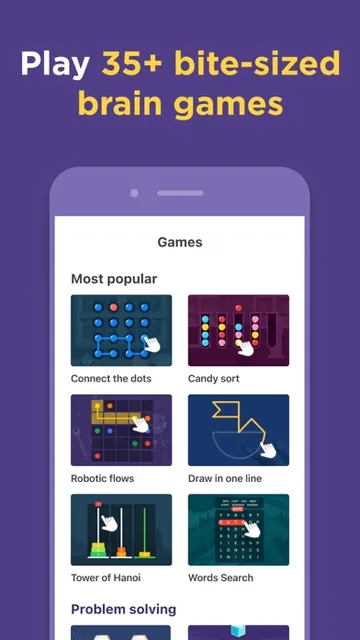
Impulse - Brain Training is an iPhone app for short mental exercises and self-discovery tests, with activities focused on memory, attention, processing speed, mental math, and problem-solving. I like the idea of pairing quick games with progress reports and personalized recommendations, rather than leaving every session as a pile of scores. It should suit people who enjoy a structured daily brain-training routine, though it is not a substitute for professional assessment or care.
A Few Minutes Between Tasks
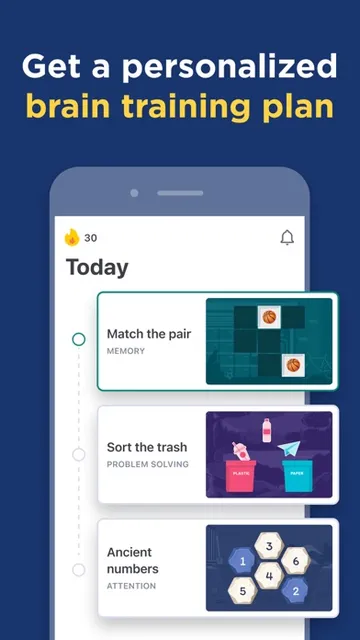
When I picture using Impulse in an ordinary week, it fits into the small gaps that otherwise disappear into phone scrolling: a few minutes before the bus arrives, during a quiet lunch break, or after putting the kettle on. The app’s daily plan gives that time a purpose, with games aimed at areas such as memory, focus, and mental math. The appeal is that I can start with a short session instead of setting aside a whole evening.
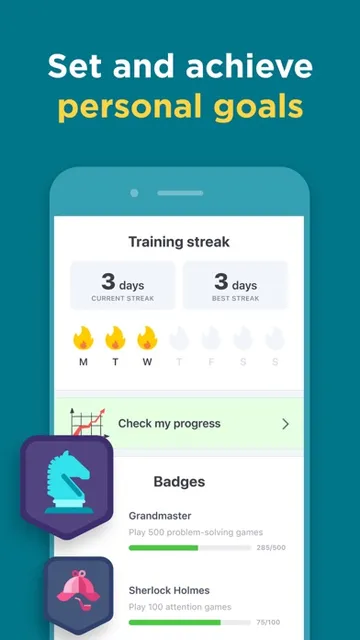
After a session, performance trends and progress reports offer a way to look back at how training is going. Streaks can also give a routine a gentle nudge; I’d treat them as reminders, not a reason to squeeze in a game when I’m tired. The self-discovery tests add another kind of session when I want to explore cognitive strengths, personality, or emotional intelligence rather than repeat a quick exercise.
Games, Not a General Brain Guide
Compared with a book of puzzles or a casual game, Impulse brings several kinds of brain-training activities together with a daily plan and progress tracking. That structure is useful if I want the app to suggest areas to work on and give me a record of sessions. A standalone puzzle may be simpler for passing time, while Impulse is more oriented toward making mental exercises a recurring part of a routine.
It is also not a diagnostic tool or a replacement for a teacher, clinician, or formal cognitive assessment. Its tests and recommendations are presented as self-discovery and training features, so I would use them for reflection and engagement rather than treat a result as a definitive label. If I want an open-ended library, social play, or a conventional course of study, this particular brain-training format may not be the right fit.
Make the Routine Sustainable
I’d begin by choosing a realistic moment in the day and keeping the session modest. A brief daily habit is easier to maintain than an ambitious plan that competes with work, family, and rest. The personalized plan can help direct attention toward the app’s different training areas, while the progress reports give me a reason to check in periodically instead of judging the whole experience by one unusually good or bad game.
It may also help to alternate between training games and the self-discovery tests, rather than trying to do everything at once. I’d look at trends over time and use the recommendations as prompts for what to try next. Streaks can be motivating, but a missed day need not become a failure. The point is to find a repeatable routine that remains enjoyable, not to turn another app into a chore.
More From Our News Desk

Zoom Meetings, Google Meet, or Teams: Which Is Easiest to Join?

How I Build a Free Streaming Lineup With Tubi

Why Crunchyroll Is the Default Anime App for So Many Fans

YouTube TV: A Practical Guide to Cutting Cable

Rummikub and the Small Comfort of Phone Games

TeamViewer Remote Control or AnyDesk for Helping Family?
Who Might Enjoy Impulse
I’d recommend Impulse to people who like short, guided activities and want a little structure around their mental exercises. The mix of games, personal recommendations, and progress tracking gives curious users several ways to engage. It may be especially appealing if you enjoy seeing patterns in your own performance or prefer a daily plan to choosing a random puzzle every time you open an app.
It may be less appealing if you want a completely free experience with no subscription decision, or if you dislike streaks and progress tracking. People looking for formal cognitive testing should also keep expectations grounded: the app describes its tests as tools for self-discovery, not professional evaluation. And if quick brain games do not hold your interest, the personalized plan may not be enough to make the routine stick.
Impulse - Brain Training is made by GMRD Apps Limited and is available for iPhone through the Apple App Store. The store gives it a 4.7 rating from about 852,000 ratings and a 4+ age rating. Its current version is 1.57. The app first appeared on February 20, 2019, and its listed last update is October 19, 2026.
The app is free to download, with a three-day free trial described as providing full access to its games. A subscription is offered after the trial, and its fee is shown in the app before payment; the subscription renews automatically unless turned off at least 24 hours before the current period ends. The listed minimum requirement is iOS 18.0. Subscription management is handled through iTunes Account Settings.
How Impulse Fits Into a Daily Routine
Opening With a Plan
My first impression is of an app that wants to make brain training feel organized rather than improvised. Its central idea is a personalized daily plan, built around areas such as memory, processing speed, attention, focus, mental math, and problem-solving. That gives a new user a clear starting point: pick up the phone, follow the suggested training, and see how the session goes.
I’d approach setup with a little curiosity and modest expectations. The app combines games with self-discovery tests, so it is not only asking me to play but also inviting me to think about cognitive strengths and personal traits. Those are two different kinds of activity, and I would take time to explore them separately instead of expecting every screen to feel like a game.
The Day-to-Day Loop
The everyday experience is built around repeat visits. A daily plan can reduce the effort of deciding what to do, and the short-game format makes it easier to fit training into a spare moment. Impulse describes its activities as approachable while still challenging enough to encourage progress, which is a sensible balance for an app intended to become part of a regular routine.
After playing, I can use performance trends and reports to review how things are going. That context matters more than a single score: one distracted session does not say much by itself. I’d check in after several sessions and treat the information as a way to reflect on my app activity, not as proof that a particular ability has changed.
More Than Brain Games
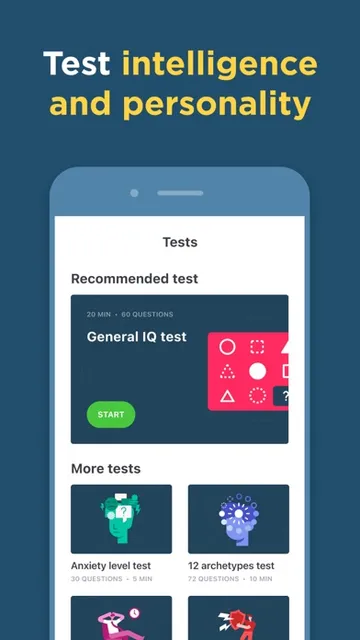
The self-discovery library is the feature that gives Impulse a broader feel than a collection of mini-games. It includes IQ and cognitive-strength tests, along with personality-type, archetype, emotional-intelligence, and self-awareness tests. The app pairs these with personalized recommendations, connecting the results to areas a user might want to explore or train.
Progress tracking adds another layer: the app describes performance trends, actionable insights, streaks, and progress reports. Together, those features offer more ways to stay engaged than simply chasing a high score. I’d still keep the app’s framing in mind. These are presented as app-based tests and recommendations for personal discovery, not as a formal evaluation of someone’s abilities or personality.
A Repeatable Five-Minute Habit
A practical routine could be to open Impulse at the same everyday transition, such as after breakfast or once a work break begins. I’d follow the daily plan, complete the session, and then glance at the progress report only when I have time to think about it. Connecting the app to an existing moment helps avoid the need to remember a separate training appointment.
On another day, I might explore one of the self-discovery tests instead of trying to cover every feature in a single sitting. If the app shows a recommendation, I can use it to choose a future session. That keeps the experience varied without making it complicated. Streaks may add a sense of continuity, but I would let the routine flex around real life rather than protect a number at all costs.
Keep Expectations Grounded
The biggest practical limit is that a personalized plan and a collection of scores do not automatically make brain training a fit for everyone. Some people simply prefer unstructured puzzles, books, or other pastimes. Others may find daily streaks and progress reports motivating, but that same tracking can feel like pressure if they already have too many routines to maintain.
The cost model is also worth understanding before settling in. The app is free to download and describes a three-day trial with full access to its games, followed by a subscription if you choose to continue. The actual subscription fee is presented in the app before payment. I’d review those terms and decide whether the app’s format is worth maintaining after the trial.
Impulse brings daily brain-training games, self-discovery tests, recommendations, and progress tracking into one iPhone app. I like that the plan offers a simple starting point and that the reports make repeated sessions easier to review. Its best use is as an engaging personal routine, with results treated as prompts for reflection rather than definitive measures.
I’d give it a try if short mental games and a guided plan sound enjoyable, especially if you value variety beyond puzzles alone. Before committing, check the subscription details shown in the app and consider whether the routine suits you. If you want formal assessment or dislike recurring app habits, Impulse is probably not the best match.
Impulse Frequently Asked Questions
What is Impulse - Brain Training used for?
Impulse is an iPhone app for brain-training games and self-discovery tests. Its activities cover areas including memory, attention, processing speed, mental math, and problem-solving. It also offers a personalized daily plan, recommendations, and progress tracking. The tests are for self-discovery and app engagement, rather than a replacement for professional assessment.
Which devices can run Impulse - Brain Training?
Impulse - Brain Training is available for iPhone through the Apple App Store. The listed minimum requirement is iOS 18.0. Device compatibility can depend on the particular model and current store requirements, so it is worth checking the App Store page for your device before downloading.
What iOS version does Impulse - Brain Training require?
The listed minimum operating system requirement is iOS 18.0. The current version shown is 1.57. Store requirements can change as the app is updated, so check the App Store listing for the latest compatibility details for your iPhone.
Does Impulse - Brain Training cost money?
Impulse is free to download and offers a three-day free trial with full access to its games. A subscription is available after the trial, and its fee is shown in the app before payment. The subscription renews automatically unless you turn off auto-renewal at least 24 hours before the current period ends.
Who is Impulse - Brain Training best suited for?
It may suit people who enjoy short mental games, guided daily plans, self-discovery tests, and progress reports. It may be a poorer fit for someone seeking formal cognitive assessment, a purely unstructured puzzle app, or a routine without subscription decisions. Whether the format and cost work for you depends on your preferences; check the App Store and in-app terms.
Pros
- Personalized daily plans give short training sessions a clear starting point.
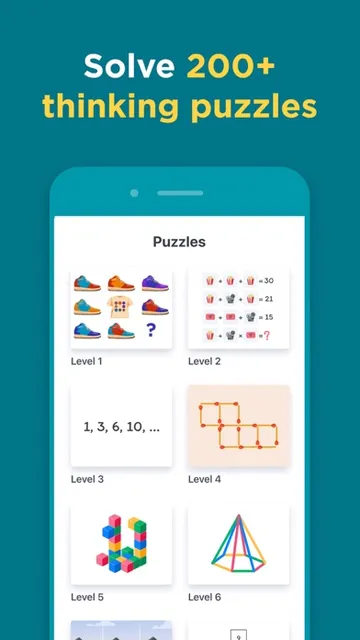
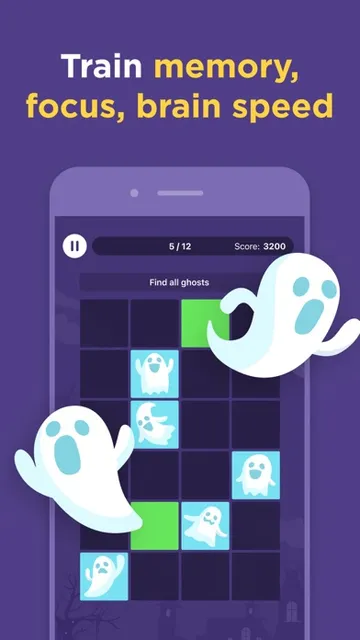
- Games cover memory, focus, processing speed, mental math, and problem-solving.
- Self-discovery tests add variety beyond the brain-training games.
- Progress reports and trends help users review activity over time.
Cons
- A subscription follows the three-day free trial if you choose to continue.
- Daily plans, streaks, and tracking may not suit users who dislike routines.
- App-based tests should not be mistaken for formal cognitive assessment.
- Category
- Education
- Version
- 1.57











