healow
- 233.44K
- 4.6
- Installs
- 10.00M
- Price
- Free

Screenshots
Analysis by Reviewed APKs
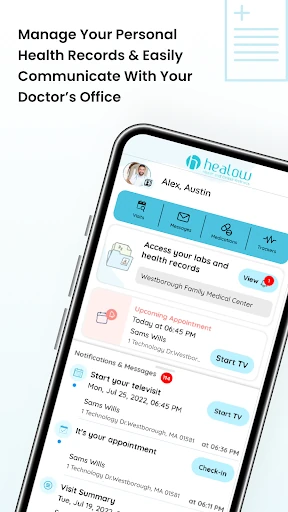
healow is a health portal app for checking records, contacting a care team, and managing appointments from a phone. It suits patients whose doctor’s office uses the healow Patient Portal, especially anyone juggling visits or records for more than one family member. I like the idea of having results, messages, and visit details together; the important catch is that you need an existing portal account to get started.
A Routine Around Appointments
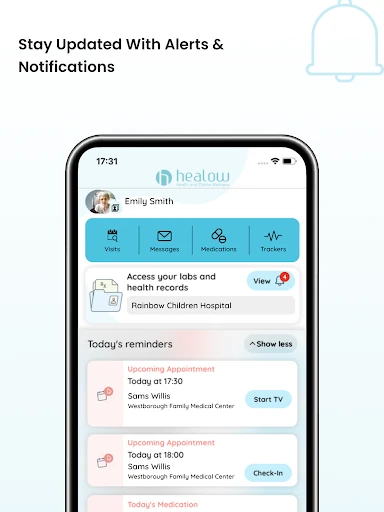
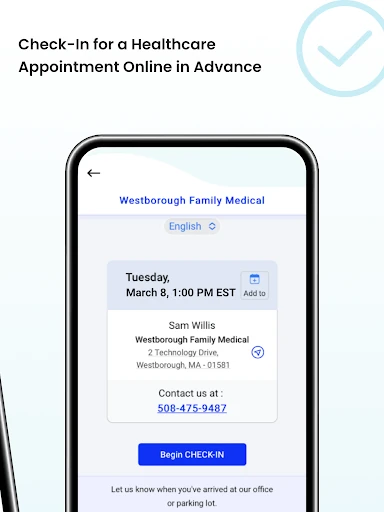
When I picture using healow on an ordinary week, it is between errands and a scheduled appointment: I can check the upcoming visit, handle pre-visit check-in, and look over available health information without waiting until I am at a computer. If a result has arrived, the app can put it within reach on my phone. That makes it a practical companion to care already arranged through a participating provider, rather than a place to find a doctor.
The useful part is that several small tasks live in one patient-facing app. I can message the care team, review medications and test results, and request a refill without making a phone call for every question. For a virtual visit, healow can also be used to initiate and attend the appointment. These are connected moments in the care routine, not a replacement for the clinician or the appointment itself.
A Portal, Not a Search Tool
The obvious comparison is a provider’s patient portal website. healow puts portal access on mobile, with features for messages, results, appointments, and records, and can be more convenient when I want to check something away from a desk. It also brings tools for tracking readings and health goals into the same app. Whether those records are useful day to day depends on what the provider makes available through the portal.
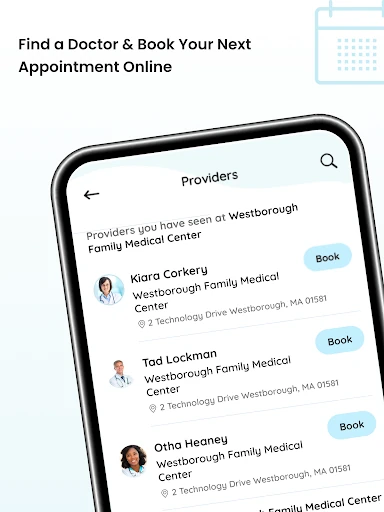
This is not a general health encyclopedia, a way to book with any clinic, or a standalone fitness app. The app requires an existing healow Patient Portal account connected to the doctor’s office, so it is best understood as a doorway to that provider relationship. If my clinic does not use the portal, downloading healow alone will not create access to its records or care team.
Small Habits That Help
I would make a quick check of upcoming visits part of my weekly routine, then use the app’s check-in option and complete any necessary documentation before heading out. That shifts a little preparation away from the waiting room. If I have a question that does not need an immediate conversation, sending a direct message can keep it attached to my care-team communication rather than letting it slip off a paper note.
For ongoing tracking, the app includes tools for weight, activity, fitness, sleep, and vital readings, with trend changes that can be shared with a doctor. I would keep entries consistent enough to make comparisons meaningful, rather than trying to record everything at once. The family-record option can also help when managing multiple members’ information under one account, provided the relevant records are available through the portal.
More From Our News Desk

Zoom Meetings, Google Meet, or Teams: Which Is Easiest to Join?

How I Build a Free Streaming Lineup With Tubi

Why Crunchyroll Is the Default Anime App for So Many Fans

YouTube TV: A Practical Guide to Cutting Cable

Rummikub and the Small Comfort of Phone Games

TeamViewer Remote Control or AnyDesk for Helping Family?
Who May Find It Useful
I would recommend healow to patients whose providers already use its portal and who want routine care details close at hand. It is particularly relevant if you often check test results, need to arrange or prepare for appointments, prefer messaging the care team, or have virtual visits. The ability to view multiple family members’ records under one account may also suit people who help keep track of a household’s care.
It may be a poor fit if you expect an app to connect you to any doctor, or if your provider does not offer a healow Patient Portal account. People who only want a general-purpose activity tracker may also find the app’s medical-portal focus unnecessary. I would treat it as a convenient access point, while remembering that the information and available actions depend on the provider’s portal.
healow is developed by eClinicalWorks LLC and is listed in Google Play in the Health & Fitness category. The app has over 10 million installs and a 4.6-star rating from around 233,000 ratings. It is rated Everyone. Google Play gives its release date as March 12, 2013, and its current version is 7.6.5.
The app is free to download, with no in-app purchases or ads indicated in the supplied store facts. The recorded last update is August 7, 2026. An Android version requirement is not included in the available facts, so check Google Play for device compatibility before installing.
A Closer Look at Everyday Care
First Open and Setup
My first impression is that healow’s usefulness starts before the app itself: I need a username and password for an existing healow Patient Portal account from my doctor’s office. Once I have those details, I can log in and create a PIN. That requirement is worth knowing up front, because the app is not a sign-up shortcut for people whose provider has not set up portal access.
The app can also let me enable Face ID or Touch ID, which can save me from typing my login information each time. That makes repeated checks more convenient while keeping the initial setup tied to the account I already use for the provider’s portal website. I would have those credentials ready before opening the app, rather than expecting to browse records first and sort out access later.
The Daily Portal Experience
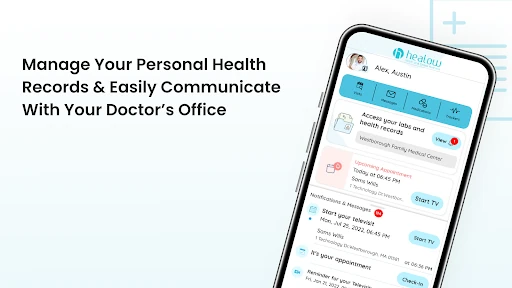
In regular use, healow is about checking and acting on care information rather than spending time in an elaborate standalone service. I can view test results when they become available, see medications and medical history, and contact the care team through direct messages. The app also supports self-scheduling appointments and showing upcoming visits. How much of that I can use will depend on what my provider’s portal offers.
I appreciate that the app covers both preparation and follow-up. Before an appointment, I can check in and complete necessary documentation; after care, I can review visit summaries and other health information available in the portal. It makes sense for quick, purposeful visits to the app: look up a result, check a date, or send a message, then get back to the day.
Features Beyond Records
The range of information is broader than appointments and lab results. healow can show allergies, immunizations, vital readings, visit summaries, and medication details. It also offers refill requests and medication reminders. Those options can reduce the number of small tasks I need to remember or handle by phone, though the app remains a channel for communicating with the provider rather than a substitute for that provider’s guidance.
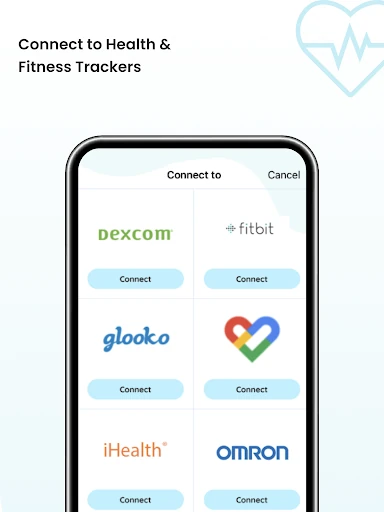
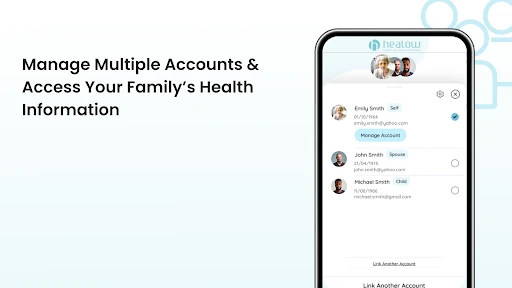
A second stand-out is the set of tracking tools for weight management, activity, fitness, and sleep. I can follow readings and watch for trends to share with my doctor. There is also support for managing and viewing several family members’ health records under one account. Together, these features make healow more than a digital appointment card, especially for people who regularly keep an eye on household care details.
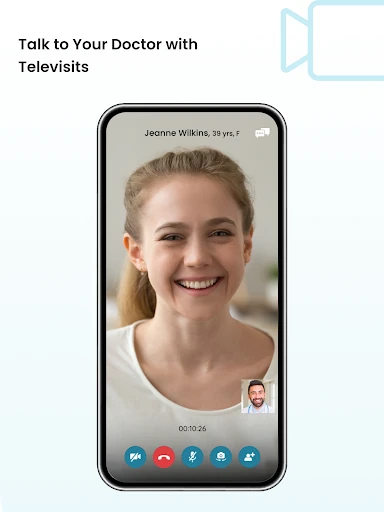
Virtual visits are another part of the package: the app can be used to start and attend telehealth visits with members of the care team. Its description also notes an accessibility feature for multitasking, including a floating wait-time counter for Televisit appointments. That is a specific convenience around a virtual visit, rather than a reason to install the app if telehealth is not part of my provider’s workflow.
A Simple Weekly Workflow
A practical routine could start with a brief weekly look at upcoming appointments. I would confirm the visit details, complete available check-in paperwork ahead of time, and note any questions I want to send to the care team. If a new test result appears, I can review it in the portal and use the messaging feature for follow-up communication. Keeping those steps together may make the administrative side of care feel less scattered.
For longer-term tracking, I would choose only the readings or habits that matter to my care and check them at a steady interval. The app’s tools cover weight, activity, fitness, sleep, and vitals, and its trend information can be shared with a doctor. A family account can help keep multiple records accessible too. The best workflow is likely the one that stays simple enough to maintain.
Limits to Keep in Mind
The biggest limitation is the account dependency. Without an existing healow Patient Portal account from a participating doctor’s office, the app cannot serve as a general health-record organizer for anyone who downloads it. Even with an account, the exact records and actions available are linked to the provider’s portal. I would check with the office if I am unsure whether it supports the service.
There is also a difference between access and interpretation. Seeing a test result or a trend on a phone can be convenient, but the app’s role is to provide information and communication tools; it does not replace a conversation with the care team. People hoping for a broad fitness platform may find the tracking features secondary to the patient-portal experience.
Finally, a mobile app does not make every care task instant. Appointment options, records, and responses depend on the provider’s systems and workflow. I would use healow to make routine access easier, while keeping expectations grounded in what the office has made available and using the usual care-team channels when a matter needs attention.
healow brings a useful collection of patient-portal tasks into one mobile app: records, messages, appointment tools, check-in, virtual visits, and personal tracking. I like its potential to reduce small bits of care-related friction, particularly for people managing recurring appointments or family records.
My recommendation is straightforward: try it if your provider uses healow and you already have portal access. If not, the app’s features will not be much use on their own. For the right patient, it is a practical companion to an existing care relationship, not a replacement for one.
healow Frequently Asked Questions
What is healow used for?
healow lets patients access information and communicate with providers through an existing healow Patient Portal account. Its features include viewing test results and medical history, messaging the care team, managing appointments, checking in, attending virtual visits, and using tracking tools. What is available can depend on the provider’s portal.
Which devices and platforms support healow?
The supplied information describes healow as an Android app available through Google Play. It does not specify other platforms or a complete device-compatibility list. Check the Google Play page for current device details and compatibility before installing.
What Android version does healow require?
The Android version requirement can vary by release or device, and a minimum version is not provided in the available facts. Check healow’s Google Play page for the current requirement shown for your device before downloading.
Does healow cost money or have in-app purchases?
healow is free to download, and the supplied store facts indicate no in-app purchases or ads. Access to its portal features requires an existing account from a doctor’s office using the healow Patient Portal. Check Google Play for any current changes to availability or terms.
Is healow a good fit for my care routine?
It may suit you if your provider uses the healow Patient Portal and you want mobile access to records, appointments, messages, or virtual visits. It is less useful as a general health app without provider-linked portal access. The available features can depend on your doctor’s office.
Pros
- Combines records, appointment tasks, and care-team messages in one mobile portal.
- Supports virtual visits, advance check-in, and appointment scheduling.
- Includes tracking tools and access to multiple family members’ records.
- Free to download, with no ads or in-app purchases indicated.
Cons
- Requires an existing healow Patient Portal account from a provider.
- Available records and actions depend on the doctor’s office.
- Its portal focus may not suit people seeking a general fitness app.
- Category
- Health & Fitness
- Version
- 7.6.5