GTBank (Uganda)
- 2
- 3
- Installs
- —
- Price
- Free

Screenshots
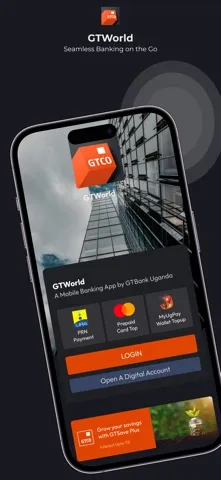
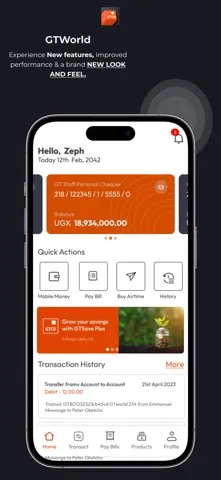
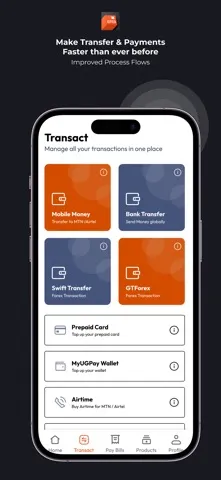
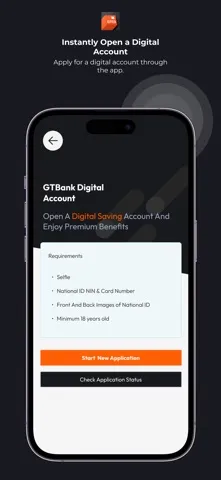
Analysis by Reviewed APKs
GTBank (Uganda) is a mobile banking app for customers who want to check account balances, review transactions and make transfers without opening the internet banking site on a computer. I see its appeal in practical, frequent tasks rather than broad financial planning: it brings several account-management basics onto an iPhone. The first-device email verification adds a step at setup, but the everyday purpose is clear.
A quick balance check
When I imagine using GTBank (Uganda) during an ordinary day, the useful moment is a quick account check before making a payment or moving money. The app lets customers view balances and transaction history, so those details are available from a mobile device rather than only through a desktop internet banking session. That makes it a practical companion for keeping an eye on account activity between more involved banking tasks.
A transfer is another straightforward reason to open it. The app supports moving money between your own accounts, to GTBank accounts, other banks and mobile money. I like that this range is described as part of the same mobile banking service: the job is not just looking at balances, but handling common account movements as well. For someone who already banks with GTBank Uganda, those are useful tasks to have close at hand.
Mobile banking, not a planner
The clearest comparison is with GTBank’s internet banking platform: the app is its mobile counterpart, and it uses the same user ID and password. I would think of it as a way to reach account information and transactions from an iPhone, not as a separate budgeting or money-tracking tool. Its documented focus is banking with GTBank, rather than pulling together accounts from different providers.
That distinction helps set expectations. The described tools cover balances, account management, transaction history, statements and transfers. They do not establish a broader package of budgeting dashboards, bill payment, airtime purchases or account opening, so I would not choose the app expecting those jobs. It makes most sense for existing customers who want mobile access to the banking functions it actually describes.
Make verification easier
A little preparation can make the first login less of a stop-and-start exercise. I would have my internet banking user ID and password ready, and make sure I can access the email address registered to the account. The app says that a first login on a device requires a six-digit verification code sent to that email. Once that device has been verified, the description says this step is required only for a device’s first use.
For a regular routine, I would keep the app’s jobs simple: check a balance, review recent transactions, make a needed transfer, or request an account statement. Those are separate reasons to return, rather than a requirement to monitor the app constantly. The terms also mention that standard mobile or internet service charges may apply, so I would keep data use in mind when banking away from Wi-Fi.
More From Our News Desk

Zoom Meetings, Google Meet, or Teams: Which Is Easiest to Join?

How I Build a Free Streaming Lineup With Tubi

Why Crunchyroll Is the Default Anime App for So Many Fans

YouTube TV: A Practical Guide to Cutting Cable

Rummikub and the Small Comfort of Phone Games

TeamViewer Remote Control or AnyDesk for Helping Family?
Who will find it useful
I would recommend GTBank (Uganda) to an existing customer who wants account details and transfer options on an iPhone. It is especially relevant if you already use internet banking credentials and want a mobile route to check balances, see transaction history, move money or request a statement. The supported transfer destinations include your own accounts, GTBank accounts, other banks and mobile money.
It may be a poor fit for someone looking for a general-purpose finance manager or a feature-rich banking suite beyond the functions described. It is also specifically the iOS app, with an iOS 15.6 minimum requirement, so device compatibility matters. The store score is based on only two ratings, which is too small a sample for me to treat as a reliable picture of everyone’s experience.
GTBank (Uganda) is published by GUARANTY TRUST BANK (UGANDA) LIMITED. It is a free iOS app, with a listed price of $0.00, and its minimum requirement is iOS 15.6. The current version provided is 2.1.2. It was released on April 23, 2021, and the supplied last-update date is September 10, 2026.
On the App Store, GTBank (Uganda) has a 3.0-star rating from 2 ratings. Its content rating is 17+. No install count is provided for this iOS app, so there is no install figure to add here. The available pricing details identify the app as free; for any other store-specific terms, I would check its App Store page before downloading.
What Mobile Banking Feels Like
A purposeful first login
The first impression I get from the setup instructions is that this app is meant for people who already have internet banking access. You launch it and enter the same user ID and password used for internet banking, rather than treating the app as an account-opening starting point. That makes the intended audience clear, although it also means new users need their existing credentials to get moving.
The first-device check is a small but important part of the experience. A six-digit code is sent to the email address registered to the account, and you enter it to verify that device. I would plan to have email access available during setup rather than beginning while away from it. The instructions say this verification is needed the first time a device is used.
Everyday account checks
Once set up, the app’s central appeal is having account information on a mobile device. I can see why balance viewing and transaction history would be useful in short visits: check what has cleared, confirm recent activity, then close the app and get on with the day. The app also supports managing accounts, keeping its role centered on existing GTBank banking rather than broader money organization.
I appreciate that the description names specific tasks instead of leaving the purpose vague. Transfers can be initiated between your own accounts, to other GTBank accounts, and to other banks; mobile money transfers are also included in the stated capabilities. That gives the app a practical range for everyday account movement. The details here do not spell out transfer limits or timing, so I would check the bank’s terms for those.
Statements and transfer choices
Two details make the app more useful than a simple balance viewer. Customers can request account statements, and transaction history gives another way to look back at activity. Those options can help when I need to review an account rather than just glance at its current balance. The description does not give a specific statement format or delivery process, so I would expect to follow the available in-app steps.
The breadth of named transfer destinations is the other notable point. I can use the described service for transfers to my own GTBank accounts, other GTBank accounts, other banks and mobile money. That is a meaningful set of routes for a bank’s mobile app, without suggesting that every possible payment type is included. I would stick to those documented functions when deciding whether it suits my routine.
A simple weekly routine
A sensible routine would be to open the app when there is a clear banking task: check an account balance before a purchase, review transaction history after activity, or make a transfer when needed. If I need a longer record, requesting a statement is another described option. This keeps the app useful without turning it into a daily budgeting system it was not presented as being.
For a transfer, I would take a moment to identify the intended destination before choosing among own accounts, GTBank, another bank or mobile money. The app’s description supports those categories, but does not provide specifics such as transfer limits or processing times. I would use the bank’s applicable terms for those details. Network charges may also apply, according to the app’s terms.
Keep expectations grounded
The app’s focus is narrow by design: it brings account management and transfers to mobile. That is a strength if those are the tasks I need, but it will not replace a budgeting app based on the functions described. Nor would I assume that features like bill payment, airtime purchases, customer chat or opening an account are included; they are not among the listed capabilities I can rely on here.
Compatibility is another practical limit. GTBank (Uganda) is the iOS version, and it requires iOS 15.6 or later. The store rating is 3.0 stars from just two ratings, so it offers little basis for a sweeping verdict about reliability or satisfaction. I would treat it as a small signal, then judge the app against the specific banking tasks I want it to handle.
GTBank (Uganda) is a focused mobile option for existing customers who want to view balances and transaction history, request statements and make several types of transfers. The first-device email code adds a setup step, but the instructions are clear about what to prepare. Its value depends on whether those core tasks match the way you bank.
I would try it if I already bank with GTBank Uganda, use an iPhone running iOS 15.6 or later, and want those functions on mobile. I would look elsewhere if I needed a wider personal-finance toolkit or services beyond the documented account features. Before installing, I’d check the App Store page for current details and terms.
GTBank Frequently Asked Questions
What is GTBank (Uganda) used for?
GTBank (Uganda) is a mobile banking app for customers to view account balances, manage accounts, check transaction history, request account statements and initiate transfers. The described transfer options include your own accounts, GTBank accounts, other banks and mobile money. It is presented as the mobile version of the internet banking platform.
Which devices support GTBank (Uganda)?
GTBank (Uganda) is the iOS app and requires iOS 15.6 or later. The supplied platform information is for the Apple App Store, so I would check the App Store page for current compatibility details for a particular iPhone or iOS release. The provided information does not describe an Android version.
What iOS version does GTBank (Uganda) require?
The minimum requirement supplied for GTBank (Uganda) is iOS 15.6. If you are unsure whether your device meets that requirement, check its iOS version and the current App Store compatibility information before installing. The app’s supplied version number is 2.1.2.
Does GTBank (Uganda) cost money?
The app is listed as free, with a price of $0.00. Its description notes that standard mobile or internet service charges may apply through your provider. Check the App Store page for current store terms or any changes to pricing details before downloading.
Who should use GTBank (Uganda)?
It is aimed at GTBank Uganda customers who want mobile access to account information and transfers. The setup instructions use existing internet banking credentials and require a six-digit code sent to the registered email when first verifying a device. It may not suit someone seeking a general budgeting app or functions beyond those described.
Pros
- Covers balances, transaction history and account statement requests in one mobile banking app.
- Supports transfers to own accounts, GTBank accounts, other banks and mobile money.
- Uses existing internet banking credentials, with a clear first-device email verification process.
Cons
- Requires iOS 15.6 or later, so older iPhones may not be compatible.
- The documented focus is account banking, not a broader budgeting toolkit.
- Its 3.0-star score comes from only two ratings.
- Category
- Finance
- Version
- 2.1.2











