Gridwise: Gig Driver Assistant
- 28.61K
- 4.9
- Installs
- —
- Price
- Free

Screenshots
Analysis by Reviewed APKs
Gridwise: Gig Driver Assistant is an iPhone app for keeping gig-work earnings, mileage, and expenses in one place. It is aimed mainly at rideshare and delivery drivers, though hourly and freelance workers can also track earnings across jobs. I like the idea of having work records and local opportunity insights together; it feels more purpose-built for gig work than a basic mileage tracker.
A Shift With Better Records
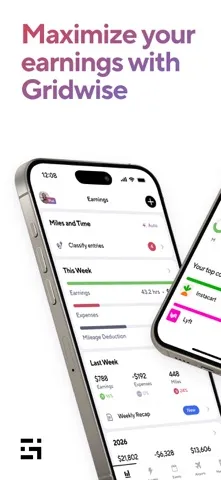
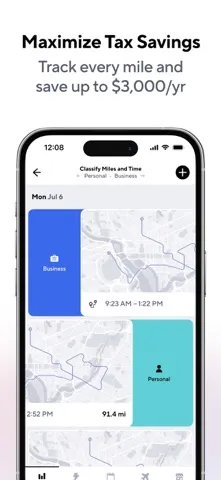
When I picture using Gridwise on a busy delivery day, the appeal is having fewer loose ends after the last order. The app can automatically download earnings from supported services and log driving activity, then bring mileage, expenses, and earnings into one view. Instead of trying to remember which app paid what, I could review the day’s work in one place and keep useful records as I go.
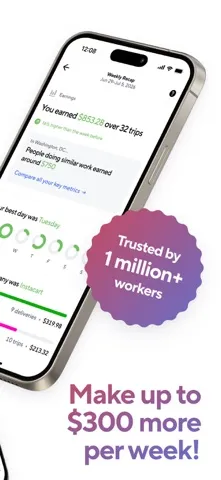
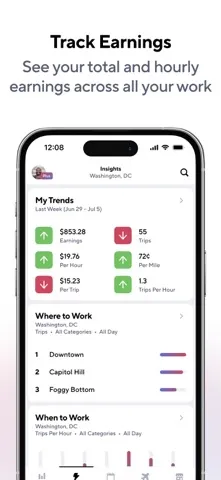
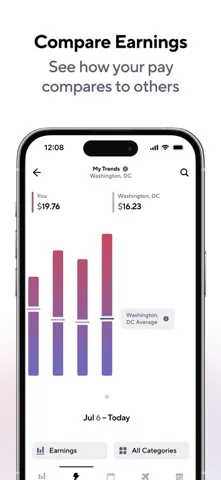
The practical benefit is not a promise of higher pay; it is a clearer picture of where the work is coming from. Gridwise offers graphs for comparing services and performance, plus hourly and per-mile insights. If I had split a shift between delivery platforms, I could use those summaries to see which work was more productive and decide what to prioritize on a future shift.
More Than a Mileage Log
A simple mileage tracker is useful when the only job is recording distance. Gridwise reaches further by combining mileage and expense tracking with earnings across multiple gig platforms, performance comparisons, and local information about events, airports, and hourly wages. That makes it better suited to someone managing gig work as an ongoing business than someone who only needs an occasional trip log.
It is still a work-organizing tool, not a replacement for the services where drivers find and complete rides or deliveries. The app also says its information is for informational purposes and that it is not a financial advisor. I would treat its summaries as useful context for planning and recordkeeping, while relying on qualified tax professionals for tax advice.
Small Habits, Clearer Numbers
A little consistency would make Gridwise more useful. I would connect the supported work services I actually use, check earnings and mileage regularly, and record expenses while they are still easy to remember. Looking at the information after each shift could make it simpler to spot a missing record than trying to reconstruct a full week from memory.
I would also compare patterns over several shifts rather than reacting to one unusually good or slow day. Gridwise includes graphs and insights about services, areas, and work times, as well as local event and airport information. Reviewing those details before deciding when and where to work can help turn a pile of activity into a more practical picture of my routine.
More From Our News Desk

Zoom Meetings, Google Meet, or Teams: Which Is Easiest to Join?

How I Build a Free Streaming Lineup With Tubi

Why Crunchyroll Is the Default Anime App for So Many Fans

YouTube TV: A Practical Guide to Cutting Cable

Rummikub and the Small Comfort of Phone Games

TeamViewer Remote Control or AnyDesk for Helping Family?
Who may find it useful
I would recommend Gridwise to rideshare and delivery drivers who work across more than one service and want earnings, mileage, and expenses organized together. It also makes sense for people who like reviewing performance data before choosing when or where to work. The supported automatic earnings downloads and local planning information give it a wider job than a bare mileage log.
It may be less compelling for someone who rarely drives for work, uses only one service, or wants nothing beyond a simple trip record. Hourly and freelance workers can use it to track earnings across jobs, but many of its most distinctive details are geared toward drivers. Anyone expecting professional tax guidance should look elsewhere for that advice.
Gridwise: Gig Driver Assistant is developed by Gridwise, Inc. On the Apple App Store, it has a 4.9 rating from about 28,600 ratings. The app is free to download, and its content rating is 4+. The listed version is 3.82.0; it first appeared on April 27, 2017, and was last updated on October 30, 2026.
This is an iPhone app requiring iOS 15.1 or later. The description also offers Gridwise Plus as an optional subscription, priced at $14.99 per month or $107.99 per year. Subscription payments are handled through the iTunes account, with renewal unless turned off at least 24 hours before the current period ends.
A Workday View Built Around Gig Driving
A Clear Starting Point
When I first opened the idea of Gridwise, what stood out was its focus: this is for people whose work is spread across driving and delivery services, not a general-purpose budget app. The main promise is to gather earnings, mileage, and expenses into a more readable view. That makes the purpose easy to understand before getting into the more detailed planning and comparison tools.
The first useful step would be connecting the work services I rely on, since the app supports automatic earnings downloads from a range of rideshare and delivery platforms. I would then make a habit of checking the records against my own work. The app is designed to organize information, but a quick review still matters if I want the picture to reflect my actual shifts.
The Everyday View
Day to day, Gridwise is about reducing the mental bookkeeping that comes with working in several apps. Its all-in-one view brings together earnings, mileage, and expenses, while automatic activity logging can help keep driving records from depending entirely on memory. For a driver finishing a late shift, having one place to review work sounds more manageable than reopening each service to piece together the day.
I would use the summaries as a check-in, not as a reason to chase every short-term fluctuation. The app describes hourly and per-mile insights, service comparisons, and graphs that help make performance easier to interpret. Those are most useful when I review them consistently and compare similar work periods, rather than drawing a big conclusion from one busy afternoon.
Useful Local Context
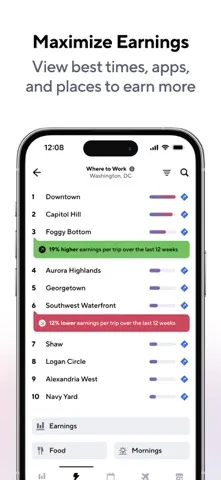
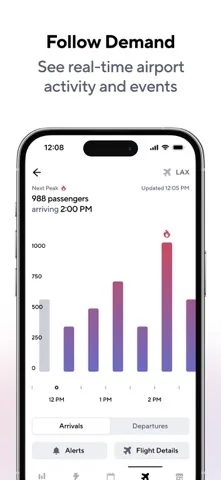
The local planning information is one of Gridwise’s more distinctive touches. It includes event schedules, airport insights, and neighborhood hourly wage information, all aimed at helping drivers think about where and when work may be worthwhile. That context can add something a mileage-only app does not: a view of the conditions surrounding a shift, rather than just a record of distance afterward.
Airport tools go further with flight updates, plane sizes, weather information, and customizable alerts. I can see the appeal of checking those details before an airport run, when timing and queue waits matter to the day. They are planning aids, though, not a promise about how busy a location will be or what a driver will earn.
A Routine That Holds Up
A practical routine would start before a shift with a glance at local events or airport information, followed by a review of work and earnings after the shift. I would keep expenses and mileage in view during the week, then take a longer look at the graphs and service comparisons when I have enough activity to see a pattern.
For someone rotating between rideshare and delivery, that kind of rhythm can make the app feel less like another dashboard to check and more like a work log. Hourly or freelance workers can apply the earnings-tracking side across jobs. The key is regular use: a tool that depends on a clean record is more helpful when I do not leave all the checking until month-end.
Keep Expectations Grounded
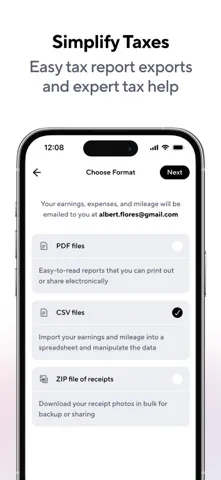
Gridwise can organize information and offer insights, but the description does not make it a financial advisor. I would use its mileage and expense records as part of my own recordkeeping and consult a qualified tax professional for tax questions. That distinction is worth keeping clear, especially when an app’s tax-related tools are part of its appeal.
Some of the additional benefits are tied to Gridwise Plus, and the subscription is a recurring cost. The free app can still be a starting point for organizing work, but I would look closely at which Plus features matter to my routine before subscribing. As with any performance summary, the usefulness also depends on the services and work information I bring into it.
Gridwise brings gig-work records and planning context together in a way that feels tailored to drivers juggling multiple services. I especially like the combination of earnings organization, mileage and expense tracking, and local information. It is more than a trip counter, though its insights are best treated as useful context rather than a substitute for professional tax advice.
I would try it if I regularly drive for rideshare or delivery and want a clearer view of my work across platforms. Hourly and freelance workers may appreciate its earnings tracking, too. If I only needed an occasional mileage log, I would probably choose something simpler; for a multi-service gig routine, Gridwise has a more relevant set of tools.
Gridwise Frequently Asked Questions
What is Gridwise: Gig Driver Assistant used for?
Gridwise helps rideshare and delivery drivers organize earnings, mileage, and expenses across work services. It also offers performance comparisons and local information such as event schedules, airport insights, and neighborhood hourly wage data. Hourly and freelance workers can use it to track earnings across jobs. Its information is for informational purposes, not financial advice.
Can I use Gridwise on Android?
The app details provided are for the iPhone version, available through the Apple App Store, and it requires iOS 15.1 or later. Check the store for current platform availability and device requirements if you are considering another device, since availability can vary.
How much does Gridwise cost?
Gridwise is free to download. Its description also offers an optional Gridwise Plus subscription for $14.99 per month or $107.99 per year. Subscription terms include automatic renewal unless it is turned off at least 24 hours before the current period ends. Check the App Store for current details.
What iOS version does Gridwise require?
Gridwise requires iOS 15.1 or later according to its App Store details. Requirements can change with updates, so it is worth checking the store page for the current requirement before installing the app.
Is Gridwise a good fit for every worker?
It is most clearly aimed at rideshare and delivery drivers who want to track work across services, though hourly and freelance workers can track earnings across jobs as well. Someone who only needs a basic mileage record may not need its broader planning and comparison tools. The App Store page is the place to check current suitability and subscription details.
Pros
- Combines earnings, mileage, and expenses for a broader view of gig work.
- Supports automatic earnings downloads from a range of driving and delivery services.
- Includes local event, airport, and neighborhood information for planning shifts.
- Offers graphs and comparisons to help review performance across services.
Cons
- Its most distinctive tools are geared toward gig drivers rather than occasional mileage tracking.
- Gridwise Plus adds a recurring subscription cost for access to more benefits.
- The app's insights are informational and do not replace qualified tax advice.
- Category
- Finance
- Version
- 3.82.0











