Givelify Mobile Giving App
- 44.19K
- 4.9
- Installs
- 500.00K
- Price
- Free
Screenshots
Analysis by Reviewed APKs
Givelify Mobile Giving App is for people who want to donate to a church, place of worship, nonprofit, or other cause from their phone. I see its appeal in the small, practical moments: arriving at a service without cash or wanting to keep giving records together. Its focus is refreshingly narrow, and that makes it easier to understand than a general-purpose finance app.
Giving Without Cash
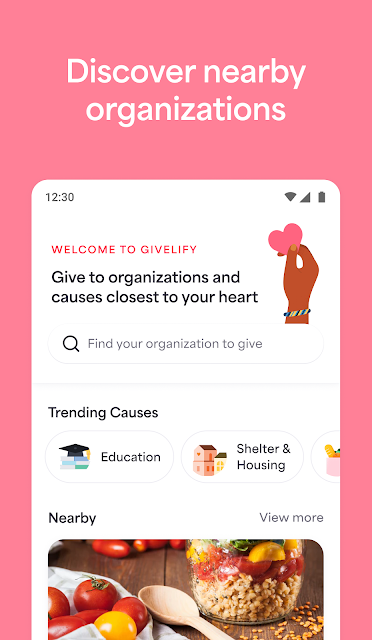
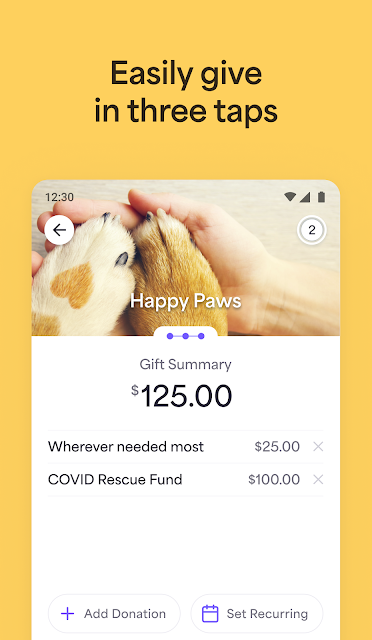
Picture arriving at your church on Sunday and realizing you left your wallet at home. Givelify is built for that sort of situation: you can find a place of worship or charity, select it, and make a donation through a short, three-tap process. The app can also use your location to help identify the fundraiser or service you are attending, which could save a little searching when you are on site.
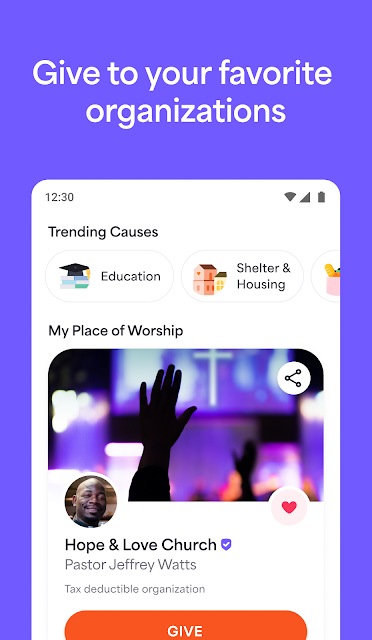
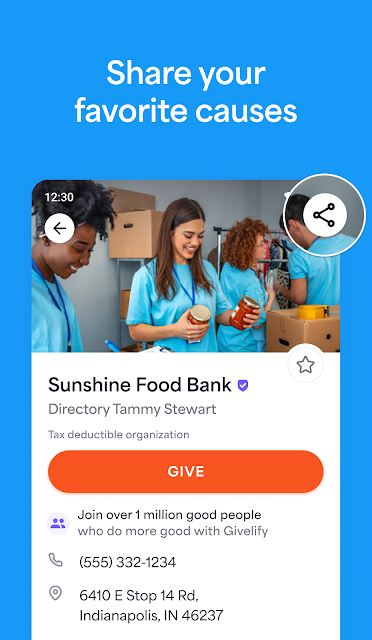
I like that the idea extends beyond Sunday. A congregation member might want to donate during the week, or someone could support a nonprofit while away from home. Givelify lets you save a home church or favorite charities for quicker access later. That makes the app feel less like a one-off emergency wallet and more like a handy place to return when giving is already part of your routine.
A Focused Giving Tool
Givelify is best understood as a donation app, not a broad financial dashboard. Its job is to help you give to a place of worship, nonprofit, or cause and keep your donation records in one place. That narrower purpose is useful if you want a direct path from finding an organization to making a contribution, without unrelated budgeting or banking features competing for attention.
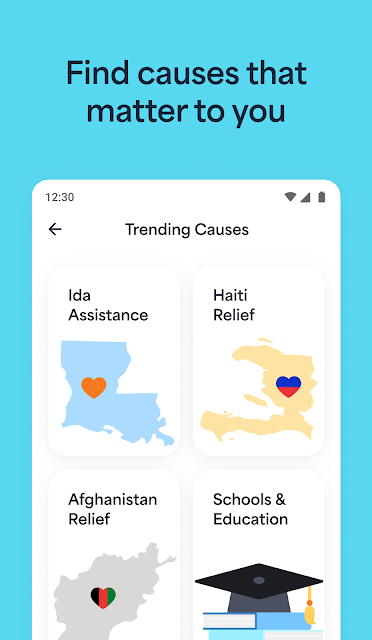
It is not a substitute for a charity’s own website or a general payment app in every situation. Its usefulness depends on finding the organization or fundraiser you want to support through Givelify. I would also avoid treating it as an all-purpose guide to local causes: the practical emphasis is on donating and retaining records, rather than exploring a wide range of community activities or tracking how a contribution is used.
A Few Useful Habits
Saving the organizations you support most often is a simple habit that can make repeat giving less fiddly. Instead of searching from scratch each time, you can return to a saved home church or favorite charity. That is especially helpful if you tend to give at a regular service or want a familiar option close at hand when you remember a contribution during the week.
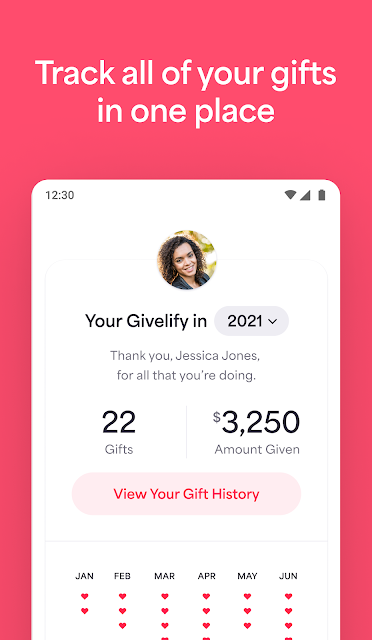
The other worthwhile habit is checking your donation records from time to time. Givelify keeps giving records together, which can make it easier to review what you have contributed when you need that information later. I would still take a moment to confirm the selected organization and donation details before completing a gift. A quick check matters more than shaving off one tap.
More From Our News Desk

Zoom Meetings, Google Meet, or Teams: Which Is Easiest to Join?

How I Build a Free Streaming Lineup With Tubi

Why Crunchyroll Is the Default Anime App for So Many Fans

YouTube TV: A Practical Guide to Cutting Cable

Rummikub and the Small Comfort of Phone Games

TeamViewer Remote Control or AnyDesk for Helping Family?
Who May Find It Useful
I would recommend Givelify to people who regularly give to a church, place of worship, nonprofit, or cause and would like a phone-based way to do it. It is particularly suited to someone who rarely carries cash, gives in person as well as during the week, or appreciates having donation records collected in one place. Saving favorite organizations also makes sense for anyone who gives to the same groups repeatedly.
It may be less appealing if you prefer cash, want a general money-management app, or expect extensive information about a charity’s impact and activities. The central experience is giving, not managing a household budget or browsing volunteer opportunities. I would also consider whether the organizations you care about can be found in the app before making it your main giving routine.
Givelify Mobile Giving App is developed by Givelify and is available on Google Play for Android. The app has more than 500,000 installs and a 4.9-star rating from 44,191 ratings. It is rated Everyone. The supplied version is 6.44.0.6400, and its release date is July 30, 2013.
The app is free to download, with no in-app purchases or ads indicated in the supplied facts. The supplied last-updated date is November 3, 2026. The minimum Android version is not included in the available app facts, so check Google Play for device compatibility before installing.
A Closer Look at Everyday Giving
A Clear First Impression
When I first opened the idea of Givelify, its purpose was immediately easy to grasp: find a place of worship or charity, then give. That clarity is valuable in a finance-related app, where a long list of unrelated tools can make even a simple task feel like work. Here, the central action is front and center in the way the app describes its experience.
The three-tap approach suggests a short path rather than a long form to complete each time. Givelify says it avoids requiring phone numbers, text-message codes, or logins to remember for giving. That sounds convenient for a quick contribution, though I would still take time to review the organization and donation details before confirming anything.
The Daily Giving Flow
The everyday appeal is straightforward: Givelify brings donation options and records into one phone-based routine. If you are at a service, location pinpointing can help identify the relevant fundraiser or worship service. If you are at home, saved favorites provide a quicker route to the organizations you support regularly.
What matters most in practice is whether the organizations you want are easy to find and whether the short giving flow suits your habits. The app is designed to reduce repeated searching and keep the action of donating simple. It is not necessary to open it every day; for many people, its value would come from being ready when a regular or occasional donation comes to mind.
Records and Saved Places
Two features stand out as practical rather than flashy. First, Givelify keeps donation records together, which could save the effort of piecing together giving history later. Second, it lets you save a home church or favorite charities. Together, those features address the parts of donating that can become repetitive: remembering where you gave and finding the same organization again.
The app also says donations reach the selected place of worship or charity the next business day. That is a useful detail for people who care about timing, though it does not change the basic need to choose the right recipient and check the gift before sending it. I would treat the records as a convenient reference, not a reason to skip keeping any other records I personally need.
A Simple Weekly Routine
A realistic routine could start by saving your regular place of worship and any charities you support often. When you attend a service, location identification may help you get to the appropriate fundraiser. At another time during the week, you can return to a saved organization rather than repeat the search. The point is not to turn giving into a daily task, but to make an occasional task easier.
Every so often, reviewing the donation records can help you keep track of your own giving history. I would make that a calm, occasional check rather than something to do in a rush. Before each contribution, verify the recipient and amount. A streamlined process is welcome, but a moment of attention is still a sensible part of handling any donation.
Keep the Scope in Mind
Givelify’s narrow focus is both its strength and its main limitation. It centers on making donations to places of worship, nonprofits, and causes, with saved organizations and records supporting that job. If what you want is a full financial planner, a broad community directory, or detailed reporting on how organizations use donations, this is not presented as that kind of product.
Its location feature can help identify a service or fundraiser, but it is worth checking that the app has the organization you intend to support. The quick flow also makes it especially important to confirm your selection before completing a gift. Those are modest cautions rather than deal-breakers; they simply keep expectations aligned with an app designed to make giving convenient.
Givelify makes a specific task feel manageable: donating to a church, charity, or cause from your phone and keeping the records together. Saved organizations and location-based identification give the short giving flow some everyday usefulness beyond a single visit. Its focused design is more appealing than a pile of unrelated features for people who already give regularly.
I would try it if you want a convenient way to support organizations you can find through the app, especially when cash is not handy. If you need budgeting tools or broader charity research, look elsewhere. Before relying on it, check Google Play for compatibility with your Android device and confirm your intended recipient each time you give.
Givelify Frequently Asked Questions
What is Givelify Mobile Giving App used for?
Givelify is used to donate to a church, place of worship, nonprofit, or cause from a phone. It supports saved favorite organizations, donation records in one place, and location-based identification of a fundraiser or worship service. Its main focus is giving, rather than general budgeting or managing other parts of your finances.
Which phones and platforms support Givelify Mobile Giving App?
Givelify Mobile Giving App is available on Google Play for Android devices. The supplied app facts do not give a minimum Android version, and device compatibility can vary. Check the Google Play page on your device for current requirements before installing.
What does Givelify Mobile Giving App cost?
The app is free to download. The supplied facts indicate no in-app purchases and no ads. A donation made through the app is separate from the app download itself; check the organization and donation details in the app before completing a gift.
Does Givelify Mobile Giving App keep donation records?
Yes. Givelify describes keeping donation records together so you can review your giving history. The app also lets you save a home church or favorite charities for quicker access. If you need records for a particular purpose, review the information available in the app and keep any additional documentation you require.
Who is Givelify Mobile Giving App best for?
It is a good fit for people who regularly donate to a place of worship, nonprofit, or cause and want a phone-based option, particularly if they do not usually carry cash. It may not suit someone looking for a complete budgeting app or extensive charity research. Its usefulness also depends on whether your preferred organizations are available through the app.
Pros
- A short giving flow is designed to avoid remembered logins and text-message codes.
- Saved churches and charities make repeat contributions easier to access.
- Donation records are kept together for convenient review.
- Location identification can help find a service or fundraiser nearby.
Cons
- Its focused donation purpose does not replace a general finance or budgeting app.
- The app is most useful when the organizations you support are available through it.
- A quick giving flow still calls for checking the recipient and donation details.
- Category
- Finance
- Version
- 6.44.0.6400











