Fulton Bank Mobile
- 8.61K
- 4.5
- Installs
- 100.00K
- Price
- Free

Screenshots
Analysis by Reviewed APKs
Fulton Bank Mobile is a companion for customers who want to check their bank balances, deposit checks, or find a branch without making a separate trip. I found its appeal easiest to understand as practical convenience rather than a full financial-planning toolkit. If you already bank with Fulton and mostly need a few everyday tasks on your phone or Wear OS device, it covers a useful, focused set of basics.
A Quick Banking Errand
When I first opened Fulton Bank Mobile, I pictured the ordinary moments when I want a quick answer rather than a full banking session: checking whether a payment has cleared before shopping, or looking at a balance while waiting for a coffee. The app is built around access to Fulton Bank accounts, so those quick checks are its clearest everyday job. It uses the same username and password as the bank’s online access.
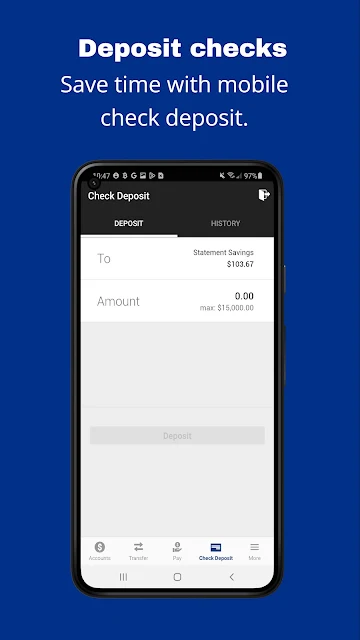
A check that arrives in the mail is another natural use. Instead of planning a trip around depositing it, I can use Mobile Deposit from the app. If I am away from home and need to find a physical location, the branch locator gives the app a second practical role. These are small errands, but they are exactly the sort of tasks where a phone-based banking option can save time.
A Bank Companion, Not a Planner
The best comparison is with a bank’s own online account access, not with a budgeting or investment app. Fulton Bank Mobile gives customers a phone- and tablet-focused way to check balances and deposit checks, with a branch finder for the times when digital access is not enough. Wear OS support adds a glanceable option for balances. Its value is convenience around Fulton Bank accounts, rather than managing every part of someone’s financial life.
That distinction matters if you are choosing an app for a particular job. I would not treat this as a general-purpose money tracker, a way to manage accounts at other banks, or a replacement for visiting a branch when you need in-person service. The provided features are focused: account balances, mobile check deposit, branch locations, and a Wear OS balance check. Customers looking for a broader set of tools may need other services too.
Make the Basics Convenient
A small habit that makes sense is checking balances at the point when you need them, rather than opening the app repeatedly out of routine. For example, I would take a quick look before a planned purchase or when sorting out which account to use. Keeping the same login details as Fulton’s online banking also means the app fits into an existing banking routine instead of asking me to learn a separate account system.
Mobile Deposit is most useful when I remember it at the moment a check comes in. The branch locator is worth keeping in mind for less frequent needs, such as finding a location before heading out. On a supported device, Fingerprint ID can make access more convenient, and the Wear OS app offers a quick balance check from a watch. Those options work best as small conveniences, not as reasons to check constantly.
More From Our News Desk

Zoom Meetings, Google Meet, or Teams: Which Is Easiest to Join?

How I Build a Free Streaming Lineup With Tubi

Why Crunchyroll Is the Default Anime App for So Many Fans

YouTube TV: A Practical Guide to Cutting Cable

Rummikub and the Small Comfort of Phone Games

TeamViewer Remote Control or AnyDesk for Helping Family?
Who will find it useful
I would recommend Fulton Bank Mobile to existing Fulton Bank customers who want a straightforward way to check checking, savings, and other account balances, deposit checks, or locate a branch. It is especially appealing if these are the banking tasks that usually interrupt an otherwise busy day. People who already use Fulton’s online banking can sign in with the same username and password, which keeps the app connected to a familiar routine.
It may be a poor fit for someone who wants a broad financial dashboard or expects a mobile banking app to cover every possible service. The described feature set is deliberately practical, not expansive. It also only makes sense for people with Fulton Bank accounts. If you prefer to handle banking in person or rarely use a phone for account access, its main convenience may not change your routine much.
Fulton Bank Mobile is developed by Fulton Bank. On Google Play, it has over 100,000 installs and a 4.5-star rating from about 8,600 ratings. The app is free to download, has no in-app purchases, and contains no ads. Its content rating is Everyone. The listed current version is 2026.04.0.
The app was released on August 25, 2013, and its listed last update was July 8, 2026. It is designed for Android phones and tablets, and there is also a Wear OS app for balance checks. Fingerprint ID is available on supported devices running OS 9 or higher. The minimum Android version is not included in the available app facts.
A Closer Look at Everyday Banking
A Familiar Starting Point
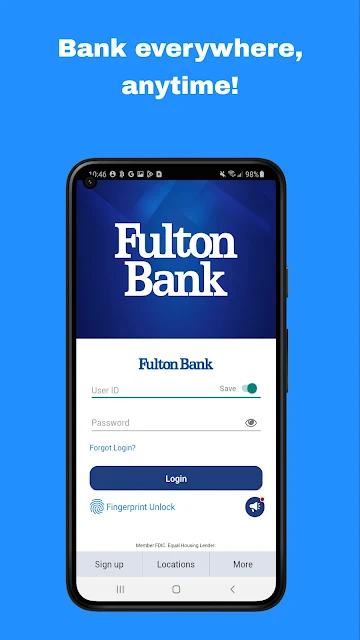
My first impression is that this app is meant to get customers to their accounts without making them start over with a new login. It uses the same username and password as Fulton Bank’s online banking, a simple but useful detail when I am switching between a browser and phone. The main idea is immediate account access, rather than a complicated setup process or a long list of unfamiliar tools.
The app is designed for Android phones and tablets, with a separate Wear OS experience for quick balance checks. On supported devices running OS 9 or higher, Fingerprint ID is another way to access the app. That option is conditional on both the device and operating system, so I would treat it as a convenience available to some users, rather than a universal part of getting started.
Useful in Short Sessions
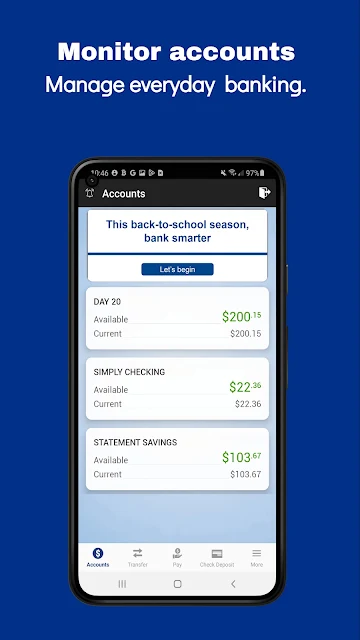
The day-to-day appeal is that the app supports brief banking sessions. I can imagine opening it to check a checking or savings balance, then closing it once I have the answer. That is a different rhythm from sitting down for a longer session at a computer. The app’s stated features keep the focus on a handful of practical needs rather than suggesting that every financial task belongs in one place.
Mobile Deposit is the feature that can turn a short session into a useful errand completed from home. Instead of going to a branch just to deposit a check, a customer can use the mobile option. Branch locations remain part of the picture too, which is helpful when a task does call for an in-person visit. I like that the app supports both digital convenience and finding a physical location.
Small Features with Purpose
Mobile Deposit stands out because it addresses a familiar inconvenience: having a paper check that needs to reach an account. Its purpose is clear, and it is an easy feature to understand without needing a separate explanation of a broader banking system. For someone who receives checks now and then, the convenience may matter more than a long list of extras they rarely touch.
The Wear OS option is a more specialized touch. It lets customers check a balance from a supported watch, which can be handy when pulling out a phone feels unnecessary. Fingerprint ID on supported devices running OS 9 or higher is another practical convenience. Neither feature changes what the app is for, but both make its central job—reaching Fulton Bank account information—fit a little more neatly into everyday routines.
A Simple Weekly Routine
A sensible routine might be to check balances when reviewing upcoming household spending, rather than treating the app as a constant feed to monitor. I would open it when I have a specific question, such as whether an account has enough for a planned purchase. That makes the app a quick reference point and keeps its role clear: convenient access to Fulton Bank accounts when I need it.
If a check comes in, Mobile Deposit can be the next step; if a branch visit is needed, the locator can help find a Fulton Bank location. A Wear OS user could also take a quick balance check from a watch. These pieces fit together without requiring an elaborate system. The app is most useful when I reach for the feature that matches the task and then get on with the rest of my day.
Keep Its Scope in Mind
The main limitation is also the app’s defining choice: it is centered on Fulton Bank accounts and a compact selection of banking jobs. That will suit customers who want balance checks, check deposits, and branch locations. It is less compelling if I am looking for a general finance app that brings together unrelated accounts or offers a wide range of planning tools. I would choose it for the bank access it provides, not assume it replaces other services.
Some conveniences depend on the device. Fingerprint ID is only described for supported devices running OS 9 or higher, and the watch experience is for Wear OS. Those are helpful options, but customers should not assume every device will support every access method. The app’s core use remains its Android phone and tablet experience, while device-specific extras are best viewed as bonuses when they are available.
Fulton Bank Mobile makes a clear case for itself: it puts a few common banking tasks close at hand for Fulton customers. Checking balances, depositing a check, and finding a branch are practical jobs, and Wear OS and supported fingerprint access add useful convenience without changing that focus.
I would recommend it to Fulton Bank customers who want quick account access on Android and do not need a broader financial toolkit. If you are not a Fulton customer or want a more comprehensive money-management app, this focused companion is unlikely to be the whole answer.
Fulton Bank Mobile Frequently Asked Questions
What is Fulton Bank Mobile used for?
Fulton Bank Mobile is for accessing Fulton Bank accounts from an Android phone or tablet. Its described features include checking balances on checking, savings, and other accounts, depositing checks with Mobile Deposit, and locating Fulton Bank branches. A Wear OS app can be used to check a balance. It is a focused banking companion rather than a general financial-planning app.
Which devices can run Fulton Bank Mobile?
The app is designed for Android phones and tablets, and its description also mentions a Wear OS app for balance checks. Fingerprint ID works on supported devices running OS 9 or higher. The minimum Android version is worth checking on the Google Play store, since it can vary by app version and device.
Does Fulton Bank Mobile cost anything?
Fulton Bank Mobile is free to download on Google Play. It has no in-app purchases and contains no ads. The app’s price and availability can change, so it is sensible to check the Google Play store for current details before downloading.
Can I deposit checks with Fulton Bank Mobile?
Yes. The app includes Mobile Deposit, which lets customers deposit checks through the mobile banking experience. It also provides access to account balances and a branch locator. The specific steps and any account-related eligibility details are best checked within the app or with Fulton Bank.
Who should use Fulton Bank Mobile?
It is best suited to Fulton Bank customers who want convenient access to balances, mobile check deposit, and branch locations. People who want a broad tool for managing finances beyond Fulton Bank may find its described scope too narrow. Whether the app suits a particular account or device is worth checking with Fulton Bank and on Google Play.
Pros
- Covers everyday needs with balance checks, mobile check deposit, and a branch locator.
- Uses the same username and password as Fulton Bank online banking.
- Offers Wear OS balance checks and fingerprint access on supported devices.
- Free on Google Play, with no in-app purchases or ads.
Cons
- Its focused feature set may not suit people seeking a broad financial-planning tool.
- Fingerprint ID depends on supported devices running OS 9 or higher.
- Its core account access is specifically for Fulton Bank customers.
- Category
- Finance
- Version
- 2026.04.0











