First PREMIER Mobile Banking
- 1.52K
- 4.5
- Installs
- 100.00K
- Price
- Free

Screenshots
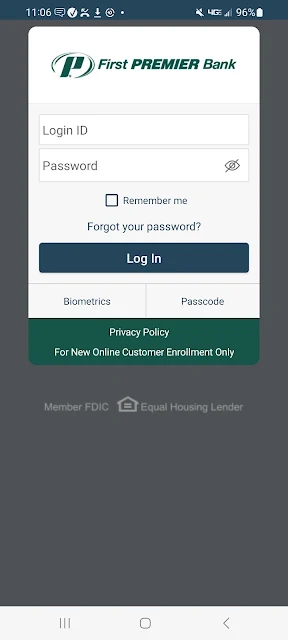
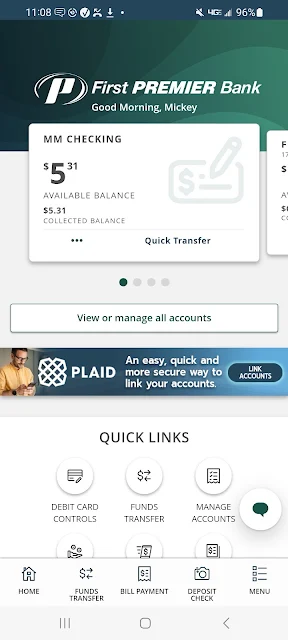
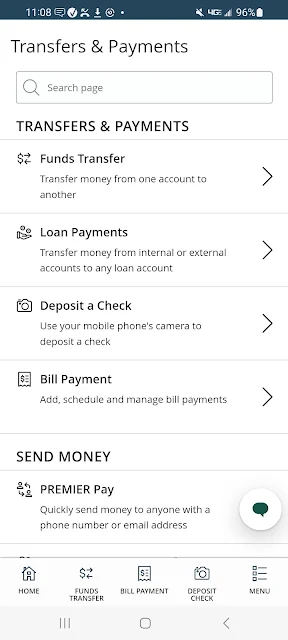
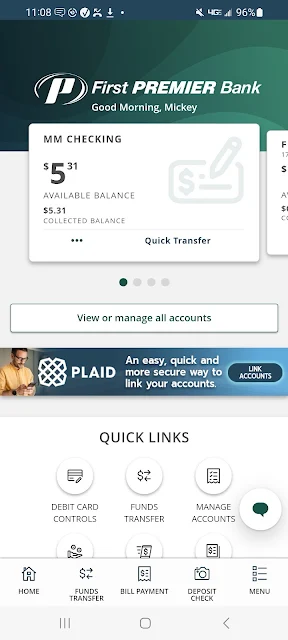
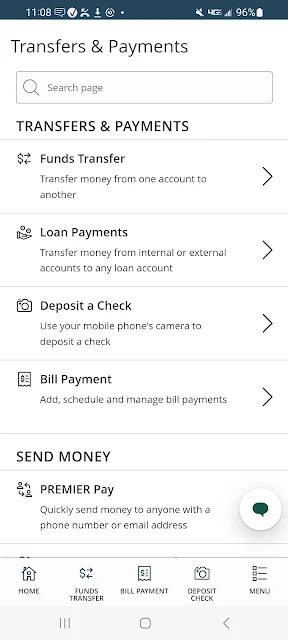
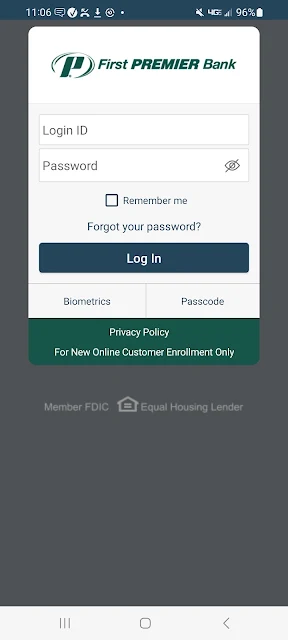
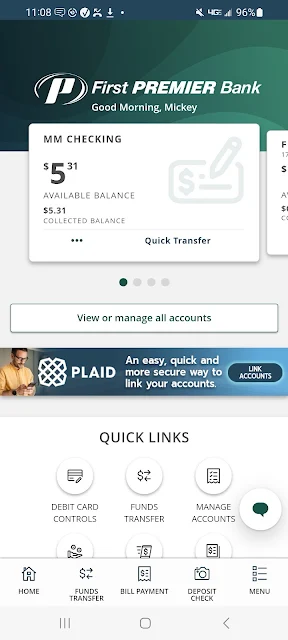
Analysis by Reviewed APKs
First PREMIER Mobile Banking is a phone-based way for First PREMIER Bank customers to check accounts, move money, pay bills and deposit checks. I see it as a practical companion for personal and business banking customers who want to handle routine tasks without making a branch visit. It covers useful day-to-day needs, though one boundary matters: the app cannot be used for credit card information.
A quick account check
Picture a familiar morning: I have a few minutes before heading out and want to know whether a recent purchase has posted. With First PREMIER Mobile Banking, I can review account balances and recent transactions, then check whether anything needs attention. Account alerts can help keep certain activity on my radar, while the option to suspend a debit card is useful if I suspect it has gone missing.
The same visit can handle a small money task instead of just a quick check. I can transfer money between First PREMIER accounts, pay a bill through Online Bill Pay or deposit a check. That combination makes the app useful in the in-between moments of a normal week: waiting for coffee, sitting at home after work or catching up on household tasks without opening a computer.
Banking, not card management
The obvious alternative is a bank’s website or a visit to a branch. This app suits the smaller tasks I might otherwise put off until I have a laptop nearby: checking activity, moving funds between accounts and making a payment. It also brings check deposit and account alerts into the mobile banking mix, which can save a separate trip or make it easier to notice activity as it happens.
It is important to understand the scope before relying on it. First PREMIER Mobile Banking is for First PREMIER Bank account services, not credit card information; the app description explicitly says it cannot be used for that. It is also not presented as a general budgeting or investing tool. If my main task is managing a credit card, I would need a different route rather than expect to find that information here.
Make small tasks count
I’d get the most from the app by making a short account check part of an existing routine, such as reviewing activity after payday or before paying household bills. A quick look at balances and recent transactions can help me decide whether a transfer or payment is needed. Setting up account alerts is another practical step for people who prefer a nudge instead of remembering to check manually.
For a less rushed session, I’d group tasks together: review transactions, make any needed transfer, then handle bills through Online Bill Pay. If a check arrives, the mobile deposit option can fit into that same catch-up routine. These are straightforward ways to use the tools the app offers, rather than treating every visit as a separate chore. The best workflow depends on which First PREMIER accounts and services I use.
More From Our News Desk

Zoom Meetings, Google Meet, or Teams: Which Is Easiest to Join?

How I Build a Free Streaming Lineup With Tubi

Why Crunchyroll Is the Default Anime App for So Many Fans

YouTube TV: A Practical Guide to Cutting Cable

Rummikub and the Small Comfort of Phone Games

TeamViewer Remote Control or AnyDesk for Helping Family?
Who may find it useful
I’d recommend First PREMIER Mobile Banking to personal and business banking customers who already use First PREMIER Bank and want routine account tasks close at hand. The mix of balance checks, transaction monitoring, transfers, bill payment, check deposit and account alerts covers a lot of ordinary banking errands. It is especially appealing if I value being able to handle those tasks during a spare few minutes rather than waiting until I can sit down at a computer.
It may be a poor fit for someone who needs credit card information in the app, since that use is specifically excluded. It also will not be the right choice for someone who does not bank with First PREMIER Bank or expects a broad financial planning suite. I’d treat it as a convenient banking companion, not a replacement for every kind of money-management service or for the bank’s other ways of handling account needs.
First PREMIER Mobile Banking is published by First PREMIER Bank. On Google Play, it has over 100,000 installs and a 4.5-star rating from 1,524 ratings. The app is free to download, and the supplied store facts indicate no in-app purchases. The listing also indicates that it contains ads, so free access does not mean an ad-free experience.
The app is rated Everyone on Google Play. The supplied version is 26.9.1; it was released on April 25, 2016, and its last update is dated September 29, 2026. No minimum Android version is included in the available app facts, so compatibility is best checked against the Google Play information for the device in question.
A Practical Toolkit for Everyday Banking
Getting oriented
When I first open a banking app, I want the main purpose to be clear: get to account information and take care of routine tasks. First PREMIER Mobile Banking is built around that practical job. Its stated features include reviewing balances and recent transactions, managing a debit card, setting alerts, making transfers and payments, depositing checks, and sending or receiving secure messages.
The first useful step is having a First PREMIER Bank account to manage, since the app is designed for that bank’s personal and business customers. I’d approach setup with a specific task in mind, such as checking a balance or paying a bill, rather than expecting a general-purpose finance dashboard. That keeps expectations grounded in what the app is meant to do.
Everyday account tasks
The core experience is about getting common banking jobs done from a phone. I can check balances and recent transactions when I want a quick snapshot, then move money between my First PREMIER accounts if needed. For a payment, the app supports paying bills with Online Bill Pay and paying another person using a mobile number or email address through the Pay a Person feature.
I also like that account management includes a couple of tasks that matter when something goes wrong, not just when everything is routine. The app lets customers suspend a debit card if they suspect it is lost or stolen, and it supports stop payment requests. Those options do not remove the need to contact the bank when appropriate, but they make the mobile app relevant to more than simple balance checks.
Useful extras in the mix
Mobile check deposit is one of the more tangible conveniences here. Instead of treating a check as an automatic trip to a bank, I can use the app’s check-deposit feature. The description says deposits are free. That is a useful option for an occasional check, especially when fitting a branch visit into the day would be inconvenient.
Account alerts and secure messaging round out the experience. Alerts can support a habit of keeping an eye on account activity, while secure messages provide a way to send and receive messages through the app. These features are not flashy, but they support the small, ongoing jobs that make mobile banking useful between the bigger transactions.
A weekly money reset
A simple weekly routine could start with checking balances and recent transactions, perhaps while reviewing the next few days’ household expenses. If money needs to move between First PREMIER accounts, I can do that before paying bills. Online Bill Pay supports bill payments, and Pay a Person can handle payments to someone using their mobile number or email address.
I’d leave check deposit for the moment a check actually arrives, rather than making it a daily stop. If a debit card seems to be missing, the suspend-card option gives me a specific action to consider. Account alerts can take some of the remembering out of the routine. This is a modest workflow, but that is the point: the app is built for practical banking tasks, not a complicated financial system.
Know the boundaries
The clearest limit is the one the app states directly: it cannot be used for credit card information. That distinction is easy to miss if I assume all products from a bank sit in one mobile app. I would make sure this app matches the accounts and tasks I want to manage before relying on it as my main mobile banking option.
Its usefulness also depends on banking with First PREMIER Bank. The listed tools are focused on account access, transfers, bill payment, check deposits and related service tasks; the description does not position the app as a budgeting or investment platform. Finally, Google Play indicates that the app contains ads, a small but relevant consideration for anyone who prefers a banking app without advertising.
First PREMIER Mobile Banking makes sense as a practical, bank-specific companion for customers who want to check activity, move money, pay bills and deposit checks from a phone. Its features address ordinary errands, and the debit-card controls and alerts add useful account-management options. The main caveat is clear: credit card information is outside its scope.
I’d try it if I were a First PREMIER Bank personal or business customer who wanted a more convenient way to handle routine banking. If I needed credit card access or a broader financial planning tool, I would look elsewhere for those needs. For straightforward account tasks, this is a focused option worth considering.
First PREMIER Mobile Banking Frequently Asked Questions
What is First PREMIER Mobile Banking used for?
First PREMIER Mobile Banking is for personal and business customers of First PREMIER Bank. It supports checking balances and recent transactions, setting account alerts, suspending a debit card, requesting stop payments, transferring money, paying bills, depositing checks and sending or receiving secure messages. It cannot be used for credit card information.
Which devices can run First PREMIER Mobile Banking?
The supplied platform information is for Android, with the app available through Google Play. The minimum Android version is not included in the available facts, and requirements can vary as the app changes. Check the Google Play store information for the app and your particular device before installing.
Is First PREMIER Mobile Banking free?
The app is listed as free to download, with no in-app purchases in the supplied facts. Google Play indicates that it contains ads. Some of the banking services described, including check deposits and Online Bill Pay, are described as free in the app information; check the store and your bank account terms for current details.
Does First PREMIER Mobile Banking show credit card information?
No. The app description says it cannot be used for credit card information. Its purpose is mobile access to First PREMIER Bank accounts and related banking tasks such as transfers, bill payments and check deposits. If credit card details are what you need, this app is not the right tool for that task.
Who should use First PREMIER Mobile Banking?
It is aimed at First PREMIER Bank personal and business banking customers who want to handle everyday account tasks on a phone. It may not suit people who do not bank with First PREMIER Bank, need credit card information, or want a broader budgeting or investment app. The Android version requirement can vary, so check Google Play for device compatibility.
Pros
- Combines account checks, transfers, bill payments and check deposits in one banking app.
- Includes account alerts and an option to suspend a debit card if it is lost or stolen.
- Supports payments to people using a mobile number or email address.
Cons
- Cannot be used to access credit card information.
- Designed for First PREMIER Bank customers rather than general-purpose money management.
- Google Play indicates that the app contains ads.
- Category
- Finance
- Version
- 26.9.1











