Fender Guitar Tuner
- 71.63K
- 4.7
- Installs
- 5.00M
- Price
- Free

Screenshots
Analysis by Reviewed APKs
Fender Guitar Tuner is a tuning and practice app for guitarists, bassists, and ukulele players, from first-time learners to people who already play regularly. I like that its main job is simple—help get an instrument in tune—while its chord, scale, and rhythm tools give practice sessions somewhere to go next. It feels most useful for musicians who want several basic tools in one place.
Tuning Before Practice
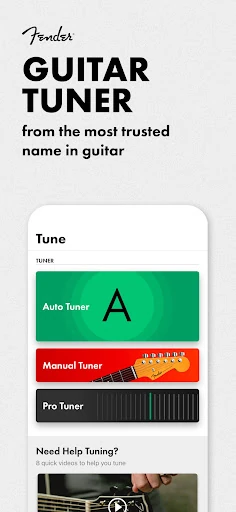
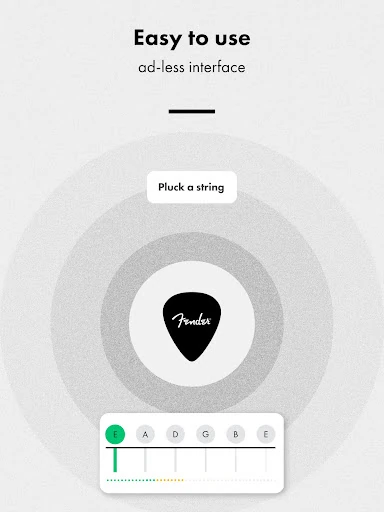
When I imagine using Fender Guitar Tuner in a normal practice session, the first stop is the automatic tuner. I open the app, pluck a string, and follow the visual feedback to see whether the pitch needs adjustment. That makes a quick pre-practice check feel straightforward, especially when I want to start playing rather than spend time navigating a complicated setup.
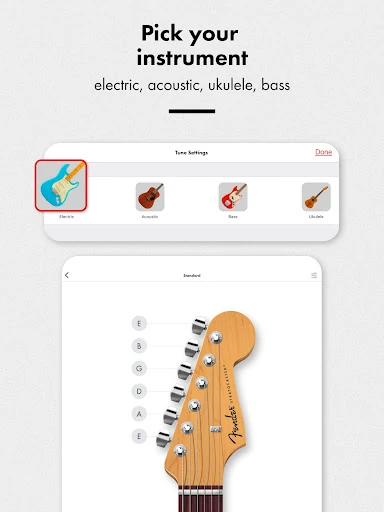
The choice of instruments and tuning presets is useful when practice does not stick to one guitar in standard tuning. The app supports guitar, bass, and ukulele, and includes options such as Drop D, open tunings, and DADGAD. I can see a player using it to check a guitar before working on a song, then switch to a bass or ukulele without reaching for a separate tuner.
More Than a Standalone Tuner
A dedicated clip-on tuner is an obvious alternative, particularly for players who want a physical device attached to an instrument. Fender Guitar Tuner takes the phone-based route and adds reference tones, chromatic tuning, a metronome, chord information, scales, and drum patterns. That makes it a broader practice companion than a simple tuner, though it does not replace the feel of a hardware tuner for everyone.
I would not treat it as a full music-learning course or a substitute for lessons. Its chord and scale libraries can help with looking up musical material, while the tuner handles pitch and the metronome supports timing. Those are useful building blocks, but the app is best understood as a collection of focused tools. Players looking for structured instruction or a complete recording setup should look elsewhere.
Small Habits That Help
A helpful habit is to tune before playing, rather than waiting until a string sounds noticeably wrong. The automatic mode is suited to a quick check, while manual mode lets a player tap a string on the displayed instrument to hear a reference pitch. I like having both approaches available: one gives visual guidance, and the other can make tuning by ear part of the routine.
The app can also anchor a short, repeatable practice block. I might tune first, set a metronome tempo for a tricky passage, then consult a chord or scale diagram when I need a reminder. Custom tuning profiles are another practical option for people who revisit personal setups. Keeping each tool tied to a clear task makes the app feel more useful than browsing through features without a plan.
More From Our News Desk

Zoom Meetings, Google Meet, or Teams: Which Is Easiest to Join?

How I Build a Free Streaming Lineup With Tubi

Why Crunchyroll Is the Default Anime App for So Many Fans

YouTube TV: A Practical Guide to Cutting Cable

Rummikub and the Small Comfort of Phone Games

TeamViewer Remote Control or AnyDesk for Helping Family?
Who May Find It Useful
I would recommend Fender Guitar Tuner to guitar, bass, and ukulele players who want a convenient tuner on their Android phone and would also use a few practice aids. Beginners may appreciate the clear visual tuning feedback and chord diagrams; more experienced players may value alternate tunings, chromatic mode, and exact pitch readings. The metronome and drum patterns give people who practice at home a couple of ways to work on timing.
It may not suit someone who prefers a dedicated hardware tuner, or a player who only wants one tiny, distraction-free function and has no interest in the additional tools. The chord and scale libraries are reference resources, not a guided course. I would also keep in mind that using a phone microphone to tune is a different experience from attaching a tuner to an instrument, particularly in a noisy room.
Fender Guitar Tuner is made by Fender Musical Instruments Corporation and is listed in Google Play’s Music & Audio category. It has more than 5 million installs and a 4.7-star rating from about 71,600 ratings. The app is free, with no in-app purchases or ads. Its content rating is Everyone.
The listed version is 4.15.8. The app was released on January 25, 2017, and its most recent update is dated September 10, 2026. Google Play’s device compatibility details are the place to check whether a particular Android device meets the current requirements.
A Tuner With Room to Practice
A Straightforward First Step
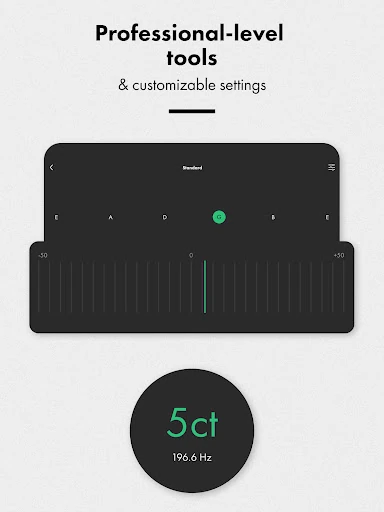
When I first opened a tuner app, what I would want to find quickly is the central task: play a note and get a useful reading. Fender Guitar Tuner’s automatic mode is built around that interaction. Its visual indicators respond to the instrument’s pitch, so the player can adjust a string while watching the screen rather than relying only on a sound.
The manual option offers a different starting point. Tapping a string on the interactive instrument display plays a reference tone, which can suit players who prefer to compare pitches by ear. Chromatic mode is there for notes beyond the standard preset approach. Together, these modes give the app flexibility without changing its basic purpose: helping players get strings to the pitches they want.
The Everyday Tuning Loop
The core experience is most compelling when it stays quick. Before playing, a guitarist can check strings one by one in automatic mode and make adjustments based on the live feedback. If the guitar is set up for a different style, a tuning preset can make that choice easier to reach than trying to remember every target note.
The app’s chromatic tuner adds room for less familiar tunings, while its manual reference-tone mode offers a more ear-led alternative. I appreciate that these are distinct ways to approach the same job rather than one mode forced into every situation. The best fit will depend on the player and instrument, but the variety makes the tuner useful beyond a basic standard-guitar check.
Practice Tools Alongside Tuning
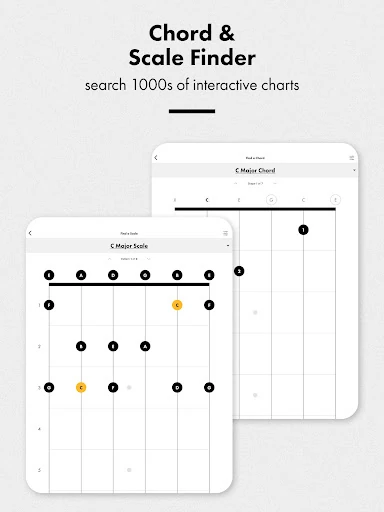
The chord library is a standout addition for players who want a quick reference while working through music. It includes chord diagrams and fingering variations, with audio playback, so a player can compare options rather than relying on a name alone. I can picture checking a chord between repetitions, then returning to the instrument without switching to a separate reference app.
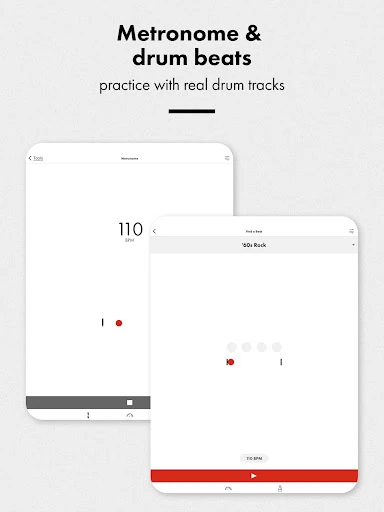
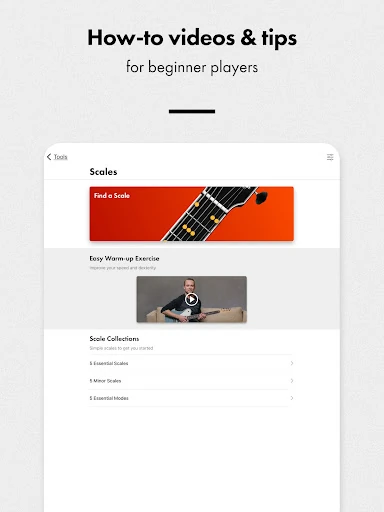
The scale library brings another kind of reference to the same app, showing scales across keys and positions with fretboard visualizations and audio examples. A metronome provides tempo adjustment, time signatures, and visual beat indicators. These features do not replace practice, of course, but they offer practical prompts when a session needs a chord shape, scale pattern, or steady pulse.
A Short Practice Routine
One practical routine would be to start by tuning, then pick a single passage that needs attention. I could set the metronome to a manageable tempo and repeat the passage with a steady beat. If a chord change is awkward, the chord library can serve as a quick reference; if I am exploring notes around the passage, the scale library offers a visual starting point.
For a less metronome-focused session, the app also includes drum patterns across several genres. I would use those when I want a more musical pulse than a click while working on rhythm. Custom tuning profiles can help players who regularly return to personal tunings. The point is not to use every tool at once, but to make one or two relevant ones part of a repeatable practice habit.
Keep the Scope in Mind
The app’s range is also its main trade-off. A player who only wants a tuner may find the additional libraries and rhythm tools unnecessary, while someone looking for a complete course may want more structured teaching than reference material can provide. I would approach it as a set of musical utilities rather than expecting it to plan a practice program or teach a song from start to finish.
Phone-based tuning also depends on using the phone microphone to detect the instrument, so the environment matters in practical terms. A noisy room can make a phone tuner less convenient than a tuner attached directly to the instrument. Fender’s app includes manual reference tones as another route, but players who prefer a physical device may still favor dedicated hardware. It is worth choosing the method that suits the room and routine.
Fender Guitar Tuner does the essential job of helping players tune, then adds useful references and practice tools without asking for payment or showing ads. I especially like the choice between automatic, manual, and chromatic tuning, along with the option to look up chords or keep time in the same app.
I recommend it to Android musicians who want a flexible phone-based tuner and expect to use at least a few extra tools. If all you need is a hardware tuner or a structured learning course, it is less likely to be the right fit. For everyday tuning and occasional practice references, it makes a sensible companion.
Fender Guitar Tuner Frequently Asked Questions
What is Fender Guitar Tuner used for?
Fender Guitar Tuner helps players tune guitar, bass, and ukulele using automatic, manual reference-tone, or chromatic modes. It also includes tuning presets, a metronome, chord and scale libraries, drum patterns, and custom tuning profiles. It is a utility and practice-reference app rather than a complete music course.
Which devices can run Fender Guitar Tuner?
Fender Guitar Tuner is an Android app available through Google Play. It is designed for use on an Android device, with tuning based on the phone’s microphone. The Android version requirement can vary with device compatibility and app updates, so check the Google Play page for the current requirements for your phone.
How much does Fender Guitar Tuner cost?
Fender Guitar Tuner is free on Google Play. The available facts show no in-app purchases and no ads. Store details can change over time, so it is still worth checking the current Google Play page before installing if you want the latest cost information.
What Android version does Fender Guitar Tuner require?
The minimum Android version can vary with the app’s current release and device compatibility. Google Play provides the relevant requirement for a particular device. Check the Fender Guitar Tuner page in the store before installing, especially if you are using an older phone or tablet.
Is Fender Guitar Tuner suitable for beginners?
It can suit beginners who want visual tuning feedback and quick access to chord diagrams, scales, and a metronome. More experienced players may also find the alternate tuning options and chromatic mode useful. It is not a step-by-step lesson course, so learners seeking structured instruction may want another resource alongside it.
Pros
- Offers automatic, manual reference-tone, and chromatic tuning modes.
- Supports guitar, bass, and ukulele with a range of tuning presets.
- Includes chord, scale, metronome, and drum-pattern practice tools.
- Free to use, with no ads or in-app purchases.
Cons
- The extra tools may feel unnecessary if you only want a basic tuner.
- A phone-based microphone tuner may be less convenient in a noisy room.
- Its reference libraries do not amount to a structured music course.
- Category
- Music & Audio
- Version
- 4.15.8











