EZVIZ
- 453.77K
- 4.6
- Installs
- 10.00M
- Price
- Free

Screenshots
Analysis by Reviewed APKs
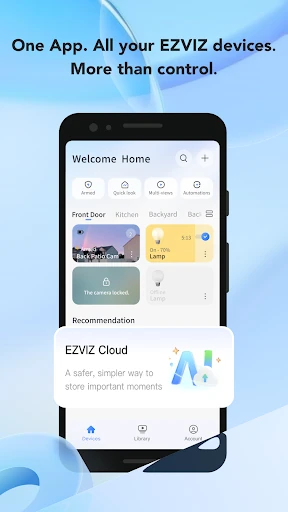
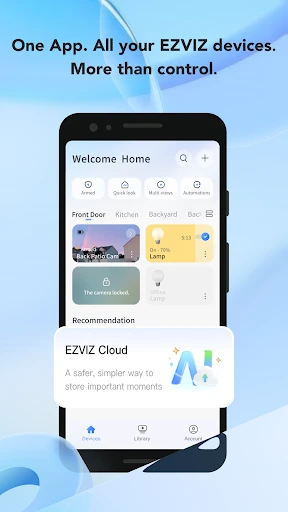
EZVIZ is a companion app for managing compatible EZVIZ security cameras and other smart-home devices from a phone. I see it as most useful for people who already have, or are considering, that hardware and want a convenient way to check live video, review recordings, and respond to motion alerts while away. The focus is practical remote monitoring, rather than turning a phone into a standalone security camera.
A Quick Check While Away
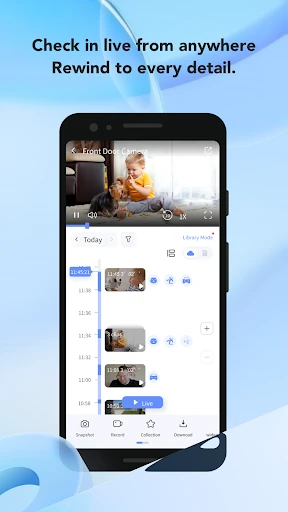
Imagine leaving home for the day and wanting to see whether a delivery arrived or check that everything looks normal. With a compatible EZVIZ camera set up, the app gives you a way to open a live stream remotely. If the camera supports night vision, its infrared light can help you see in the dark. The point is simple: use your phone for a quick visual check instead of waiting until you get home.
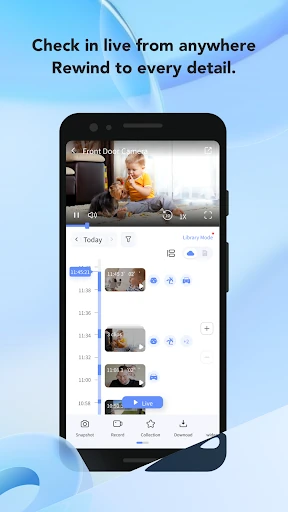
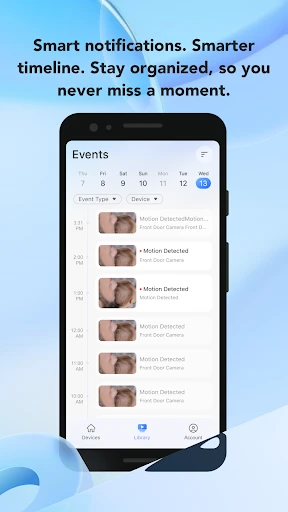
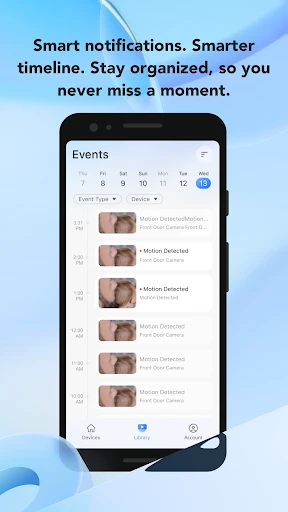
Motion alerts add a more reactive side to that routine. If a notification comes in, you can open the app, view the camera feed, and use two-way audio if you need to speak through the device. You can also look back at recorded video, provided recordings are available through CloudPlay or an SD card. I like that the app brings live viewing, alerts, and playback into one remote-monitoring workflow.
A Camera Companion, Not a Camera
EZVIZ makes the most sense alongside the company’s compatible cameras and other smart-home products. It is not a substitute for buying and setting up that hardware, and it does not create a camera feed from the phone itself. If your main need is editing clips already saved on your device, a conventional video editor is a better fit. This app is about checking and managing connected devices, rather than making or polishing videos.
Compared with checking a camera only at its location, remote access is the obvious convenience: you can view a live stream, receive motion alerts, and review recordings from your phone. That makes it suited to people who want occasional check-ins on a home, business, or loved ones. It is less compelling if you have no EZVIZ devices, or if you want a general smart-home controller for products outside the EZVIZ range.
Small Habits That Help
A little setup attention can make everyday use more useful. Detection zones and sensitivity can be customized, so it is worth adjusting them to suit the area the camera watches. Recording schedules offer another way to focus on the times that matter. Rather than treating every setting as something to configure once and forget, I’d revisit them when a room, routine, or camera position changes.
It also helps to decide how you will use recordings before you need to find one. EZVIZ supports playback through CloudPlay or an SD card, and the app can save screenshots and video recordings of live feeds locally. Device sharing can bring friends or family into the setup, while alerts make quick checks easier. Together, those options can turn an occasional app opening into a more consistent routine.
More From Our News Desk

Zoom Meetings, Google Meet, or Teams: Which Is Easiest to Join?

How I Build a Free Streaming Lineup With Tubi

Why Crunchyroll Is the Default Anime App for So Many Fans

YouTube TV: A Practical Guide to Cutting Cable

Rummikub and the Small Comfort of Phone Games

TeamViewer Remote Control or AnyDesk for Helping Family?
Who Will Get the Most From It
I’d recommend EZVIZ to someone who owns compatible EZVIZ cameras or smart-home devices and wants to check them away from home. Live viewing, motion notifications, recorded-video playback, and two-way audio cover the basic situations that make a connected camera useful in daily life. People who want to adjust detection areas, set recording schedules, or share devices with family also have practical reasons to keep the app close at hand.
It may not suit someone looking for a standalone security solution, a video-editing app, or a way to manage devices from other brands. Its usefulness depends on having compatible EZVIZ hardware, and the app’s purpose is centered on remote viewing and device control. I would also think about whether alerts and camera access fit your own privacy preferences before building them into a household routine.
EZVIZ is developed by EZVIZ Inc. On Google Play, it has more than 10 million installs and a 4.6-star rating from about 454,000 ratings. The app is free to download, and the provided store facts say it contains ads. They also indicate that it has no in-app purchases. Its content rating is Everyone.
The supplied app facts give version 7.6.8.1026, a release date of August 12, 2015, and a last update date of October 26, 2026. The minimum Android version is not included in the available details, so check the Google Play page on your device for compatibility information. EZVIZ is presented as an app for its compatible security cameras and other smart-home products.
Making Remote Camera Checks Practical
Getting Started
When I first opened EZVIZ, the important thing to keep in mind was that the app is designed to work with the company’s security cameras and other smart-home devices. It is a companion, not a complete system by itself. The app description says a camera can be added by scanning a QR code, and nearby-device access can help discover Bluetooth devices during pairing.
The setup permissions are tied to specific jobs. Notifications are used for alarms and motion alerts; the microphone supports voice calls and related audio features; and photos and videos can be used for QR-code selection or saving feed captures. The description says the requested permissions are optional and that the service can still be used if they are declined. That makes it easier to consider each request in context.
Everyday Monitoring
The everyday appeal is having a camera view available when you are not beside the device. EZVIZ supports high-definition live streaming, remote device control, and alerts when motion is detected. I can see the value in opening the feed for a short check rather than treating monitoring as a complicated, dedicated task. The phone becomes a convenient access point for a compatible camera, whether the question is about a room or a business area.
When something needs a closer look, playback lets you review recorded video through CloudPlay or an SD card. Two-way audio can help when seeing is not enough and you want to talk through the device. The experience depends on the camera and recording setup, but the app’s described features make the basic loop clear: get an alert, check the view, and respond if needed.
Useful Control Options
Detection zones and sensitivity are among the more practical controls because motion monitoring is not equally useful in every space. The app lets users customize both, giving them a way to tailor detection to the area in view. Recording schedules add another layer of control: instead of recording at all times, users can arrange recording around the moments that matter to them.
Device sharing is a useful household feature, since friends or family can be given access to devices. The app also supports infrared lighting for seeing in the dark, along with options to save screenshots and video recordings of live feeds locally. These features keep the focus on the connected camera itself rather than adding unrelated tools that would distract from remote monitoring.
A Simple Check-In Routine
A sensible routine might start with setting up the camera, choosing a detection zone, and tuning sensitivity for the area being watched. Recording schedules can then reflect when footage is most useful. After that, notifications provide a prompt to check the live feed when motion is detected. This is a more deliberate approach than opening an app repeatedly without a reason, and it makes the available controls feel connected.
For a quick check, I’d open the live view and use two-way audio only when a conversation is needed. If the alert points to something worth reviewing, playback through CloudPlay or an SD card offers another route. Sharing access with family can make the setup useful to more than one person. The exact routine will depend on the camera and household, but the app supports these steps.
Keep the Hardware in View
The biggest limitation is also the clearest boundary: EZVIZ is built around the company’s own compatible devices. Without that hardware, the app’s core features have little to do. It is not a general video player or editor, despite its store category, and it is not described as a universal hub for every smart-home brand. The value rests on having the right camera or device in place.
A few features also depend on how the camera is configured. Recorded playback uses CloudPlay or an SD card, and infrared viewing depends on a camera with the relevant capability. Alerts require notifications to be useful, while voice conversations use the microphone. These are practical considerations rather than deal-breakers, but they are worth thinking through before expecting every feature to apply to every setup.
EZVIZ is a focused companion for people who want remote access to compatible cameras and smart-home devices. Its strongest use is straightforward: view live footage, respond to motion alerts, talk through a camera, and review recordings. Custom detection settings, schedules, and sharing add useful flexibility without changing that central purpose.
I’d recommend it to existing EZVIZ device owners who want those controls on a phone. If you do not have compatible hardware, or want an all-purpose video editor or cross-brand controller, this is unlikely to be the right app. For its intended audience, it brings several everyday monitoring tasks together in one place.
EZVIZ Frequently Asked Questions
What is the EZVIZ app used for?
EZVIZ is used to manage compatible EZVIZ security cameras and other smart-home devices remotely. Its described features include live video, motion alerts, recorded-video playback through CloudPlay or an SD card, two-way audio, detection settings, recording schedules, and device sharing. It is a companion for connected hardware, not a standalone phone camera or general video-editing tool.
Which devices and platforms support the EZVIZ app?
The supplied store information is for the Android app on Google Play. The description says it works with EZVIZ security cameras and other smart-home products. Check Google Play for device compatibility and the current Android requirements before installing, since requirements can vary. The app’s features also depend on having compatible EZVIZ hardware.
What Android version does EZVIZ require?
The minimum Android version can vary with the current release and is worth checking on the Google Play page for EZVIZ. The app is designed to connect with compatible EZVIZ devices, so it is also sensible to check whether your camera or smart-home product works with the app before relying on a particular feature.
Does EZVIZ cost money or include purchases?
EZVIZ is free to download on Google Play. The supplied store facts say it contains ads and does not offer in-app purchases. The app description mentions CloudPlay as one way to play back recordings, but details about any service or device costs can vary, so check the store and product information for current terms.
Is the EZVIZ app a good fit for me?
It is a good fit if you have compatible EZVIZ cameras or smart-home devices and want remote viewing, motion alerts, playback, or two-way audio. It may not suit you if you lack that hardware or want a general video editor or a controller for unrelated brands. The app’s main purpose is managing EZVIZ devices from a phone.
Pros
- Combines live viewing, motion alerts, playback, and two-way audio for compatible devices.
- Detection zones, sensitivity, and recording schedules offer practical control over monitoring.
- Device sharing can make camera access useful for friends and family.
Cons
- Its core features depend on owning compatible EZVIZ hardware.
- Playback depends on CloudPlay or an SD card being available for recordings.
- The app contains ads, according to its Google Play facts.
- Category
- Video Players & Editors
- Version
- 7.6.8.1026











