EZ Receipts Mobile
- 17.50K
- 3.9
- Installs
- 1.00M
- Price
- Free
Screenshots
Analysis by Reviewed APKs
EZ Receipts Mobile is for people whose workplace benefits are managed through EZ Receipts, including certain flexible spending, health reimbursement, and commuter plans. I see it as a practical companion for checking available balances and sending in receipts, not as a general-purpose budgeting or receipt-storage app. Its focus is narrow, but that can be useful when I want to handle a benefits task without waiting until I’m back at a computer.
A Receipt After an Appointment
Picture getting home from a pharmacy or an appointment and finding a receipt in your coat pocket. If your plan uses EZ Receipts, the app gives you a place to check your benefits balance and upload that receipt for reimbursement. I like the basic idea: take care of the paperwork while the purchase is still fresh, rather than letting a small stack of receipts accumulate on the kitchen counter.
The app is intended for people with eligible benefits administered through EZ Receipts. The description names flexible spending accounts, including FSA, LPFSA, and DCFSA, along with health reimbursement arrangements and commuter benefits. A barcode-scanning feature can help check whether a product is eligible. That makes the app more useful around benefit-related purchases than a plain camera app, though eligibility and access depend on the plan.
A Benefits Tool, Not a Budget
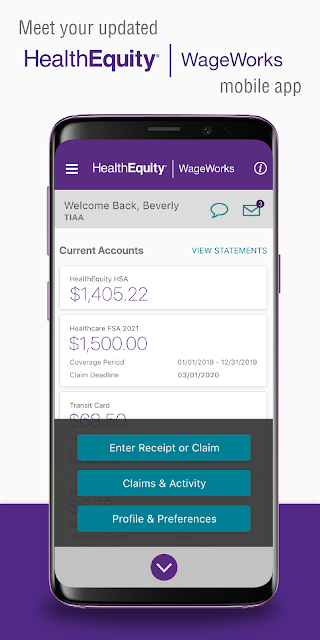
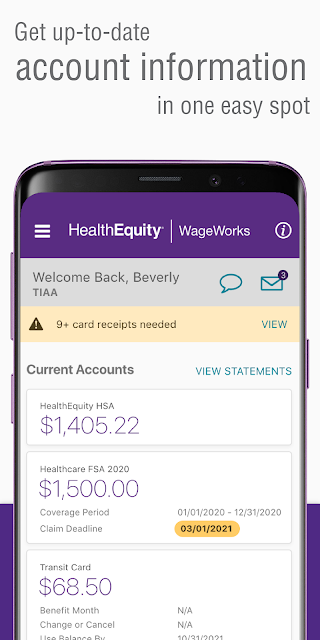
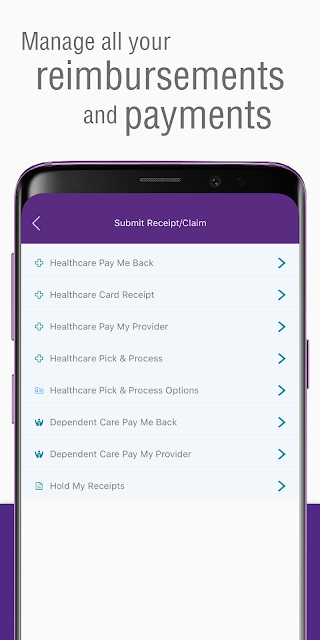
Compared with a spreadsheet or a general expense tracker, EZ Receipts Mobile is much more specialized. Its job is to help manage benefits connected to an EZ Receipts plan: check balances and spending, upload receipts for reimbursement, scan barcodes to check product eligibility, and reach live chat support. When I need to deal with one of those plan tasks, that narrow focus makes more sense than trying to adapt a household budget app.
That specialization also sets a boundary. I would not choose it to catalog every household purchase, build a personal spending plan, or keep an all-purpose digital archive of receipts. The app is useful only in the context of a plan that uses EZ Receipts, and registration online is required before using the mobile app. If I did not have that connection, its core features would not fit my routine.
Small Habits That Help
A simple habit is to check a balance before making a purchase that I expect to put toward a benefit. That gives me a current reference point instead of relying on memory. Afterward, I can upload the receipt while I still know what it was for. The app’s stated tools are straightforward, so a little consistency matters more than building an elaborate filing system around them.
I would also keep the app’s purpose in mind when deciding what to do with a receipt. The useful question here is whether it relates to a benefit plan, not whether it belongs in a complete record of my finances. For a product I am unsure about, scanning its barcode is another available step. Live chat support is there as an option when I need help with the service.
More From Our News Desk

Zoom Meetings, Google Meet, or Teams: Which Is Easiest to Join?

How I Build a Free Streaming Lineup With Tubi

Why Crunchyroll Is the Default Anime App for So Many Fans

YouTube TV: A Practical Guide to Cutting Cable

Rummikub and the Small Comfort of Phone Games

TeamViewer Remote Control or AnyDesk for Helping Family?
Who Will Find It Useful
I would recommend EZ Receipts Mobile to someone whose employer or benefits arrangement uses EZ Receipts and who wants to handle everyday benefit tasks on a phone. It suits people who would rather check a balance, upload a receipt, or look up product eligibility soon after a purchase than leave those jobs for later. The fit is especially clear if those tasks come up often enough to make a dedicated app worthwhile.
It may not suit someone looking for a broad money-management tool or a place to organize every receipt and expense. The app is tied to plans that use EZ Receipts, and online registration comes first, so it is not a sign-up-and-start budgeting app for anyone. I would first make sure my benefits are supported and that I can register for the service before relying on it as part of a routine.
EZ Receipts Mobile is developed by HealthEquity Inc. Google Play shows more than one million installs and a 3.9-star rating from about 17,500 ratings. The app is free to download, with no in-app purchases and no ads reported in the supplied app details. Its content rating is Everyone, which reflects the store’s rating category rather than a promise about how well it fits a particular benefits plan.
The supplied app details give version 7.5.1.136, a release date of October 6, 2011, and a last update date of September 13, 2026. An Android minimum version was not supplied, so anyone checking device compatibility should look at Google Play. The app description says to register online before using it and to use the mobile app only if the benefits plan uses EZ Receipts.
A Closer Look at Benefits on the Go
Getting Started
My first impression is that this app has a specific assignment rather than trying to be an all-in-one finance hub. Before using it, I would take care of online registration and confirm that my plan uses EZ Receipts. That preparation matters: the app is designed around access to those benefits, not around creating a general account for anyone who wants to track spending.
Once that prerequisite is handled, the main reasons to open the app are easy to understand. I can check benefit balances and spending, upload receipts for reimbursement, scan barcodes to check product eligibility, and access live chat support. Those tasks describe the app’s role clearly. I would start with the one I need, rather than expect a broad tour of personal finance tools.
The Everyday Experience
In day-to-day use, the appeal is having benefit-related actions available on a phone. If I am out shopping, a balance check can answer a practical question before I forget to look later. After a purchase, receipt upload gives me a way to move the reimbursement task along. These are small jobs, but they are exactly the kind that can linger when there is no convenient place to handle them.
The app’s usefulness depends on the benefits plan, so it is not something I would open just to review ordinary spending. That distinction helps keep expectations sensible. I would use it as a companion to the plan’s benefit administration, with the listed features guiding what I do there. If my goal were to understand my entire monthly budget, I would need a different kind of tool.
Useful Plan Features
The barcode scanner is a distinctive feature for a benefits-focused app. When I am looking at a product and want to check whether it is eligible, scanning its barcode offers a direct way to investigate. It is not a substitute for understanding my plan, but it gives the app a practical role at the point of purchase instead of limiting it to paperwork after I get home.
Receipt uploads and balance checks form the other central pairing. I can review what is available and submit documentation for reimbursement from the same mobile service. Live chat support rounds out the listed tools for times when I need help. Together, these features are focused on using and administering benefits, rather than on categorizing purchases or generating broad financial reports.
A Practical Weekly Routine
A reasonable routine would be to check the balance when I know a benefit-related expense is coming up, then keep the receipt handy and upload it when I have a moment afterward. That avoids making the app a daily ritual when there is nothing to do. If a product’s eligibility is uncertain, I can use the barcode feature as part of the decision rather than guessing.
I would also make a point of dealing with receipts soon after a purchase. The app is built to support uploading them for reimbursement, and postponing that task can turn a simple errand into a pile of things to remember. For an account or plan question, live chat is another listed route for support. The routine stays modest: check, document, and follow up when needed.
Keep the Scope in Mind
The biggest limitation is also the clearest part of the app’s design: it is useful only when a benefits plan uses EZ Receipts. Even then, users need to register online before opening the mobile app for plan tasks. That makes it less immediately accessible than a generic receipt camera or spending tracker, but it also keeps the app centered on the service it is meant to support.
I would not assume the app replaces every step involved in a benefits claim or answers every plan-specific question. The described features cover balances, spending, receipt uploads, product-eligibility scans, and live chat. For a user who wants expense categories, custom reports, or a searchable archive of all household receipts, those are different needs. The most satisfying experience is likely to come from using this app for its stated benefits purpose.
EZ Receipts Mobile makes the most sense as a practical extension of a benefits plan: check a balance, upload a receipt, or check a product barcode when the need comes up. I appreciate that the core tasks are easy to understand, while the app avoids pretending to be a complete financial organizer.
I would try it if my plan uses EZ Receipts and I want to handle reimbursement-related chores from my phone. I would skip it as a general budgeting or receipt-management app. Confirming plan access and completing online registration are the sensible first steps before building it into a routine.
EZ Receipts Frequently Asked Questions
What is EZ Receipts Mobile used for?
EZ Receipts Mobile helps people manage benefits connected to an EZ Receipts plan. Its described features include checking balances and spending, uploading receipts for reimbursement, scanning product barcodes to check eligibility, and accessing live chat support. The app may be relevant to certain flexible spending accounts, health reimbursement arrangements, and commuter benefits. Online registration is required before using the mobile app.
Which devices can run EZ Receipts Mobile?
EZ Receipts Mobile is an Android app distributed through Google Play. The supplied details do not give a minimum Android version, so I would check the Google Play store page for the current device requirements before installing. Plan access matters too: the app is intended for people whose benefits use EZ Receipts, and registration online is required before mobile use.
Does EZ Receipts Mobile cost money?
The app is free to download according to the supplied store details, with no in-app purchases or ads reported there. That describes the app itself, not the terms of an employer benefits plan. Plan rules and access are separate considerations, so I would check the relevant plan information and the Google Play page if I need the latest store details.
What Android version does EZ Receipts Mobile require?
The supplied app information does not specify a minimum Android version. Requirements can vary with app updates and device compatibility, so check Google Play on the Android device you plan to use. Before relying on the app, also make sure your benefits plan uses EZ Receipts and that you have completed the required online registration.
Who should use EZ Receipts Mobile?
It is best suited to people whose benefits are managed through EZ Receipts and who want to check balances, upload receipts, or check product eligibility from a phone. It is not designed as a general budgeting app or an all-purpose receipt archive. If your plan does not use EZ Receipts, the app may not fit your needs; check with your plan and the store.
Pros
- Combines benefit balance checks with receipt uploads for reimbursement.
- Barcode scanning can help check product eligibility while shopping.
- Includes live chat support as a listed benefit-management feature.
- Free to download, with no in-app purchases or ads reported.
Cons
- Useful only when a benefits plan uses EZ Receipts.
- Online registration is required before using the mobile app.
- Its benefits focus does not make it a general-purpose budget tracker.
- Category
- Finance
- Version
- 7.5.1.136











