DTA Connect
- 4.94K
- 4.1
- Installs
- 1.00M
- Price
- Free
Screenshots
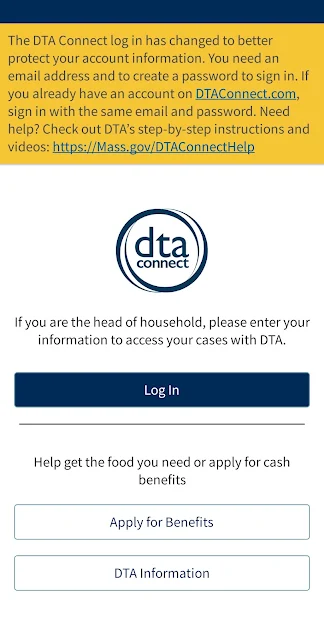
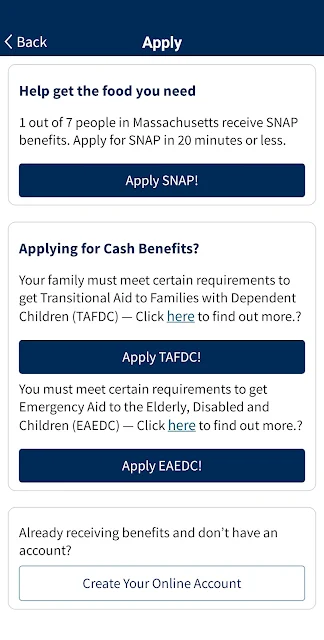
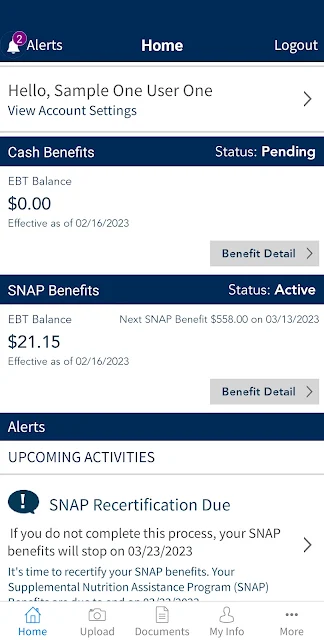
Analysis by Reviewed APKs
DTA Connect is a Massachusetts benefits app for people who receive or are applying for SNAP or cash assistance through the Department of Transitional Assistance. I see its main value in putting routine case details, documents, notices, and reminders in one place instead of making every question a phone call or office visit. It is a focused, practical tool for managing an active DTA case, not a general budgeting app.
A quicker case check
Picture a weekday morning when I need to know whether a document I sent has been processed, but I do not have time to wait on hold. DTA Connect is built for that sort of check-in: I can look at my case status, see whether submitted documents have been processed, and check when benefits are next scheduled to be issued. Those are concrete answers to common case questions, gathered in one app.
The EBT balance check is another useful stop in an ordinary routine. Before planning a grocery trip, I can check the balance and get a clearer sense of what is available on the card. The app also offers appointment and deadline alerts, so I can use it as a reminder alongside those quick account checks. It does not remove the need to keep track of my case, but it gives me a convenient place to look.
A case tool, not a budget app
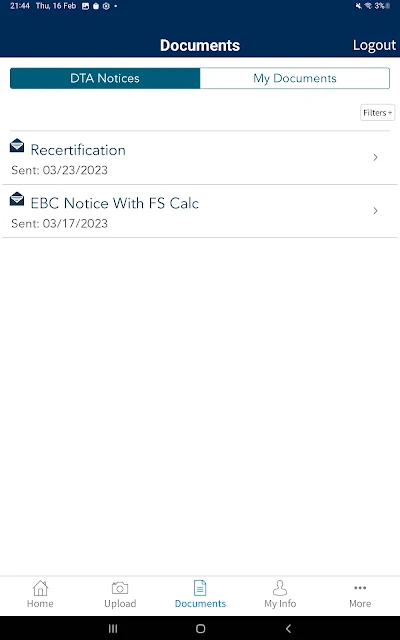
Compared with calling DTA or visiting an office for routine information, the app offers a self-service route for several common tasks. I can review notices and letters, check case details, submit documents, update contact information, and find local DTA contact information. That makes it most useful between conversations with the agency, when I need to check a detail or take care of a specific case-related step.
The distinction matters: DTA Connect is for Massachusetts DTA SNAP or cash benefits, not for tracking spending, comparing bank accounts, or managing benefits from another state. I would not treat it as a replacement for every conversation with DTA, either. It offers case information and ways to send or review materials, while its listed features remain centered on benefits administration rather than broader financial planning.
Make small checks routine
I would get the most from DTA Connect by checking it at a few useful moments rather than opening it constantly. For example, I could review the case status after submitting a document, look at upcoming deadlines when planning the week, and check the EBT balance before shopping. The point is to make those specific checks easy to remember, not to turn a benefits app into another stream of daily screen time.
When a notice arrives, I can use the app to read it and, if needed, print it. I would also make a habit of checking whether submitted documents have been processed rather than assuming that sending them means the case record is complete. For contact details, the option to update them in the app is useful to keep in mind. These simple habits make the available tools easier to put to work.
More From Our News Desk

Zoom Meetings, Google Meet, or Teams: Which Is Easiest to Join?

How I Build a Free Streaming Lineup With Tubi

Why Crunchyroll Is the Default Anime App for So Many Fans

YouTube TV: A Practical Guide to Cutting Cable

Rummikub and the Small Comfort of Phone Games

TeamViewer Remote Control or AnyDesk for Helping Family?
Who may find it useful
I would recommend DTA Connect to Massachusetts residents who already receive DTA SNAP or cash benefits and want a convenient way to check case information. It is especially relevant if you regularly need to confirm an EBT balance, look for the next benefit issuance, send documents, review letters, or keep an eye on appointment and deadline reminders. Those needs line up closely with the app’s core purpose.
It may be less useful to someone who does not have a Massachusetts DTA case, or who wants a general-purpose money manager with spending tools. It is also not a substitute for contacting DTA when a question needs more help than the listed self-service options can provide. I would think of it as a practical companion for routine case management, with the agency still the place to turn for questions that need direct assistance.
DTA Connect is developed by the Massachusetts Dept of Transitional Assistance and is a free Android app. Google Play shows over 1 million installs, a 4.1-star rating from about 4,900 ratings, and an Everyone content rating. The app is version 3.4.0. It is designed for people managing Massachusetts SNAP or cash benefits through DTA.
The app has no in-app purchases and contains no ads. It was released on August 28, 2016, and its most recent update in the supplied app details is dated September 23, 2026. The minimum Android version is not included in the available app details, so it is worth checking the Google Play page on the device you plan to use.
Making Benefits Details Easier to Reach
A focused first impression
When I first considered DTA Connect, what stood out was how specific its job is. It is built around managing a DTA case, rather than trying to be a broad portal for every kind of public service. The available tasks are practical: check status and balances, handle documents, read notices, and keep track of dates that may matter to a case.
That narrow focus can be reassuring if those are exactly the details I need. There is less reason to hunt through unrelated tools or features when the main goal is to answer a benefits question. I would approach setup with my DTA case in mind and use the app for the tasks it describes, rather than expecting a general account dashboard or a personal finance workspace.
Everyday case management
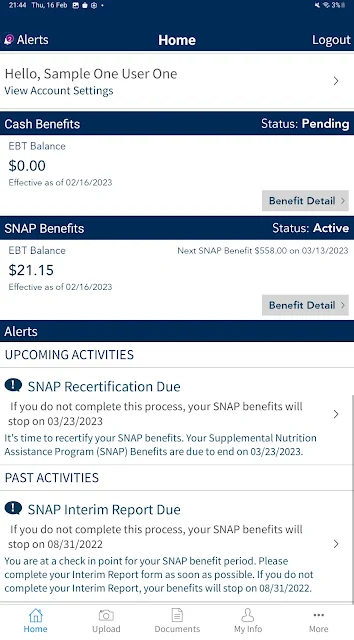
The day-to-day experience is centered on quick checks and follow-up. I can use the app to view case status, check the EBT balance, and find out when benefits are next due to be issued. These are the kinds of details that can come up while planning errands or trying to understand where a case stands, and having them available in the same app can reduce the need to chase each answer separately.
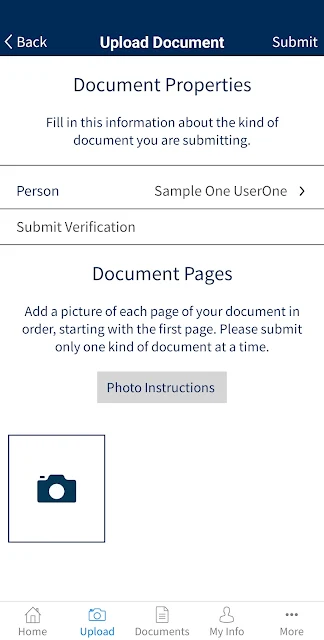
Document handling adds a more involved task to the mix. DTA Connect lets me upload and submit a document, then check whether documents I have sent have been processed. That second step is important: sending paperwork and confirming its status are different parts of the process. I would use the app to keep an eye on that follow-up, while avoiding assumptions about a case decision based only on a submission.
Notices and reminders
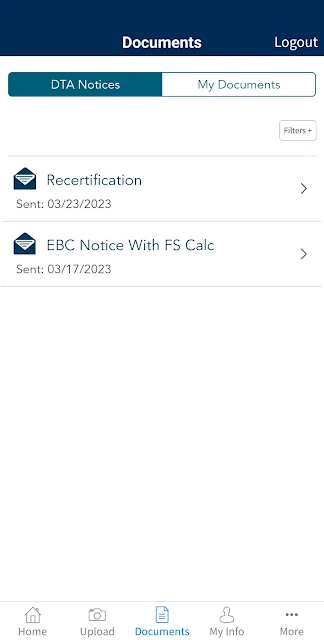
Notices and letters are a meaningful part of the app’s usefulness. DTA Connect lets me read and print them, which gives me a way to revisit information rather than relying on memory after a quick glance. If I need a paper copy of the amount of benefits I receive, I can request that a letter be mailed. Those options make the app useful for both immediate checks and keeping a record.
Alerts for upcoming appointments, important deadlines, or actions give the app a reminder role as well. I like that this connects to actual case tasks rather than generic notifications. A reminder can help me notice that something needs attention, while the app also provides ways to review notices or submit documents. I would still keep my own calendar for important dates, but these alerts can be a helpful additional prompt.
A practical weekly rhythm
A simple routine could start with checking DTA Connect once at the beginning of the week. I could review the case status and look for appointment or deadline alerts, then decide whether any document or notice needs attention. Before a grocery trip, I could check the EBT balance. This kind of occasional, task-based use feels more natural than opening the app without a particular question in mind.
After submitting a document, I would make a note to return and see whether it has been processed. If a letter arrives in the app, I could read it carefully and print it if having a paper copy would help. If my contact information changes, updating it through the app is another practical step. Together, these small actions give the app a place in a routine without making it the only way I manage a case.
Keep its scope in mind
DTA Connect is tied to Massachusetts DTA SNAP and cash benefits, so its usefulness depends on having the relevant kind of case. Someone looking for a general EBT tool, a budget tracker, or a way to manage benefits in another state should not expect this app to fill that role. Its listed functions are about case information and contact with the Massachusetts agency.
The app’s self-service features also have a defined scope. It can show information, provide access to notices, accept documents, and offer local contact information, but those tools do not mean every question can be settled inside the app. When a case needs direct attention, contacting DTA may still be necessary. I would use DTA Connect to handle routine checks and follow-up, while keeping that boundary clear.
DTA Connect is a straightforward, purpose-built companion for checking Massachusetts DTA case details and taking care of common benefits tasks. I like that it brings balances, case status, document submission, notices, and reminders into one place. Its value is less about doing everything and more about making a handful of recurring questions easier to handle.
If you have a Massachusetts DTA SNAP or cash case, I think it is worth trying for routine checks and document follow-up. If you want broad budgeting tools or manage benefits elsewhere, this is not the right fit. For the audience it serves, DTA Connect offers a practical way to stay closer to important case information.
DTA Connect Frequently Asked Questions
What is DTA Connect used for?
DTA Connect helps people manage Massachusetts DTA SNAP or cash benefits. It can show case status, EBT balance, and the next benefit issuance, and it supports document submissions, notice and letter access, contact updates, and alerts for appointments, deadlines, or actions.
Which devices can run DTA Connect?
DTA Connect is an Android app available through Google Play. The supplied details do not give a minimum Android version, so check the Google Play page on your device for current compatibility information. It is intended for managing Massachusetts DTA benefits, rather than as a general service for every state.
Does DTA Connect cost money?
DTA Connect is free to download and use, and the supplied details show no in-app purchases or ads. Store information can change, so it is sensible to check the Google Play page for current details before installing.
What Android version does DTA Connect require?
The minimum Android version is not provided in the app details available here. Requirements can vary as the app is updated, so check DTA Connect’s Google Play page from the Android device you want to use before installing.
Is DTA Connect useful for everyone with an EBT card?
It is intended for people managing Massachusetts DTA SNAP or cash benefits. Its features focus on DTA case information, documents, notices, and related reminders, so it may not suit people with benefits from another state or anyone looking for budgeting tools. Check the store page for current app details.
Pros
- Combines case status, EBT balance, and benefit issuance checks in one place.
- Supports document submission and lets users check whether sent documents were processed.
- Offers access to notices, letters, appointment alerts, and important deadline reminders.
- Free to use, with no ads or in-app purchases in the supplied details.
Cons
- Designed for Massachusetts DTA SNAP or cash cases, not benefits from other states.
- Its focused case-management tools are not a replacement for a general budgeting app.
- Some questions may still require contacting DTA directly.
- Category
- Finance
- Version
- 3.4.0











