djay - DJ App & AI Mixer
- 223.34K
- 3.8
- Installs
- 10.00M
- Price
- Free

Screenshots
Analysis by Reviewed APKs
djay - DJ App & AI Mixer turns an Android phone or tablet into a hands-on music mixing setup. It suits curious beginners who want to experiment, as well as DJs who want a portable way to work with tracks, effects and transitions. After spending time with its mix of manual controls and automatic options, I found it flexible and approachable, though its deeper tools and streaming access come with some caveats.
A mix for an ordinary evening
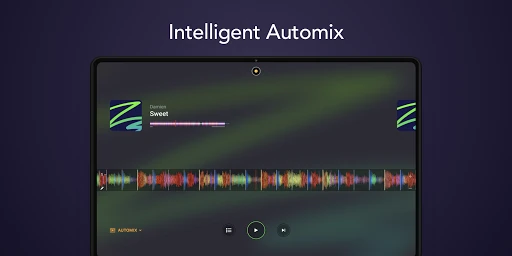
When I first opened djay, I pictured using it during a low-key evening at home: pick a few tracks, keep the music moving, and try a transition without setting up a full DJ booth. Automix is the easy starting point. It selects tracks and creates beat-matched transitions, so I could let a mix play while cooking or relaxing rather than watch every change.
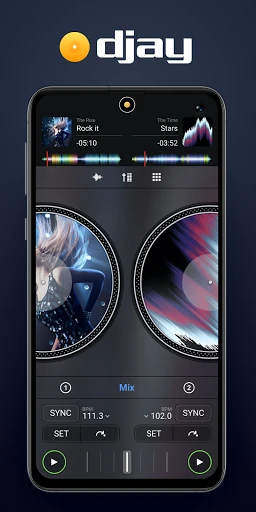
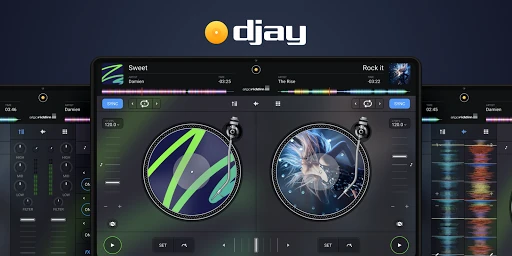
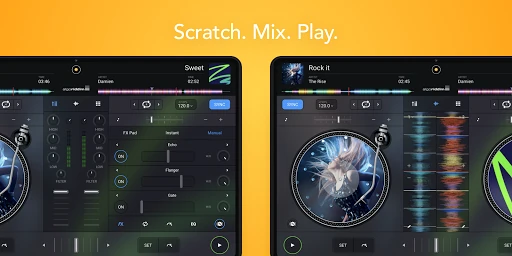
When I wanted to take over, the app offered a more hands-on path with decks, mixer controls and track tools. I could think about what should come next, adjust the sound, and explore cues or loops. That shift from listening to actively mixing is the app’s central appeal: a phone can be a convenient practice space, even if a larger setup may feel better for a performance.
More than a playlist player
A standard music player is built around choosing what to hear; djay is built around changing how tracks meet. It brings mixing controls, effects, beat information and Automix together, so it makes more sense for someone curious about DJing than for someone who simply wants to press play on an album. Its automatic transitions also make it useful when I want a continuous background mix without manually lining up each song.
I would not treat it as a general music library or a replacement for every part of a DJ setup. Streaming access depends on a supported service subscription and an internet connection, and some features have device requirements. It also cannot record streamed songs. For a casual listener who never wants to touch a mix, a conventional player is likely simpler; djay is most rewarding when you want to experiment.
Small habits that help
I’d start with a short set of familiar tracks rather than a huge library. That makes it easier to hear what Automix is doing and notice how tempo, key and transitions affect the flow. Once the app feels familiar, I’d try adjusting the mixer and EQ or adding a cue point. A few deliberate experiments are more useful than tapping every control at once.
For a more prepared session, I’d choose tracks ahead of time and use headphone pre-cueing when the device and audio setup support it. That lets me preview the next song separately from the main output. Loops and samples can add another layer, but I’d keep them focused so the mix still feels like a sequence of songs rather than a pile of effects.
More From Our News Desk

Zoom Meetings, Google Meet, or Teams: Which Is Easiest to Join?

How I Build a Free Streaming Lineup With Tubi

Why Crunchyroll Is the Default Anime App for So Many Fans

YouTube TV: A Practical Guide to Cutting Cable

Rummikub and the Small Comfort of Phone Games

TeamViewer Remote Control or AnyDesk for Helping Family?
Who will enjoy mixing
I’d recommend djay to beginners who want a friendly way to learn the shape of a DJ mix, and to more experienced users who want mixing tools on an Android device. Automix is a useful low-pressure entry point, while manual controls, effects, cue points and beat-making tools give curious users plenty to explore. The range of music sources is also appealing if your listening already spans streaming and locally stored tracks.
It may be a poor fit if you only want a basic player, dislike learning hands-on controls, or expect every feature to work the same way on every device. Some streaming sources need their own paid subscription, and some tools depend on device hardware. People planning to use external controllers or interfaces should pay attention to compatibility and their particular setup before relying on it for a live session.
djay - DJ App & AI Mixer is made by Algoriddim and is in the Music & Audio category on Google Play. It has over 10 million installs and a 3.8-star rating from about 223,000 ratings. The app is free to download, contains no ads, and offers in-app purchases priced from $6.99 to $49.99 per item.
Google Play rates the app Everyone. Its version varies with device, and the supplied store information gives a release date of February 26, 2015, with the latest update dated October 30, 2026. A minimum Android version is not included in the available details, so check the Google Play page for the requirement shown for your device.
A closer look at mixing on Android
First steps with djay
My first impression was that djay has two distinct moods: it can quietly handle a continuous mix, or invite me to act like the DJ. That makes the initial experience less intimidating than starting with every control at once. Automix gives a beginner something to listen to, while the manual approach is there when curiosity takes over.
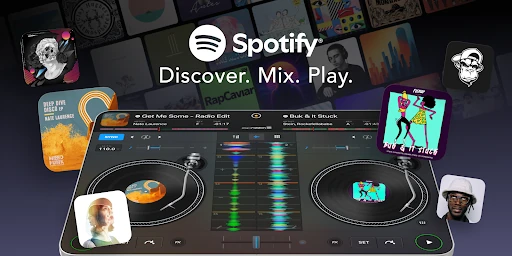
The first practical decision is where the music will come from. The app supports local music and several streaming services, including Spotify, Apple Music, TIDAL, SoundCloud, Beatport and Beatsource. Access to streaming tracks requires a supported subscription and internet connection. I’d check that my preferred source works for my account before planning a session around it.
The everyday mixing feel
Day to day, the appeal is being able to move between listening and making choices. Automix can handle transitions, while the mixer, filters and EQ offer ways to shape what I hear. Beat and key detection, colored waveforms and automatic gain give useful context as tracks play, rather than leaving every decision to guesswork.
There is a learning curve if I want to do more than let Automix run. Cue points, looping, pitch changes and effects all make more sense after a little practice. I found it helpful to focus on one adjustment at a time, then listen for the result. That keeps the experience musical instead of turning a casual session into a hunt through controls.
Tools beyond transitions
Neural Mix is one of the more distinctive tools: it can separate vocals, drums and instruments from a song in real time. It can open up interesting ways to reshape a track, but it has limits. The feature requires an ARM64-based device and cannot be used with songs streamed from Spotify or Apple Music.
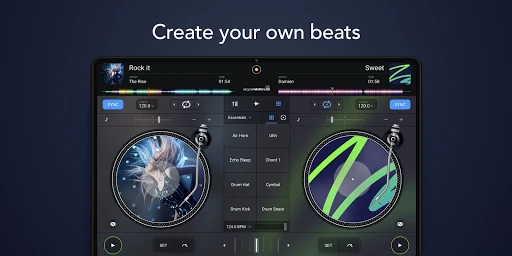
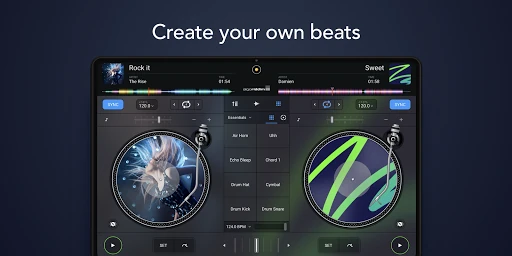
The Beat Maker adds another creative route. Its sequencer lets me add beats over music, and the looper supports up to 48 loops per track. The app also includes a library of loops and samples, with access to more than 1,000 loops, samples and visuals included with the optional PRO subscription. These tools are a bonus for experimentation, not a requirement for a straightforward mix.
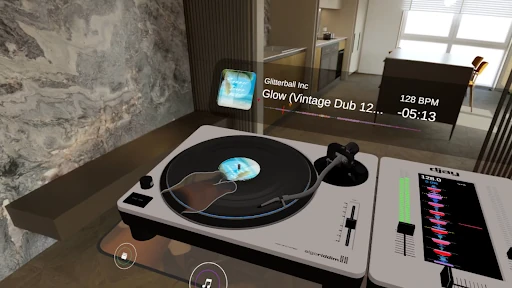
For someone with compatible equipment, djay supports selected DJ hardware through Bluetooth or USB MIDI. Headphone pre-cueing is another useful feature: Split Output mode or an external audio interface can let me preview a track privately before it reaches the main speakers. Device support matters here, so I would test the exact combination before depending on it.
A simple practice routine
A practical routine could be to choose a handful of tracks from a local library or supported service, then let Automix show how it connects them. I’d listen for the transitions that work and the ones that feel abrupt. On a second pass, I could take control and try a cue point or a small EQ adjustment at a moment where the change is easy to hear.
Once comfortable, I’d add a loop or sample, or try previewing the next track through headphones if my audio setup supports it. The point is to build a repeatable practice habit, not to use every feature in one go. Keeping the session short and familiar makes it easier to learn what each tool actually contributes to the mix.
Limits to keep in mind
The broad range of Android devices means the experience can vary. The developer notes that not every feature is supported on every device; Neural Mix, for example, needs ARM64 hardware. Some devices also do not support external audio interfaces, including interfaces built into certain controllers. I would verify my phone and connected gear before treating djay as a dependable live-performance setup.
Streaming brings its own boundaries. A supported service subscription and internet connection are needed, song availability can depend on account and country, and streamed tracks cannot be recorded in djay. Neural Mix is also unavailable with Spotify and Apple Music streaming. Those restrictions do not erase the app’s usefulness, but they matter if a particular source or workflow is central to your plans.
Finally, the app is free to install but has optional in-app purchases, and the PRO subscription unlocks additional features and creative content. I’d explore the free experience first and decide whether the paid tools fit my needs. That is a more sensible approach than assuming every advanced function is included without cost.
djay - DJ App & AI Mixer is a capable mobile mixing app with an inviting automatic mode and a substantial set of tools for people who want to take control. I especially like that I can begin by listening to an Automix and gradually explore more involved techniques as my interest grows.
I’d recommend it to curious music fans and aspiring DJs who are comfortable checking device and subscription requirements. It is less compelling as a plain music player, and streaming or hardware limits deserve attention. If you want to experiment with transitions and effects on Android, djay is worth a try.
djay Frequently Asked Questions
What is djay - DJ App & AI Mixer used for?
djay is used to mix music on an Android device. You can let Automix create a continuous mix with beat-matched transitions, or work manually with mixer controls, effects, loops, cue points and beat-making tools. It supports local music and several streaming services, subject to the service, subscription and connection requirements.
Which devices can run djay - DJ App & AI Mixer?
djay is designed for Android devices, and its version can vary with the device. Not every feature works on every Android device. Neural Mix requires ARM64 hardware, and some devices do not support external audio interfaces. Check the Google Play page and your device’s compatibility before relying on a particular feature or controller.
What Android version does djay - DJ App & AI Mixer require?
The minimum Android version can vary or may depend on the device and current app release. Check the Google Play page for the requirement shown for your phone or tablet. The developer also notes that some features need specific hardware, so an Android version alone may not determine whether every tool is available.
Does djay - DJ App & AI Mixer cost money?
The app is free to download and includes in-app purchases priced from $6.99 to $49.99 per item. An optional PRO subscription unlocks PRO features and additional loops, samples and visuals. Streaming music may also require a separate subscription, and service pricing and availability can vary by country.
Is djay - DJ App & AI Mixer good for beginners?
It can suit beginners because Automix offers an easy way to hear transitions before working with the controls yourself. There is room to explore effects, loops and other DJ tools over time. It may be less suitable if you only want a simple music player or do not want to check subscription and device compatibility.
Pros
- Automix offers a low-pressure way to hear beat-matched transitions.
- Manual mixing includes effects, EQ, looping, cue points and beat tools.
- Supports local music and several streaming services.
- Headphone pre-cueing and selected DJ hardware support expand practice options.
Cons
- Feature and audio-interface support varies across Android devices.
- Streaming requires a supported subscription and internet connection.
- Streamed songs cannot be recorded, and Neural Mix has source restrictions.
- Category
- Music & Audio











