Discogs
- 21.15K
- 1.8
- Installs
- 1.00M
- Price
- Free
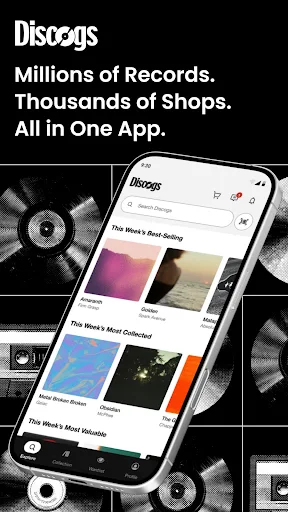
Screenshots
Analysis by Reviewed APKs
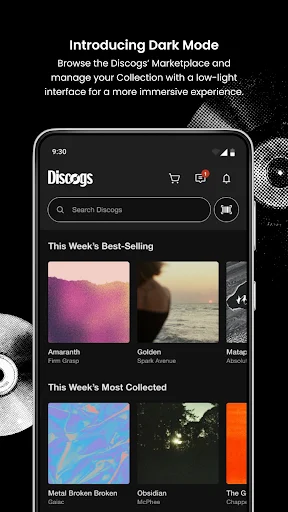
Discogs is a music catalog and marketplace app for people who want to keep track of physical releases, look up records, or buy and sell music. I see its biggest strength in the way collection management and marketplace information sit together: you can check what you own while browsing or out crate digging. It suits collectors especially well, though it offers more tools than a casual listener may need.
A quick check in the record shop
Picture yourself flipping through used records and spotting an album you might already own. In Discogs, you can search the database or use your phone’s camera to look up a release by its barcode, then check whether it is in your Collection. That small pause can prevent an accidental duplicate and help you compare the copy in front of you with the right release before deciding whether to buy.
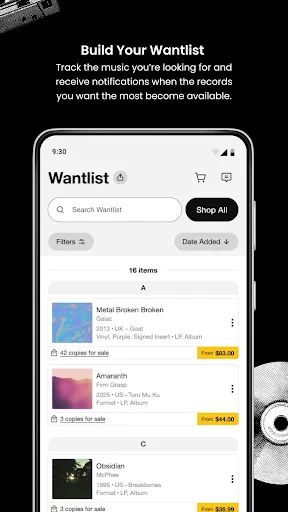
The app also gives collectors a place to keep a Wantlist, so a hard-to-find album does not have to live only in your memory. When I think about using Discogs on a weekend record-shop run, the appeal is practical: check a title, review marketplace price ranges and sales history, and move on with a clearer idea of what I am looking at. It is a companion for browsing, not a music player.
Catalog, marketplace, not player
Discogs combines a release database with collection tools and a marketplace. That makes it different from a basic spreadsheet, where I would have to enter and maintain everything myself, and from a shopping app focused only on current listings. Here, the catalog can help identify a release, while Collection and Wantlist features connect that research to what I own or hope to find.
The trade-off is focus. Discogs is built around recorded music and physical releases such as vinyl, CDs, and cassettes; it is not presented as an app for streaming albums or managing a general entertainment library. If I only want to press play on a playlist, this is the wrong tool. If I collect, compare editions, or buy and sell music, its specialized approach makes more sense.
Small habits that help
The app becomes more useful when I keep the Collection current instead of treating it as a one-time project. Adding a purchase soon after bringing it home means I can check ownership the next time I am shopping. Keeping a Wantlist tidy has a similar payoff: it gives me a focused set of releases to follow, rather than relying on a vague memory of albums I once meant to find.
I would also make a habit of checking the release details and marketplace data before buying. Discogs provides low, median, and high estimated values as well as sales history, which can add context to a asking price. Those figures are reference points, not a promise about what a particular copy is worth. For sellers, keeping sale inventory and messages in view can make account tasks easier to follow.
More From Our News Desk

Zoom Meetings, Google Meet, or Teams: Which Is Easiest to Join?

How I Build a Free Streaming Lineup With Tubi

Why Crunchyroll Is the Default Anime App for So Many Fans

YouTube TV: A Practical Guide to Cutting Cable

Rummikub and the Small Comfort of Phone Games

TeamViewer Remote Control or AnyDesk for Helping Family?
Who will get the most from it
I would recommend Discogs to people who collect records, CDs, or cassettes and want one place to catalog them, track wanted releases, and browse listings. It is particularly handy for someone who shops in person as well as online, since checking a barcode or Collection can be useful right at the shelf. Sellers may also appreciate having sale items, buyer and seller ratings, and messages accessible through the app.
It may be less appealing if your music life is mostly streaming and you have little interest in identifying editions or managing a physical collection. The database and marketplace can also feel like extra machinery if all you want is a quick artist lookup. I would approach the app as a collector’s toolkit: useful when its catalog, lists, and marketplace matter to you, but not essential for every music fan.
Discogs is the developer, and the app is in the Music & Audio category on Google Play. It has over one million installs and a 1.8-star rating from 21,152 ratings. Google Play assigns it a Teen content rating. Those figures give a useful snapshot of its reach and user feedback, though the rating alone cannot explain what different collectors value or find frustrating.
The app is free to download, with no in-app purchases or ads. The supplied version is 3.24.1; it was released on July 12, 2016, and last updated on October 22, 2026. The minimum Android version is not included in the available app facts, so check Google Play for the requirement that applies to your device.
How Discogs Fits a Collector’s Routine
Starting with a collection
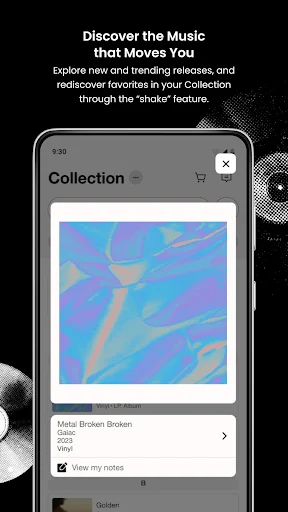
When I first opened Discogs, the clearest idea was that it is meant to connect a personal collection with a much larger music catalog. The app’s main jobs are easy to understand: discover releases, add and remove items from your Collection, and keep a Wantlist. That framing makes it feel less like a general music service and more like a portable record-keeping tool.
Getting value from it depends on having a Discogs account and deciding how much of your collection you want to track. The app also supports account tasks such as editing profile information and viewing messages. I would start with a few recent purchases or favorite records, then build from there rather than turning setup into a long cataloging session.
Useful between purchases
Day to day, I can see Discogs being most useful in short bursts. A quick search while browsing a shop can check whether I already own a release; a glance at Wantlist items can remind me what I am looking for. At home, adding a new purchase keeps the Collection closer to reality. These are small interactions, but they connect the app to the moments collectors already have.
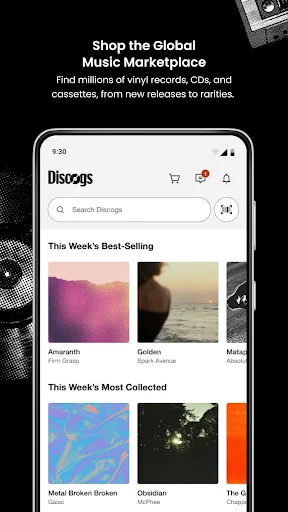
The marketplace side adds another reason to open it. Users can browse music offered by sellers and complete purchases in the app through Discogs Payments or PayPal. Buyers can also follow incoming messages and account information. I would still take time to inspect the release and listing details before making a decision; the app’s convenience does not remove the need to choose carefully.
Price history and release lookup
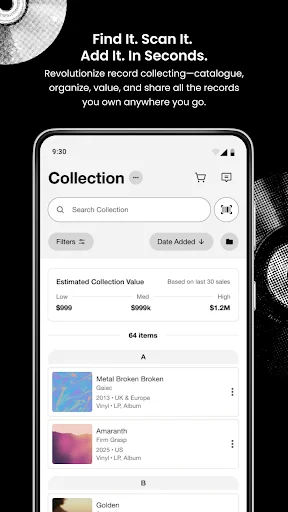
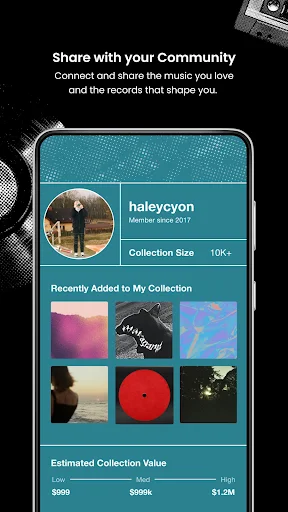
One feature I find especially relevant to collectors is the combination of marketplace price ranges and sales history. Discogs presents low, median, and high estimates for vinyl, CDs, and cassettes, and it can show an estimated value for a Collection. When I am comparing a price at a shop, that historical context is more useful than relying on a single number or a seller’s description alone.
Barcode search is another practical touch. Using the phone camera to search for a release can help distinguish an item from other entries in the catalog, while the Collection check answers the simple but important question of whether I already have it. Wantlist notifications for price changes and new listings round out the tracking side, particularly for releases I am actively hoping to find.
A weekend collecting routine
A sensible routine might start at home: add recent purchases to the Collection and review the Wantlist before heading out. While browsing, I can search a barcode or title, check ownership, and compare the item’s price with marketplace ranges and sales history. If I decide to buy, I can update the list afterward so the record no longer sits among things I am still seeking.
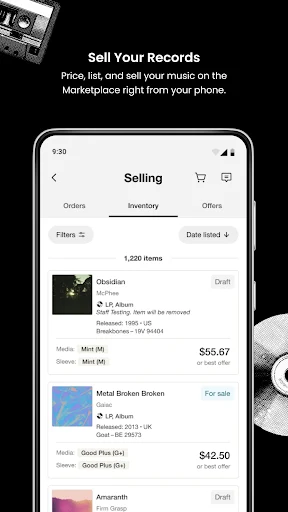
For someone selling records, the routine shifts toward keeping sale inventory in view and responding to inquiries or messages. Discogs includes tools for listing items from a collection, tracking inventory, and managing account messages. I would check those regularly rather than assume that adding an item is the end of the task. The app brings the pieces together, but the seller still has to keep their information current.
A few limits to remember
Discogs has a clear collector focus, which is both its advantage and its main limitation. People who do not buy physical music may find little reason to maintain a Collection or Wantlist. And while marketplace estimates can help put a price in context, they are not a verdict on a specific copy’s condition or an assurance that a sale will happen at that amount.
The Google Play rating is 1.8 stars from 21,152 ratings, so I would not ignore the possibility that some users have had a frustrating experience. The supplied facts do not explain the reasons behind that score. I would try the app with a modest collection task first and see whether its catalog and marketplace workflow fits how I actually shop and organize music.
Discogs makes the most sense when I treat it as a working catalog for physical music, rather than expecting an all-purpose listening app. Collection and Wantlist tools, barcode search, marketplace browsing, and price history give collectors useful ways to connect research with buying and selling.
I recommend giving it a try if you regularly handle records, CDs, or cassettes and want a more organized way to track them. If you mostly stream music or rarely shop for physical releases, the app’s specialized toolkit may feel like more than you need.
Discogs Frequently Asked Questions
What is the Discogs app used for?
Discogs helps users discover music, search a release database, catalog a physical music collection, and maintain a Wantlist. It also supports marketplace browsing and buying, plus tools for listing items for sale, tracking inventory, and managing messages. Collectors can use barcode search and view marketplace price ranges and sales history.
Which devices can I use Discogs on?
The app is available for Android through Google Play. The provided app details do not specify a minimum Android version, so check the Google Play page for the requirement that applies to your device. Device compatibility can vary, and the store is the best place to confirm before installing.
Does Discogs cost money to download?
Discogs is free to download and the supplied facts show no in-app purchases or ads. The app supports purchases from marketplace sellers through Discogs Payments or PayPal, so buying music is separate from downloading the app. Check Google Play for current information that may affect your region or account.
Can I use Discogs to manage a record collection?
Yes. Discogs lets you add or remove items from a Collection, check whether you already own a release, and keep a Wantlist of music you hope to find. It can also show Collection and Wantlist counts and estimated Collection values. Its tools are aimed at physical music collecting, rather than streaming playback.
Is Discogs a good fit for casual music fans?
It can be, but its strongest use is for people who collect, buy, sell, or research physical releases. Someone who mainly streams music and does not need a catalog or marketplace may not use many of its features. The app is rated Teen on Google Play; check the store for current details.
Pros
- Combines collection cataloging, Wantlists, and marketplace browsing in one app.
- Barcode search can help identify releases while browsing in person.
- Price ranges and sales history add context to marketplace listings.
- Includes tools for sellers to track inventory and manage inquiries.
Cons
- Its physical-music focus may not suit listeners who mainly stream.
- Marketplace estimates cannot account for every copy’s condition or sale circumstances.
- Google Play shows a low 1.8-star rating from 21,152 ratings.
- Category
- Music & Audio
- Version
- 3.24.1











