Cox App by Spectrum
- 167.59K
- 4.5
- Installs
- 1.00M
- Price
- Free

Screenshots
Analysis by Reviewed APKs
Cox App by Spectrum is a practical account-management app for people with Cox or Spectrum services. It brings billing, service details, data usage, outage alerts and troubleshooting resources into one place, with some service-specific apps available from within it. I found its appeal less about doing one thing brilliantly and more about saving a few separate trips when a bill, connection or account detail needs attention.
A service check at home
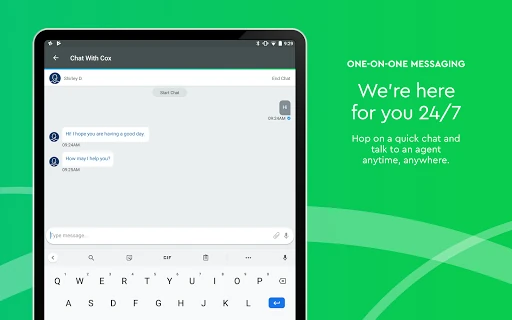
Picture a familiar evening interruption: the internet seems slow just as you settle in to stream something. I’d open Cox App by Spectrum to check the account’s data usage or see whether an outage alert explains the problem, then browse its troubleshooting and how-to articles if I still need help. That makes the app useful as a first stop, before turning a small service question into a longer search through emails or web pages.
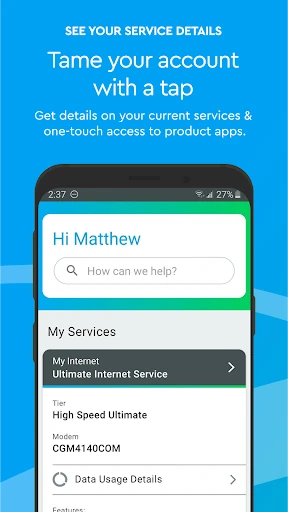
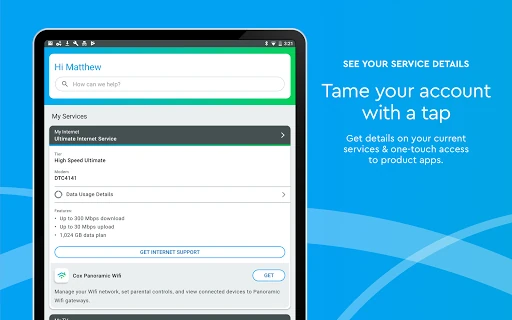
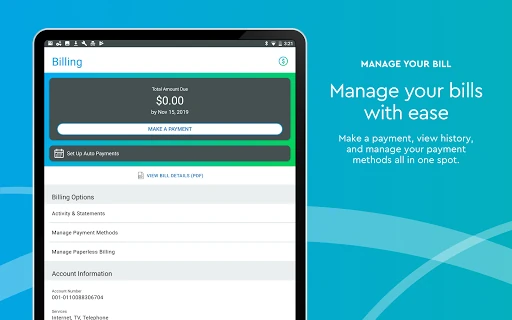
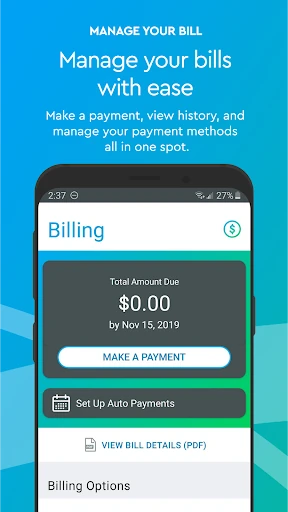
The same dashboard-style role helps with routine account chores. If a payment is due, I can use the app to view a statement, update a payment method, or make a one-time or recurring payment. Service details and profile information are there too, so checking the account or changing a password does not require a separate task list. It is a straightforward utility for moments when I want to handle something and get back to my day.
Account hub, not entertainment
Compared with opening a browser and signing in to an account page, the app is a convenient mobile home for common service-management tasks. It also points users toward product-specific apps for managing Access Points, Contour TV or Voice service. That makes it more of a starting point than a replacement for every tool connected to a household’s services.
It is not primarily a streaming player, a general-purpose media guide, or a way to troubleshoot every device directly. The description says eligible Contour TV plans can access streaming apps such as HBO Max and Disney+ at no extra cost, but the app’s core job remains account and service management. I’d use it to check details and find a next step, not as my main destination for watching shows.
Small habits that help
I’d make a quick account check part of the monthly bill routine: open the statement, confirm the payment method, and decide whether a one-time or recurring payment suits the way I manage bills. Keeping that in one short session is more useful than waiting until a payment question becomes urgent. The app also supports profile updates and password changes, so those can be handled when account details need attention.
For service hiccups, I’d check for outage alerts before spending time on troubleshooting articles. If there is no relevant alert, browsing the how-to material gives me a sensible next place to look. People with several Cox or Spectrum services may also benefit from using the app as a launch point to the product-specific tools, rather than trying to remember which app handles which part of the setup.
More From Our News Desk

Zoom Meetings, Google Meet, or Teams: Which Is Easiest to Join?

How I Build a Free Streaming Lineup With Tubi

Why Crunchyroll Is the Default Anime App for So Many Fans

YouTube TV: A Practical Guide to Cutting Cable

Rummikub and the Small Comfort of Phone Games

TeamViewer Remote Control or AnyDesk for Helping Family?
Who may find it useful
I’d recommend Cox App by Spectrum to people who already manage Cox or Spectrum services and want a handy way to check bills, account details, data usage and service alerts from a phone. It should suit anyone who prefers a single starting point for common account chores, especially when they occasionally need to change a payment method or look up troubleshooting guidance.
It may be less useful if you do not have Cox or Spectrum services, or if you expect one app to replace all service-specific tools. Its description points users to separate apps for Access Points, Contour TV and Voice management. People looking mainly for a standalone entertainment experience should also keep their expectations in check: this is an account and service companion, with access to some streaming apps tied to eligible TV plans.
Cox App by Spectrum is developed by Cox Communications, Inc. On Google Play it has over one million installs and a 4.5-star rating from about 168,000 ratings. The app is free, with no in-app purchases or ads. Its content rating is Everyone.
The current version shown is 3.72.0.4102. The app was released on February 15, 2011, and its last update is dated October 22, 2026. The minimum Android version is not included in the available details, so check Google Play for the requirement that applies to your device.
A closer look at everyday account management
Getting oriented
When I first opened the app, the overall promise was easy to understand: it gathers useful service and account information rather than focusing on a single narrow task. That matters for a household app, where the reason for opening it can change from one day to the next. One visit might be about a bill, another about data use, and a third about an interruption.
The Cox-to-Spectrum transition is worth keeping in mind. The description says services remain uninterrupted and that existing usernames and passwords work when signing in to either Cox or Spectrum. For someone who has used Cox before, that makes the app’s broader Spectrum naming easier to place without treating the account as an entirely new setup.
Useful day to day
The strongest everyday case is convenience. Billing tools, payment options, service details and profile updates all relate to tasks people already have to do, so the app can shorten the path between noticing something and taking care of it. I like that the description includes both one-time and recurring payments, since not everyone wants to handle bills in exactly the same way.
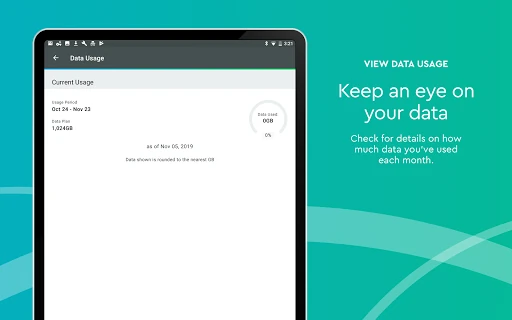
Data usage and outage alerts add another practical layer. Instead of opening the app only when a payment is due, I can see why someone might check it when their connection behaves oddly or when they want a clearer picture of service use. The troubleshooting articles give that visit somewhere to go if a quick status check does not answer the question.
More than bill payment
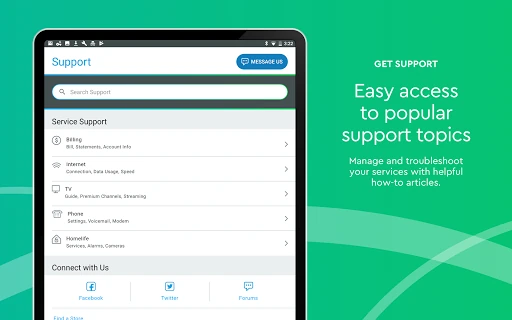
The app’s range is its notable feature. It covers account maintenance, billing, usage, outage information and self-help articles, then offers routes to product-specific apps for Access Points, Contour TV and Voice. That mix makes it a useful directory for managing different parts of a service relationship, even when one app does not handle every control itself.
There is also a streaming-related benefit for eligible Contour TV plans: the description says users can access services such as HBO Max and Disney+ at no extra cost through those plans. I’d view that as a plan-linked extra rather than the app’s main purpose. The central experience remains checking and managing service information.
A simple monthly routine
A realistic routine would be to open the app around bill time, review the statement, and make sure the payment method is current. If I prefer not to repeat the task every month, the recurring payment option may fit; otherwise, the one-time option keeps the decision in my hands each billing cycle. Either way, the app puts the relevant actions together.
I’d keep a second habit for occasional connection problems: look for outage alerts first, then use the troubleshooting and how-to articles if needed. If the issue relates to a particular service, the links to product-specific apps offer a route to the relevant tool. This approach gives the app a clear role without expecting it to solve every problem by itself.
Keep expectations grounded
The main limitation is that a hub is not the same as a universal control panel. The description specifically directs users to product-specific apps for some service management, so there may be times when I need to leave this app to continue. That is not necessarily a flaw, but it does mean the convenience comes from bringing common account tasks together, not from absorbing every service feature.
It is also most relevant to existing Cox or Spectrum customers. People without those services are unlikely to get much from account tools, statements or service alerts. And while eligible Contour TV plans have access to named streaming apps at no extra cost, that benefit depends on plan eligibility; I would not assume it applies to every account.
Cox App by Spectrum makes sense as a practical companion for managing an existing service account. Billing, service details, data usage, outage alerts and troubleshooting resources cover the everyday reasons I’d reach for it, while product-specific app links help point the way when a task sits elsewhere.
I’d try it if I have Cox or Spectrum service and want routine account tasks close at hand. I would not choose it as a general entertainment app or expect it to replace every related service tool. Its value is simple: fewer steps for the account questions that come up at home.
Cox Frequently Asked Questions
What is Cox App by Spectrum used for?
It is used to view service details, manage bills and payment methods, check data usage, receive outage alerts, and find troubleshooting or how-to articles. It also lets users update profile information or change a password, and provides access to product-specific apps for some services.
Which devices can I use Cox App by Spectrum on?
The app is available for Android through Google Play. Check the store for current device compatibility and requirements, since those can vary. The available description also says Cox and Spectrum usernames and passwords work when signing in to either service.
What Android version does Cox App by Spectrum require?
The minimum Android version can vary by release and device. Check the Google Play store page for the requirement that applies to your phone or tablet before installing or updating the app.
Does Cox App by Spectrum cost money?
The app is free to download and has no in-app purchases or ads. Some benefits described in the app, such as access to streaming apps, depend on having an eligible Contour TV plan. Check Google Play and your service plan for current details.
Is Cox App by Spectrum right for me?
It is most useful for people who already have Cox or Spectrum services and want to handle account tasks on a phone. If you do not use those services, the billing, service and account features may not be relevant. Some product management also uses separate apps.
Pros
- Combines billing, service details, usage checks and outage alerts in one account hub.
- Offers both one-time and recurring payment options.
- Includes troubleshooting articles and routes to product-specific service apps.
- Free to use, with no ads or in-app purchases.
Cons
- Some service management requires moving to product-specific apps.
- Its account tools are mainly useful to existing Cox or Spectrum customers.
- Streaming access depends on an eligible Contour TV plan.
- Category
- Productivity
- Version
- 3.72.0.4102