Brightspace Pulse
- 28.57K
- 4.7
- Installs
- 1.00M
- Price
- Free
Screenshots
Analysis by Reviewed APKs
Brightspace Pulse is a companion app for students, and for parents or guardians when their school enables access, to follow coursework and course updates. It brings deadlines, grades, course content, and notifications into a mobile view. After looking at what it covers, I see its main value as keeping school information close at hand; it works best when your institution already uses Brightspace.
A day around deadlines
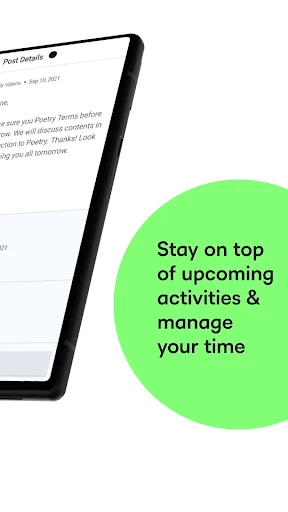
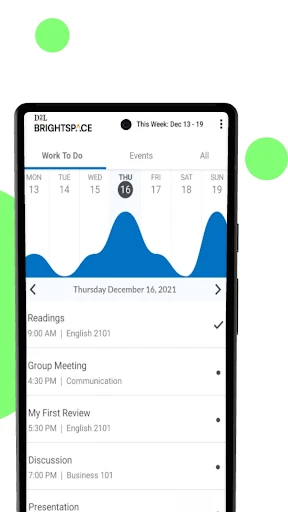
Picture checking your phone between classes and realizing an assignment is due soon. Brightspace Pulse can bring upcoming and overdue coursework from your courses into view, alongside important dates and course updates. Instead of opening a laptop just to check what is coming up, you have a mobile place to consult the information your school has made available through Brightspace.
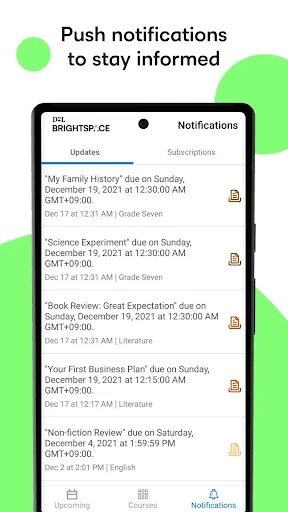
I would use that quick check as a prompt to plan the next study session, rather than as a replacement for doing the work. Notifications can cover announcements, grades, quizzes, assignments, Activity Feed posts, and more. Their usefulness depends on what your institution has configured, but they can help surface a change or deadline while you are away from a computer.
A companion, not a classroom
Brightspace Pulse makes the most sense if your school, district, or organization already provides a Brightspace account. It gathers course-related information and lets learners access course content, follow dates, and participate in Activity Feed discussions. That gives it a different role from a general calendar or notes app: its coursework information comes from the institution's Brightspace setup rather than from manually entering every class task.
It is not a standalone learning service, and it cannot supply course access without an account from your institution. Nor does it replace every activity available in Brightspace: learners can open Brightspace in a browser to complete additional activities. If your courses do not use Brightspace, or you want a universal planner for unrelated tasks, this app is unlikely to be the right fit.
Small habits that help
A useful routine is to check the upcoming and overdue work at a regular point in the day, such as after class or before settling in to study. Looking across courses together can help you notice a busy stretch before it arrives. I would also make a habit of checking announcements and relevant notifications, since course changes may matter just as much as the original due date.
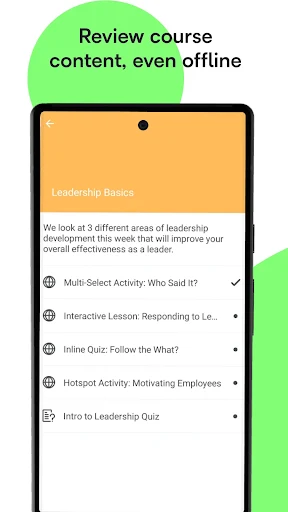
When a supported course item needs attention away from a connection, offline access to supported content, including video and audio, can be useful. I would treat that as a way to review available material, not assume every activity works offline. For parents or guardians with enabled access, checking shared updates and upcoming work can support a conversation with a learner without turning the app into a substitute for the learner's own course participation.
More From Our News Desk

Zoom Meetings, Google Meet, or Teams: Which Is Easiest to Join?

How I Build a Free Streaming Lineup With Tubi

Why Crunchyroll Is the Default Anime App for So Many Fans

YouTube TV: A Practical Guide to Cutting Cable

Rummikub and the Small Comfort of Phone Games

TeamViewer Remote Control or AnyDesk for Helping Family?
Who will get the most from it
I would recommend Brightspace Pulse to learners whose school or organization uses Brightspace and who want a convenient mobile view of coursework, dates, and updates. It is especially relevant if you often check your phone between classes or want to review what is coming up before making a study plan. Parents and guardians may also find it useful when their learner's institution has enabled the appropriate access.
It may not suit someone whose school uses another learning platform, or someone looking for a complete study planner independent of an institution. Access and features depend on the user's role and the organization's configuration, so the experience can differ between learners and parents. If you prefer to do all course activity in a browser, Pulse may be a helpful companion rather than a necessary part of your routine.
Brightspace Pulse is an Education app from D2L Corporation. On Google Play, it has over 1 million installs and a 4.7-star rating from around 28,600 ratings. It is free to download, with no in-app purchases or ads indicated in the provided app details. Its content rating is Everyone.
The current version shown is 2.2610.0.1003982. Brightspace Pulse was released on August 21, 2015, and its listed last update is October 5, 2026. A minimum Android version is not included in the available app details, so check Google Play for the requirement that applies to your device.
Keeping Coursework Within Reach
Starting with your courses
When I first considered Brightspace Pulse, the key question was not how to create an account inside the app, but whether my school provides Brightspace access. The app requires an account supplied by a school, district, or organization. That makes it a practical companion to an existing course setup, not a place to browse classes or sign up for lessons independently.
Once access is available, the app's role is straightforward: bring course content, dates, and updates into a mobile experience. What appears depends on the institution's configuration and your role. I would keep that in mind when comparing your view with a classmate's or a parent or guardian's; different access does not necessarily mean the app is missing a feature.
The everyday check-in
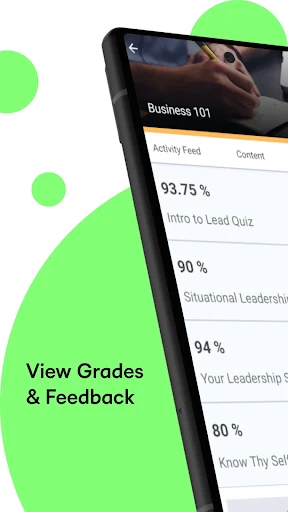
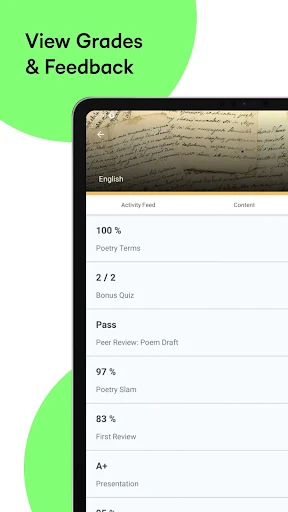
The day-to-day appeal is having coursework information close at hand. Learners can review important dates across courses, see upcoming and overdue work, and receive notifications about several kinds of course activity. A quick check can help answer practical questions: what needs attention next, whether something has changed, and which course deserves time today.
Notifications are most useful when treated as prompts to look rather than as a full record of a course. Brightspace Pulse can notify learners about announcements, grades, quizzes, assignments, Activity Feed posts, and more, depending on the setup. I would still open the relevant course information when I need context, particularly if a notification points to an activity that requires more than a quick update.
Beyond dates and alerts
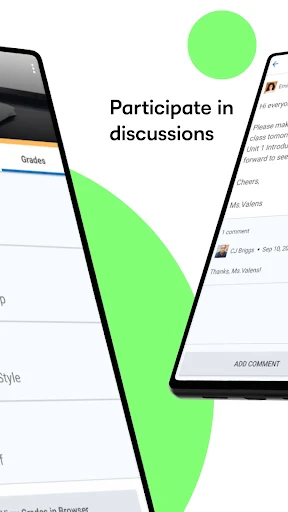
The app covers more than deadline watching. Learners can access course content and participate in Activity Feed discussions, which gives Pulse a role in following class activity as well as keeping track of work. Supported content can also be accessed offline, including audio and video. That may help when reviewing materials in a place where a reliable connection is not available.
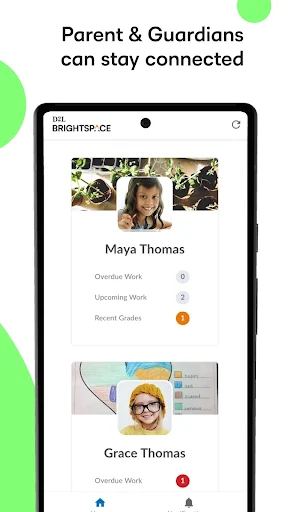
Parents and guardians have a separate set of possibilities when the institution enables their access. They can view upcoming and overdue work, grades, shared Portfolio items, and classroom updates. They may also receive notifications about quizzes and assignments with upcoming due dates. Following multiple learners from one account is possible when the school or organization supports it, rather than something every family should expect.
A practical weekly routine
I would make a short course check part of a weekly planning routine: scan the dates across courses, notice overdue items, and identify what is approaching next. Then check course updates and use the information to decide when to study. This keeps Pulse focused on organizing what the institution has posted, instead of asking it to serve as a general-purpose planner for every part of life.
For a daily version, a quick look after class can catch an announcement or newly visible assignment before the evening gets busy. If I had downloaded supported audio or video content for offline access, I would use spare time to review it, then return to Brightspace in a browser for additional activities when needed. The habit is simple: check, plan, and follow through in the appropriate course.
Limits to keep in view
The biggest limitation is that Brightspace Pulse depends on institutional access and configuration. You need an account provided by your school, district, or organization, and available features vary with role and setup. Parent and guardian access must be enabled by the learner's institution. That means the app's usefulness can differ significantly from one school community to another.
A mobile companion also does not handle every possible course activity. Learners can open Brightspace in a browser to complete additional activities, so Pulse should not be treated as a complete replacement for the browser experience. Offline access applies to supported course content, including video and audio; it does not mean every course feature is available without a connection.
Brightspace Pulse has a clear job: make course dates, work, content, and updates easier to follow on a phone. I like that it serves learners and, where enabled, parents and guardians, while keeping its focus on an existing Brightspace account. Its value depends on whether your institution uses the platform and how it has configured access.
If Brightspace is already part of your school routine, I would give Pulse a try as a convenient check-in for coursework and deadlines. Just keep the browser available for activities the app does not cover, and remember that features vary by institution and role. If your school uses another system, this app is probably not for you.
Brightspace Pulse Frequently Asked Questions
What is Brightspace Pulse used for?
Brightspace Pulse helps learners follow course content, important dates, upcoming and overdue work, and course updates. Learners can also receive notifications, participate in Activity Feed discussions, and access supported content offline. Parents and guardians may have access to selected coursework and classroom information when the learner's school or organization enables it.
Which devices and platforms support Brightspace Pulse?
Brightspace Pulse is available as an Android app on Google Play. The information provided here describes its Android availability; check the relevant store for current device compatibility and any other platform options. Course access also depends on an account supplied by your school, district, or organization.
What Android version does Brightspace Pulse require?
The minimum Android version can vary with the current app release and device. Check the Brightspace Pulse page on Google Play for the requirement that applies to your phone or tablet. You will also need an account provided by a participating school, district, or organization to use course information.
Does Brightspace Pulse cost money?
Brightspace Pulse is free to download on Google Play. The provided app details indicate no in-app purchases and no ads. Availability of course content is tied to your institution's Brightspace access, so downloading the app by itself does not provide an account or enroll you in courses.
Is Brightspace Pulse suitable for parents and guardians?
It can be useful for parents and guardians who want to view eligible updates, grades, shared Portfolio items, and upcoming or overdue work. The learner's school or organization must enable parent or guardian access, and available features depend on its configuration. Learners can also use the app to follow their own courses.
Pros
- Brings course dates and upcoming or overdue work together for a mobile check-in.
- Notifications can cover announcements, grades, quizzes, assignments, and Activity Feed posts.
- Learners can access supported course content offline, including video and audio.
- Enabled parent access can include updates and information for multiple learners.
Cons
- Requires an account provided by a school, district, or organization using Brightspace.
- Available features vary by role and institutional configuration.
- Some additional course activities still require opening Brightspace in a browser.
- Category
- Education
- Version
- 2.2610.0.1003982











