blurams
- 43.88K
- 4.5
- Installs
- 500.00K
- Price
- Free

Screenshots

Analysis by Reviewed APKs
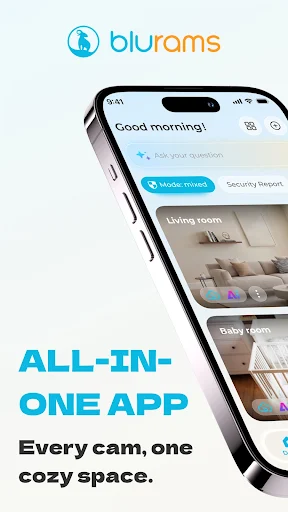
blurams is a companion app for viewing a live video feed from a blurams Wi-Fi camera, with motion activity, two-way audio, and camera controls on your phone. I see it as a practical fit for people who want to check in on a room while they are away, rather than a general-purpose video or home-management app. Its appeal is straightforward: the camera does the watching, and the app gives you a way to see and hear what is happening.
A quick check from elsewhere
Imagine leaving home for the day and wanting to check the room where your blurams camera is set up. I would open the app on my smartphone, sign in, and look at the live video feed. That simple remote view is the app’s central job. It gives a camera owner a way to check what is happening without being physically in the room, which makes sense for ordinary check-ins as much as for keeping an eye on a space.
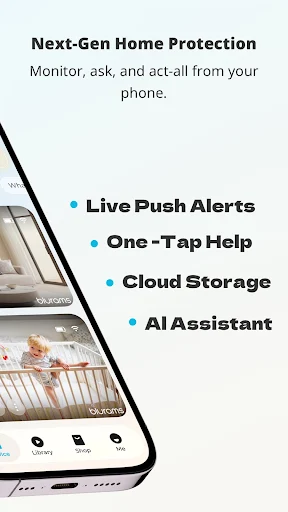
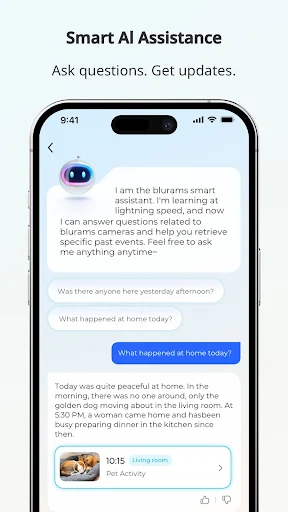
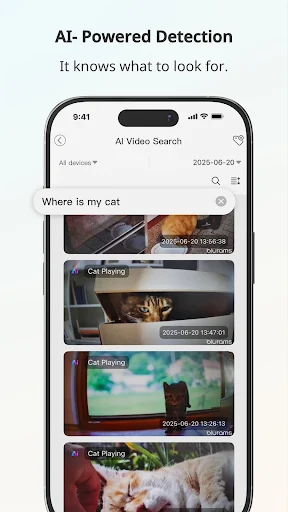
The live view is only part of the routine. If the camera detects motion, the app can surface activity, giving me a reason to check in rather than repeatedly opening the feed without a prompt. If I want to look more closely, the listed pan, tilt, and zoom controls let me adjust the camera’s view from the phone. Two-way conversation and audio add a way to speak and listen through the camera, if a quick check-in calls for more than watching.
A camera companion, not a toolbox
Blurams is best understood as the phone-side companion to a blurams camera. It is not a standalone way to monitor a room: the central experience depends on having the brand’s Wi-Fi camera to provide the video. That distinction matters if you are browsing for a general camera viewer or an app that can turn a phone you already own into a home camera. The stated purpose here is narrower and more direct: view and interact with a blurams camera.
Compared with checking a room in person, remote live video can be more convenient when you are away. Compared with simply looking at a camera’s picture, the app also describes motion-detected activity, audio, and controls to pan, tilt, and zoom. But I would not treat it as an all-in-one smart-home hub or a replacement for every kind of security system. Its documented role is viewing and interacting with video from a blurams camera.
Make check-ins intentional
A useful habit is to decide what you want to check before opening the live feed. Maybe you want to see whether the room looks as expected, or you want to respond to motion-detected activity. That gives the session a clear purpose and makes the camera controls easier to use: start with the live image, then pan, tilt, or zoom if the view needs adjustment. I would use those controls to inspect a particular part of the room rather than move the camera aimlessly.
Two-way audio has a different role from a quiet visual check. If you want to communicate, use the conversation feature; if you only want to see the room, the live feed may be enough. That separation is a small but useful way to keep camera use deliberate. The app’s described feature set is focused, so there is no need to invent a complicated routine around it: check the feed, respond to activity when useful, and use the controls that match the moment.
More From Our News Desk

Zoom Meetings, Google Meet, or Teams: Which Is Easiest to Join?

How I Build a Free Streaming Lineup With Tubi

Why Crunchyroll Is the Default Anime App for So Many Fans

YouTube TV: A Practical Guide to Cutting Cable

Rummikub and the Small Comfort of Phone Games

TeamViewer Remote Control or AnyDesk for Helping Family?
Who may find it useful
I would recommend blurams to someone who owns a compatible blurams camera and wants a phone-based way to view its live feed from elsewhere. Motion-detected activity can help make a check-in more timely, while two-way audio is useful when simply seeing the room is not enough. The camera controls also suit someone who wants to adjust what they are looking at instead of settling for one fixed view.
It may not suit someone shopping for a camera-independent monitoring app, since the stated use relies on a blurams camera. Nor is it the right choice for a person who wants a broad home-control app: the described features center on camera video, activity, audio, and view adjustment. If you do not need remote camera access or do not own the relevant camera, the main reason to use the app largely disappears.
On Google Play, blurams is published by Hangzhou Vision Insight Technology Co.,Ltd. and has over 500,000 installs. It holds a 4.5-star rating from around 44,000 ratings. The app is free to download and is rated Everyone. The store information gives its release date as December 8, 2018.
The app contains no ads, and it offers in-app purchases priced from $1.99 to $129.99 per item. The current version shown is 5.1049.4.963, with a last update date of November 4, 2026. The Android minimum requirement is worth checking on Google Play, since it can vary by device and app release.
A closer look at everyday camera checks
Opening and getting started
My first impression is that blurams has a clear, practical purpose: it is built around getting a view from a blurams Wi-Fi camera onto a smartphone. The description presents setup as easy, and emphasizes signing into the app to view a camera’s live feed. That simplicity is appealing if all I want is a remote look at a room, rather than a long list of unrelated tools.
The important starting point is having the blurams camera itself. The app is not described as generating video on its own, so the camera is central to getting any value from it. Once that distinction is clear, the setup promise makes sense: the phone is the viewing and control side of a camera-based arrangement. I would keep expectations tied to that purpose instead of expecting a full home-monitoring suite.
The everyday viewing experience
Day to day, the live feed is the feature I would return to most. It makes the app useful in short bursts: open it, check the room, and close it when I have the information I need. The description says the video is high definition, which should help make the view more useful than a vague glance. Actual viewing can still depend on the camera and the conditions around it, so I would judge it in the space where I plan to use it.
Motion-detected activity offers another reason to check the camera. Instead of treating the app as a feed to watch constantly, I can use activity as a cue to look when something has happened. Two-way audio adds a more active option when I want to speak or listen through the camera. Together, those elements give the app a sensible rhythm: check visually, respond to activity, and communicate when the situation calls for it.
Controls beyond the live feed
The camera controls are one of the more useful details in the feature list. From the phone, I can pan, tilt, and zoom to see more of the room or inspect a particular area. That matters because a fixed view is not always enough for a quick check. Rather than making the live feed a passive picture, these controls offer a way to adjust what I am looking at when more detail would help.
Two-way conversation and audio are another distinctive part of the stated experience. They make the camera more interactive than a viewer that only shows video. Motion detection rounds out the core features by highlighting activity, while high-definition video describes the image quality the app supports. I would keep the focus on those documented tools; the appeal is their combination, not a promise of features beyond camera viewing and interaction.
A simple daily routine
For a practical routine, I would treat blurams as a check-in tool rather than something to keep open all day. When I have a reason to look at the room, I can open the live feed and see whether the view answers the question. If I need a different angle, I can use pan, tilt, or zoom. If motion-detected activity is relevant, that can prompt a more focused look instead of an unfocused browse.
Audio fits best when there is a reason to communicate. For example, a person checking a room may want to say something through the camera or listen through its audio, rather than just observe silently. Keeping those uses separate helps the app feel purposeful: video for a visual check, camera movement for a better angle, and two-way audio for conversation. That is a modest routine, but it follows the app’s core design.
Keep the scope in mind
The biggest limitation is also easy to understand: the app’s main use depends on a blurams camera. Without that camera, its central live-video and camera-control functions have nothing to work with. That makes it a less natural pick for someone who wants a universal viewer for unrelated cameras or a general home app. I would make sure the camera relationship fits my needs before choosing it.
The feature set described is focused, which is convenient but also sets a boundary. The material covers live high-definition video, motion-detected activity, two-way audio, and pan, tilt, and zoom. I would not assume that it includes additional services or controls outside those functions. For people who want precisely a phone companion for a blurams camera, that focus can be enough; for broader needs, it may feel limited.
blurams makes the most sense as a straightforward companion for someone who already has, or plans to use, a blurams Wi-Fi camera. Its live view, motion activity, two-way audio, and camera adjustments address the basic reasons I would check a room remotely. The experience is focused rather than expansive, and that is both its appeal and its main boundary.
I would give it a try if remote viewing and occasional interaction with a blurams camera are the tasks I need. I would look elsewhere if I wanted a camera-independent app or a broader smart-home tool. In short, it sounds useful for simple, purposeful check-ins, provided the camera relationship matches what I am looking for.
blurams Frequently Asked Questions
What is the blurams app used for?
blurams is a smartphone companion for viewing a live video feed from a blurams Wi-Fi camera. Its described features include high-definition video, motion-detected activity, two-way conversation and audio, and controls to pan, tilt, and zoom the camera view. It is intended for checking and interacting with that camera, rather than serving as a general-purpose video app.
Which devices and platforms support blurams?
The app is described as running on a smartphone and is available on Google Play for Android. Its stated use involves viewing video from a blurams camera. Check the Google Play page for current device compatibility and any requirements that may vary with your phone or the app release.
What Android version does blurams require?
The Android requirement can vary, so check the blurams page on Google Play for the version currently needed by your device. The app’s core use is viewing a live feed from a blurams Wi-Fi camera on a smartphone, so camera compatibility is relevant as well as the phone’s software.
Is blurams free, and does it have purchases?
blurams is free to download on Google Play and contains in-app purchases. The store shows individual purchase prices ranging from $1.99 to $129.99. Prices and available purchase options can change, so check the store page for current details before deciding whether any paid option is relevant to you.
Is blurams a good fit for my home?
It may suit you if you use a blurams camera and want remote live viewing, motion-detected activity, audio, and camera-view controls on your phone. It is less suited to someone seeking a camera-independent app or a broad home-control platform. Its described purpose is focused on monitoring and interacting with a blurams camera.
Pros
- Combines live camera viewing with motion-detected activity for more focused check-ins.
- Offers two-way audio for listening and conversation through a blurams camera.
- Phone controls include pan, tilt, and zoom to adjust the camera view.
- Free to download and contains no ads.
Cons
- Its main features depend on having a blurams Wi-Fi camera.
- The documented feature set is focused on camera viewing and interaction.
- In-app purchase prices span a wide range.
- Category
- Video Players & Editors
- Version
- 5.1049.4.963











