Basecamp 2
- 3.83K
- 3
- Installs
- 500.00K
- Price
- Free

Screenshots
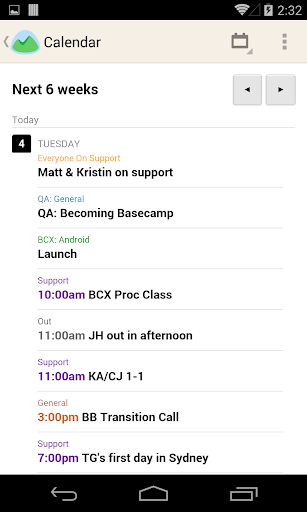
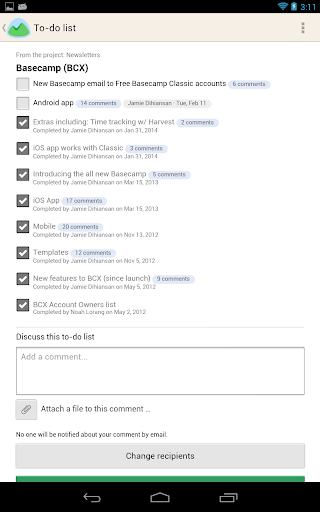
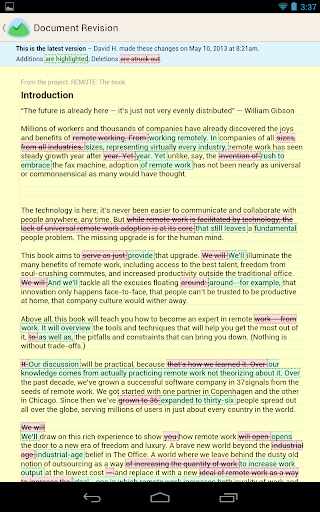
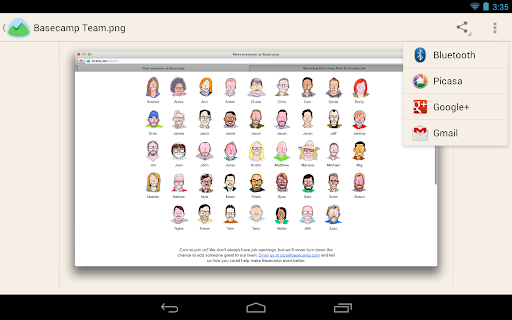
Analysis by Reviewed APKs
Basecamp 2 is a project collaboration app for checking on team projects, joining discussions, and keeping up with to-dos and shared files. I can see it suiting people who already work in Basecamp 2 and want project details handy when they are away from a computer. My overall take is practical but specific: it brings useful project information to Android, though you need an existing Basecamp 2 account to get started.
A project check between errands
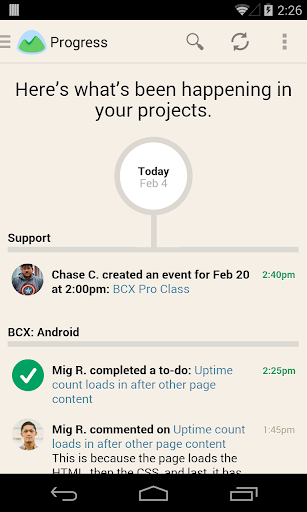
Imagine I have a few minutes between errands and want to check whether a shared task has moved forward. In Basecamp 2, I can open a project, look at its latest news, and see when team members complete to-dos or upload files. That gives me a quick way to catch up without waiting until I am back at my desk. It is a modest job, but a useful one when a project keeps moving while I am out.
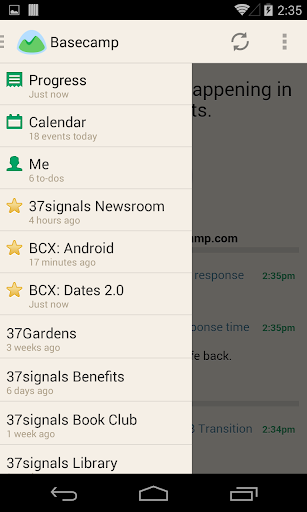
If I need to contribute rather than just read, I can jump into a discussion and post my thoughts. I might clarify a decision or add a detail while it is fresh, then refer to a project document later if I need more context. The appeal is having those pieces of project activity together. It feels less like checking a general feed and more like opening the work itself, with discussions, progress, and files attached to the project.
Project companion, not a blank slate
Basecamp 2 makes the most sense as a mobile companion to a team’s existing Basecamp 2 projects. It helps me check news, discussions, to-do progress, and files when I am away from my usual setup. Compared with trying to find a project update in a long email thread, a project-focused view can make the relevant context easier to locate. That benefit depends on the team already using Basecamp 2 and keeping its project information there.
This is not a general-purpose notes app or a standalone place to organize personal tasks. The app requires an account on Basecamp 2, and Basecamp Classic is not supported. I would not choose it expecting a separate mobile workspace that replaces every other team tool. Its role is narrower: let members consult project information and take part in discussions on Android. If your team is not on Basecamp 2, there is little reason to install it.
Small habits that help
I get more value from an app like this when I make checking it part of a specific routine instead of opening it repeatedly out of habit. For example, I can look at a project’s latest news before a meeting, then check its to-dos afterward to see what has changed. When I notice a file upload, I can open the project material while the task is still on my mind. These are simple ways to use the information the app surfaces.
A second useful habit is to add a comment when I have something concrete to contribute, rather than treating the app as a passive status board. If a discussion needs my input, posting it in the project keeps the thought with the relevant work. I can also refer back to documents when making a decision. The app’s value comes from those small check-ins: a glance at progress, a timely reply, or a quick look at a shared file.
More From Our News Desk

Zoom Meetings, Google Meet, or Teams: Which Is Easiest to Join?

How I Build a Free Streaming Lineup With Tubi

Why Crunchyroll Is the Default Anime App for So Many Fans

YouTube TV: A Practical Guide to Cutting Cable

Rummikub and the Small Comfort of Phone Games

TeamViewer Remote Control or AnyDesk for Helping Family?
Who will find it useful
I would recommend Basecamp 2 to someone whose team already uses Basecamp 2 and who wants to check project activity from an Android device. It is a natural fit for people who need to keep an eye on project news, follow to-do progress, review uploaded files, or join discussions while away from their computer. If those are occasional but meaningful parts of your day, having project information in a mobile app can be convenient.
I would steer away from it if you are looking for a new project management service, need an account-free app, or use Basecamp Classic. It also may not suit someone who wants a broad personal organizer rather than access to shared team projects. The mobile experience is most useful when the team’s project information is already being maintained in Basecamp 2. Without that shared context, the app has little to offer on its own.
Basecamp 2 is a productivity app from 37signals. On Google Play, it has over 500,000 installs and a 3.0-star rating from 3,833 ratings. It is free to download, with no in-app purchases or ads. Its content rating is Everyone. The app requires an account on Basecamp 2, and Basecamp Classic is not supported.
The current version in the supplied app details is 2.0.19. The release date is January 29, 2014, and the listed last update is October 6, 2026. Those details are useful context for anyone checking whether the app fits an existing setup. The minimum Android version is worth checking on Google Play before installing, since it can depend on the device and current app requirements.
A closer look at project work on mobile
Opening into shared work
My first impression is that Basecamp 2 has a clear purpose: it brings the contents of existing projects to a phone. That is a more focused promise than asking me to build a whole new system from scratch. I can check the latest news in a project and see activity around to-dos and uploaded files. For someone already working with the service, that orientation makes the app’s job easy to understand.
The important setup detail is the account requirement. I need an account on Basecamp 2 before the app can be useful; it is not a way to create a separate project space without the service. I would make sure my team uses Basecamp 2, rather than Basecamp Classic, before planning to rely on it. Once that is clear, the app is best approached as an additional way to reach shared project information.
Checking in day to day
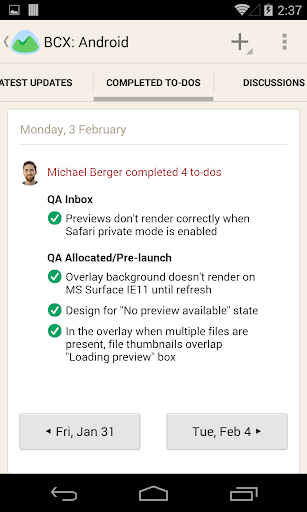
In everyday use, the main value is being able to check in on projects from somewhere other than my desk. I can look at project news, follow to-do completion, and see when files have been uploaded. That makes the app handy for brief visits: I might want to confirm that work has progressed or remind myself which document belongs to a project before responding to a discussion.
The interaction described for the app is straightforward: view project information, join a discussion, and post a thought. I like that this keeps the mobile role practical rather than making every check-in feel like a separate work session. Still, this is not a substitute for a team actually keeping its project details current. The usefulness of what I see depends on the information and activity available in the projects I can access.
Project information in one place
The standout feature is the mix of project news, discussion, to-do progress, and uploaded files in the same project context. When I am trying to understand what has changed, those are different pieces of the same story: an update, a team conversation, a completed task, or a new file. Having them available through the project gives me a place to check before I ask someone to repeat information.
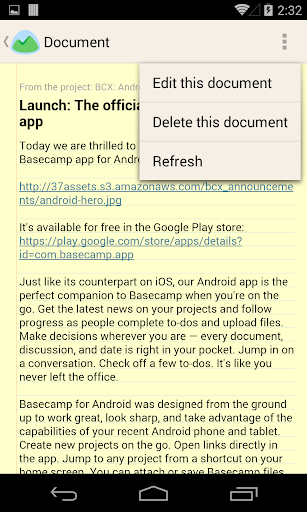
I also appreciate the ability to refer to project documents when I need to make a decision or add to a discussion. That is a practical use of mobile access, especially when a question comes up away from a computer. The app is not described as adding a separate set of tools; its strength is bringing the project material and activity into reach. That focused approach is more useful than a long feature checklist would be.
A simple project routine
A routine I can imagine using is to check a project before a scheduled conversation with teammates. I can scan the latest news, see whether any to-dos have been completed, and open relevant project information before deciding what I need to ask. If I have a useful update, I can join the discussion and post it in context. This keeps a small check-in connected to the work rather than scattered across unrelated messages.
Later, if someone uploads a file or progress changes, I can return to the project and catch up. I would keep these visits purposeful: check what changed, look at the material I need, and contribute when I have something useful to say. That routine suits a phone well because it is made of short visits. It does not require me to treat every notification or project detail as a reason to stop everything.
Limits to keep in view
The biggest limitation is also the clearest: Basecamp 2 only helps if I have an account on Basecamp 2. It is not for Basecamp Classic, and it is not a standalone project manager for someone who has not joined the service. That makes it a poor choice for browsing around for a new team tool. I would first confirm which Basecamp version my team uses and whether I can access its projects.
The app’s focus on project access may also be too narrow for people who want a broad personal organizer or a replacement for every communication and planning tool. The information it can show is tied to the projects and activity available there. I would also check the current Google Play details for device requirements before installing. Those practical limits do not erase its usefulness, but they shape who will get value from it.
Basecamp 2 is a focused Android companion for teams already using Basecamp 2. I like its practical emphasis on project news, discussions, to-do progress, and shared files, all of which can help with quick check-ins away from a desk. The requirement for an existing account is central, though, and keeps this from being a useful app for everyone.
I would recommend it to Basecamp 2 users who want project information within reach and expect to make occasional updates or join discussions from their phone. If you are starting fresh, use Basecamp Classic, or want a general task organizer, this is not the right fit. For the intended audience, it offers a straightforward way to stay connected to ongoing project work.
Basecamp Frequently Asked Questions
What is Basecamp 2 used for?
Basecamp 2 is used to check in on projects, view project news, join discussions, and follow to-do progress and file uploads. It also lets users refer to project documents. I see it as a mobile way to stay connected to work already organized in Basecamp 2, rather than a standalone organizer for personal projects.
Which devices can run Basecamp 2?
Basecamp 2 is an Android app available through Google Play. The minimum Android version can vary with app and device requirements, so check the current Google Play details for your device before installing. You will also need an account on Basecamp 2 to access your projects.
Does Basecamp 2 cost money?
The app is free to download on Google Play, and the supplied details show no in-app purchases or ads. Using it requires an account on Basecamp 2. If you are checking the cost or terms for the account or service, those details may vary, so consult the current Google Play information and Basecamp 2 service details.
Does Basecamp 2 work with Basecamp Classic?
No. The app requires an account on Basecamp 2, and Basecamp Classic is not supported. Before installing, I would confirm that your team is using Basecamp 2 and that you can sign in to the relevant projects. The app is designed to show activity and information from those Basecamp 2 projects.
Who should use Basecamp 2?
It is best suited to people who already work on Basecamp 2 projects and want to check project news, discussions, to-do progress, or files from an Android device. It may not suit someone looking for a standalone project manager, a personal task app, or access to Basecamp Classic. The fit depends on whether your team uses Basecamp 2.
Pros
- Keeps project news, discussions, to-do progress, and uploaded files accessible on Android.
- Lets users join project discussions and post thoughts while away from a computer.
- Provides a practical way to check project documents when making decisions.
Cons
- Requires an existing Basecamp 2 account and does not support Basecamp Classic.
- Its project-focused role may not suit people seeking a general personal organizer.
- The 3.0-star Google Play rating suggests some users may have reservations.
- Category
- Productivity
- Version
- 2.0.19