Basecamp - Project Management
- 26.18K
- 4.6
- Installs
- 1.00M
- Price
- Free

Screenshots
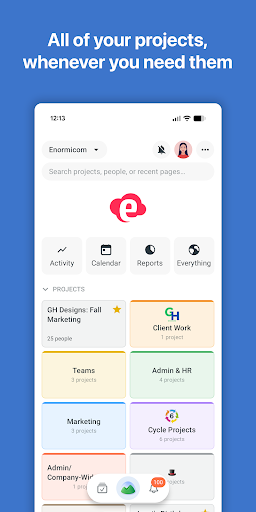
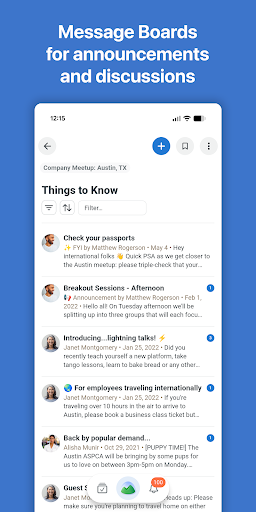
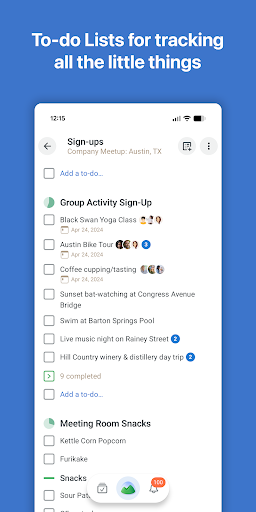
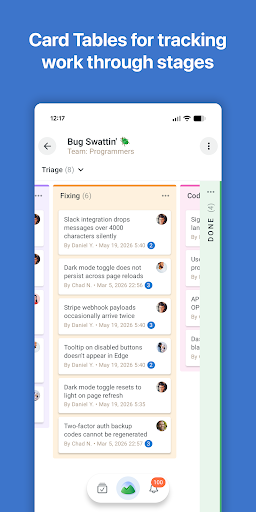
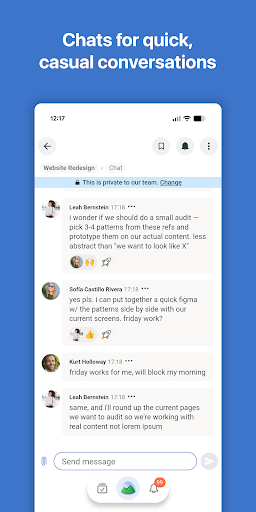
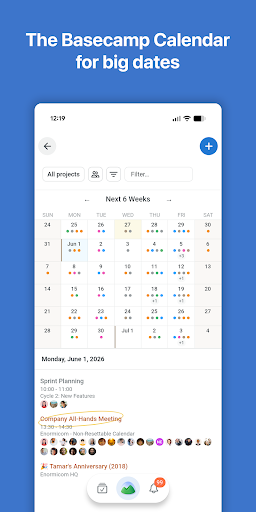
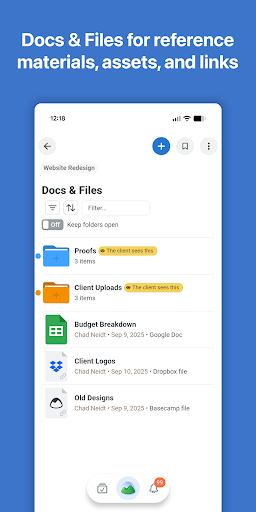
Analysis by Reviewed APKs
Basecamp - Project Management is a place for teams to organize project work, keep conversations together, and coordinate what needs to happen next. I see it suiting people who want a shared home for their projects without making project management feel like a second job. Its strength is a straightforward, centralized approach; if you need a highly customized system, its deliberately simple style may feel limiting.
A project’s shared home
Picture a small team starting a new client project on Monday. The brief, questions, decisions, and ongoing work can easily end up scattered across inboxes and separate apps. Basecamp’s central idea is to give everyone one shared place to put project material, work on it, discuss it, and make decisions. That arrangement makes sense when teammates need to follow the same thread without constantly asking where the latest conversation went.
When I think through a normal workday with Basecamp, the appeal is less about a flashy individual tool and more about having a common point of reference. I can imagine checking the project space before a meeting, catching up on what the team has been discussing, then returning later to see how the work has moved along. The aim is to make coordination feel like part of the project, not another system to manage.
A calmer kind of project tool
Basecamp is best understood as a shared workspace for people who need to coordinate projects, rather than as a specialized tool for one narrow job. It emphasizes keeping project material and collaboration together instead of spreading them across disconnected places. That makes it a plausible alternative for teams tired of juggling multiple channels just to stay aligned. The product’s own description puts simplicity and reducing complexity at the center of its approach.
That focus also sets expectations. Basecamp is not presented as an all-purpose workbench packed with elaborate configuration, nor is it a personal productivity app designed around one person’s private task system. Teams looking for extensive customization or highly specialized workflows may prefer a more configurable alternative. I would consider Basecamp when the bigger problem is scattered project communication, not when the team needs every process modeled in fine detail.
Keep the project current
A shared workspace is only useful if people return to it, so I would make Basecamp part of a couple of ordinary habits. At the start of a work session, check the project space for recent discussion and context. Before wrapping up, bring the useful decisions or updates back to that shared place. Those small routines help keep the team’s understanding from drifting into private conversations that other people cannot follow.
I would also use the project itself as the organizing cue: when a question or piece of work belongs to a particular project, keep it with that project rather than relying on memory to reconnect it later. Basecamp’s stated aim is to centralize the material, work, discussion, and decisions involved. Consistency matters more than elaborate ceremony here. A simple, repeatable habit is more likely to preserve clarity than a complicated process nobody follows.
More From Our News Desk

Zoom Meetings, Google Meet, or Teams: Which Is Easiest to Join?

How I Build a Free Streaming Lineup With Tubi

Why Crunchyroll Is the Default Anime App for So Many Fans

YouTube TV: A Practical Guide to Cutting Cable

Rummikub and the Small Comfort of Phone Games

TeamViewer Remote Control or AnyDesk for Helping Family?
Who might enjoy Basecamp
I would recommend Basecamp to teams that want a shared place for project coordination and prefer a considered, simpler approach to management software. It may suit people who are tired of searching several platforms for the conversation or context they need. The emphasis on a central project space can be useful across different roles, especially when everyone needs to see and contribute to the same ongoing work.
It may not suit a team that enjoys configuring a detailed system or expects a deep set of specialized controls. The product’s pitch is explicitly about avoiding unnecessary complexity, which is a plus only if that tradeoff matches how you work. Individuals seeking a standalone personal organizer may also find its team-and-project focus broader than necessary. I would judge it by whether your main frustration is coordination, rather than by how many options it offers.
Basecamp - Project Management is made by 37signals and is listed in the Productivity category on Google Play. The app has over one million installs and a 4.6-star rating from around 26,000 ratings. Its content rating is Everyone. Those figures give a quick sense of its reach and store reception, though neither tells you on its own whether its intentionally simple approach fits your team.
The app is free to install, and the supplied store facts say it contains no ads and offers no in-app purchases. The current version is 5.2.2. It was released on October 20, 2015, and its latest update is dated September 29, 2026. The minimum Android version is not included in the available facts, so check Google Play for the requirement that applies to your device.
A Shared Space, Not Another System
A straightforward first impression
When I first opened Basecamp, the idea I took away was easy to explain: bring the pieces of project work together instead of letting them drift across unrelated places. That’s a useful starting point for an app whose purpose is team coordination. The description stresses a deliberately simple design, so I would approach it expecting a practical workspace rather than a parade of advanced settings or a complicated setup ritual.
Getting comfortable with a team workspace still depends on people agreeing to use it. I would start by making the project’s shared home the place the team checks for context, then build from there. The product’s emphasis is on giving people in different roles a common place to work and communicate. That orientation feels more welcoming than a system that assumes one specialist will configure everything before anyone else can participate.
The everyday rhythm
The day-to-day value of Basecamp is easiest to understand as a reduction in context hunting. Instead of treating the project’s material, conversations, and decisions as separate destinations, the app is designed to bring them together in one organized place. I would use that shared context to catch up before picking up a task, or to understand why a project is heading in a particular direction.
What I like about that premise is that it treats collaboration as part of the work, not as an extra layer pasted on afterward. A team can return to the same project space as work develops, rather than depending on everyone to remember which separate channel held a discussion. Whether the approach works in practice depends on team habits, but the organizing principle is clear and easy to explain.
One place for the pieces
The feature that stands out most from the product description is its emphasis on centralization. Basecamp is intended to keep project material, work, discussion, decisions, and delivery together, rather than scattering them across separate platforms. That is a broad but practical promise: fewer places to check when you need to understand what is happening on a project, and a shared context for people contributing in different roles.
The other notable characteristic is restraint. Basecamp presents its approach as a carefully refined set of tools and methods designed to reduce complexity. I find that more compelling than a long list of functions because it describes the product’s organizing philosophy. The tradeoff is part of the appeal: it aims to make the common work of managing a project feel more approachable, rather than offering every possible way to customize it.
A simple weekly routine
For a practical routine, I would begin the week by checking each active project’s shared space and catching up on its discussion and decisions. During the week, I would return to the relevant project when I needed context or had something to contribute. At the end of a work session, I would make sure useful updates were visible to the people involved rather than leaving them buried in a private exchange.
That routine is intentionally modest. Basecamp’s value depends less on creating elaborate rules than on helping a team gather its project work in one place. I would keep the habit flexible enough to fit the team’s schedule, but regular enough that people know where to look. For a group that currently relies on scattered channels, the first improvement may simply be agreeing which project space to check.
Simplicity has tradeoffs
The main limit to keep in mind is that a simple approach will not satisfy every team. Basecamp’s own positioning favors reducing complexity over adding more power, and that may feel restrictive to people who want detailed customization or a specialized management setup. A product can be easier to follow and still lack the particular controls a team expects. I would compare its basic approach with your actual workflow before moving important work into it.
There is also a people side to the equation: centralizing work helps only if the team puts the relevant material and communication there. If teammates keep using separate places by habit, the shared workspace cannot automatically solve the fragmentation problem. Basecamp’s goal is clear, but adopting that goal takes a little agreement and consistency. I would treat it as a team practice as much as an app choice.
Basecamp - Project Management makes a persuasive case for keeping project work and collaboration together without turning management software into a project of its own. I like the clarity of that idea and the fact that its simplicity is a deliberate choice. Its best fit is a team that values shared context more than extensive customization.
I would recommend giving Basecamp a look if your current project discussions and decisions feel scattered. Teams that need a highly configurable or specialized system should weigh that preference carefully. For groups willing to build a shared routine, Basecamp offers a clear, uncomplicated way to bring project work into one place.
Basecamp Frequently Asked Questions
What is Basecamp - Project Management used for?
Basecamp is for organizing project work and collaboration in a shared place. Its description emphasizes keeping project material, work, discussion, decisions, and delivery together rather than spread across separate platforms. It is aimed at teams and people in different roles who need to work together on projects, rather than being presented as a personal-only organizer.
Which devices can run Basecamp - Project Management?
Basecamp - Project Management is an Android app available through Google Play. The Android version required can vary by app release and device, so check the Google Play store page for the current requirement before installing. The information provided here does not specify a minimum Android version.
Is Basecamp - Project Management free?
The app is free to install on Google Play. The supplied store facts say it has no ads and does not offer in-app purchases. Store details can change over time, so it is worth checking the current Google Play page for the latest information before you install.
Does Basecamp - Project Management need a recent Android version?
The available app facts do not give a minimum Android version. Requirements can vary as apps are updated and may depend on your device, so check the Google Play store page for the requirement currently shown for Basecamp - Project Management. Its listed version is 5.2.2.
Who should use Basecamp - Project Management?
Basecamp may suit teams that want one shared place to keep project work and collaboration organized, especially if they prefer a simpler approach. It may be less appealing to people who want extensive customization or a highly specialized management system. Whether it fits depends on how much your team values central coordination over additional complexity.
Pros
- Brings project material, work, discussion, and decisions into one shared place.
- A deliberately simple approach may be easier for teams to adopt.
- Free to install, with no ads or in-app purchases according to the supplied facts.
- Designed to serve people working in different roles on shared projects.
Cons
- Teams wanting extensive customization may find its simplicity limiting.
- Centralized organization depends on teammates consistently using the shared workspace.
- The minimum Android requirement is worth checking on Google Play before installing.
- Category
- Productivity
- Version
- 5.2.2