Apollo
- 8.69K
- 3.5
- Installs
- 1.00M
- Price
- Free

Screenshots
Analysis by Reviewed APKs
Apollo is a mobile banking app from Bank of Abyssinia for people who want to open an account, move money and pay bills from their phone. Its mix of digital onboarding, transfers and scheduled payments makes it useful for everyday banking, particularly for customers in Ethiopia. I like the practical scope, though it is best understood as a banking tool rather than an all-purpose money manager.
Banking Between Errands
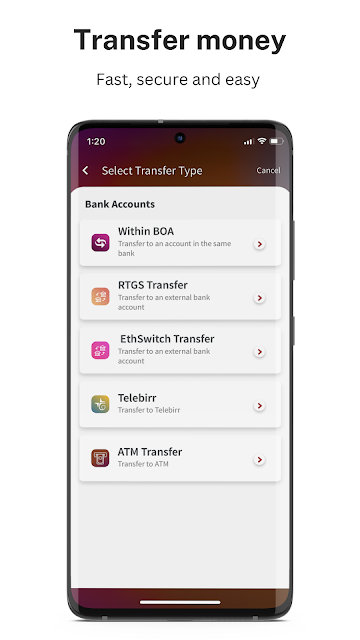
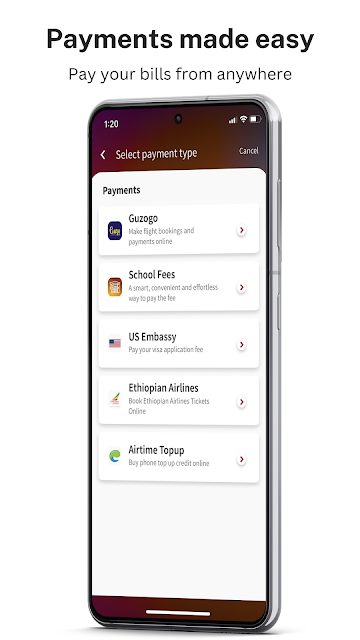
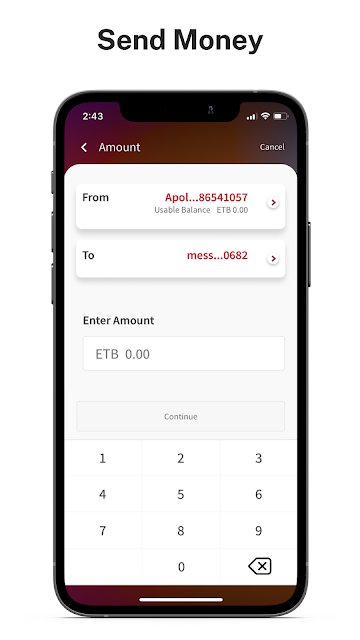
Imagine I’m heading home after work and remember that a household bill is due. Apollo is designed to let me handle that from my phone, with bill payments for services including Ethio Telecom, DSTV, school fees and Ethiopian Airlines. If I also need to send money, I can transfer to another Apollo account, another bank account or a Telebirr account. The point is to take several routine banking jobs out of the branch queue.
The app also supports receiving bank transfers in Ethiopia using a phone number, and sending money for collection at a Bank of Abyssinia ATM. I can see the appeal on a busy day: choosing a suitable option from the phone may be simpler than building a separate trip around every payment or cash need. Those are useful choices, but they still depend on the service and recipient fitting Apollo’s supported options.
A Mobile Bank, Not a Budget App
Apollo’s closest comparison is a bank’s own mobile service, not a standalone budgeting app or a broad digital wallet. Its focus is clear: opening an account with Bank of Abyssinia and then handling transfers, bills and ATM cash disbursement. For someone who already banks with the institution, that package may cover a useful share of ordinary account tasks without needing to visit a branch for each one.
It is not presented as a place to track spending across several banks, build budgets or manage investments. I’d keep that distinction in mind before installing it: Apollo is meant to connect you to banking services, not interpret every part of your financial life. Its Ethiopia-specific transfer and bill options also make it a more natural fit for people whose banking and payments are tied to those services.
Make Recurring Tasks Easier
A little planning can make Apollo’s scheduled transfer option more useful than opening the app only when something is urgent. If I have a payment I make regularly, I can set a recurring transfer for a weekly, monthly or other interval. That can help turn a repeated task into a planned routine, though I’d still want to review the details before relying on any scheduled payment.
I’d also start by identifying which of the app’s listed billers and transfer destinations match my regular needs. That keeps the app’s role practical rather than trying to replace every financial service at once. For account access, Apollo describes a digital onboarding process using a selfie and documents, while its security features include biometrics, face recognition and one-time-password two-factor authentication.
More From Our News Desk

Zoom Meetings, Google Meet, or Teams: Which Is Easiest to Join?

How I Build a Free Streaming Lineup With Tubi

Why Crunchyroll Is the Default Anime App for So Many Fans

YouTube TV: A Practical Guide to Cutting Cable

Rummikub and the Small Comfort of Phone Games

TeamViewer Remote Control or AnyDesk for Helping Family?
Who May Find It Useful
I’d recommend Apollo to Bank of Abyssinia customers who want mobile access to everyday banking, especially if they regularly transfer money, pay the supported bills or use the bank’s ATMs. The ability to begin opening an account through the app may also interest someone who would rather start the process from home. Its scheduled transfers are a useful extra for people with payments they make repeatedly.
It may be less suitable for someone looking for a cross-bank spending dashboard, budgeting guidance or services beyond banking and payments. People who do not use the listed billers or transfer options may find fewer reasons to keep it in their routine. Since it handles financial activity, I’d also take time to understand the account and transaction terms before making it my main way to bank.
Apollo is developed by BANK OF ABYSSINIA and is listed in the Finance category on Google Play. It has over one million installs and a 3.5-star rating from around 8,700 ratings. The app is free to download, and the supplied store facts indicate that it contains no ads and offers no in-app purchases.
Google Play gives Apollo an Everyone content rating. The supplied version is 26.07.16, with a release date of September 9, 2022, and a last update date of July 17, 2026. The minimum Android version is worth checking on Google Play, since that requirement can vary with the app listing and device.
A Closer Look at Everyday Banking
Starting With Apollo
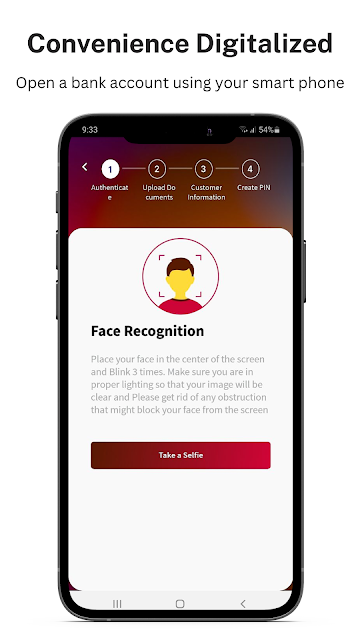
When I first considered Apollo, the most useful detail was that account opening is part of the app’s purpose, not just access for existing customers. Its self-onboarding process is described as digital: users take a selfie, provide necessary documents and can create an account from home. That could make getting started more convenient for someone who would prefer not to begin with an in-person visit.
The description says the process can take about ten minutes, but I’d treat that as an estimate rather than a promise. Preparing the requested documents before starting seems like a sensible way to avoid stopping partway through. The app is powered by Bank of Abyssinia, so its appeal is closely linked to whether that is the banking relationship a person wants.
Everyday Account Tasks
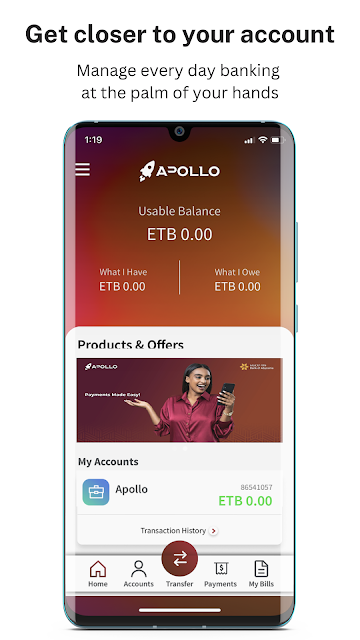
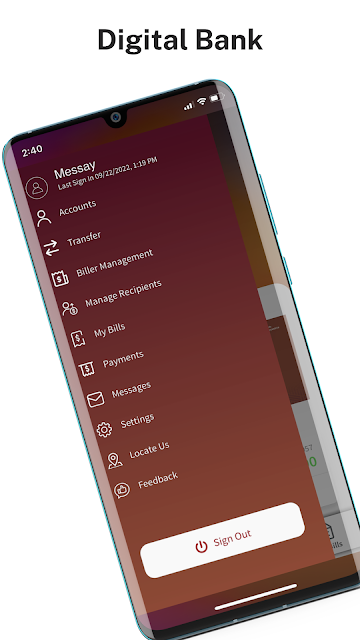
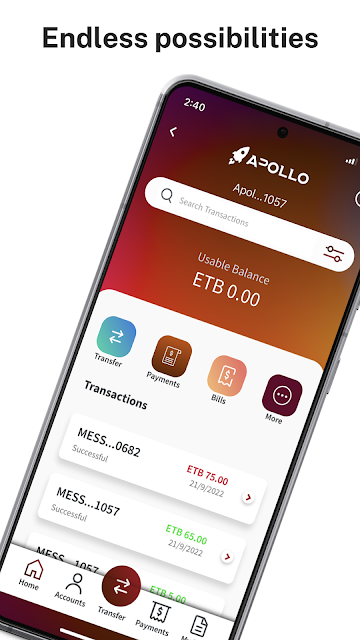
Apollo’s core experience, as described, is a collection of mobile banking tasks: transferring money, receiving domestic bank transfers through a phone number and paying bills. I like that the examples are concrete. Ethio Telecom, DSTV, CANAL+ and Ethiopian Airlines are among the named billers, alongside school fees and other services, giving users a clearer sense of the app’s intended routine.
That range can make the app useful in the small gaps of a normal day: checking a payment need between errands or arranging a transfer without setting aside time to go to a branch. I wouldn’t assume every payment scenario is covered, though. The useful question is whether the recipient, biller or account I need is one of the options Apollo supports.
Features With a Clear Purpose
The feature that stands out most to me is scheduled transfers. Apollo allows recurring transfers at weekly, monthly or other intervals, which gives the app a role in planning routine payments as well as handling one-off tasks. It is a focused feature, and that is a plus: it addresses a common need without making the app sound like a full personal finance suite.
ATM cash disbursement is another distinctive option. Apollo lets a user send money to an ATM and collect it at a Bank of Abyssinia ATM. The description also names transfers to Apollo accounts, other bank accounts and Telebirr. Together, these options give the app several ways to move money, though each is tied to the destinations and services it supports.
A Simple Payment Routine
A practical routine might begin with using Apollo for the payments I already know I need to make. I’d check whether the biller is listed, choose the relevant payment, and keep scheduled transfers for recurring obligations rather than re-entering them each time. For a transfer, I’d first confirm that the recipient’s account or service matches one of Apollo’s available destinations.
I’d also make security part of that routine. Apollo describes biometrics, face recognition and one-time-password two-factor authentication as security features. Those options are relevant to an app used for account access and transfers, but they don’t remove the need to pay attention to the details of a transaction. The app says its specialists are available seven days a week by email or phone if help is needed.
Limits to Keep in Mind
Apollo’s usefulness depends on being a fit for Bank of Abyssinia customers and the payment services they use. Someone looking for a general-purpose wallet, a multi-bank overview or spending analysis may find that its described feature set is narrower than expected. It is built around banking access and transactions, so I would not choose it expecting tools that the app does not describe.
I’d also avoid treating advertised conveniences as a substitute for checking the terms that apply to a particular account or transaction. The description mentions no fees for digital transactions, no minimum account balance and zero ATM fees, but customers should review current details with the bank. Requirements can change, and the store is the place to check the current Android compatibility information before installing.
Apollo makes a practical case for mobile banking: account onboarding, transfers, bill payments, scheduled transfers and ATM cash disbursement are all part of its stated purpose. I appreciate that the feature set is specific rather than padded with unrelated tools. Its value will depend on whether Bank of Abyssinia and the listed services match a person’s everyday banking needs.
I’d suggest it to Bank of Abyssinia customers who want to handle common payments and transfers by phone. It is less compelling for people seeking broad budgeting tools or a view across multiple banks. Before relying on it for regular transactions, check the current account terms and confirm that the required services and device support fit your situation.
Apollo Frequently Asked Questions
What is Apollo used for?
Apollo is a mobile banking app powered by Bank of Abyssinia. It supports digital account onboarding, transfers to Apollo and other bank accounts, transfers to Telebirr, bill payments and scheduled transfers. It also describes sending money for collection at Bank of Abyssinia ATMs. The available services are focused on banking and payments rather than general budgeting.
Which phones can run Apollo?
Apollo is an Android app available through Google Play. The minimum Android version is worth checking on its current store page, since device requirements can vary. The supplied app information does not specify other platforms, so I would check the relevant store or the bank’s information if you want to use Apollo on a different kind of device.
Does Apollo cost money to download or use?
Google Play lists Apollo as free to download, with no in-app purchases and no ads. The app description also says it has no fees for digital transactions, no minimum account balance and zero ATM fees. Because banking terms may vary or change, check the current store information and account terms with Bank of Abyssinia before relying on those details.
Can I open a bank account in Apollo?
Apollo describes a digital self-onboarding process for opening an account from home. It involves taking a selfie and providing necessary documents, and the description says the process can take about ten minutes. The time and requirements may depend on the application and current rules, so review the app’s instructions and the information in Google Play.
Is Apollo a good fit for every banking customer?
Apollo may suit Bank of Abyssinia customers who want to handle supported transfers, bills and account tasks from a phone. It may be less useful for someone seeking multi-bank tracking or budgeting features, which are not part of its described purpose. Check the current services and device requirements in Google Play to see whether it fits your needs.
Pros
- Combines account onboarding, transfers and bill payments in one banking app.
- Supports scheduled transfers at weekly, monthly or other intervals.
- Includes ATM cash collection at Bank of Abyssinia ATMs.
- Describes biometrics, face recognition and OTP-based two-factor authentication.
Cons
- Its banking and payment features are closely tied to Bank of Abyssinia.
- It is not described as a budgeting or multi-bank tracking tool.
- Android compatibility should be checked on the current Google Play page.
- Category
- Finance
- Version
- 26.07.16











