Amex
- 108.31K
- 4.8
- Installs
- 10.00M
- Price
- Free

Screenshots

Analysis by Reviewed APKs
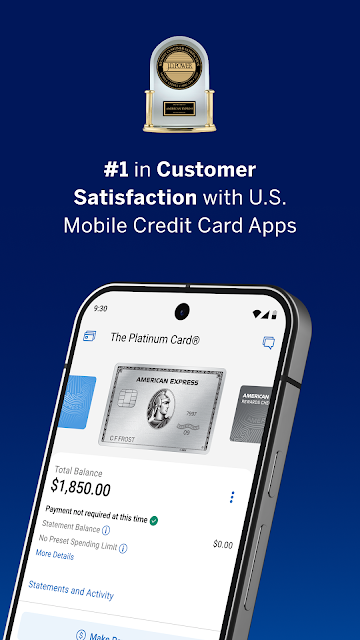
Amex is American Express’s Android app for managing eligible card accounts, from checking a balance and paying a bill to reviewing rewards and nearby offers. I found it most useful as a quick companion between purchases, rather than a place to do every bit of financial planning. If you already use an eligible U.S. Amex card, it brings many everyday account tasks into one mobile app.
A Quick Check Between Errands
Picture finishing a grocery run and wanting to check whether the charge has appeared before heading home. In Amex, I can review the account balance and pending transactions, then sort charges by amount or date. That makes a short phone check useful for keeping tabs on recent activity without waiting until I’m back at a computer. Purchase alerts can also help bring a new charge to my attention as it happens.
A bill reminder or an upcoming payment is another natural reason to open the app. I can review the account and pay the bill, or turn on AutoPay to have the payment made automatically from a bank account each month. The app also keeps access to past statements as PDFs. Those practical jobs are the heart of the experience: seeing what happened, what is due, and where to go next.
Account Companion, Not Budget Planner
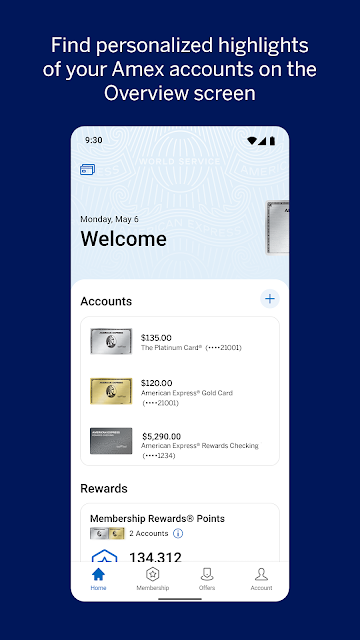
Compared with handling an account through a browser, Amex is focused on quick mobile access to American Express card activity. It combines balances, transactions, bill payment, alerts, rewards, offers, and account support in one place. I’d reach for it when checking a specific card or taking care of a card-related task, rather than opening separate tools for every small account question.
It is not a general-purpose finance app for pulling together unrelated bank accounts, nor is it a full budgeting system described around household categories and long-term planning. Its features are for eligible American Express accounts in the United States; prepaid Amex cards and cards issued by other companies are not eligible. That clear focus is useful if Amex is already part of my routine, but it narrows the app’s appeal for everyone else.
Small Habits, Better Oversight
A simple habit is to check recent transactions after a day of spending, especially if I’m trying to keep an eye on a larger purchase. The app lets me sort charges by date or amount, and basic card members can filter transactions to see spending and subtotals for each card on the account. Turning on purchase alerts adds another way to notice activity without remembering to check manually.
I’d also set up payment reminders or AutoPay if those fit my bill routine, then revisit statements when I need a more complete record. Rewards can be checked alongside account activity, while Amex Offers are worth browsing before shopping or dining. These are small, occasional checks rather than a complicated daily ritual; the app works best when I use the features that match my own account habits.
More From Our News Desk

Zoom Meetings, Google Meet, or Teams: Which Is Easiest to Join?

How I Build a Free Streaming Lineup With Tubi

Why Crunchyroll Is the Default Anime App for So Many Fans

YouTube TV: A Practical Guide to Cutting Cable

Rummikub and the Small Comfort of Phone Games

TeamViewer Remote Control or AnyDesk for Helping Family?
Who Will Get the Most From It
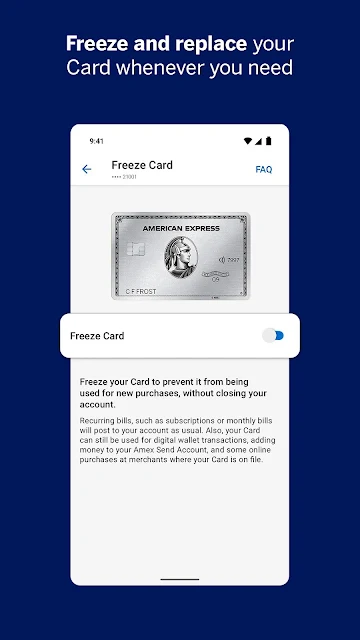
I’d recommend Amex to eligible U.S. card members who want a convenient way to check balances, review charges, pay bills, manage alerts, and keep an eye on rewards. It is especially handy for someone who already checks a phone throughout the day and prefers to handle a quick account task in a few minutes. The options for freezing or unfreezing a card and contacting support through chat add useful account-management tools.
It may not suit someone who does not have an eligible American Express account, or someone looking for a single app to manage several unrelated financial providers. Some features are limited to eligible card members, and access requires an American Express user ID and password. For people who mainly want broad budgeting or investment tools, the app’s account-specific focus may feel too narrow.
American Express develops Amex, a finance app for Android. Google Play shows over 10 million installs and a 4.8-star rating from about 108,000 ratings. The app is free to download, with no in-app purchases reported. The store information also indicates that it contains ads and has an Everyone content rating.
The current version in the supplied app details is 7.35.1. Amex was released on December 2, 2010, and the recorded last update is October 30, 2026. An Android minimum version is not included in the supplied details, so check Google Play for the device requirement that applies to your phone.
A Practical Home for Amex Tasks
Starting With the Account
When I first opened Amex, its purpose was straightforward: get into an American Express account and make common card tasks available on a phone. To log in, card members need an American Express user ID and password, or can create one in the app. That means the first step is tied to having an eligible account, rather than browsing the app as a general finance tool.
The app supports biometric login on compatible devices, which can make repeat visits quicker. There is also an enhanced activation experience for confirming new cards and setting up an account. I’d expect the setup to feel most relevant when a card is new or when I need to establish access; after that, the main value is returning for day-to-day account checks.
Everyday Account Checks
The most practical day-to-day flow is a quick review of balance and recent activity. Pending transactions are visible, and charges can be sorted by date or amount. I like that these small checks can answer ordinary questions—whether a purchase has shown up, or which recent charge was largest—without turning the app into a bigger project than the moment requires.
For bill management, I can pay from the app or set up AutoPay from a bank account each month. Past statements are available as PDFs, giving me a way to look back when a recent transaction is not enough context. These features make the app useful at a few different points in the billing cycle, not just on payment day.
Tools Beyond the Balance
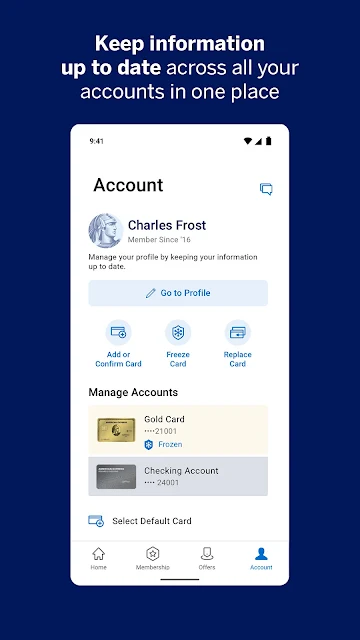
Card controls and alerts are among the more useful extras. I can freeze or unfreeze a credit card, enable purchase notifications, and receive fraud alerts if suspicious activity is detected. Payment due reminders are available too, and notifications can be managed from the Amex Account tab. Together, those options give the app a role in keeping track of activity as well as responding to it.
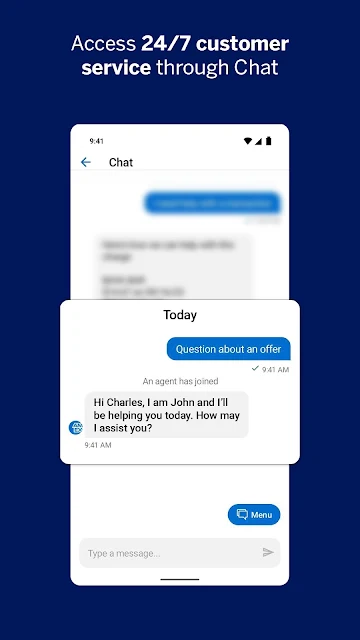
The rewards area shows a Membership Rewards balance and ways to use points, including gift cards and statement credits for eligible charges. Amex Offers can surface deals from places to shop, dine, or travel, with a map of nearby offers and notifications. The app also offers 24/7 chat, with conversations available to revisit, so account support has a place within the same experience.
A Routine That Stays Light
A sensible routine could be to check transactions after a bigger shopping day, glance at the balance before a bill is due, and review rewards when I’m considering a redemption. If I’m heading out to shop or eat, I can browse nearby Amex Offers first. There is no need to inspect every screen every day; the app’s value is having those checks ready when a specific question comes up.
For card members with multiple cards on one account, transaction filters can show spending and subtotals for each card, though this feature is for basic card members only. I’d pair that occasional review with alerts for purchases and reminders for payments. It’s a low-effort way to stay more aware of account activity while keeping the app’s role focused on Amex.
Limits to Keep in Mind
The biggest limitation is eligibility. The Android app and its features are available for eligible card accounts in the United States; American Express prepaid cards and cards issued by other companies are excluded. Some benefits, including referrals and particular transaction filters, apply only to eligible card members. It is worth checking which account features are available to you rather than assuming every option applies to every card.
Amex is also account-focused, so it will not replace a broader money-management app for someone who wants a consolidated view of unrelated providers. Rewards and offers are tied to the card membership, and certain actions have their own terms or enrollment requirements. That does not make the app hard to use, but it does mean its usefulness depends on the kind of Amex account you have and what you want to do with it.
Amex makes the recurring parts of card ownership—checking charges, paying a bill, viewing statements, and managing alerts—easy to reach from a phone. Rewards, nearby offers, card controls, and in-app chat round it out without changing its basic role as an account companion.
I’d recommend it to eligible U.S. American Express card members who want quick mobile access to their account and a few useful extras. If you need a broad budgeting hub or do not have an eligible card, this is not the app to build your finances around.
Amex Experiences Frequently Asked Questions
What is the Amex app used for?
Amex lets eligible American Express card members access account information, review balances and transactions, pay bills, view PDF statements, manage alerts, check rewards, and explore Amex Offers. It also includes card controls such as freezing or unfreezing a credit card and offers in-app chat support.
Which devices can use the Amex app?
The app described here is the Android app, available through Google Play. Its features are for eligible American Express card accounts in the United States. American Express prepaid cards and cards issued by other companies are not eligible. Check Google Play for device compatibility and current requirements.
What Android version does Amex require?
The supplied app details do not give a minimum Android version. Requirements can vary as the app changes, so check the Amex entry on Google Play for the current compatibility information for your device.
Does the Amex app cost money?
The app is free to download, and the supplied details report no in-app purchases. Google Play information indicates that it contains ads. Account eligibility and the terms of particular card features may affect what you can use, so check the store and your account details.
Is the Amex app useful for every card member?
It is intended for eligible U.S. American Express card accounts, so it will not work for prepaid Amex cards or cards issued by other companies. It suits members who want mobile account checks, payments, alerts, rewards, and offers. Some features are available only to eligible card members.
Pros
- Combines balance checks, bill payments, statements, and transaction sorting in one account-focused app.
- Includes purchase alerts, payment reminders, and card freeze controls for eligible accounts.
- Rewards, nearby offers, and 24/7 in-app chat add useful extras.
- Biometric login is available on supported devices.
Cons
- Limited to eligible American Express card accounts in the United States.
- Not designed as a general-purpose budgeting app for multiple financial providers.
- Some features are restricted to eligible card members or require enrollment.
- Category
- Finance
- Version
- 7.35.1











