Ameris Mobile
- 4.53K
- 4.7
- Installs
- —
- Price
- Free

Screenshots

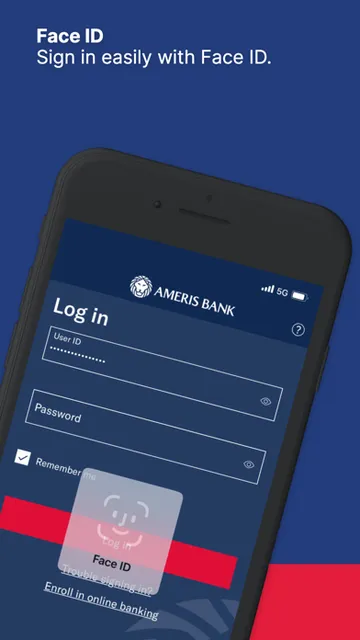
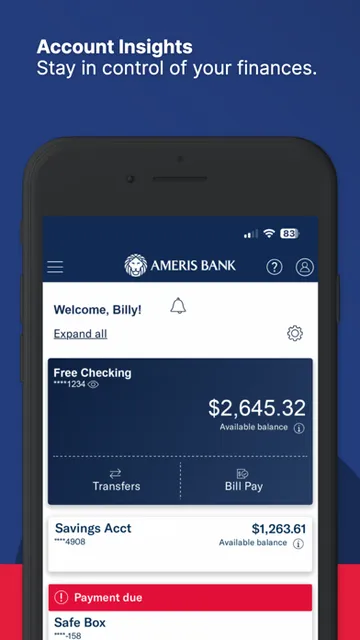
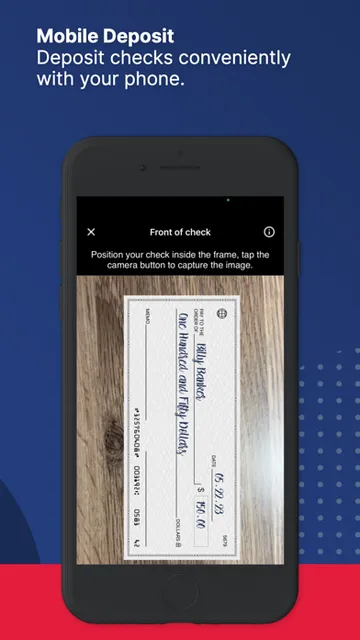
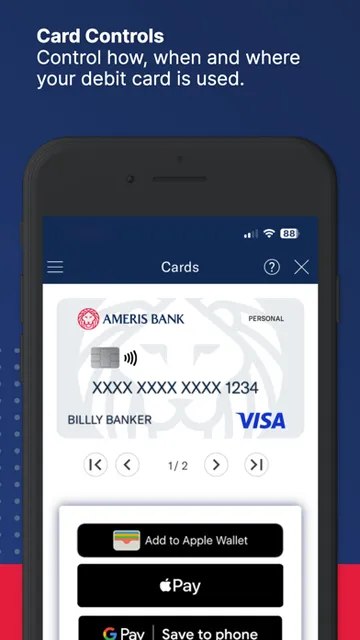
Analysis by Reviewed APKs
Ameris Mobile is a banking app for Ameris Bank customers who want to check accounts, move money, deposit checks and handle routine card or bill tasks from a phone or tablet. I like the breadth of everyday banking jobs it brings together: the app can be useful when a branch visit is inconvenient, while still pointing you to a nearby location when you need one. It is a practical companion, not a replacement for every banking conversation.
A Busy-Day Banking Check
When I imagine using Ameris Mobile on a busy weekday, the appeal is avoiding a chain of small errands. I can check an account balance between appointments, look up a transaction when a purchase seems unfamiliar, and review a check or deposit image without waiting to get home. If a bill is due, the app also brings bill management and payment scheduling into the same general routine.
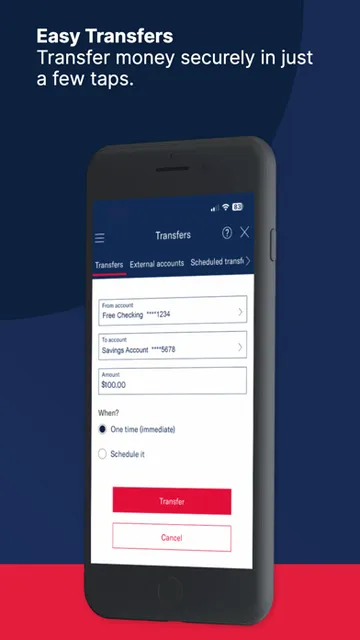
The useful part is how those tasks connect. After checking an account, I can transfer money between Ameris accounts or to an external account, and the app also supports sending money to someone I trust with Zelle. For a paper check, its camera-based deposit option gives me another way to handle the task remotely. That makes the app most helpful for ordinary account upkeep, rather than one isolated banking feature.
A Companion, Not a Branch
Compared with checking a balance through a website or calling the bank, a mobile app is handy when I want to handle a quick task from wherever I am. Ameris Mobile goes beyond a read-only account view: its listed tools include transfers, check deposits, bill payments, card controls, alerts and secure messages. That range makes it a more useful daily companion than a simple balance checker for customers who already bank with Ameris.
Still, I would not treat it as a substitute for every in-person banking need. The app itself acknowledges that some things may require a branch and offers a way to find one and get directions. It is also specifically tied to Ameris Bank accounts, not a general-purpose finance organizer for every institution. If a banking issue calls for direct help, secure messaging or a branch is a more fitting route than expecting the app to solve everything.
Small Habits That Help
A little regular attention can make the app more useful than opening it only when something goes wrong. I would start by checking transactions and setting alerts for activity or account changes that I want to notice. Being able to search for a particular transaction also helps when I am trying to match a purchase to a receipt or make sense of a busy account history.
For recurring chores, I would group bill management and transfers into a predictable weekly check-in. The app supports adding payees, scheduling recurring bill payments and reviewing bills already paid, so it can help keep those tasks visible. I would also review the debit card controls and decide which restrictions or geographic settings suit my needs. Those options are there to manage deliberately, rather than change without a reason.
More From Our News Desk

Zoom Meetings, Google Meet, or Teams: Which Is Easiest to Join?

How I Build a Free Streaming Lineup With Tubi

Why Crunchyroll Is the Default Anime App for So Many Fans

YouTube TV: A Practical Guide to Cutting Cable

Rummikub and the Small Comfort of Phone Games

TeamViewer Remote Control or AnyDesk for Helping Family?
Who May Find It Useful
I would recommend Ameris Mobile to Ameris Bank customers who want common banking tasks close at hand. It has a broad mix of account viewing, transfers, mobile check deposits, bill payment, alerts and debit card controls. The secure messaging option is useful when a question needs the bank’s attention, while branch directions provide a next step for tasks that cannot be handled in the app.
It may be less compelling for someone who does not bank with Ameris or mainly wants a universal view of accounts at several different institutions. The app is focused on managing Ameris banking, rather than broader financial planning. People who prefer handling banking face to face may also get less out of a mobile-first routine, though the location finder can help them find a nearby branch when needed.
Ameris Mobile is developed by Ameris Bancorp and is available for iPhone and iPad through the Apple App Store. The store gives it a 4.7 rating from about 4,500 ratings. Its listed content rating is 4+, and the minimum requirement is iOS 18.0. The app was released on August 15, 2023, and the current listed version is 0.91.2.
The app is free to download. Ameris notes that an external transfer fee applies to each outgoing transfer initiated through its online or mobile banking services; the Miscellaneous Services Pricing Guide has the details. The listed last update date is October 22, 2026. Store availability and compatibility can depend on the device and its software, so I would check the App Store before installing.
Everyday Banking From Your Phone
Getting Started
When I first open a banking app, I want to know whether it can handle the routine jobs I actually have. Ameris Mobile makes a broad set of those jobs clear: checking accounts, moving money, depositing checks, managing bills and controlling a debit card. The scope is practical, with both account information and actions that can help me take care of everyday banking.
The app is designed for Ameris Bank customers, so its usefulness depends on that relationship. Once I am using it for my banking, I can explore the available tools and decide which ones fit my routine. I would pay attention to the iOS 18.0 minimum when checking compatibility, especially before relying on a particular device for account access.
The Daily Account Routine
For a quick check, account balances and transaction history are the natural starting point. The ability to search transactions helps when a particular payment is buried among other activity, and viewing check and deposit images adds context that a list of amounts alone may not provide. These are small conveniences, but they fit the moments when I want to confirm what happened without turning it into a larger task.
When I need to act, the app covers several common next steps. I can transfer funds between Ameris accounts or to an external account, pay bills, or deposit a check using the phone’s camera. Zelle is available for sending money to someone I trust. The range is the point: the app can support a short banking session without requiring me to switch among separate tools for each basic chore.
Useful Account Controls
The debit card controls stand out because they reach beyond simply viewing a card or its transactions. Ameris Mobile lets users turn a card on or off, change its PIN, and request a replacement for a lost or stolen card. It also offers merchant, transaction and geographic restrictions. Those options give customers ways to manage card access within the app, rather than treating the card as something that can only be addressed elsewhere.
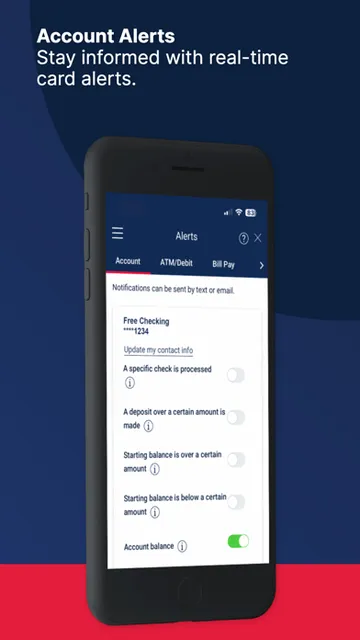
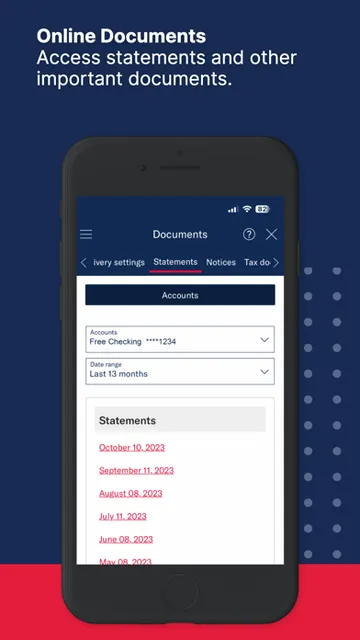
Alerts and documents add useful follow-through. I can set custom alerts for transactions or account changes, then use the app to view statements, tax documents and important notices. Secure messages provide a way to contact Ameris Bank inside the app while keeping the conversation private. If a task falls outside what the app can do, the location finder can identify a nearby branch and provide directions.
A Weekly Money Check-In
A realistic routine could be a brief account review once or twice a week. I would scan recent transactions, search anything I do not recognize, and check whether a deposit or bill payment has appeared as expected. If I have a paper check to deposit, the camera-based option gives me a way to take care of it from the phone instead of making a separate trip.
Then I would handle upcoming bills and transfers together. Adding payees and setting recurring payments can help with bills that repeat, while the paid-bill history makes it easier to review what has already gone out. I would finish by checking any alerts or notices that need attention. That kind of simple cadence gives the app a clear job without turning every day into a banking session.
Keep the Boundaries in Mind
Ameris Mobile is broad, but its scope is still the banking relationship it serves. It is not presented as a tool for bringing accounts from every bank into one financial dashboard, and it cannot make a branch unnecessary for every request. If I run into something the app cannot handle, its own location feature points toward an in-person option. That is a sensible boundary, not a reason to expect every task to happen on a screen.
Transfers also deserve a quick pause before I use them. Ameris says each outgoing external transfer started through its online or mobile banking services carries a fee, with details in its pricing guide. I would check that information before making one. More generally, card restrictions, alerts and scheduled payments are helpful controls, but they work best when I take a moment to set them according to my own needs.
Ameris Mobile brings a useful range of routine banking tools into one iOS app. I especially like the combination of account checks, payments, check deposits and card controls, with secure messaging and branch directions for the moments that need more help. Its strongest case is convenience for people who already use Ameris Bank.
I would try it if I were an Ameris customer who wanted to manage everyday tasks from a phone or tablet. If I wanted a cross-bank finance hub or preferred to do all banking in person, it would be a less natural fit. Before installing, I would check the iOS requirement and review the external transfer fee details.
Ameris Mobile Frequently Asked Questions
What is Ameris Mobile used for?
Ameris Mobile is for handling everyday Ameris Bank tasks from a phone or tablet. It supports checking balances and transactions, viewing check and deposit images, transferring funds, depositing checks, paying bills, managing debit card controls, setting alerts, viewing documents and sending secure messages to the bank.
Which devices can run Ameris Mobile?
Ameris Mobile is offered for iPhone and iPad through the Apple App Store. The listed minimum requirement is iOS 18.0, so a device needs compatible software to install it. Compatibility can vary by device and operating system, so check the App Store for the requirements that apply to yours.
Does Ameris Mobile cost money to use?
The app is free to download. However, Ameris says an outgoing external transfer initiated through its online or mobile banking services has a fee. The amount and applicable details are covered in the bank’s Miscellaneous Services Pricing Guide, which is worth checking before making a transfer.
Can I use Ameris Mobile on Android?
Ameris Mobile is presented for iPhone and iPad through the Apple App Store. For the devices and software it supports, check its App Store page, since compatibility can vary. Its listed minimum operating system is iOS 18.0.
Who is Ameris Mobile best suited for?
It is best suited to Ameris Bank customers who want to manage common banking jobs on a mobile device, including accounts, bills, transfers and debit card settings. It may not suit someone looking for a finance app that combines multiple banks or someone who prefers to handle all banking in person.
Pros
- Combines account checks, transfers, bill payments and mobile check deposits.
- Offers several debit card controls, including the ability to turn a card off.
- Custom alerts and secure in-app messaging support account follow-up.
- Branch directions provide an option when a task needs in-person help.
Cons
- Designed for Ameris Bank customers rather than as a cross-bank finance hub.
- Outgoing external transfers carry a fee, so check the bank’s pricing guide.
- Requires iOS 18.0 or later, which may limit device compatibility.
- Category
- Finance
- Version
- 0.91.2











