AIMP
- 461.30K
- 4.5
- Installs
- 50.00M
- Price
- Free

Screenshots
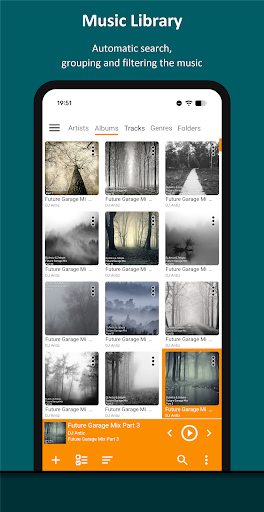
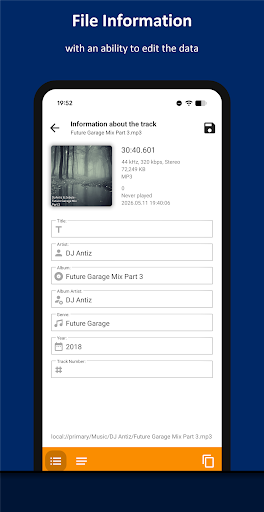
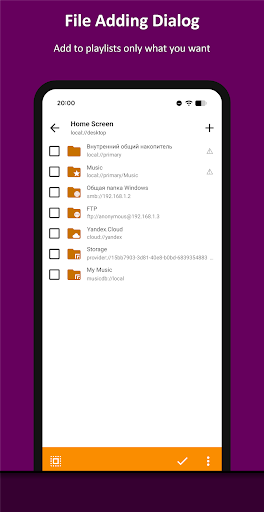
Analysis by Reviewed APKs
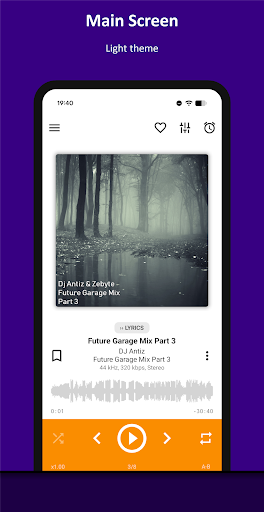
AIMP is an Android audio player for people who keep music files and prefer arranging their own playlists over relying on a streaming service. It handles a wide range of formats and offers detailed playback controls, while still covering simple routines like putting on an album during a commute. After spending time with its feature set, I see it as a practical, flexible player, though its many options reward a little patience.
A commute built around playlists
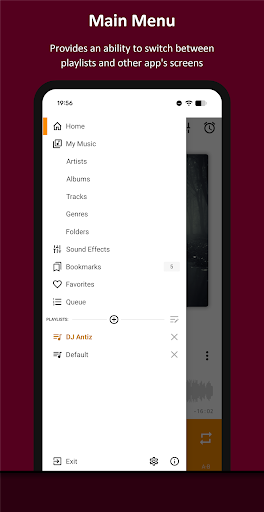
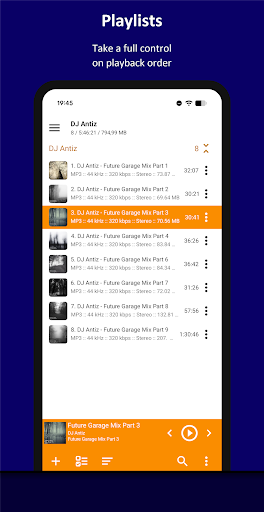
When I picture using AIMP on an ordinary weekday, it starts with choosing a folder or playlist before I leave home. I can line up an album for the ride, then switch to a different list when I get to the gym. The user-defined queue and support for multiple playlists suit that kind of listening: I can decide what comes next instead of leaving the choice to a streaming feed.
Once music is playing, the useful details are close to the listening routine. Album art and lyrics are supported, and playback can be controlled through options such as a headset or notification area when those optional features are enabled. I can also set a sleep timer for listening before bed. These are small conveniences, but they make AIMP feel suited to everyday playback rather than just testing audio files.
A player, not a music service
AIMP makes the most sense beside music you already have access to. Its format support includes common choices such as MP3, FLAC, AAC, WAV, and OGG, along with many less familiar formats. It also supports playlist files, including M3U and PLS, and can play files opened from file manager apps. That makes it a useful alternative when you want direct control over a collection instead of browsing a streaming catalog.
That focus also defines what AIMP is not: it is not presented as a subscription music service or a place to discover a catalog of songs. Internet radio is supported, but the app’s center of gravity is still playback, files, and playlists. If you mainly want recommendations or access to a service’s hosted library, another kind of app may fit better. For managing a personal listening queue, AIMP offers more hands-on control.
Small habits that help
I would start by keeping playlists purposeful rather than trying to organize every track at once. A folder-based smart playlist can be useful when music is already grouped in folders, while a manually sorted list gives more control over a particular occasion. A search filter can help narrow a large set of files. These options make it easier to get from opening the player to hearing something without rebuilding the same queue each time.
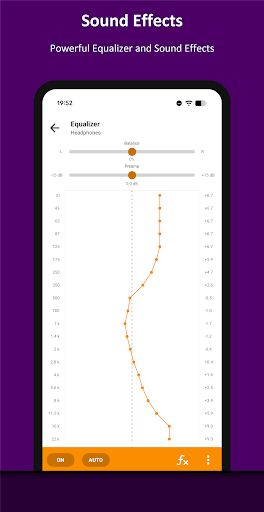
For longer listening sessions, it is worth exploring settings gradually. The built-in 20-band graphic equalizer, balance, pitch, speed control, and volume normalization each address a different preference. I would change one thing at a time so it is clear what affected the sound. A-B repeat and bookmarks can also help with a section you want to revisit, while the sleep timer suits a quieter end-of-day routine.
More From Our News Desk

Zoom Meetings, Google Meet, or Teams: Which Is Easiest to Join?

How I Build a Free Streaming Lineup With Tubi

Why Crunchyroll Is the Default Anime App for So Many Fans

YouTube TV: A Practical Guide to Cutting Cable

Rummikub and the Small Comfort of Phone Games

TeamViewer Remote Control or AnyDesk for Helping Family?
Who will enjoy AIMP
I’d recommend AIMP to listeners who keep audio files on their Android device or use supported file providers and want a player with substantial control over playlists and playback. It is especially appealing if your collection includes a mix of formats, or if you like adjusting equalization, playback speed, or how tracks are queued. There is room to build a simple routine first and explore deeper options as they become useful.
It may be less appealing if you want a hands-off streaming experience, a guided discovery feed, or a very minimal interface with few choices to make. AIMP’s broad feature set means there is more to explore than in a basic player, and that can feel like extra work if you only want to tap one button and accept an automatic mix. The app also warns that it may work incorrectly on devices using MIUI firmware.
AIMP is an Android music and audio app from developer Artem Izmaylov. Google Play shows over 50 million installs and a 4.5-star rating from about 461,000 ratings. It is free to download, has no in-app purchases, and contains no ads. Its content rating is Everyone.
The current version shown in the supplied app information is v4.31.1750, dated November 4, 2026, and the last update date is October 30, 2026. AIMP was released on April 11, 2014. The Android version requirement is worth checking on Google Play, since it can vary by device and app release.
A closer look at AIMP in daily use
A capable first impression
When I first opened AIMP, the main impression was that it is built for someone who wants a real player rather than a single play button. The feature list spans formats, playlists, and playback settings, so there is plenty to explore. That breadth is reassuring if your collection is varied, but it also means I would approach setup in stages instead of expecting to understand every option immediately.
A practical starting point is simply getting music into a playlist and pressing play. AIMP supports opening files from file manager applications, as well as OTG storage and custom file providers. Automatic music search and indexing is listed as an optional feature. This gives users more than one route to their music, although the exact route that feels easiest will depend on how their files are organized.
Playback for the everyday
Day to day, AIMP’s playlist-first approach is its defining trait. I can choose a sequence for a walk, keep a separate list for focused work, or use a queue to decide what follows the current track. Multiple playlists and smart playlists based on folders support different levels of organization. It is a more deliberate style of listening than asking an app to choose an endless stream for me.
Playback controls reach beyond play, pause, and skip. AIMP includes a sleep timer, and its optional features include controls from the notification area, headset control, and gestures in the album art area. Those options can make the player easier to use while moving around, but they are not the first thing I would configure. I would get a playlist working first, then turn on the controls that suit my routine.
Tools beyond the basics
The range of supported audio formats is a notable strength. Alongside MP3 and AAC, AIMP handles formats such as FLAC, APE, Opus, WAV, and several module formats. It also supports CUE sheets and playlist files including M3U, M3U8, XSPF, and PLS. If a collection has been built over time from different sources, this breadth can reduce the need to sort files by format before listening.
Sound and track handling are unusually adjustable for a general-purpose player. There is a built-in 20-band graphic equalizer, plus balance, pitch, and speed controls. Volume can be normalized using ReplayGain or peak-based normalization. A-B repeat is available for replaying a section, and users can work with bookmarks. These tools are useful when a specific listening task calls for them; most casual sessions can stay much simpler.
A routine for longer sessions
For an evening at home, I would make a playlist for the session, then leave AIMP to play through it while I read or do chores. If I’m listening as I wind down, the sleep timer can stop playback after I have gone to bed. If I return to a particular passage, bookmarks and A-B repeat offer ways to revisit it without repeatedly hunting through a track.
AIMP can also connect to less typical listening setups. The description includes Android Auto and custom car PCs, as well as support for Windows shared folders using SMB versions 2 and 3, and WebDAV-based cloud storage. Those options broaden the ways files can reach the player. I would treat them as useful extras rather than prerequisites; a straightforward playlist is enough for a normal daily listen.
Trade-offs to keep in mind
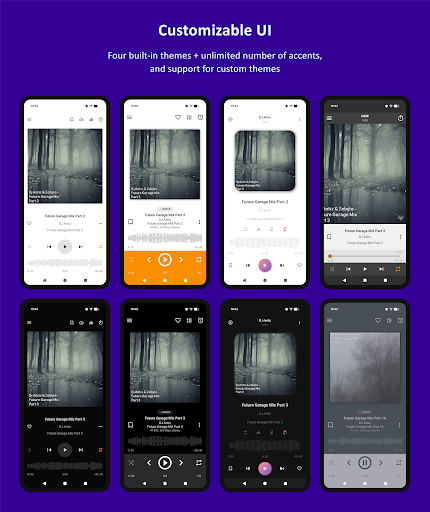
The same depth that gives AIMP flexibility can make it feel busy. There are settings for playback behavior, audio output methods, themes, file handling, and playlists. I would not call that a flaw for a player aimed at hands-on listeners, but it does mean the app may take more exploration than someone looking for the simplest possible interface wants to give it.
AIMP’s strengths depend on having music or a listening source to bring to it. It supports internet radio, but its main role is playing and organizing audio rather than supplying a streaming catalog. The description also cautions that the app may work incorrectly on devices based on MIUI firmware. If that applies to your phone, checking the store information and compatibility details before settling into a routine is sensible.
AIMP is a strong fit for Android listeners who want to manage their own music and appreciate having control over formats, playlists, and playback. I like that it can stay simple for an album listen while offering more detailed tools when I need them. Its free, ad-free setup makes it easy to try without committing to a paid plan.
I would recommend it to people with an existing audio collection, especially those who enjoy tuning a player to their habits. If your priority is streaming discovery or the fewest possible settings, AIMP may feel more involved than necessary. For playlist-led listening, though, it is a capable and thoughtfully equipped option.
AIMP Frequently Asked Questions
What is AIMP used for?
AIMP is an Android music and audio player for playing audio files, organizing playlists, and adjusting playback. It supports a wide range of audio formats, internet radio, album art, lyrics, and tools such as a graphic equalizer and sleep timer. Its emphasis is on listening and managing playback, rather than providing a streaming music catalog.
Which devices can run AIMP?
AIMP is an Android app available through Google Play. The minimum Android version can vary by release and device, so check the current Google Play information for your phone or tablet. The app description also mentions support for Android Auto and custom car PCs, and cautions that it may work incorrectly on devices based on MIUI firmware.
Does AIMP cost money or include purchases?
AIMP is free to download, with no in-app purchases and no ads according to the supplied app facts. Store details can change over time, so it is worth checking Google Play for the current terms before installing. The app includes optional features and settings, but no paid in-app products are identified in the supplied information.
Can AIMP play different audio formats?
Yes. AIMP supports formats including MP3, FLAC, AAC, WAV, OGG, Opus, and many others, plus playlist types such as M3U, M3U8, XSPF, and PLS. It can also open files from file manager apps and supports CUE sheets. The exact experience may depend on your device and the files you want to play.
Is AIMP suitable for casual listeners?
It can suit casual listeners who want to play their own files and make a few playlists, but it offers more controls than a very minimal player. You can begin with basic playback and explore other tools, such as the equalizer or sleep timer, as needed. It may be less suitable if you mainly want streaming recommendations or a hands-off music feed.
Pros
- Supports a broad range of audio formats and playlist file types.
- Includes a 20-band equalizer, sleep timer, bookmarks, and A-B repeat.
- Free to download, with no in-app purchases or ads.
- Works with multiple playlists, folder-based smart playlists, and internet radio.
Cons
- Its many settings may feel like too much for minimal-player fans.
- It focuses on playback and playlists rather than streaming music discovery.
- The developer warns of possible problems on devices using MIUI firmware.
- Category
- Music & Audio
- Version
- v4.31.1750 (04.11.2026)











