Access Corrections
- 4.68K
- 4.6
- Installs
- 1.00M
- Price
- Free

Screenshots
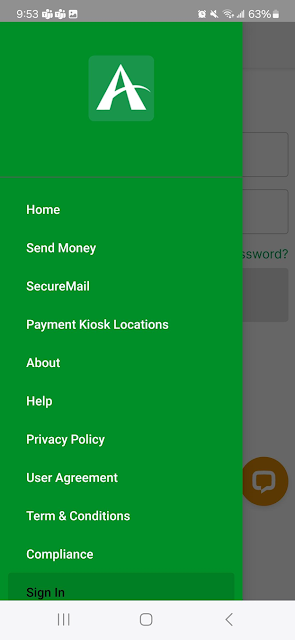
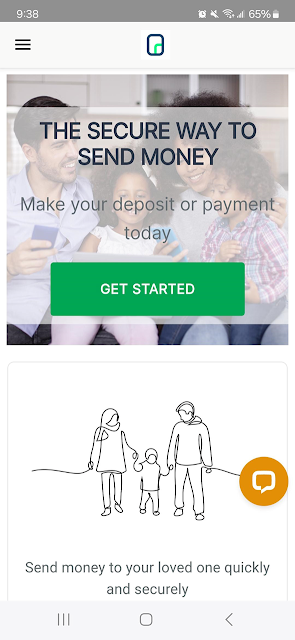
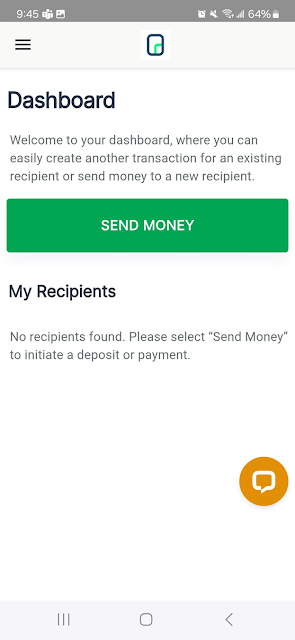
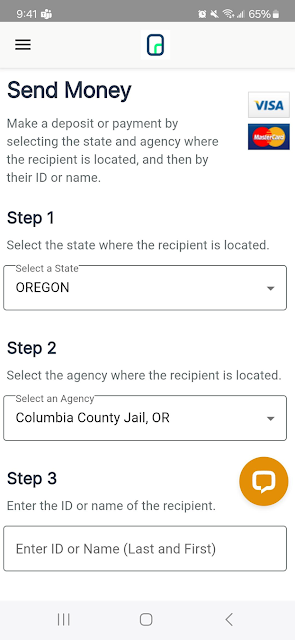
Analysis by Reviewed APKs
Access Corrections is for people who need to send money to someone in a correctional facility and keep track of those payments. I found its focus refreshingly practical: account management, agency and inmate search, deposits, transaction history, and customer service are gathered in one app. It suits family and friends handling these occasional but important tasks, though it is a specialized tool rather than a general money-management app.
A Deposit in the Middle of a Day
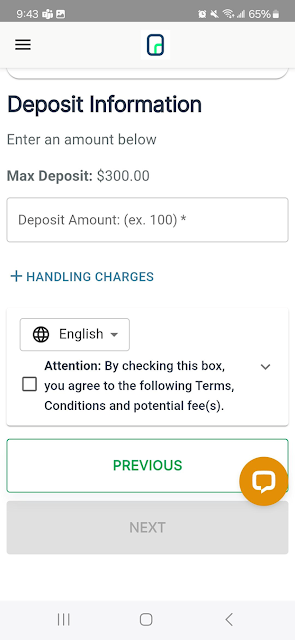
Picture remembering a deposit while you are between errands, rather than when you are home at a computer. Access Corrections is built for that sort of task: you can create or manage an account, search for an agency and inmate, and send money using a Visa or MasterCard. I like that the basic sequence stays centered on finding the person and completing the payment, instead of being buried among unrelated services.
After making a deposit, I would use the transaction history as the natural place to review what I have done. That makes the app useful beyond the moment of payment, especially when I want to look back at a previous transaction rather than rely on memory. The app also offers live chat with a customer service representative, giving users an in-app option when a question comes up during the process.
A Focused Alternative
The obvious alternative is using AccessCorrections.com, since the app brings the website’s features to a mobile format. I see the app as a convenient choice for someone who wants to search, make a payment, and review transactions from a phone. If you already prefer doing these tasks on a larger screen, the website may feel more natural; the app’s main advantage is having the same basic jobs close at hand.
This is not a broad personal finance app, a general-purpose payment wallet, or a messaging service. Its stated purpose is specific: managing an Access Corrections account and making deposits and payments associated with an agency and inmate. That narrow scope is helpful when this is exactly what you need, but it means there is little reason to install it for ordinary budgeting or everyday payments.
A Simple Payment Routine
I would make the process easier on myself by keeping the app for a deliberate, repeatable routine: sign in, search for the relevant agency and inmate, make the intended payment, and check the transaction history afterward. That last step is a small habit, but it gives me a place to review what I submitted. The app’s account-management tools also make it useful for reviewing and maintaining account information between deposits.
For a question that cannot be answered by checking my own account or transaction history, live chat is a useful next step. I would use it when I need help with the app’s service rather than assume that a payment screen explains every situation. Since the app accepts Visa and MasterCard, having the intended card available before starting can also keep a short task from turning into a stop-and-start one.
More From Our News Desk

Zoom Meetings, Google Meet, or Teams: Which Is Easiest to Join?

How I Build a Free Streaming Lineup With Tubi

Why Crunchyroll Is the Default Anime App for So Many Fans

YouTube TV: A Practical Guide to Cutting Cable

Rummikub and the Small Comfort of Phone Games

TeamViewer Remote Control or AnyDesk for Helping Family?
Who may find it useful
I would recommend Access Corrections to family members or friends who need to send money to someone in a correctional facility and want a phone-based way to manage the associated account. The combination of agency and inmate search, deposits, account tools, transaction history, and live chat covers a sensible set of needs for that specific job. Google Play shows a 4.6-star rating from around 4,700 ratings, alongside over a million installs.
It may not suit someone looking for general financial tools, or someone who has no reason to use Access Corrections’ services. The app’s purpose is deliberately narrow, and that is worth knowing before downloading it. People who would rather complete payments on a computer can use the corresponding website instead. I would also check the app’s Google Play page for device requirements and current details before relying on it.
Access Corrections is developed by Keefe Group LLC. Google Play reports over one million installs and a 4.6-star rating from 4,677 ratings. The app is free to download, has no in-app purchases, and contains no ads. Its content rating is Everyone. The current version shown in the provided app details is 4.2.0.
The app was released on February 3, 2017, and the provided details give October 5, 2026, as its last update date. A minimum Android version was not supplied in the app details, so check Google Play for the requirement that applies to your device. Store information can change over time, so it is worth reviewing the current page for the latest practical details.
A Closer Look at the Payment Routine
Getting Started
When I first opened Access Corrections, the appeal was its clear, practical purpose. This is an app for managing an account and making payments, not a sprawling hub that asks me to learn a dozen unrelated features. The starting tasks described for the app are straightforward: create or manage an account, find an agency and inmate, and make a deposit or payment.
I would treat the first session as setup time rather than rush through it. Creating an account and reviewing my information before making a payment gives me a chance to get comfortable with the service. The description says the app includes the features of AccessCorrections.com, which makes the phone version feel like a portable route to familiar account tasks rather than a separate product with a different purpose.
The Everyday Experience
The core experience is built around a concrete sequence: find the relevant agency and inmate, send funds, and later review transaction history. For someone doing this on a phone, having those steps together is more useful than a collection of vague account features. I can imagine opening the app for a specific errand, completing it, and returning later when I need to check the record.
Payments can be made using Visa or MasterCard, according to the app description. I appreciate knowing the supported card types before getting started, but I would still read the payment details presented during the process. The app’s description does not establish that every agency or transaction follows identical conditions, so it makes sense to pay attention to the information shown for the particular payment being made.
Useful Tools in One Place
Search is one of the app’s most important practical features because it connects the payment task to an agency and inmate. Account management is another useful part of the package: the app can be used to set up an account and manage or review information. These capabilities give the app a role before and after a deposit, rather than making it only a one-time payment screen.
Transaction history is a helpful companion to deposits. I would use it to revisit past activity when I want to confirm what I have already done. Live chat with a customer service representative is the other standout feature in the description. It gives users a way to reach support from within the app, which is particularly relevant when a question arises while handling an account or payment.
A Routine That Makes Sense
My practical routine would be to open Access Corrections when I am ready to handle a deposit, rather than treating it as something to check constantly. I would search for the agency and inmate, review the payment details, use a Visa or MasterCard, and then return to transaction history to look over the completed activity. That keeps the task focused and gives me a record to consult later.
If I were setting up the app for the first time, I would take a moment to manage and review my account information before needing to make a payment in a hurry. And if I encountered a question, I would use the live chat option rather than guess. These are small habits, but they fit the tools the app actually provides and help make an occasional task more organized.
Keep the Scope in Mind
Access Corrections is specialized, and its usefulness depends on having a reason to use its service. It does not present itself as a general budget tracker or everyday payment app. That is a limitation if you want one app to handle many kinds of financial tasks, but it also keeps the app’s central purpose easy to understand.
The app description names Visa and MasterCard, but practical payment details may depend on the transaction. I would review what is shown while making a deposit instead of assuming every payment has the same terms. Device requirements can also vary, so checking the Google Play page is sensible before installing. Those checks are ordinary precautions for a task where accurate account and payment details matter.
Access Corrections does a focused job: it brings account management, agency and inmate search, deposits, transaction history, and live customer service together in a mobile app. I like that the core workflow is easy to describe and tied to a real, specific need. It is not a universal finance tool, and it does not need to be one to be useful to its intended audience.
I would recommend it to people who need to make payments through Access Corrections and want to handle the task from a phone. If you only need everyday money tools, this is not the app for you. Before relying on it, check the current Google Play details and the payment information shown for your transaction.
Access Corrections Frequently Asked Questions
What is Access Corrections used for?
Access Corrections lets users create and manage an account, search for an agency and inmate, make deposits and payments, and review transaction history. It also provides live chat with a customer service representative. Its focus is handling Access Corrections account and payment tasks, rather than general budgeting or everyday payments.
Which devices can I use Access Corrections on?
Access Corrections is an Android app available through Google Play. The service also has a website, AccessCorrections.com, whose features are described as available in the app. Check Google Play for current device compatibility and requirements before installing, since those details may vary.
What Android version does Access Corrections require?
The minimum Android version may vary by device and current app release. Check the Access Corrections page on Google Play for the requirement that applies to your phone or tablet before downloading. The app details provide version 4.2.0 as the current version, but do not give a minimum Android version.
Does Access Corrections cost money?
The app is free to download on Google Play and has no in-app purchases or ads. Payments made through the service are a separate matter from the download; review the details shown for your specific transaction in the app. Store and payment terms can change, so the current Google Play page and transaction information are worth checking.
Is Access Corrections right for me?
It may suit you if you need to manage an Access Corrections account, find an agency and inmate, make a deposit, or review transaction history. If you are looking for general financial management or ordinary payment tools, its specialized purpose may not fit. Someone who prefers a computer can use AccessCorrections.com instead.
Pros
- Combines agency and inmate search with deposits and account management.
- Transaction history provides a place to review past activity.
- Live chat with a customer service representative is available.
- Free to download, with no in-app purchases or ads.
Cons
- Its specialized purpose makes it unnecessary for most everyday finance tasks.
- Payments are described for Visa and MasterCard, not a broader range of methods.
- Users who prefer a larger screen may favor the website.
- Category
- Finance
- Version
- 4.2.0











