Zoox
- 1.29K
- 5
- Installs
- 100.00K
- Price
- Free

Screenshots
Analysis by Reviewed APKs
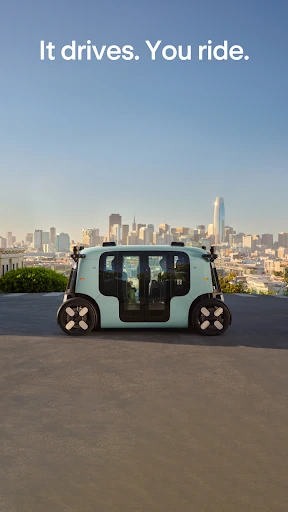
Zoox is a ride-hailing app for booking trips in a purpose-built, fully autonomous electric robotaxi. It suits people in areas where Zoox rides are available who want to request a ride and follow the trip from their phone. I like how the experience is designed around the passenger, not a conventional car, though its usefulness depends entirely on local availability. It is a focused way to arrange a ride, not a general travel planner.
From Destination to Door
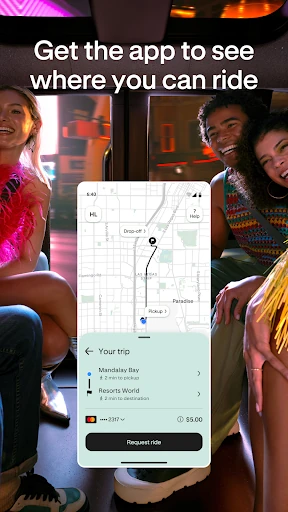
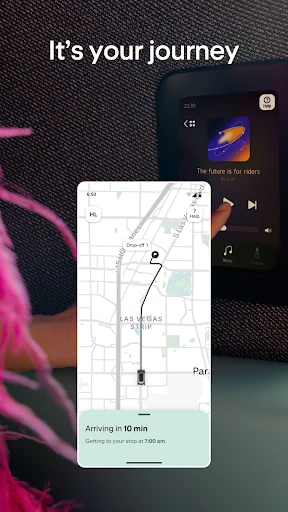
Picture finishing an evening out and wanting a ride home. With Zoox, the core job is straightforward: open the app, choose a destination, and request a ride. The app is meant to show trip progress and an ETA, so you can keep an eye on the journey rather than wondering what is happening. The actual ride is in a purpose-built robotaxi that drives itself, leaving you to settle in instead of taking the wheel.
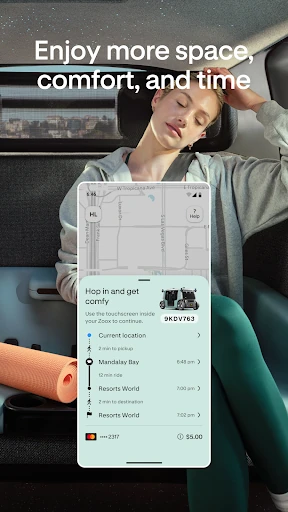
What makes this scenario different from an ordinary ride-hailing trip is the cabin. Zoox describes carriage-style seating, doors that slide open when the vehicle arrives, and controls at the seat for music and temperature. Wireless charging is available at every seat. I would think of the phone app as the way into the ride, while the cabin controls and seat touchscreen shape what happens once I’m aboard.
A Ride App, Not a Travel Guide
Zoox makes the most sense beside familiar ride-hailing services: it is for requesting a vehicle to take you to a destination and tracking that trip. Its defining difference is that the vehicle is a purpose-built robotaxi and drives itself. The app also connects to details of that ride, such as progress and ETA, while the vehicle provides in-seat controls and a touchscreen for following the journey.
This is not a broad city mobility tool. The available information does not describe bike rentals, public transit directions, or a general route-planning service, so I would not reach for Zoox to compare every way of getting across town. Availability also varies by region. If the service is not available where you are, the app’s central purpose may not help with that particular trip.
Small Ways to Settle In
A useful habit is to check whether rides are available in your city before building a routine around the app. When a trip is available, entering the destination is the key step; after booking, the app’s progress view gives you a place to check the ETA. That simple sequence can make the app feel less like something to explore and more like a practical tool to open when a ride is actually needed.
Once inside, I’d take a moment to use the seat controls for music and temperature rather than expecting every comfort choice to happen in the app. The touchscreen at the seat offers another way to view trip progress. If I need help during the ride, Zoox says live support is available with a tap. Those details are small, but they help separate the booking task from the comfort and support options during a journey.
More From Our News Desk

Zoom Meetings, Google Meet, or Teams: Which Is Easiest to Join?

How I Build a Free Streaming Lineup With Tubi

Why Crunchyroll Is the Default Anime App for So Many Fans

YouTube TV: A Practical Guide to Cutting Cable

Rummikub and the Small Comfort of Phone Games

TeamViewer Remote Control or AnyDesk for Helping Family?
Who Zoox May Suit
I’d recommend Zoox to people who live in a service area and are curious about autonomous ride-hailing, or who want a ride experience built around a roomy passenger cabin. The app’s basic purpose is easy to understand: choose a destination, request the robotaxi, and follow the trip. Seat-level controls, wireless charging, and an in-ride touchscreen add practical details for people who like to stay comfortable and informed while traveling.
It may not suit someone looking for a citywide transportation directory, public transit planning, or a service they can use regardless of location. Zoox rides are only available in some regions, so local access matters more than any feature list. I’d also suggest that anyone unsure about riding in an autonomous vehicle read the in-app information and consider whether that kind of trip feels right for them before relying on it.
Zoox is developed by Zoox, Inc. and is listed in the Travel & Local category on Google Play. The app has over 100,000 installs and a 5.0-star rating from 1,293 ratings. It is free to download, with no in-app purchases or ads. Its content rating is Everyone, making the store’s age classification straightforward.
The listed Android requirement is Android 12 or later. The current version is 26.03.403. Zoox was released on August 19, 2025, and was last updated on January 29, 2026. The most recent change notes mention improvements and bug fixes, without describing a larger new feature.
What It Feels Like to Ride
A Focused First Look
When I first consider Zoox, the main question is not which ride option to tap but whether a ride is available in my city. The app itself has a defined job: choose a destination and request a Zoox robotaxi. That focus is helpful, because it keeps the central task easy to picture. It also means the app’s value depends on service coverage rather than on a large collection of unrelated travel tools.
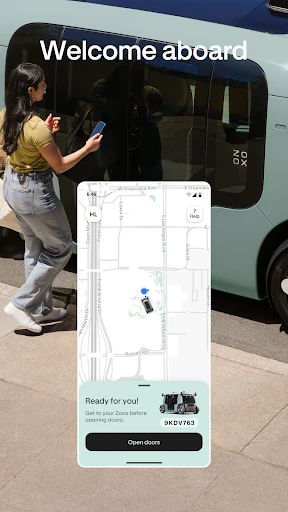
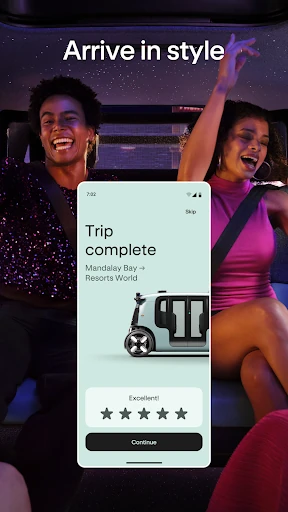
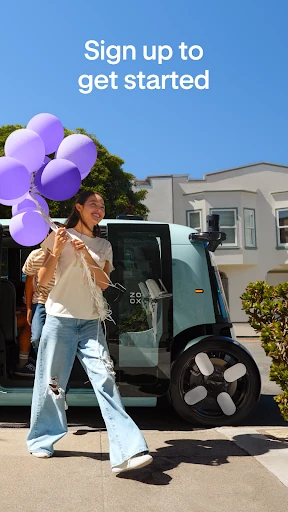
After requesting a ride, the experience shifts from phone to vehicle. The doors slide open on arrival, and the passenger steps into a cabin with carriage-style seating. I like that the setup described is built around passengers rather than adapting a conventional car interior. There are controls at the seat for music and temperature, plus a touchscreen that can show trip progress.
Following the Journey
Day to day, the app’s most useful role is keeping the trip understandable. Zoox says riders can view progress and their ETA in the app or on the touchscreen at their seat. That gives the journey two reference points: one in hand before or during boarding, and another in the cabin. It is a modest feature, but knowing where a trip stands can make a ride feel more predictable.
The ride itself is autonomous, so the passenger’s task is to get comfortable rather than drive. Zoox describes a spacious cabin and seat controls for music and temperature. Wireless charging at every seat is another practical touch for a trip when a phone battery is running low. I would not treat these as reasons to take an unnecessary ride, but they make the intended passenger experience clear.
Details Built Around Riders
The features that stand out are those that happen inside the robotaxi. Carriage-style seating gives the cabin a different arrangement from a conventional car, and doors slide open when the vehicle arrives. Once seated, passengers can use in-seat controls for music and temperature. These are concrete comforts rather than a long menu of app settings, which keeps the ride experience as the main event.
There is also a touchscreen at the seat for viewing trip progress, alongside the app’s own progress view and ETA. Wireless charging is provided at every seat. Zoox describes the vehicle as using cameras, lidar, radar, and long-wave infrared sensors for a 360-degree view of the road. Live support from the team is available with a tap if a rider needs help.
A Simple Ride Routine
For a practical routine, I’d start by checking availability in the app, then choose the destination when I’m ready to travel. After requesting a ride, I’d use the app’s progress view to follow the trip and check the ETA. On arrival, the doors open and I can step inside. Keeping those steps in mind makes the service feel manageable without needing to turn a simple ride into a complicated planning session.
Once seated, I’d settle the comfort details early: adjust the temperature or music with the in-seat controls, then check the touchscreen if I want to follow the trip from the cabin. Wireless charging can help keep a device powered during the ride. If something needs attention, live support is described as being available from the app. It is a tidy sequence: book, board, get comfortable, and follow along.
Limits to Keep in Mind
The biggest limitation is geographic. Zoox explicitly says availability varies by region and directs people to check the app to see whether rides are offered in their city. That means a good fit on paper may be irrelevant if the service has not reached a rider’s area. I would check coverage before making Zoox part of a regular commute or assuming it can replace another way of getting around.
The app is also specific to Zoox robotaxi rides. It is not presented as a one-stop resource for public transit, bikes, or comparing different travel modes. Riders should also understand that the vehicle drives itself; people who do not want an autonomous ride may prefer another option. The sensor and support descriptions offer context, but they do not change the fundamental nature of the service.
Zoox is a clear, specialized app with a distinctive ride experience behind it. Booking a destination, following trip progress, and settling into a passenger-focused cabin all fit together naturally. The in-seat controls, touchscreen, and wireless charging make the ride feel considered without cluttering the app’s purpose.
I’d recommend it to curious riders in cities where Zoox is available, especially those interested in trying an autonomous robotaxi. I would not recommend relying on it as a general transportation solution or before checking local coverage. Its appeal is real, but access is the deciding factor.
Zoox Frequently Asked Questions
What is the Zoox app used for?
Zoox is used to request a ride in a purpose-built, fully autonomous electric robotaxi. You choose a destination in the app and can view trip progress and an ETA. The ride also has in-seat controls for music and temperature, a touchscreen for trip progress, wireless charging at every seat, and access to live support.
Which devices can run the Zoox app?
Zoox is an Android app available through Google Play. The listed requirement is Android 12 or later. The app is used to request and follow Zoox robotaxi rides, and ride availability varies by region, so check the app to see whether service is offered in your city.
What Android version does Zoox require?
Zoox requires Android 12 or later according to its Google Play details. If you are not sure which Android version your phone runs, check the device settings before installing. The app’s current listed version is 26.03.403, and future requirements may change with updates.
Is Zoox free, and does it have in-app purchases?
The Zoox app is free to download, and its Google Play details indicate no in-app purchases or ads. Ride availability and the cost of a ride are separate from the app download; pricing details may vary and are worth checking in the store or app before booking.
Is Zoox right for my everyday travel?
Zoox may suit you if you are in a service area and want to try an autonomous robotaxi, with app-based trip progress and passenger-focused cabin features. It is not a general travel planner for comparing transport modes. Availability varies by region, so check the app before counting on it for regular travel.
Pros
- Simple destination-based ride requests with trip progress and ETA in the app.
- Passenger-focused cabin includes in-seat music and temperature controls.
- Wireless charging is available at every seat.
- Live support is available from the app when riders need help.
Cons
- Rides are only available in selected regions, limiting its usefulness elsewhere.
- The app focuses on Zoox rides rather than broader travel planning.
- The autonomous vehicle format may not suit every rider.
- Category
- Travel & Local
- Version
- 26.03.403











