WPS Office-PDF, Word, Sheet
- 6.00M
- 4.3
- Installs
- 500.00M
- Price
- Free

Screenshots

Analysis by Reviewed APKs
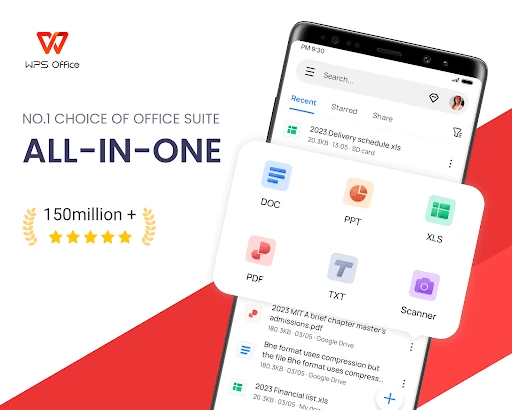
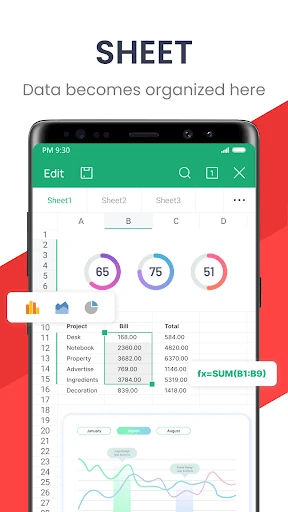
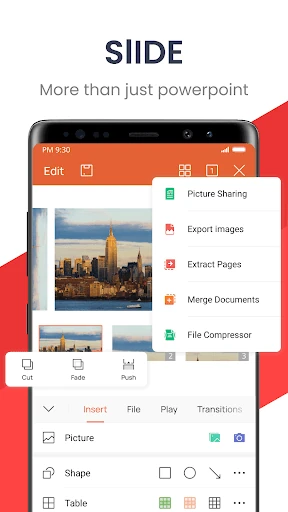
WPS Office-PDF, Word, Sheet is a mobile office suite for reading and editing documents, spreadsheets, presentations, and PDFs in one app. I see its main appeal in handling everyday file tasks without switching between several tools: reviewing a PDF, revising a document, or checking a spreadsheet. It covers a lot of ground, though its broad feature set and paid options may feel like more than a casual reader needs.
A document day on your phone
When I first opened WPS Office, I thought about the small office tasks that tend to land between other plans: checking a report on the bus, fixing a few lines before a meeting, or opening a presentation someone has sent over. The app supports Word documents, PDFs, spreadsheets, and presentations, so it can handle that mix without requiring me to treat every attachment as a separate kind of job.
For a practical example, imagine a day that starts with a PDF agenda, continues with a Word draft, and ends with a spreadsheet to review. WPS Office can open and edit those formats, and its PDF tools include highlights, comments, and notes. I like the idea of keeping those tasks in one place, especially when I only have my phone handy and need to make a quick correction.
A suite, not a single-purpose reader
Compared with a dedicated PDF reader or a focused writing app, WPS Office is the broader choice. It combines document creation and editing with spreadsheet and presentation support, plus PDF conversion and page tools. That range is useful when work or school regularly sends a variety of files. It also means the app is not simply a quiet viewer for someone who only wants to open an occasional PDF and read it.
I would not treat it as a replacement for every desktop workflow or as a specialist tool for one narrow task. The description focuses on mobile document handling, editing, scanning, conversion, and sharing; it does not establish that every advanced operation will feel identical to a desktop office suite. If your needs are limited to plain reading, the range of features may be unnecessary. If you move among file types, the breadth makes more sense.
Small habits that help
I would get the most from WPS Office by using it as a routine stop for incoming files. Open the document, make the necessary edits or annotations, and convert it when the recipient needs another format. For paper notes or receipts, the scanner can save a document as a PDF, while OCR can extract text. Those are practical steps that give the app a role beyond simply opening attachments.
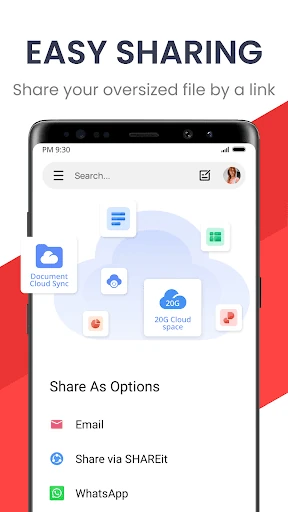
It also helps to think about the destination before sharing a file. The app describes support for cloud services including Google Drive, Dropbox, and OneDrive, as well as syncing across mobile, PC, and Mac. I would use those options to keep a document accessible across devices, then choose the relevant sharing or collaboration workflow when needed. The specific setup can depend on which service and devices are part of your routine.
Reads About WPS Office
More From Our News Desk

Zoom Meetings, Google Meet, or Teams: Which Is Easiest to Join?

How I Build a Free Streaming Lineup With Tubi

Why Crunchyroll Is the Default Anime App for So Many Fans

YouTube TV: A Practical Guide to Cutting Cable

Rummikub and the Small Comfort of Phone Games

TeamViewer Remote Control or AnyDesk for Helping Family?
Who will get the most from it
I would recommend WPS Office to students, office workers, and anyone who regularly receives a mixture of documents, PDFs, spreadsheets, and slides. It is especially appealing if you sometimes need to make a small edit or annotate a file away from a computer. The scanner, conversion tools, and cloud-service support add useful options for people who handle both paper and digital documents as part of a typical week.
It may be less appealing if you only need a lightweight PDF reader or prefer separate apps for writing, spreadsheets, and presentations. The feature range can make a simple task feel like part of a larger suite, and the app contains ads and offers in-app purchases. I would also check the current store details before installing, since the minimum Android requirement and purchase options can vary.
WPS Office-PDF, Word, Sheet is a free Android productivity app from WPS SOFTWARE PTE. LTD. Google Play shows more than 500 million installs and a 4.3-star rating from about 6 million ratings. Its content rating is Everyone. The app was released on July 21, 2011, and the current version is 26.10.0.
The app contains ads and offers in-app purchases. The listed in-app item prices range from $0.05 to $264.99 per item, so the actual cost depends on what is offered and chosen. The recorded last update is October 28, 2026. Check Google Play for the current Android requirement and purchase details before downloading.
One App for Everyday Document Work
Getting started with a broad toolkit
My first impression is that WPS Office wants to cover the whole document cycle, rather than just one step. Its stated range includes creating and reading files, editing them, converting formats, scanning paper, and sharing documents. That can be convenient when an unexpected file arrives and I want to handle it on the same device instead of hunting for a separate app.
The range does ask for a little thought about what I actually need. Someone opening the app just to read one PDF may not care about spreadsheets or slide editing, while a frequent document handler may value having those tools together. I would start with a regular task, such as reviewing a file or revising a draft, and explore the more specialized options as they become useful.
Daily editing and reading
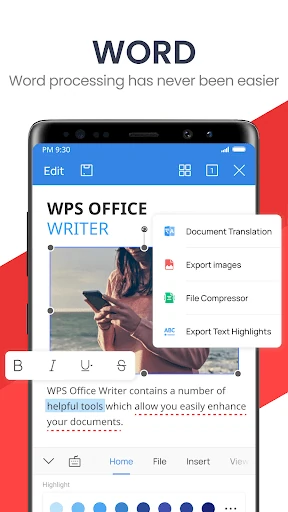
For everyday use, the central promise is broad file compatibility: WPS Office can open and edit Word documents, PDFs, spreadsheets, and presentations. I can see the value when a colleague or classmate sends a file that needs a quick look or a minor adjustment. It is also described as a reader for these formats, which makes it useful for reviewing material as well as producing it.
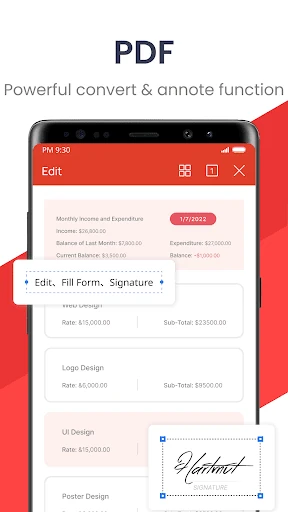
PDF work has particular depth in the feature description. I can annotate with highlights, comments, and notes, edit text, manage pages, and add signatures or watermarks. Conversion options include Word documents to PDF and PDFs to Word. Those capabilities make the app more than a basic document viewer, although the practical value depends on which of those tasks I actually do on a phone.
Scanning and smart tools
The built-in scanner is one of the more practical extras. It can capture paper documents and save them as PDFs, with OCR intended to extract text from scans. I can imagine using that for a receipt I need to keep, a set of notes, or a printed page I want to archive digitally. It gives the app a useful bridge between physical paperwork and editable files.
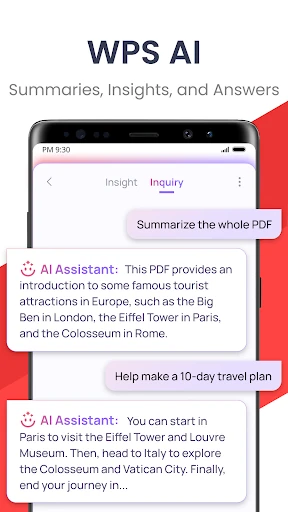
WPS Office also describes writing assistance, PDF summaries, document analysis, and text recognition among its intelligent tools. These features could help when drafting or reviewing, but I would treat them as aids rather than a substitute for checking the final document myself. The important point is that the suite offers more than file viewing, while keeping the focus on document-related tasks.
A workable weekly routine
A simple routine could be to scan paper items as they arrive, save them as PDFs, and use annotations when reviewing longer documents. If a file needs to be sent in another format, the conversion tools can help prepare it. For a student, that might mean keeping notes and handouts in digital form; for an office worker, it could mean reviewing a draft before the next meeting.
Cloud support can fit into that routine when documents need to move between devices. The app describes syncing across mobile, PC, and Mac, and support for services such as Google Drive, Dropbox, and OneDrive. I would choose the service I already use and keep the workflow simple: edit where convenient, then make sure the document is available where I need it next.
Trade-offs to keep in mind
The biggest trade-off is the sheer scope. A suite that handles writing, spreadsheets, slides, PDFs, scans, and file conversion may be handy, but it can also be more app than someone needs for occasional reading. I would compare that breadth with my actual habits rather than assuming that every included tool will earn a place in my routine.
The other practical consideration is the business model: the app is free to download, contains ads, and offers in-app purchases. That does not make it a poor fit, but it is worth knowing before relying on it for frequent work. Prices for in-app items span a wide range, so I would check the current Google Play details and decide whether any paid option is relevant to my use.
WPS Office-PDF, Word, Sheet makes a strong case for itself as an all-in-one document toolkit. Its combination of office file editing, PDF annotation and conversion, scanning, and cloud support suits people who regularly handle different kinds of paperwork on a phone. I especially like the practical connection between scanning a page and then managing it as a document.
I would try it if I wanted one mobile app for more than just reading files, and I would be comfortable with ads and optional purchases as part of that choice. If my needs were limited to opening an occasional PDF, I would look for something simpler. For students and busy document handlers, the range is the reason to give it a look.
WPS Office Frequently Asked Questions
What is WPS Office-PDF, Word, Sheet used for?
WPS Office is a productivity suite for creating, reading, and editing Word documents, PDFs, spreadsheets, and presentations. It also includes PDF annotation and conversion, document scanning with OCR, and file-sharing and cloud features. It suits people who want to manage several kinds of documents in one app rather than only read PDFs.
Which devices can run WPS Office-PDF, Word, Sheet?
The app is available for Android through Google Play. Its description also refers to syncing across mobile, PC, and Mac, and to a PC and Mac version. For the current supported devices and setup, check the app's Google Play details and the developer's current information.
What Android version does WPS Office-PDF, Word, Sheet require?
The minimum Android version can vary with the current release and device. Check the Google Play page for WPS Office-PDF, Word, Sheet before installing to confirm the requirement for your phone or tablet.
Is WPS Office-PDF, Word, Sheet free?
WPS Office is free to download, contains ads, and offers in-app purchases. Listed in-app item prices range from $0.05 to $264.99, depending on the item. Check Google Play for the current purchase options and prices, since these details can change.
Who is WPS Office-PDF, Word, Sheet best suited to?
I would suggest it to people who regularly work with a mix of documents, PDFs, spreadsheets, and presentations, including students and office workers. It may be more than needed for someone who only wants a basic PDF reader. The app's ads and in-app purchases are also worth considering when deciding whether it fits your preferences.
Pros
- Handles Word files, PDFs, spreadsheets, and presentations in one mobile suite.
- PDF tools include annotation, text editing, page management, and format conversion.
- Built-in scanning and OCR can help turn paper documents into digital files.
- Supports cloud services and syncing across mobile, PC, and Mac.
Cons
- Its wide range of tools may feel excessive for someone who only reads PDFs.
- The free app contains ads and offers in-app purchases.
- Listed in-app item prices cover a particularly broad range.
- Category
- Productivity
- Version
- 26.10.0











