Vivitar Smart Home Security
- 213
- 1.7
- Installs
- —
- Price
- Free

Screenshots
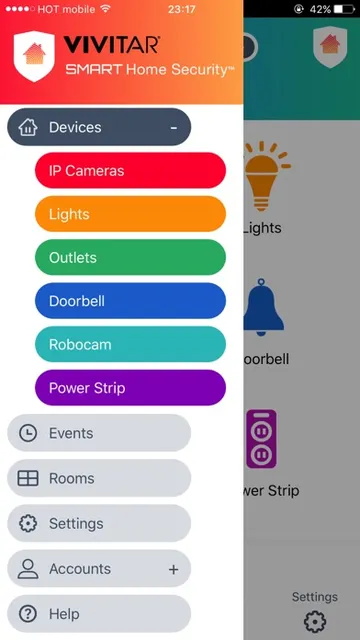
Analysis by Reviewed APKs
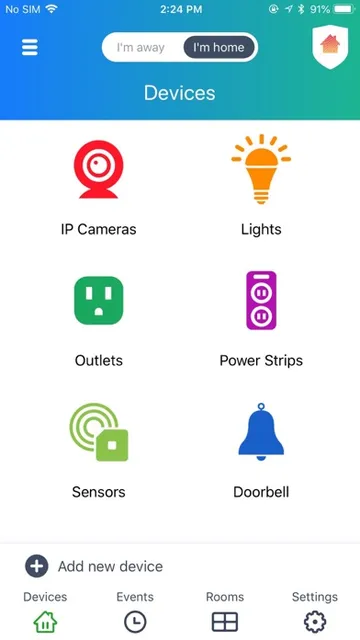
Vivitar Smart Home Security is an iOS app for managing compatible home devices, including indoor and outdoor IP cameras, smart lights, and electrical outlets. It suits people who already use Vivitar-connected equipment and want camera alerts or simple controls in one place. My overall take is that it has a practical, focused purpose, though its usefulness depends on having the right devices to connect.
A Check-In From Anywhere
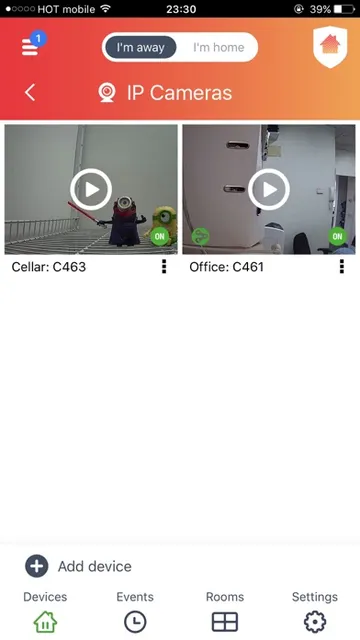
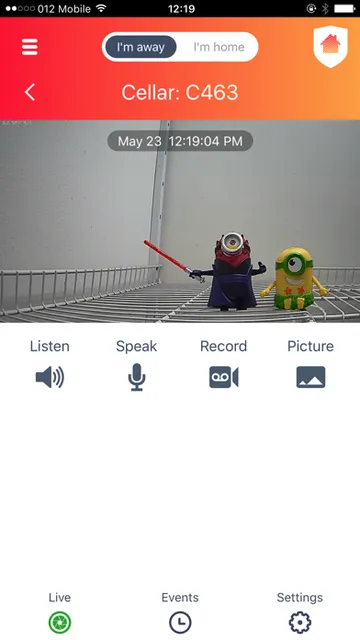
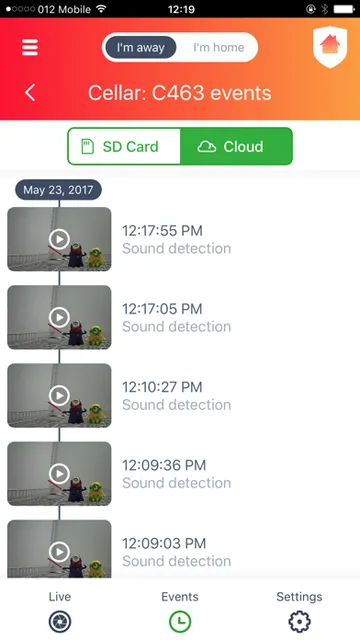
Imagine leaving home for the day and wanting to check on what is happening inside or outside. Vivitar Smart Home Security is built around that kind of check-in: the app connects to IP cameras so you can see what is going on, and cameras can send automatic alerts when they detect motion or sound. I would treat it as a convenient way to keep tabs on connected equipment, rather than a substitute for being there.
The same idea applies to smaller household routines. Before bed, you might use a connected outlet or light from the app, then set a schedule so it switches on or off later without another reminder. That combination of camera monitoring and basic device control gives the app a clear everyday job. It brings a few connected-home tasks together instead of making every action a separate errand.
A Focused Home-Control Tool
Compared with a camera-only app, Vivitar Smart Home Security has a broader scope: its stated support includes cameras, lighting, and electrical outlets. Compared with a general smart-home hub, its appeal is narrower and tied to the Vivitar devices it supports. That makes it most relevant for someone building around those products, not for someone looking for a universal control center for every connected brand.
It is also not a full home-security service in itself. The described functions center on remote camera viewing, motion and sound alerts, and schedules for lights or outlets. I would not approach it as a replacement for professional monitoring or as a tool for managing every part of a household. Its value is in handling a specific set of connected devices through a phone.
Make Schedules Do the Work
The easiest way to get ongoing value from the app is to decide which actions are repetitive. If a connected light or outlet should switch on or off at a regular time, setting a schedule can save repeated trips into the app. I would start with one device and a simple routine, then add another only if the schedule is genuinely useful in daily life.
For cameras, the practical habit is to use alerts as prompts to check in, rather than treating every notification as a conclusion. Motion and sound detection can tell you that an event occurred; opening the app lets you see what is going on. Keeping those two steps distinct makes the app feel more like a monitoring aid and less like a source of automatic answers.
More From Our News Desk

Zoom Meetings, Google Meet, or Teams: Which Is Easiest to Join?

How I Build a Free Streaming Lineup With Tubi

Why Crunchyroll Is the Default Anime App for So Many Fans

YouTube TV: A Practical Guide to Cutting Cable

Rummikub and the Small Comfort of Phone Games

TeamViewer Remote Control or AnyDesk for Helping Family?
Who May Find It Useful
I would recommend Vivitar Smart Home Security to iPhone or iPad users who already have compatible Vivitar IP cameras, lights, or outlets and want to manage them remotely. The mix of camera alerts and device schedules makes sense for someone who likes a quick check-in during the day and a few simple automations at home. It is most appealing when those device controls solve a routine problem.
It may not suit someone without compatible equipment, or someone expecting a single app to manage a wide range of smart-home brands. People looking primarily for extensive security services should also keep the app’s described scope in mind: it focuses on cameras and selected connected devices. If you prefer not to receive camera alerts or adjust device schedules, its central features may not add much to your routine.
Vivitar Smart Home Security is a free iOS app from Sakar international inc. It is rated 1.7 out of 5 on the App Store, based on 213 ratings, and carries a 4+ age rating. The stated minimum requirement is iOS 9.0. These store details can help set expectations, while compatibility with particular home devices is worth checking before relying on the app.
The available version is 1.0.118. The app was released on May 26, 2017, and its last recorded update was September 11, 2019. Those dates are useful context when considering a connected-home app, especially if you are choosing it for a new setup. The core listed purpose is controlling supported cameras, lights, and outlets from a mobile device.
A Closer Look at the Home Routine
Starting With a Clear Purpose
When I first opened the idea of this app, what stood out was how concrete its job is: connect supported home devices and control them from a mobile device. The listed device types give the experience a practical shape from the outset. I would begin by identifying which Vivitar camera, light, or outlet I want to use, rather than expecting the app to be useful on its own.
The setup story in the available description is intentionally simple: connect compatible equipment, then use the app to monitor or control it. There is no reason to assume every device will behave alike, so I would treat the first connection as a small test. Once a camera or outlet is responding as expected, it becomes easier to judge whether the app fits the rest of the household routine.
The Everyday Check-In
Day to day, the camera side is about checking what is happening and receiving alerts when motion or sound is detected. I can picture opening the app after a notification while out running errands, then deciding whether the event needs more attention. That is a straightforward loop: an alert draws attention to an event, and the camera offers a way to see what is going on.
The device-control side is less about constant interaction and more about occasional adjustments. A light or outlet can be switched on or off, and schedules can handle repeated timing. In my view, that pairing is the useful part: cameras help with awareness, while schedules reduce small household chores. Neither needs to become a major daily project to be worthwhile.
Cameras, Alerts, and Schedules
The standout feature is the combination of indoor and outdoor IP camera support with control for lights and outlets. Many people think of home security as camera viewing alone, but the described app also covers a couple of basic connected-home tasks. That broader mix could be handy if the same household already uses those device categories and wants one place to reach them.
Motion and sound detection alerts give the camera experience a more active role than checking a feed only when you remember. Meanwhile, per-device on/off schedules for smart bulbs and outlets address predictable routines. I would keep the benefit grounded: alerts notify you of detection events, and schedules automate timing. These are useful tools, not a promise that every situation will be noticed or handled.
A Simple Evening Routine
A practical routine might start with a quick camera check when I get home, especially if an alert arrived while I was out. Later, I could review the schedule for a connected light or outlet and make sure its on/off timing matches the evening. The app’s described functions support those actions without requiring a complicated plan for every device.
I would keep any routine modest. Start with a camera that has a clear purpose, such as checking an indoor or outdoor area, and one scheduled device action that saves a repeated step. After using those functions for a while, it is easier to tell whether another device belongs in the setup. A small routine is more manageable than adding controls simply because they are available.
Keep the Scope in Mind
The main limitation is that the app’s usefulness depends on having supported Vivitar devices. Without a compatible camera, light, or outlet, its central functions have little to work with. Even for an existing setup, it is sensible to check device compatibility before making the app part of an important routine, since the description names device categories rather than every product model.
The rating is also a reason to approach the experience with measured expectations: the App Store score is 1.7 out of 5 from 213 ratings. That figure does not explain individual experiences, but it is relevant context for someone comparing options. The recorded last update is from 2019, so I would check the current store information and device compatibility before choosing it for a new setup.
Vivitar Smart Home Security has a clear niche: remote access to supported cameras, motion and sound alerts, and basic schedules for connected lights or outlets. I like that its use cases are easy to understand, but the app is only as relevant as the compatible equipment already in your home.
I would consider it if I owned supported Vivitar devices and wanted a simple way to check cameras or manage a few routines. If I needed broad smart-home coverage or a more extensive security service, I would look beyond what this app is described as offering.
Vivitar Smart Home Security Frequently Asked Questions
What is Vivitar Smart Home Security used for?
Vivitar Smart Home Security is used to connect and control supported home devices from an iOS mobile device. Its described functions include checking indoor and outdoor IP cameras, receiving motion and sound detection alerts, and setting on/off schedules for smart lights and electrical outlets.
Which devices can run Vivitar Smart Home Security?
The app is for iOS devices and supports iOS 9.0 and above. It is described as supporting mobile use, with compatible Vivitar cameras, lights, and outlets as the connected equipment. Check the App Store information and your device details for current compatibility before setting up a home routine.
What iOS version does Vivitar Smart Home Security require?
The stated minimum is iOS 9.0. If you are using a newer or older device, it is worth checking the current App Store information for the latest compatibility details. The app’s usefulness also depends on whether your specific camera, light, or outlet is supported.
Does Vivitar Smart Home Security cost money?
The app is listed as free on the App Store. Details about any optional purchases or other costs can vary, so check the current store information before downloading. The app is intended to control supported connected devices, which are separate from the app itself.
Is Vivitar Smart Home Security right for me?
It may suit you if you use compatible Vivitar IP cameras, smart lights, or outlets and want remote control, camera alerts, or schedules. It may be less useful without those devices or if you want a broad hub for many brands. Review the App Store details and device compatibility before deciding.
Pros
- Combines camera monitoring with control for supported lights and electrical outlets.
- Motion and sound detection alerts can prompt a timely camera check-in.
- Schedules can handle repeated on/off timing for smart bulbs and outlets.
- Remote access suits quick checks when you are away from home.
Cons
- Its usefulness depends on owning compatible Vivitar devices.
- The described controls cover a focused set of device types, not every smart-home need.
- The App Store rating is low, so it is worth comparing expectations carefully.
- Category
- Productivity
- Version
- 1.0.118











