Therap
- 1.60K
- 4.2
- Installs
- 100.00K
- Price
- Free

Screenshots
Analysis by Reviewed APKs
Therap is a work app for healthcare professionals whose organizations use the Therap system to document and manage support services. Its Android tools include T-Log, ISP Data, medication records, and scheduling, depending on a user’s account permissions. I see it as a practical companion for staff who need to record service details while away from a desk, rather than a general health tracker or personal organizer.
Logging Work As It Happens
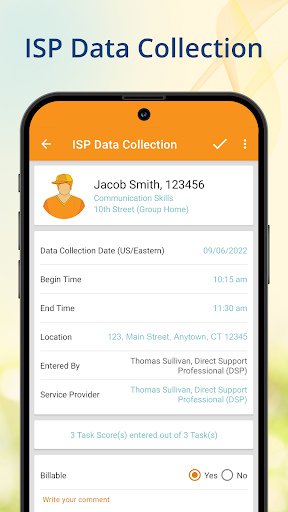
Picture finishing a service visit and needing to capture the details before the next stop. With the appropriate Therap access, the app can be used to collect ISP service data from the location, record a visit through GPS, and add a picture or signature. That makes the phone a place to document work as it happens, rather than relying on memory later or waiting to return to a computer.
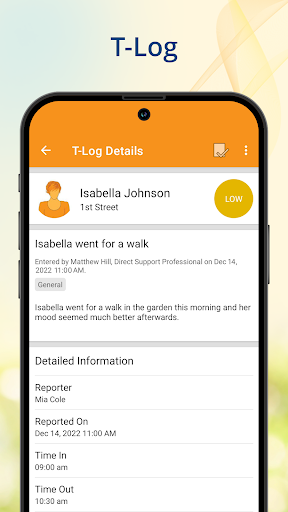
T-Log offers another useful piece of that routine. I could imagine checking unread entries by notification level between visits, marking them read, and creating a new log with a photo when a situation needs documenting. The exact tools available depend on the account and permissions assigned by the organization, so the experience is shaped as much by workplace setup as by the app itself.
A Work Tool, Not a General App
Therap is aimed at staff already working within an organization that uses Therap, especially people who need mobile access to service documentation, medication records, or schedules. Compared with a basic notes app or calendar, its modules are tied to agency workflows: users with the right access can record ISP data, review scheduled medications, or check in and out of a service. That focus is its main distinction.
It is not a standalone personal organizer, consumer medication reminder, or general-purpose healthcare app. You need an active Therap account, and seeing a particular module depends on having the appropriate permissions. If you are looking for a tool to manage your own appointments or medications, this is a poor fit. The app makes the most sense as one mobile part of an existing organizational system.
Make Mobile Notes Useful
A helpful habit is to use the relevant module while the visit or task is still fresh. For example, staff can enter service data from the location, add a picture or signature where appropriate, and use scheduling tools to check in or out and leave a comment after service delivery. That keeps the app connected to the task at hand instead of treating it as a place to reconstruct a whole day later.
It also helps to know which modules your role actually includes before building a routine around them. T-Log, ISP Data, Scheduling/EVV, and MAR each have access conditions described by Therap, and the organization’s administrator is the point of contact when expected functionality is missing. I would treat the app as a focused work companion: open the feature needed for the current duty, record the relevant detail, and move on.
More From Our News Desk

Zoom Meetings, Google Meet, or Teams: Which Is Easiest to Join?

How I Build a Free Streaming Lineup With Tubi

Why Crunchyroll Is the Default Anime App for So Many Fans

YouTube TV: A Practical Guide to Cutting Cable

Rummikub and the Small Comfort of Phone Games

TeamViewer Remote Control or AnyDesk for Helping Family?
Who May Find It Useful
I would recommend Therap to healthcare professionals and support staff whose agency already uses the Therap platform and has enabled the Android modules they need. It is particularly relevant to people who work away from a desk and need to document services, review unread T-Logs, use medication records, or consult a schedule. The location-based ISP Data and Scheduling/EVV tools make the mobile angle especially apparent.
It may not suit someone who wants a standalone app for personal health tracking, a general calendar, or medication reminders for their own household. The account and permission requirements are central, not a minor setup detail: a download alone does not provide access to every module. I would also steer away anyone expecting a broad consumer app experience; Therap is built around specific workplace documentation tasks.
Therap is developed by Therap Services LLC and is listed in Google Play in the Productivity category. The store shows over 100,000 installs and a 4.2-star rating from about 1,600 ratings. Its content rating is Everyone. The app is free to download, with no in-app purchases or ads indicated in the provided store facts.
The supplied store information identifies version 26.14.0, a release date of September 15, 2013, and an update date of October 21, 2026. An Android minimum version is not included in the available facts, so it is best to check Google Play for device compatibility before installing.
A Mobile Companion for Therap Work
First Look and Access
When I first opened the idea of Therap, the thing to understand is that it is not designed for casual browsing. Its modules are meant for people with an active Therap account and the permissions their work requires. That makes the first step less about personal customization and more about confirming that the organization has set up the account and mobile access.
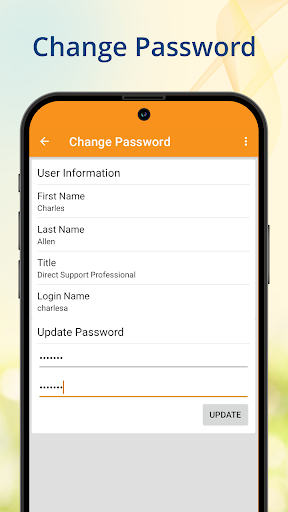
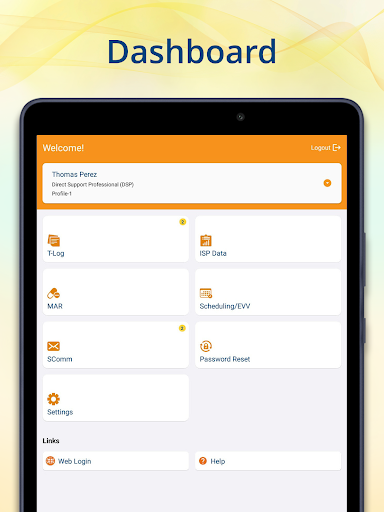
The app gathers several work tools in one Android package, including T-Log, ISP Data, MAR, scheduling, and password reset for users with the relevant administrative role. I like the convenience of having these functions available in a mobile app, but the setup is organization-dependent. If a feature does not appear or login is a problem, the description directs users to contact their Provider Administrator.
The Day-to-Day Flow
The strongest day-to-day case is recording or checking information while moving through a workday. Staff can use Mobile T-Log to view unread entries by notification level and mark them as read, or create a new entry with a photo. Those are straightforward tasks, and their value is practical: a relevant note can be recorded in the same context where the work happened.
For service visits, Mobile ISP Data supports collection of service data from any location, with GPS location recording for electronic visit verification. It also supports photos and signatures using a finger or stylus. I would expect these tools to matter most to staff who document services on site, rather than people who only need occasional access to records from an office.
Modules With Clear Jobs
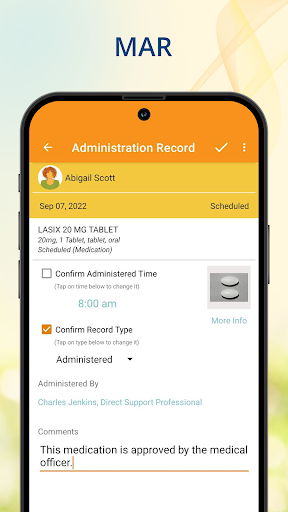
Mobile MAR is one of the more specialized parts of the app. Users with access can see scheduled medications, record and administer scheduled or PRN medications and treatments, and view allergies, diagnoses, and medication images. Those are specific clinical workflow tasks, not a broad medication-management feature for the general public, and access is limited to current users of the Therap MAR module.
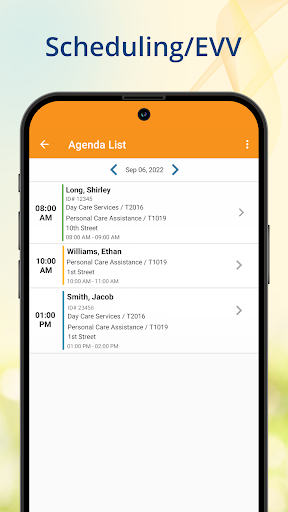
Scheduling/EVV gives eligible users access to schedules for a selected date in an agenda list. The app also supports checking in and out and adding comments after service delivery. Meanwhile, the Password Reset tool is available to users assigned the reset-password administrative role. The modules are varied, but the common thread is mobile access to a defined workplace task.
A Visit-to-Record Routine
A simple routine could start by checking the agenda for the day’s schedule, then using the relevant service module at the visit. When the work is completed, a user with Scheduling/EVV access can check out and add a comment. If the task calls for ISP Data, service information can be entered from the location, with a GPS record, photo, or signature where appropriate.
Later, a staff member might review unread T-Logs and mark them read, or create a new entry with a photo if a work event needs to be recorded. I would keep the routine tied to the organization’s policies and assigned permissions rather than assuming every staff member sees the same screens. Used that way, the app can reduce the gap between doing a task and documenting it.
Permission Is the Main Limit
The main limitation is that Therap’s usefulness depends on account access and module permissions. A user may install the app and still not have the T-Log, ISP Data, MAR, or Scheduling/EVV tools they expect. Some modules also have specific access requirements described by Therap, so this is not an app where every feature is automatically available to every user.
That dependency can make the experience feel less self-contained than a consumer app. It is meant to work within an agency’s existing Therap setup, and the description points users to their Provider Administrator when login or available functionality is an issue. If your organization does not use Therap or has not assigned the relevant permissions, the app is unlikely to offer much practical value.
Therap’s strength is its focused collection of mobile work tools: service data, T-Logs, medication records, schedules, and related tasks can be handled from an Android device when an organization has enabled them. It is not trying to be an all-purpose personal health app, and that narrow role is worth understanding before installing.
I would recommend it to staff who already use Therap and need mobile access to the modules assigned to them. For everyone else, the account and permission requirements are a real barrier, not a small inconvenience. If your agency is on the platform, it can be a useful extension of that workflow; without that setup, it is not the right tool.
Therap Frequently Asked Questions
What is the Therap app used for?
Therap is a work app for healthcare professionals with an active Therap account and suitable permissions. Its Android modules can support T-Log entries, ISP service data and visit verification, medication records, scheduling, and password resets for users with the right administrative role. Which functions are available depends on the account and the organization’s setup.
Which devices can run Therap?
Therap is listed as an Android app on Google Play. The supplied information does not specify a minimum Android version, so check the Google Play store page for compatibility with your device. The app also requires an active Therap account for its work functions; simply installing it does not provide organizational access.
Does Therap cost anything?
The Google Play information provided describes Therap as free to download, with no in-app purchases or ads indicated. Its practical use still depends on having an active Therap account and appropriate module permissions through your organization. Store details can change, so check Google Play for current pricing and availability.
Can I use Therap without an agency account?
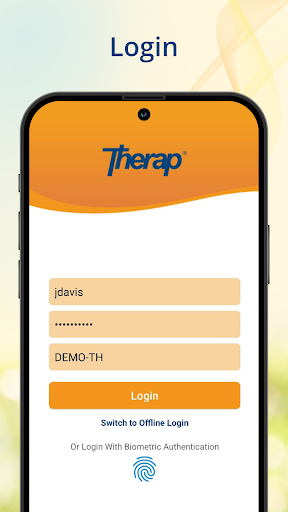
The app is designed for people with an active Therap account and the appropriate permissions. The description says people without an account who want to try the app can sign up for a demo account through Therap Services. For a work login or missing module, it directs users to contact their Provider Administrator.
Is Therap right for personal medication tracking?
Probably not. Therap is aimed at workplace healthcare and support workflows, and its MAR tools are for current users of the Therap MAR module with suitable access. It can show scheduled medications and related information as part of that system, but it is not presented as a general personal medication reminder or consumer health tracker.
Pros
- Combines T-Log, ISP Data, MAR, and scheduling tools in one mobile app.
- Supports service documentation from a location, including GPS, photos, and signatures.
- MAR access can include scheduled medications, allergies, diagnoses, and medication images.
- Free to download, with no in-app purchases or ads indicated.
Cons
- Requires an active Therap account and appropriate permissions for useful access.
- Several modules require organization-level setup or existing Therap module access.
- Not designed for personal health tracking or general-purpose scheduling.
- Category
- Productivity
- Version
- 26.14.0