The Bible Memory App
- 6.50K
- 4.7
- Installs
- 500.00K
- Price
- Free

Screenshots
Analysis by Reviewed APKs
The Bible Memory App is built for people who want to learn Bible verses and keep reviewing them, rather than simply look them up. I found its first-letter typing approach a practical fit for a short morning routine or a quiet break. It combines a personal verse library with reminders and optional audio and flash-card tools. The experience is focused, though some review methods require a Pro purchase.
A small daily practice
When I first tried to picture this app in my day, the easiest fit was a few minutes with one verse over breakfast. I could add a verse to my library and work through it by typing the first letter of each word. That keeps the exercise active without asking me to type the whole passage every time, and it gives a short session a clear purpose.
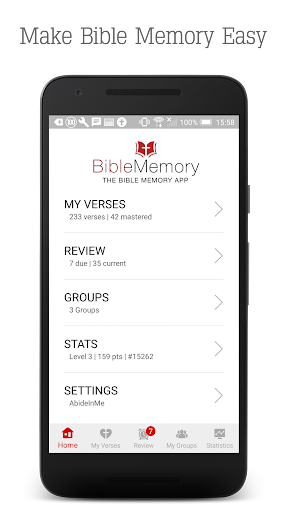
After learning a verse, the app keeps it in a review library, so the work does not end when I get the first round right. I can set daily or weekly reminders for a time that suits me. That makes the app more like a repeatable memorization habit than a one-off reference search, especially for someone who wants a small, regular practice.
Memorization, not lookup
Compared with opening a Bible app to read a chapter or search a passage, The Bible Memory App is narrower by design. Its focus is building a set of verses to learn and revisit. Collections can help me choose a theme, while manual entry leaves room for passages I already have in mind. That emphasis is useful when the goal is recall, not broad reading or study.
I would not choose it as my main Bible reading app or as a general-purpose reference tool. The described workflow centers on memorization drills, verse collections, review, and reminders, rather than extended reading. If I only want to check a verse once, this approach may feel like extra structure. It makes more sense for someone willing to return to selected passages over time.
Make review easy to repeat
A useful habit is to keep the first session modest: choose a verse, practice the first-letter typing exercise, then revisit it later rather than trying to build a large library immediately. The app's review tracking is designed to keep memorized verses in circulation. Reminders can provide a nudge, but choosing a realistic daily or weekly schedule matters more than filling every available slot.
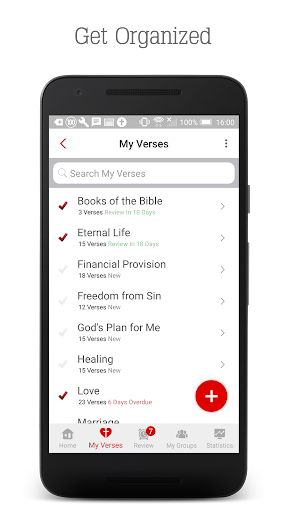
I would also organize verses into named collections when I have a specific theme or study in mind. The app offers 55 topical collections, and users can create their own. If I already know the wording I want, manual entry is another option; importing from the internet is supported for several translations. These choices make the library easier to shape around a personal routine.
More From Our News Desk

Zoom Meetings, Google Meet, or Teams: Which Is Easiest to Join?

How I Build a Free Streaming Lineup With Tubi

Why Crunchyroll Is the Default Anime App for So Many Fans

YouTube TV: A Practical Guide to Cutting Cable

Rummikub and the Small Comfort of Phone Games

TeamViewer Remote Control or AnyDesk for Helping Family?
Who may enjoy it
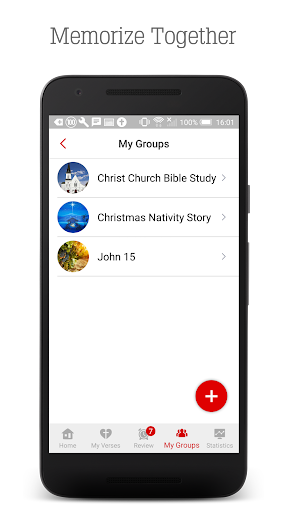
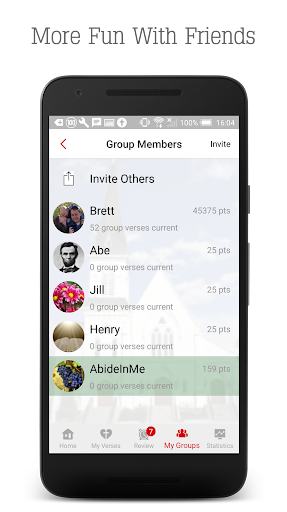
I would recommend The Bible Memory App to readers who want a structured way to practice recalling Scripture and who are comfortable returning to the same verses. Its first-letter typing method is a straightforward starting point, while reminders and review tracking support a steady routine. People studying in a group, teaching, or choosing passages by topic may also appreciate having collections and personal libraries in one place.
It may be less appealing to someone who mainly wants a simple digital Bible for reading, or who dislikes drills and scheduled repetition. Some options, including audio recording and flash cards, are marked as Pro features, so the free experience may not include every preferred practice method. The app's strongest fit is a learner who values active review and is willing to build the habit gradually.
The Bible Memory App is developed by Millennial Apps - The Bible Memory App and is in the Books & Reference category on Google Play. It has over 500,000 installs and a 4.7-star rating from around 6,500 ratings. The app is free to download, contains no ads, and offers in-app purchases. Individual in-app product prices range from $2.49 to $99.99.
Google Play gives the app an Everyone content rating. The current version shown in the supplied facts is 8.5. It was released on December 1, 2013, and its last update is dated October 27, 2026. An Android minimum version is not included in the available facts, so check the Google Play details for device compatibility.
A closer look at verse practice
Getting started
My first impression is that the app has a clear job: help turn chosen verses into material I can practice from memory. Rather than beginning with a broad reading session, I would start by selecting a passage or browsing one of the topical collections. The app supports importing verses from the internet in several translations, as well as entering them manually.
That choice of starting points is helpful because people arrive with different levels of preparation. I might already have a verse in mind, or I might want a theme to guide the choice. The app describes a simple sequence of typing, memorizing, and mastering. It gives the experience a direction without requiring me to invent a study plan before I can begin.
The everyday loop
The core exercise asks me to type the first letter of each word in a verse. This is more active than rereading the passage, but less laborious than entering every word. The app also describes modified key zones that give credit for a key adjacent to the correct letter, a forgiving detail that could make practice less brittle on a phone keyboard.
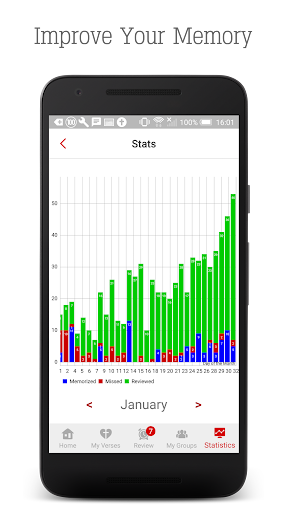
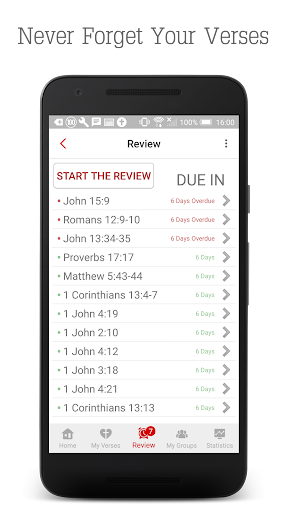
Once a verse is learned, the app keeps it in a review library and tracks it for future practice. That ongoing loop is the part I find most useful: choose, rehearse, then return. Daily or weekly notifications can be set for a preferred time. Review is also described as available without an internet connection, which suits short sessions away from a reliable connection.
More than typing
The app offers several ways to engage with verses, though not all are included in the same tier. Flash cards and audio are Pro features, and the audio option includes recording a verse and speaking along with playback. The verse recorder can play recordings individually or in a continuous collection loop, making listening a different kind of review from the typing exercise.
Visual tools are also part of the described Pro feature set: users can draw illustrations and review with flash cards. Heat maps are another Pro option, intended to highlight spots that give a learner trouble. I like that these tools address different ways of remembering, but I would treat them as optional additions rather than assume every user needs them.
A routine that sticks
For a practical routine, I would choose a small collection around a current reading or study, then work on one verse at a time. A short typing session can fit into a morning break, while an evening reminder can bring older verses back into rotation. The app's topical collections offer a way to begin when I do not have a passage selected already.
On days when sitting down with the screen feels inconvenient, the Pro recorder offers another route: record verses and play them back for hands-free review. The app says recordings can be played individually or in a continuous loop by collection. I would keep this as a supplement to active recall, rather than letting listening replace the effort of trying to remember the words.
Keep expectations practical
The app is focused on memorization, so its strengths also define its limits. It is not presented as a broad Bible reading environment, and someone who only wants to browse passages may find the review-centered design unnecessary. Building a useful library also takes some choice and upkeep: decide what to learn, arrange verses in a way that makes sense, and return to them.
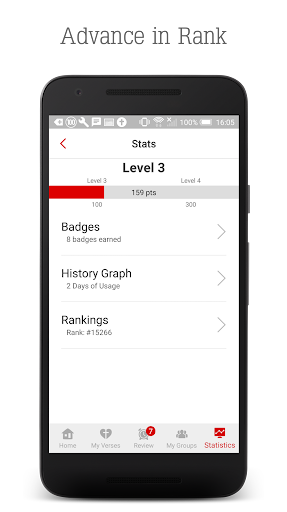
The tier distinction is worth keeping in mind before settling on a workflow. Audio, flash cards, illustrations, heat maps, and ranking are identified as Pro features, while the app itself is free to download and has in-app purchases. Its listed in-app item prices cover a wide range. I would check the store details before buying, especially if one particular feature is central to my routine.
The Bible Memory App gives verse memorization a manageable structure: build a library, practice with first-letter typing, and return to verses through review and reminders. Collections and translation choices add flexibility, while Pro tools offer other ways to practice. Its focus is clear, but it is not a substitute for a general Bible reading app.
I would recommend giving it a try if learning Scripture by repetition is a real goal and a short, repeatable exercise sounds appealing. If audio or flash-card review is essential, check the in-app purchase details first. For casual passage lookup, a broader Bible app will likely be a better fit.
The Bible Memory App Frequently Asked Questions
What is The Bible Memory App used for?
The Bible Memory App is designed to help users memorize and review Bible verses. It supports first-letter typing practice, a personal verse library, topical collections, and reminders. Verses can be imported in supported translations or entered manually. The emphasis is repeated recall rather than general Bible reading or one-time passage lookup.
Which devices can use The Bible Memory App?
The app is available on Android and Apple devices, and the service also works online at BibleMemory.com. Its description says progress can sync between devices, including Android and Apple devices. Check the relevant store details for device compatibility and current requirements, since these can vary.
What Android version does The Bible Memory App require?
The available app facts do not give a minimum Android version. The Bible Memory App is listed on Google Play, so check its store details for the requirement that applies to your device. Compatibility can vary by device and software version.
Is The Bible Memory App free?
The Bible Memory App is free to download and contains no ads, but it offers in-app purchases. Audio, flash cards, and other tools are identified as Pro features. Individual in-app product prices are shown from $2.49 to $99.99; check Google Play for current purchase details.
Who is The Bible Memory App best for?
It is best suited to people who want to learn selected Bible verses through practice and return to them regularly. Collections, manual verse entry, and reminders support different routines. It may not suit someone who only wants a straightforward Bible reader or does not enjoy repetition and memorization exercises.
Pros
- First-letter typing makes active verse recall feel manageable on a phone.
- Topical collections and personal collections support different learning goals.
- Reminders and a review library help bring learned verses back into rotation.
- Verse entry supports several translations as well as manual input.
Cons
- Audio, flash cards, and several other tools require a Pro purchase.
- Its narrow focus may not suit people looking for a general Bible reader.
- Building and maintaining a useful verse library takes regular effort.
- Category
- Books & Reference
- Version
- 8.5











