Spell Corrector: Spell Checker
- 2.90K
- 4
- Installs
- 500.00K
- Price
- Free
Screenshots

Analysis by Reviewed APKs
Spell Corrector: Spell Checker is a writing and keyboard app for tidying up text, checking spelling and grammar, looking up words, and accessing translation tools. It suits anyone who wants a quick way to polish a note or message on an Android phone. My overall take is that it aims to cover several everyday writing needs in one place, though its broad feature set makes it worth checking which tools match your own routine.
A quick message, cleaned up
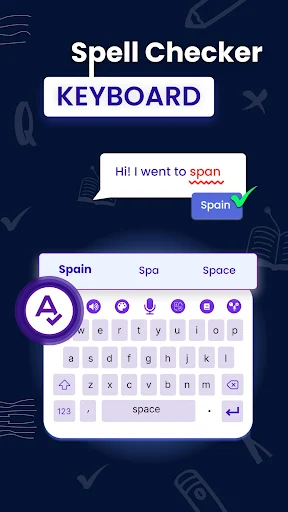
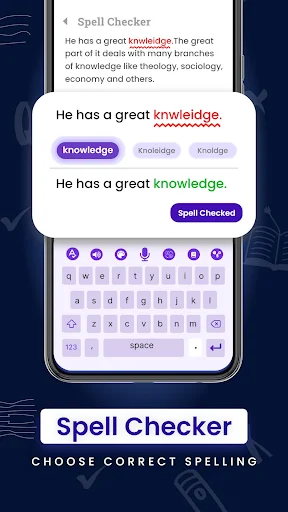
Picture yourself typing a hurried reply between errands, then noticing a misspelled word and a sentence that reads awkwardly. Spell Corrector is built for that small, familiar problem: bring text into the app, use its correction tools, and review a cleaner version before sharing it. I like this kind of focused use because it keeps the goal modest. It is about making a rough draft easier to read, not turning a quick message into a writing project.
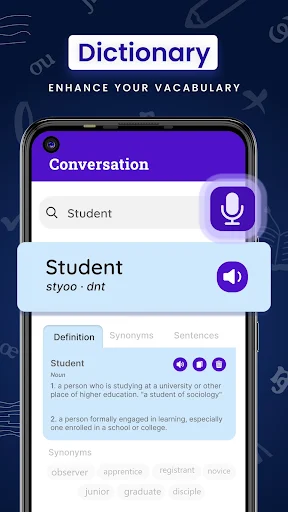
The app also includes a simple dictionary, so a word lookup can sit alongside a spelling fix rather than requiring a separate tool. For longer everyday text, its description points to correcting sentences and preparing emails, notes, or proposals. That suggests a useful stop between drafting and sending: check the wording, decide whether the result still sounds like you, and then use the revised text where you need it.
A writing helper, not a word processor
The obvious alternatives are a phone’s built-in autocorrect, a dictionary app, or a separate translation tool. Spell Corrector brings spelling, grammar correction, a keyboard, dictionary lookup, and translation-related tools together. That combination may be convenient if you regularly move between those tasks. A keyboard-oriented approach can also be appealing when the small errors happen during ordinary typing, rather than only in a document you plan to proofread later.
I would not treat it as a full writing suite or assume that every suggestion will capture the meaning and tone I intend. The supplied description focuses on quick corrections and word help, not document layout, collaboration, or deep editing controls. It is most naturally suited to short pieces of text and everyday communication. For an important message, I would still read the corrected version myself before sending it.
Make the check a small habit
A useful way to work with a correction app is to make it the last stop before sending text that matters. Draft the note in your usual way, check the spelling or sentence, and read the result once for tone. That final read matters because a technically cleaner sentence can still feel too formal, too blunt, or simply unlike your normal voice. The app is there to help with errors; the decision about what to say stays with you.
I would also keep the dictionary in mind for moments when a correction is not the main problem. If I am unsure about a word, looking it up can be more useful than accepting the first replacement offered. And when translation is the task, I would treat the translation tools as a separate step rather than assuming a spelling fix also resolves meaning across languages. Keeping each tool’s job clear makes the app easier to use deliberately.
More From Our News Desk

Zoom Meetings, Google Meet, or Teams: Which Is Easiest to Join?

How I Build a Free Streaming Lineup With Tubi

Why Crunchyroll Is the Default Anime App for So Many Fans

YouTube TV: A Practical Guide to Cutting Cable

Rummikub and the Small Comfort of Phone Games

TeamViewer Remote Control or AnyDesk for Helping Family?
Who may find it useful
I would recommend Spell Corrector to people who often write short messages, notes, or emails on an Android phone and want spelling help close at hand. It may also suit someone who likes having a dictionary and translation tools alongside correction features, rather than switching among several apps. The appeal is practical more than elaborate: catch a typing slip, check a sentence, or look up a word as part of an ordinary writing routine.
It may be less appealing if you want a dedicated, comprehensive grammar editor or prefer to keep all writing inside another app’s built-in keyboard and correction system. The app includes ads and in-app purchases, which may matter if you want an uninterrupted experience or prefer not to encounter optional paid items. And whatever tool you choose, it is sensible to review edits yourself, especially when a message needs to sound personal or precise.
Spell Corrector: Spell Checker is a productivity app from Bizcraft Apps. Google Play shows over 500,000 installs and a 4.0-star rating from about 2,900 ratings. The app is free to install and contains ads. Its content rating is Everyone, making the store’s age classification broad, though that alone does not describe every person’s preferences or needs.
The app offers in-app purchases, with listed item prices ranging from $0.99 to $99.99. Its current version is 4.1.0. It was released on October 15, 2018, and its last update was March 18, 2026. An Android minimum version is not included among the available practical details, so check the Google Play entry on your device for compatibility.
A Closer Look at Everyday Writing
A simple starting point
When I first considered the app, its main promise was easy to grasp: help clean up text without making the user think like an editor. The description presents quick correction, a spelling checker, grammar help, and a keyboard, with a dictionary for looking up words. That is a clear everyday mix. It gives the app several ways to be useful without asking the user to approach writing as a formal task.
The practical setup question is which part of that mix you want to use most. Someone mainly looking for a spelling check may approach it differently from someone interested in the keyboard or translation tools. I would begin with one ordinary note or message, see how the correction process feels, and only then decide whether the extra tools belong in my regular routine.
The everyday correction loop
The core experience is a familiar one: start with imperfect text, ask for help correcting it, and look over the cleaner result. The description emphasizes speed and sentence correction, which makes short drafts a natural fit. I can imagine using that loop for a quick email or a note written in a rush, where fixing a handful of awkward spots is more valuable than opening a larger writing program.
The important part is not to treat a corrected sentence as automatically final. A spelling change can be straightforward, while a sentence edit may shift emphasis or sound less like the person who wrote it. I would read the output from beginning to end before copying or sharing it. That modest check keeps the app in its proper role: an assistant for polishing text, not a substitute for judgment.
More than spelling
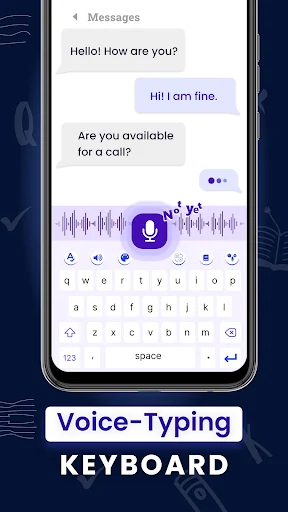
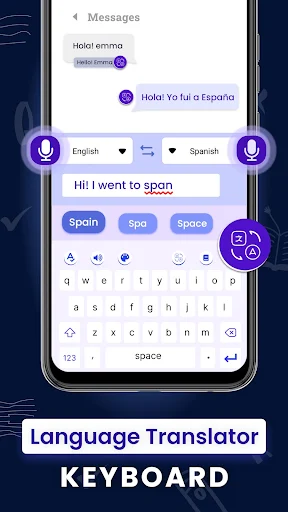
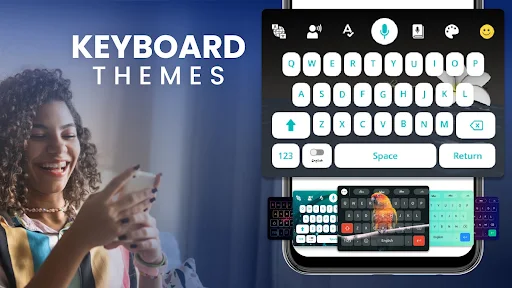
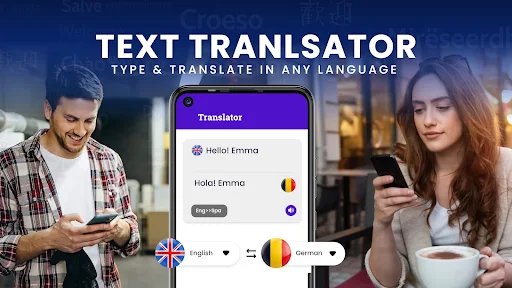
The standout feature mix extends beyond a basic spell check. The app describes a keyboard for easier typing, grammar and sentence correction, a dictionary, and translation tools that include voice translation or speaking and translating. It also presents quick fixes and dictionary searches as different ways to work with text. For someone who occasionally needs more than a spelling correction, having those options in one app may be a practical convenience.
There is also a described workflow for finding a specific word in a longer or messy paragraph and viewing a revised sentence. That points to a use beyond catching a typo in a single line: the tool is meant to help make existing text easier to share. I would keep expectations tied to those stated tasks, though. The feature set is useful as a collection of writing aids, not evidence of a full publishing or document-management system.
A pre-send routine
For a simple routine, I would reserve the app for messages that deserve one extra look: an email to a colleague, a note with unfamiliar words, or a short proposal drafted on a phone. First, write the thought in your own voice. Then use the appropriate correction or lookup tool, and finish by reading the revised text aloud or silently from start to end. That final pass helps catch changes that may be grammatically neat but personally off.
Translation can be treated as its own step when it is relevant. The app describes voice translation and speaking-and-translating tools, so a user with that need can explore them rather than relying on a correction feature to do the same job. I would avoid piling every tool into every task. A quick spelling fix should stay quick; use the dictionary or translation options when the particular piece of text calls for them.
Keep expectations grounded
A correction tool can make text cleaner, but it cannot know every detail behind a sentence. When wording carries a specific meaning, or when tone is important, review the suggestion carefully. That is especially true for a message where a small change could make it sound more formal or less personal. I see the app as a helpful second look, with the writer responsible for approving the final wording.
The other practical consideration is the app’s business model: it is free to install, contains ads, and offers in-app purchases. That may be perfectly acceptable for occasional use, but people who prefer an ad-free or strictly free experience should weigh it before settling into a habit. The listed price range for in-app items is broad, so check the store details if you are considering a purchase.
Spell Corrector: Spell Checker makes the most sense as a handy writing companion for quick fixes, word lookups, and occasional translation needs. Its appeal is the combination of those tools, rather than a claim to replace careful proofreading. I would give it a try if phone-based writing is part of your day and you want a dedicated place to tidy up text.
I would be more cautious if you need extensive editing controls or want to avoid ads and optional purchases. For everyday notes and messages, the app’s stated toolkit may be enough to make a useful last check. Just read the result before sharing it, and confirm the current store details for compatibility and purchase information.
Spell Corrector Frequently Asked Questions
What is Spell Corrector: Spell Checker used for?
Spell Corrector: Spell Checker is a productivity app for checking spelling and grammar, correcting sentences, using a dictionary, and accessing translation-related tools. Its description also mentions a keyboard for easier typing. It is aimed at everyday text such as messages, notes, and emails, with the user still responsible for reviewing the final wording.
Which devices can run Spell Corrector: Spell Checker?
Spell Corrector: Spell Checker is described as an Android app and is available through Google Play. Check the Google Play entry on your device for its current compatibility details and supported Android versions, since requirements can vary. The app’s minimum Android version is not included in the practical details available here.
Does Spell Corrector: Spell Checker cost money?
The app is free to install, contains ads, and offers in-app purchases. Google Play lists in-app item prices from $0.99 to $99.99. What you choose to purchase, and the current details shown for those items, may vary, so check the Google Play entry before buying.
Does Spell Corrector: Spell Checker need a recent Android version?
The available app details do not give a minimum Android version. Because compatibility requirements can change, the best place to check is the Google Play entry on the Android device you plan to use. It gives the current installation information for that device and app version.
Is Spell Corrector: Spell Checker right for everyday writing?
It may suit people who write short messages, notes, or emails on Android and want spelling, sentence correction, dictionary, or translation tools nearby. It may be less suitable for someone seeking a comprehensive writing suite or an experience without ads and in-app purchases. For meaningful or personal text, review corrections before sharing.
Pros
- Combines spelling and sentence correction with dictionary and translation tools.
- Designed for quick help with everyday messages, notes, and emails.
- Free to install, with a broad Everyone content rating.
- Includes a keyboard option as well as correction tools.
Cons
- Contains ads and offers in-app purchases with a broad listed price range.
- Writers still need to review edits for meaning and personal tone.
- The minimum Android version should be checked in Google Play.
- Category
- Productivity
- Version
- 4.1.0











