Roblox Live Wallpapers & Skins
- 1.43K
- 4.6
- Installs
- —
- Price
- Free

Screenshots
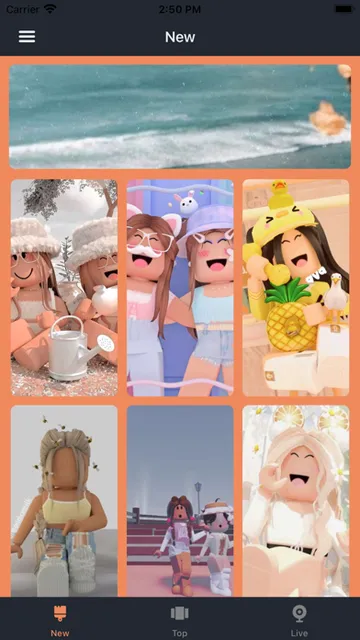
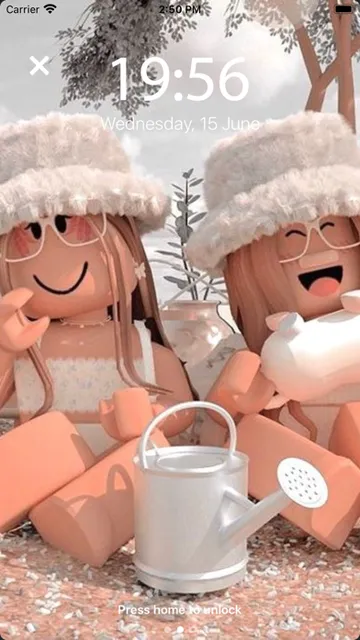
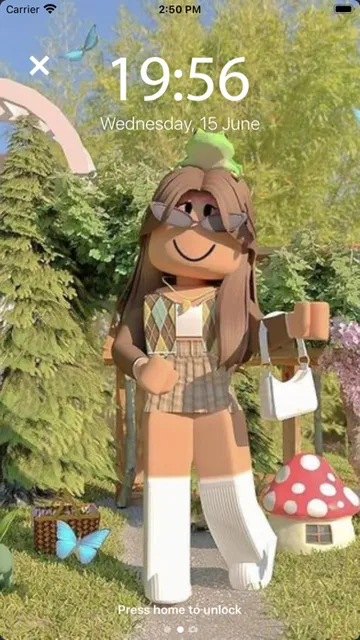
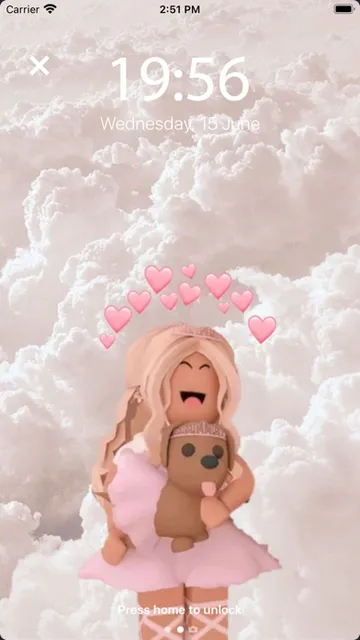
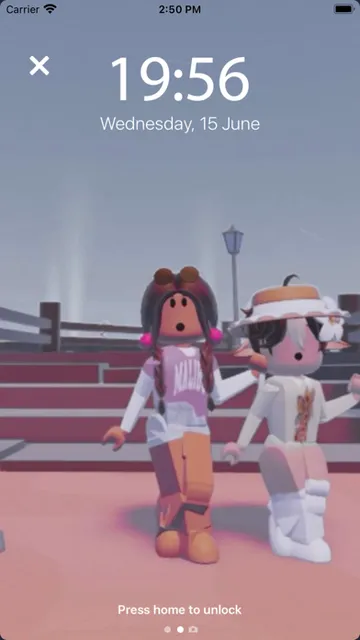
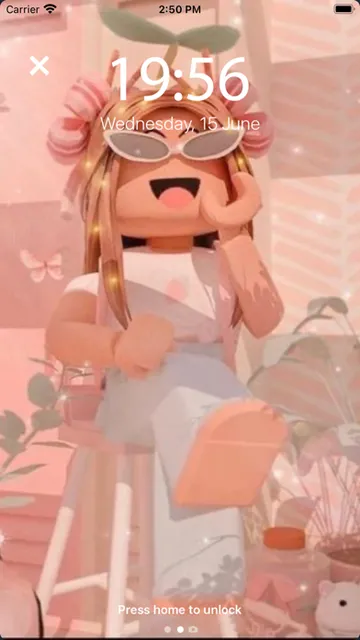
Analysis by Reviewed APKs
Roblox Live Wallpapers & Skins is an iPhone wallpaper app for people who want Roblox-themed art on their home or lock screen. It focuses on browsing, saving favorites, and setting an image as wallpaper rather than playing Roblox or changing anything inside the game. I like that its purpose is straightforward: it gives fans a dedicated place to look for high-resolution images, though its appeal depends on wanting Roblox artwork on your device.
A Wallpaper-Browsing Break
When I first opened Roblox Live Wallpapers & Skins, I treated it like a small gallery for a quick phone refresh. The basic idea is simple: browse Roblox-themed images, pick one that suits your taste, and use it for your home or lock screen. The app describes a collection of more than 500 wallpapers, so the main activity is choosing among images rather than building a complicated design from scratch.
This makes sense in an everyday moment when I am tired of my current background but do not want to spend an evening searching across unrelated image sites. I can look for an image that fits my mood, save a favorite for later, and make a choice when I am ready to change the screen. The practical payoff is modest but clear: a more personal phone background with a Roblox theme.
A Gallery, Not a Game
The obvious alternative is to pick a general wallpaper app or search the web for an image. Roblox Live Wallpapers & Skins narrows that choice to artwork connected to Roblox, which can make browsing feel more focused for fans. Its description highlights high-resolution images, including HD-4K options and sports-car wallpapers. That focus is useful if the theme is already what I want, but it is less compelling if I am after landscapes, abstract designs, or broad customization tools.
Despite the word “skins” in its name, this is best understood as a wallpaper app, not a way to play Roblox, alter a game, or manage an account. The described job is selecting and setting images on the phone. I would choose it for decorating a device, not for game guides or in-game content. That distinction helps keep expectations sensible: the value is in the artwork and the simple wallpaper routine.
Make Choosing Easier
A small habit that helps with any wallpaper gallery is to save images I like before deciding which one to use. This app includes a favorites option, so I can keep a short list instead of repeatedly browsing the full collection. It is especially useful when I want to compare a few looks or save an image for a later change rather than commit immediately.
I would also treat the home screen and lock screen as two chances to use the collection, since the app supports both. A favorite can be a safe choice for one screen, while another image gives the second screen a different look. The app describes its images as high resolution, so checking how a selected picture looks on the phone before settling on it is a sensible final step.
More From Our News Desk

Zoom Meetings, Google Meet, or Teams: Which Is Easiest to Join?

How I Build a Free Streaming Lineup With Tubi

Why Crunchyroll Is the Default Anime App for So Many Fans

YouTube TV: A Practical Guide to Cutting Cable

Rummikub and the Small Comfort of Phone Games

TeamViewer Remote Control or AnyDesk for Helping Family?
Who Might Enjoy It
I would recommend Roblox Live Wallpapers & Skins to iPhone users who are already fond of Roblox and want their device background to reflect that interest. It is also a reasonable fit for someone who enjoys changing wallpapers now and then and prefers a theme-specific collection over a general image browser. The ability to save favorites makes it easier to keep a few possibilities in mind without deciding on the spot.
It may not suit people looking for a wallpaper editor with extensive design controls, a general-purpose art collection, or features that interact with Roblox itself. The app’s described purpose is narrow: browse Roblox-related images and use them as phone wallpapers. People who rarely change their backgrounds may not get much reason to return, either. For everyone else, the appeal is a focused collection and a simple way to personalize a screen.
Roblox Live Wallpapers & Skins is an Art & Design app from Youssef Amine. On the Apple App Store, it has a 4.6 out of 5 rating from 1,428 ratings. The available store details describe it as free, with a 4+ content rating. Those figures give a quick sense of its category and user feedback, though the rating alone cannot tell me whether the image selection matches an individual fan’s taste.
The app’s listed version is 1.0. It was released on December 4, 2022, and its last update is also dated December 4, 2022. It requires iOS 16.0 or later. I would keep those practical details in mind before installing, especially if the phone runs an older iOS version. The app is available for iOS through the Apple App Store.
A Focused Look at Roblox Wallpapers
A Direct First Impression
The idea is easy to grasp from the start: this is a place to browse Roblox wallpapers and decide which image belongs on a phone. I appreciate that the main task does not require learning a complicated editing workflow. For someone who has already decided on a Roblox theme, a dedicated image collection feels more useful than opening a broad design app and starting with a blank canvas.
The app describes its interface as simple and easy to use, and that matches the kind of experience I would want from a wallpaper picker. The important setup step is having a compatible iPhone, since the listed requirement is iOS 16.0 or later. After that, the choice is mostly personal: browse the art, find an image that works for the screen, and set it as a background.
Everyday Wallpaper Use
In day-to-day use, the app’s core loop is browse, choose, and set. I can use an image for the home screen or lock screen, and I do not have to turn a quick background change into a larger customization project. That makes the app easiest to appreciate in short visits: a few minutes when I want a different look, rather than something I need to keep open throughout the day.
The option to save favorite wallpapers gives that routine a little continuity. If I find several images I like, I can hold onto them and return when I want to switch things up. That is more practical than choosing under pressure each time. The collection is described as having over 500 wallpapers, which gives browsing some range while keeping the app’s purpose centered on Roblox imagery.
High-Resolution Art and Variety
The most notable details are the size and theme of the collection. The app describes its wallpapers as HD-4K and says it offers more than 500 images. It also calls out Roblox sports-car wallpapers, which gives fans of that particular look a reason to browse beyond a generic mix of game-related art. The focus is on picking an existing image, not assembling a design from individual parts.
The description says the image selection will grow over time and mentions updates to the RBX images. That points to a gallery meant to offer fresh choices, although the practical experience still comes down to what images are available when I browse. Favorites are a useful companion to a large collection because they let me keep the options I like close at hand instead of relying on memory.
A Simple Refresh Routine
For a low-effort phone refresh, I would browse the collection when I have a spare moment, save a few favorites, and then choose one for the home screen or lock screen. This avoids making the decision feel like a one-shot choice. If I change my mind later, the same routine gives me a few alternatives to revisit without starting my search all over again.
I would also use the app when a particular theme or image style is in mind. Someone drawn to Roblox and its sports-car imagery can start with that interest rather than sorting through unrelated categories. Since the app is about wallpapers, the workflow stays comfortably small: select an image, decide where to use it, and return to normal phone use. That is its strength for casual personalization.
Keep Expectations Grounded
The narrow focus is also the main limitation. If I want broad editing tools, a way to create original artwork, or help with Roblox gameplay, this is not the right kind of app. Its described features center on browsing, saving, and applying wallpapers. The name may suggest more than that to some people, so it is worth approaching it as a themed image gallery rather than a game companion.
There is also a practical compatibility point: the app requires iOS 16.0 or later, which rules out devices that cannot run that version. And while a large collection sounds appealing, the right wallpaper is always a matter of taste. The app’s value depends on finding images I would genuinely want to see every day. It is a focused option, not a universal answer to phone customization.
Roblox Live Wallpapers & Skins does one clear job: it gives Roblox fans a dedicated collection of images to browse, save, and use on an iPhone home or lock screen. I like the straightforward wallpaper focus and the option to keep favorites. Its appeal is strongest for people who already know they want Roblox artwork on their device.
I would try it if I wanted a quick, themed background change and had an iPhone running iOS 16.0 or later. I would skip it if I expected game features or a full design studio. As a narrow wallpaper gallery, it is easy to understand and potentially handy for the right fan.
Roblox Live Wallpapers & Skins Frequently Asked Questions
What is Roblox Live Wallpapers & Skins used for?
Roblox Live Wallpapers & Skins is for browsing Roblox-themed wallpaper images, saving favorites, and using a selected image as an iPhone home-screen or lock-screen wallpaper. The description highlights a collection of more than 500 images, including high-resolution options. It is a wallpaper app, rather than a tool for playing Roblox or changing content inside the game.
Which devices can run Roblox Live Wallpapers & Skins?
Roblox Live Wallpapers & Skins is available for iOS through the Apple App Store. Its listed minimum requirement is iOS 16.0, so an iPhone needs to be running that version or later. Store details can change, so it is worth checking the App Store page for the current compatibility information before installing.
Does Roblox Live Wallpapers & Skins cost money?
The app is listed as free on the Apple App Store. Store details about pricing or available purchases can vary, so check the current App Store page before downloading if cost is an important consideration. The described wallpaper features include browsing images, saving favorites, and setting an image as a home or lock-screen background.
Does Roblox Live Wallpapers & Skins work on Android?
The app information provided here identifies Roblox Live Wallpapers & Skins as an iOS app, with an iOS 16.0 minimum requirement. I would check the relevant store for current availability on any other platform rather than assume the same app is offered there. Its described use is choosing Roblox-themed images for an iPhone wallpaper.
Who is Roblox Live Wallpapers & Skins best for?
It is best suited to Roblox fans who want themed artwork for their phone and enjoy changing wallpapers. It may be less useful if you want general-purpose art, extensive image-editing tools, or features for playing Roblox. The app’s described focus is a collection of wallpapers that can be saved as favorites and applied to the home or lock screen.
Pros
- A focused collection for people who specifically want Roblox-themed phone wallpapers.
- Supports using selected images on either the home screen or lock screen.
- Favorites make it easier to keep appealing wallpaper choices for later.
- The app describes its images as high resolution, including HD-4K options.
Cons
- Its narrow Roblox theme may not suit people seeking general wallpaper variety.
- It is a wallpaper gallery, not a tool for Roblox gameplay or game changes.
- Requires iOS 16.0 or later, limiting compatibility with older iPhones.
- Category
- Art & Design
- Version
- 1.0











