FlipaClip: Create 2D Animation
- 763.87K
- 4.3
- Installs
- 50.00M
- Price
- Free

Screenshots
Analysis by Reviewed APKs
FlipaClip: Create 2D Animation is a drawing and frame-by-frame animation app for turning sketches into short cartoons, flipbooks, and clips. I’d recommend it to curious beginners, hobby artists, and anyone who wants to experiment with movement without starting with desktop animation software. After spending time with its drawing and timeline tools, my overall take is that it makes small animation projects approachable, while still offering enough options to reward a little practice.
A Small Animation in Progress
Imagine having a few spare minutes on a commute or waiting for dinner to finish and wanting to make a character wave. In FlipaClip, I can draw the first pose, move to another frame, and adjust the character’s arm. The frame-by-frame approach makes the task feel like building a paper flipbook, only with digital drawing tools and an animation timeline to keep the sequence together.
When I first tried to think through a short scene, I found it helpful to keep the idea simple: a face changing expression, a bouncing ball, or a stick figure taking a step. The onion skin tool shows neighboring frames as a guide, which helps me judge how far a drawing should move. Once the frames are ready, the project can be exported as an MP4, GIF, or PNG sequence.
A Drawing App With Motion
FlipaClip sits between a sketchbook app and a more involved animation editor. A regular drawing app is a better fit when I want one polished still image; here, I’m making a series of drawings and controlling how they change over time. The flipbook-style workflow is easy to understand, and the app includes brushes, fill, lasso, eraser, ruler, text, and shape tools for working on each frame.
I wouldn’t treat it as a replacement for every kind of video editor or a shortcut to a finished cartoon. Its central job is frame-by-frame 2D animation, so the creative work still depends on drawing and refining frames. That’s a good fit for quick tests, simple stories, memes, and storyboards. It may feel less suitable if I only need to trim ordinary footage or prefer an automated way to create a complete animation.
Make Each Session Count
A useful habit is to plan a tiny action before opening a project. I might decide that a character will blink, turn, or raise one hand, then draw only the poses needed to show that movement. Keeping the first experiment modest makes it easier to focus on spacing between frames and to use onion skinning as a visual reference, rather than getting lost in a large scene.
For a project that needs more detail, I can build up the drawing with layers and add sound once the movement is taking shape. FlipaClip supports up to 10 layers, with three available for free, and up to six free audio tracks. I’d also export a short test before spending time polishing everything; seeing the sequence as a video or GIF can make timing issues easier to spot.
More From Our News Desk

Zoom Meetings, Google Meet, or Teams: Which Is Easiest to Join?

How I Build a Free Streaming Lineup With Tubi

Why Crunchyroll Is the Default Anime App for So Many Fans

YouTube TV: A Practical Guide to Cutting Cable

Rummikub and the Small Comfort of Phone Games

TeamViewer Remote Control or AnyDesk for Helping Family?
Who Will Enjoy FlipaClip
I’d recommend FlipaClip to beginners who want a clear first step into animation, and to artists who enjoy sketching one frame at a time. It also suits people making short cartoons, stick animations, memes, or storyboard ideas. The drawing tools cover familiar tasks, while the timeline, onion skinning, and audio options give a project room to grow beyond a stack of still pictures.
It may not suit someone looking for a one-tap animation maker or an app focused mainly on editing regular video. Drawing every frame takes patience, especially when a movement needs many small adjustments. People who need more than the free layer allowance or want to use the full set of available options should check the in-app purchase details. The app is free to install, but it contains ads and offers paid in-app items.
FlipaClip: Create 2D Animation is developed by Visual Blasters LLC and is listed in the Art & Design category. On Google Play it has over 50 million installs and a 4.3-star rating from around 764,000 ratings. It is free to download, contains ads, and offers in-app purchases priced from $5.99 to $39.99 per item.
The app has an Everyone content rating and requires Android 7.0 or later. The current version is 4.2.19. Its Google Play release date is April 2, 2012, and the most recent update was January 13, 2026.
How FlipaClip Turns Frames Into Motion
Starting With a Blank Canvas
When I first opened FlipaClip, the idea of drawing animation one frame at a time felt familiar, like a childhood flipbook with a digital workspace around it. That’s a useful first impression: the app’s main purpose is easy to grasp, even if the details of a finished sequence take practice. I can start with a simple drawing instead of needing to plan a complicated production.
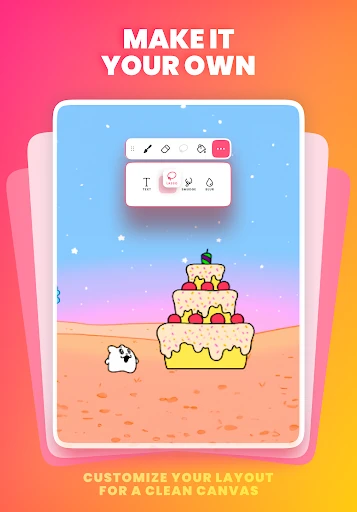
The drawing tools give me several ways to shape an image, including brushes, fill, lasso, eraser, ruler, text, and shape tools. Custom canvas sizes are supported, and pressure-sensitive stylus support includes Samsung S Pen and SonarPen. That range means I can work with a finger or a compatible stylus, though the most natural choice depends on how I like to draw.
Working Frame by Frame
The day-to-day rhythm is straightforward: draw a frame, move along the timeline, and make a change in the next one. This is where animation becomes less like decorating a picture and more like making a sequence of decisions. A small shift can suggest movement; a larger jump can make it abrupt. I like that the basic method is visible rather than hidden behind an automatic effect.
Onion skinning helps me compare a frame with nearby drawings while I work. I can use it to keep a character’s position consistent or judge how gradually an object should move. It doesn’t remove the need to edit and redraw, but it gives me a helpful visual reference. For a short looping action, that can make the process easier to follow and adjust.
Tools for More Than Sketches
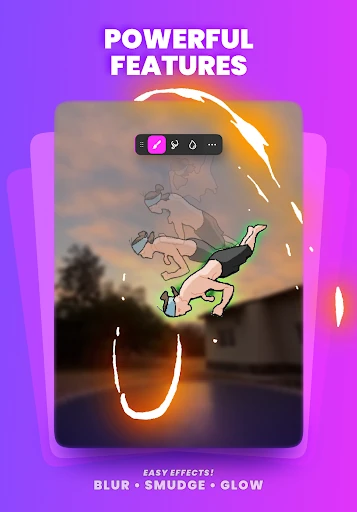
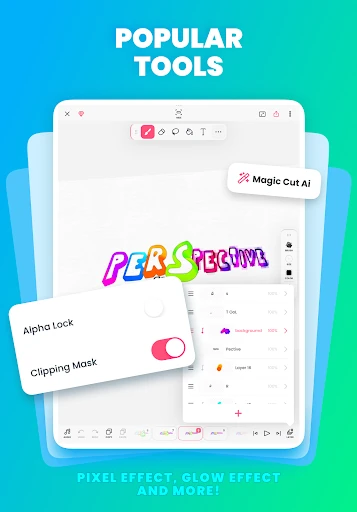
Layers are handy when a scene includes parts I may want to keep separate. FlipaClip supports up to 10 layers, with three free, and also includes glow effects and blending modes. I can import photos or videos for rotoscope animation, using existing imagery as a basis for drawn movement. These options expand the kinds of projects I can try without changing the app’s central frame-by-frame approach.
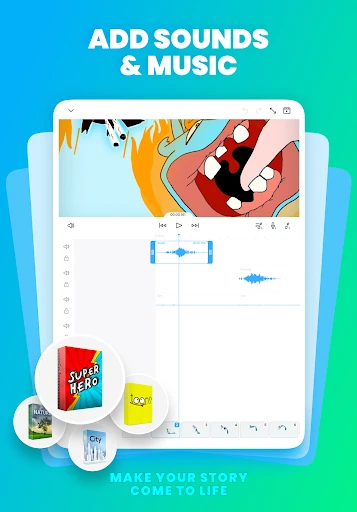
Sound is another useful part of the toolkit. The app supports up to six free audio tracks, and I can import custom sound effects or songs to line up with the animation timeline. There is also an AI Voice Maker for adding narration. For sharing or continuing work elsewhere, export options include MP4, GIF, and PNG sequences with transparency.
A Practical Evening Routine
If I had an evening to make a tiny animation, I’d begin with a three-part plan: choose one action, sketch its main poses, and then add the frames that connect them. For example, a character waving needs a starting pose, a raised arm, and a few changes that give the gesture a sense of motion. This keeps the project manageable and gives me a clear reason to use the timeline.
After the movement looks coherent, I’d add a simple sound or a short music cue if the scene calls for it. Then I’d export a GIF or MP4 to review the result as a finished sequence. Looking at the exported version is a practical way to decide whether the timing feels right. If it doesn’t, I can return to the individual frames and make focused changes.
Keep the Scope in View
The biggest practical limit is built into the medium: frame-by-frame animation asks me to create and revise multiple drawings. Even a short scene can take longer than expected if I keep changing the character or movement. FlipaClip makes the workflow approachable, but it doesn’t make the drawing decisions for me. A simple concept is often a better starting point than an ambitious sequence with lots of action.
The free layer allowance is three, while the app supports up to 10 layers, and it includes ads and paid in-app purchases. That’s worth keeping in mind if a project grows more complex or I want access to additional options. I would check the purchase details in Google Play before deciding whether any paid items make sense for my particular workflow.
FlipaClip works best when I treat it as a pocket-sized animation workshop: start small, draw the key poses, and refine the motion one frame at a time. Its drawing tools, onion skinning, audio support, and export choices make that process inviting without disguising the effort involved.
I recommend it to beginners and hobby artists who want to make short 2D animations or learn by experimenting. If I only need a still-image editor or want animation without drawing, I’d look elsewhere. For anyone curious about making a flipbook-style cartoon, FlipaClip is a capable place to begin.
FlipaClip Frequently Asked Questions
What is FlipaClip: Create 2D Animation used for?
FlipaClip is used to draw and animate short 2D projects frame by frame, including cartoons, flipbooks, and simple stories. It includes drawing tools, an animation timeline, and onion skinning to help compare neighboring frames. Projects can be exported as MP4, GIF, or PNG sequences. It may suit beginners as well as people making storyboards or short creative clips.
Which devices can run FlipaClip?
FlipaClip is available for Android through Google Play, and it requires Android 7.0 or later. The app supports pressure-sensitive styluses including Samsung S Pen and SonarPen. Device compatibility can depend on the specific phone or tablet, so it is worth checking the Google Play store page for details about a device you plan to use.
Does FlipaClip cost money to use?
FlipaClip is free to download and contains ads. It also offers in-app purchases priced from $5.99 to $39.99 per item. Some features have free allowances, including three layers and up to six audio tracks. Purchase options and prices may vary, so check the Google Play store page for current details before buying.
What Android version does FlipaClip require?
FlipaClip requires Android 7.0 or later. The current version in the provided app details is 4.2.19, with a last update dated January 13, 2026. Requirements and available versions can change over time, so I’d check Google Play for the latest compatibility information for a particular device.
Is FlipaClip a good fit for new animators?
It can be a good fit for beginners who want to learn by drawing and adjusting frames, and for hobby artists making short cartoons, stick animations, or flipbooks. It still takes patience to create movement, so it may not suit someone looking for instant results or a conventional video editor. The app has an Everyone content rating.
Pros
- Frame-by-frame timeline and onion skinning make motion easier to plan.
- Drawing tools cover sketching, shapes, text, selection, and fill.
- Exports include MP4, GIF, and transparent PNG sequences.
- Audio tracks and stylus support add useful creative flexibility.
Cons
- Creating and refining multiple frames takes time and patience.
- The free layer allowance is three, with up to 10 supported.
- The app contains ads and offers paid in-app purchases.
- Category
- Art & Design
- Version
- 4.2.19