Customuse: Skins Maker Roblox
- 1.12M
- 4.7
- Installs
- 10.00M
- Price
- Free

Screenshots
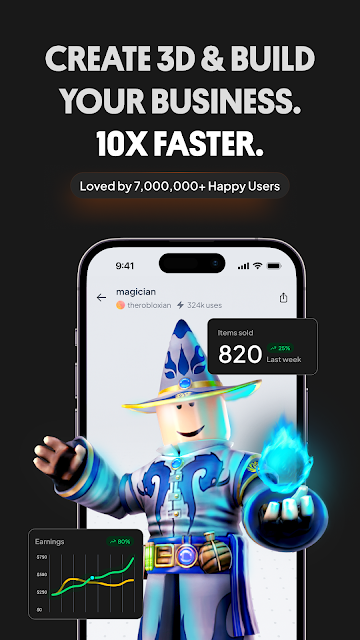
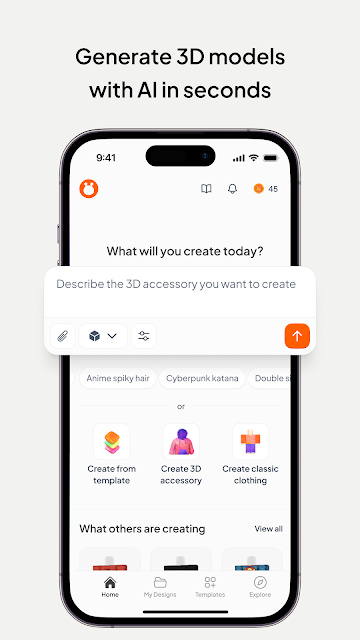
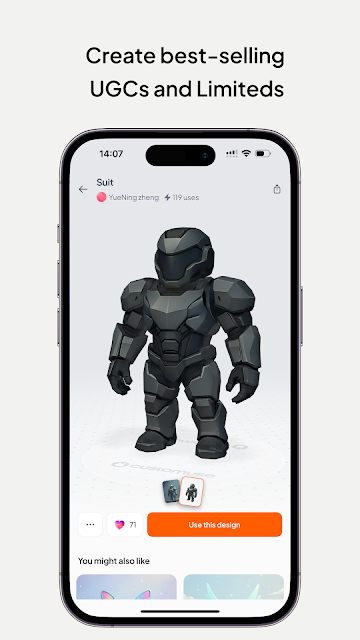
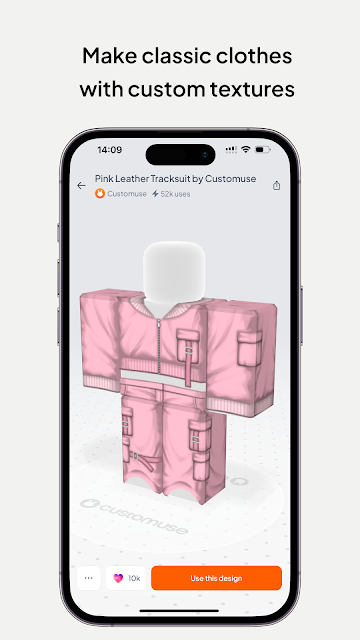
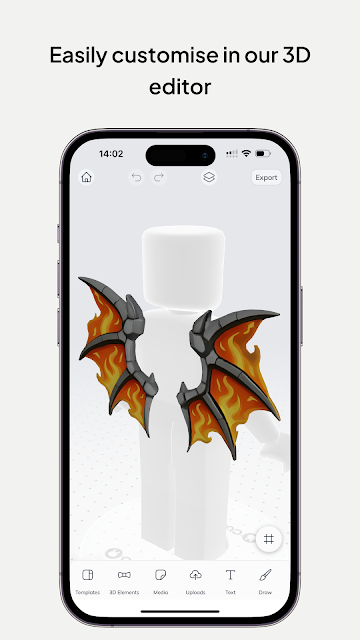
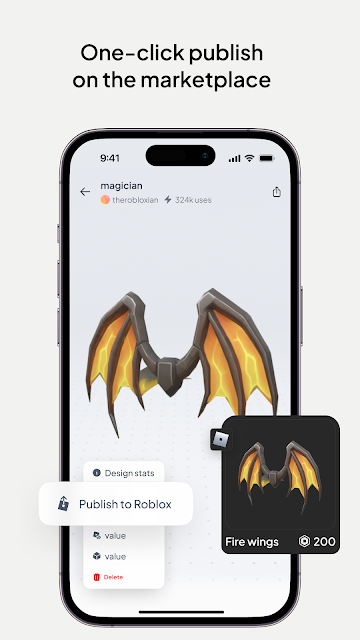
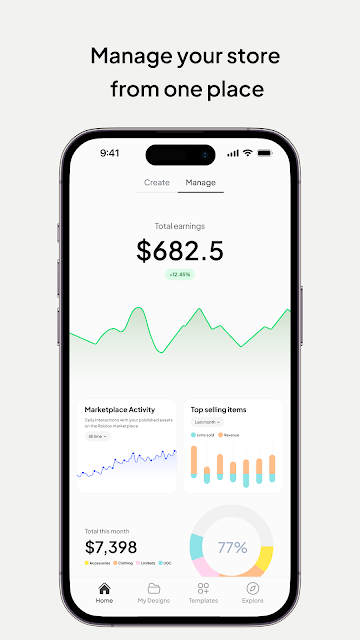
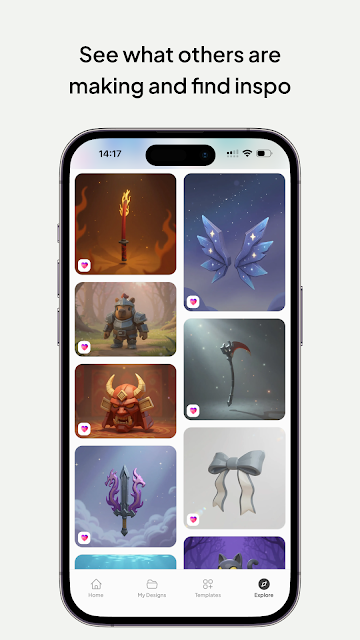
Analysis by Reviewed APKs
Customuse: Skins Maker Roblox is a mobile design app for making Roblox and Minecraft skins, avatar outfits, and other 3D creations. It suits players who want to give a character a personal look, as well as beginners curious about making digital clothes. After looking at what it offers, I see a flexible creative workspace rather than a one-tap skin changer: AI can help start an idea, but the editor is where you shape it.
From idea to avatar
When I first imagine using Customuse, it’s after a long day of playing and spotting an outfit idea I’d like to try on my own avatar. I can describe a look in a text prompt, generate a starting point, then work on it in the 3D editor. Templates offer another way in, and starting from scratch is an option too. That range makes the app approachable without making every design feel predetermined.
The useful part is being able to see a design on a customizable 3D avatar while refining it. Rather than judging a flat picture and guessing how it will look in-game, I can preview the clothing or accessories on a character. Layers, brushes, and symmetry provide more hands-on control, while AI can suggest textures, colorways, and material variations. The process feels suited to experimenting in short sessions, not just finishing a polished outfit in one sitting.
More than a skin picker
Compared with choosing a ready-made skin or outfit elsewhere, Customuse is aimed at creating and editing designs. Its templates can give a project a head start, but the app also supports prompt-based generation and a 3D workspace for further changes. That makes it a better fit for someone who enjoys making a character’s look than for a player who only wants to browse options and equip something immediately.
It also reaches beyond Roblox skins, with tools described for Minecraft skins, Zepeto clothing, social media AR filters, and 3D clothing mockups. That breadth may appeal to people who like moving between avatar design and fashion concepts. It isn’t a general-purpose 3D modeling package or a replacement for playing Roblox or Minecraft. The emphasis is on designing assets and sharing or publishing creations through the supported platforms.
Make a small design habit
I’d get more from Customuse by treating each visit as one step in a project. I might begin with a template or prompt, then return later to adjust colors, add details with brushes, and check the result on the 3D avatar. Symmetry can help when I want a balanced look, while layers give me a way to work through a design piece by piece instead of trying to perfect everything at once.
A simple habit is to save the big creative decision for the start: decide what character or style I’m designing for before exploring variations. Then I can compare textures or colorways against that idea rather than generating options without a direction. When a design feels ready, Customuse describes ways to share it or publish it to supported platforms. That gives a project a natural endpoint, even if I’m only making something for personal use.
More From Our News Desk

Zoom Meetings, Google Meet, or Teams: Which Is Easiest to Join?

How I Build a Free Streaming Lineup With Tubi

Why Crunchyroll Is the Default Anime App for So Many Fans

YouTube TV: A Practical Guide to Cutting Cable

Rummikub and the Small Comfort of Phone Games

TeamViewer Remote Control or AnyDesk for Helping Family?
Who will enjoy creating
I’d recommend Customuse to Roblox and Minecraft players who like customizing characters and want more say in how their outfits look. It should also interest newcomers who want to try AI-assisted design without starting in a traditional modeling tool. Templates, prompts, and an editable 3D preview offer several ways to approach a project, so the app isn’t limited to people who already know how to make digital clothing.
It may be less appealing if you just want to pick a finished skin quickly, or if detailed editing feels like a chore. The app’s wider set of tools also means it’s not exclusively about Roblox: users interested in Minecraft, Zepeto, filters, or clothing mockups may find more to explore. If your goal is simply to play a game, rather than create assets for it, Customuse is probably more workspace than you need.
Customuse: Skins Maker Roblox is made by Customuse and is listed on Google Play in the Art & Design category. It is free to install, has over 10 million installs, and holds a 4.7-star rating from around 1.1 million ratings. The app is rated Everyone. These figures give a sense of its broad reach, though they don’t tell you whether its design workflow will suit your own projects.
The app contains in-app purchases, with listed items ranging from $1.99 to $79.99 each, and it does not contain ads. The current listed version is 1.85.0; it was released on June 6, 2023, and last updated on October 21, 2026. An Android minimum version is not included in the available app details, so check Google Play for device compatibility before installing.
A hands-on look at making 3D designs
A creative first impression
Customuse’s central idea is easy to understand: make a skin, outfit, or 3D asset, then refine it and see it on a character. I like that a project can begin with a text description, a template, or a blank slate. Those choices matter for a creative app, since some days I have a clear concept and other days I just need something to spark one.
The setup question is less about learning a complicated workflow and more about deciding what to make. The description presents the app as usable by beginners and experienced creators alike, with AI tools alongside editing controls. I’d start small, perhaps with a single outfit idea, and use the 3D preview to guide the next change rather than trying to master every tool before beginning.
The everyday editing loop
A typical session can move from an idea to a first generated design, then into editing. Customuse describes a real 3D editor with layers, brushes, and symmetry, plus an avatar preview that updates as the design takes shape. That combination gives the work a useful rhythm: make a change, inspect how it reads on a character, and decide whether the next step is a color adjustment or a more substantial edit.
I’d expect the preview to be especially handy when working on clothing or accessories, because a design needs to make sense on the character and not just as an isolated image. The app also describes fitting items to a character and creating texture, color, and material variants with AI. Those options support iteration, though they still leave the creative choices to the person making the design.
Tools beyond Roblox skins
Roblox is prominent in the app’s name, but the stated creation options include Minecraft skins and Zepeto clothing too. For Roblox projects, users can start with templates or create from scratch, then publish designs to Roblox or upload them to Roblox Studio. Minecraft creations can be shared to Minecraft and social channels, while the Zepeto tools focus on outfit design and sharing.
The other notable branch is 3D fashion and social media creation. Customuse describes clothing mockups with virtual try-on, options for exploring fabrics and styles, and tools for adding branding, logos, and prints. It also offers tools for creating AR filters for Instagram, Snapchat, and TikTok. That’s a wide menu of creative uses, although the best reason to install it is still a specific interest in making and refining visual assets.
A low-pressure project routine
For a practical routine, I’d keep a project focused on one avatar and one design goal. I could begin with a prompt or template, preview the result, and make a few deliberate changes in the editor. If the first version misses the mark, AI-generated colorways or material options offer a way to explore alternatives without abandoning the original idea.
Once I’m happy with a design, I can use the sharing or publishing routes described for the relevant platform. I wouldn’t treat publishing as mandatory; a personal experiment is a perfectly good stopping point. But having an eventual destination can help me decide whether a project is finished. It also makes the workflow feel more complete than an editor that only produces an image to admire on my phone.
Keep the scope in mind
Customuse is built around making things, so the main limitation is also its purpose: it asks for some creative effort. AI can produce a starting point, but the app also emphasizes editing, previewing, and refining. If you want instant access to a finished avatar look without tinkering, a dedicated browsing or selection experience may be a better match.
The range of platforms and creation types is appealing, but it can also make the app feel broad if you only care about one narrow task. I’d focus on the tools tied to the project at hand instead of treating every feature as necessary. In-app purchases are available, with prices varying by item from $1.99 to $79.99, so it’s worth checking the store details before making a purchase.
Customuse has a clear strength: it brings AI-assisted ideas, a 3D editing workspace, and avatar previews into one mobile creative app. I like that it offers several starting points, from prompts to templates to a blank canvas, and supports more than one kind of design project.
I’d recommend it to players who enjoy making their own skins and outfits, especially if they’re willing to refine an idea rather than settle for a quick preset. If you only want to equip a finished look or have no interest in editing, its creative tools may be more than you need.
Customuse Frequently Asked Questions
What is Customuse: Skins Maker Roblox used for?
Customuse is a design app for creating and editing Roblox and Minecraft skins, avatar outfits, and other 3D assets. It also describes tools for Zepeto clothing, social media AR filters, and 3D clothing mockups. Users can begin with a text prompt, a template, or a project from scratch, then refine designs in a 3D editor and share or publish them through supported platforms.
Which devices and platforms support Customuse?
Customuse is listed on Google Play for Android. Its description also refers to use across multiple devices, including iPhone and desktop, and mentions an iPad role alongside Roblox Studio. Device and platform availability can vary, so check the relevant store or product information for current compatibility and access details.
What Android version does Customuse require?
The Android minimum requirement can vary by device and app release. Check the Google Play store page for the current compatibility details for your phone or tablet before installing Customuse. The app’s listed version is 1.85.0, but that alone does not determine whether it will run on a particular device.
Is Customuse free, and does it have purchases?
Customuse is free to install and contains in-app purchases. Listed purchase prices range from $1.99 to $79.99 per item, and the app does not contain ads. Prices or available items may vary, so check Google Play for the current purchase details before buying anything.
Is Customuse suitable for beginners?
It can suit beginners who want to experiment with avatar design, since the app describes prompt-based generation and ready-made templates alongside its editor. It also offers hands-on tools for refining a project, so it may appeal to experienced creators. If you want only to select a finished skin without designing or editing, Customuse may not be the best fit.
Pros
- Starts projects with prompts, templates, or a blank canvas.
- Previews designs on customizable 3D avatars while you edit.
- Supports Roblox and Minecraft skins, plus several other design projects.
- No ads; free to install.
Cons
- The editing-focused workflow may feel like too much for quick skin selection.
- In-app purchase prices range from $1.99 to $79.99 per item.
- Its broad range of creation tools may distract users with one narrow goal.
- Category
- Art & Design
- Version
- 1.85.0