Infinite Design
- 100.35K
- 4.2
- Installs
- 10.00M
- Price
- Free

Screenshots
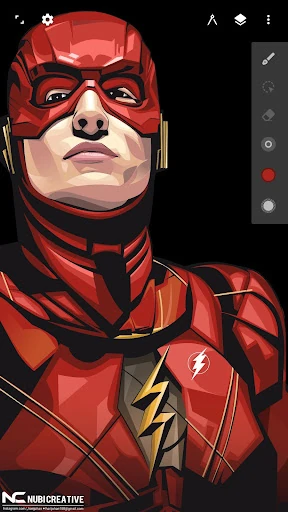
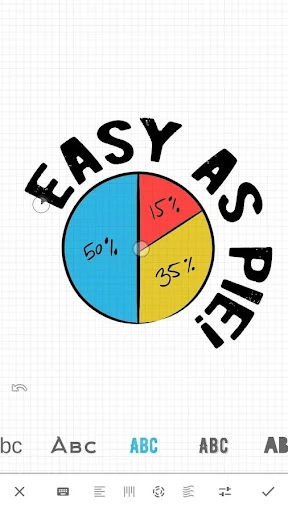
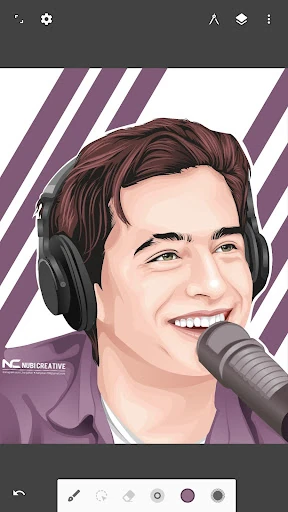
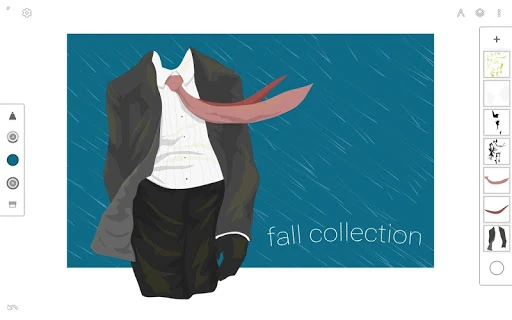
Analysis by Reviewed APKs
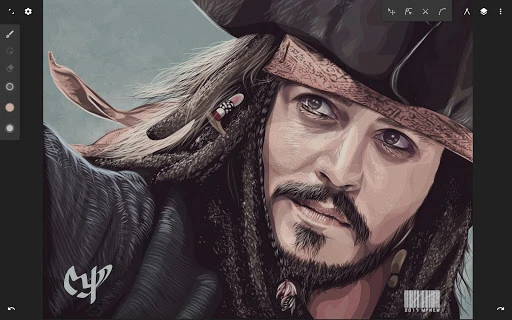
Infinite Design is a vector drawing app for making illustrations, logos, lettering, and other artwork on an Android device. I see it as a practical option for people who want hands-on drawing tools and editable vector paths without moving straight to a desktop workflow. Its large canvas and thoughtful editing features make a strong first impression, though the range of controls may take some getting used to.
A Sketch Becomes Vector Art
When I first opened Infinite Design, I pictured using it during a quiet hour at home: sketching a simple badge, shaping the lettering, then adjusting the layout without starting over. The infinite canvas makes it easy to zoom in for a curve and pull back to judge the whole composition. Because the artwork uses editable paths, changes feel more like refining a drawing than patching together a flat image.
For a small illustration, I would start with the pen tool, build a few shapes, and use alignment controls to tidy their positions. If one curve looks off, path editing and the undo history offer room to revise it. The workflow suits patient, iterative drawing. It is less about tapping once for a finished result and more about shaping the details until the composition feels right.
A Mobile Vector Workshop
Infinite Design occupies a useful middle ground between a quick sketch pad and a desktop vector graphics program. It offers vector-focused tools such as path editing, Boolean operations, and SVG import and export, while keeping the work on a mobile canvas. I would reach for it when I want to draw or adjust artwork on a device rather than wait until I am back at a computer.
That focus also defines what it is not. This is not simply a photo editor or a one-tap filter app, and its many drawing controls may feel like too much for someone who only wants to crop a picture or add a quick caption. I also would not assume that a mobile canvas replaces every desktop workflow. Its appeal is direct, hands-on vector creation in a more portable setting.
Small Habits, Better Flow
A little setup can make repeated drawing sessions smoother. I would move the tools I use most to the top bar, as the app allows, so common actions stay close at hand. I would also keep layers organized as a piece grows. With unlimited layers available, separating elements can make later edits easier than trying to select and change everything together.
I would treat the history slider as a useful safety net rather than a reason to draw carelessly. It lets you scrub through earlier work, which can help compare a revised shape with a previous version. For precision, the grid can serve as a visual reference or snapping aid. And when a design is ready to share, choosing SVG preserves vector output, while JPEG or PNG gives you image formats.
More From Our News Desk

Zoom Meetings, Google Meet, or Teams: Which Is Easiest to Join?

How I Build a Free Streaming Lineup With Tubi

Why Crunchyroll Is the Default Anime App for So Many Fans

YouTube TV: A Practical Guide to Cutting Cable

Rummikub and the Small Comfort of Phone Games

TeamViewer Remote Control or AnyDesk for Helping Family?
Who May Enjoy Drawing Here
I would recommend Infinite Design to illustrators, lettering hobbyists, and design-minded Android users who enjoy shaping artwork themselves. Its path tools, symmetry options, perspective guides, text controls, and transform features provide several ways to build and revise a piece. It may be especially appealing if editable vector work matters to you, or if you like being able to move between a rough idea and a more finished composition on one canvas.
It may be a tougher fit for someone who wants a very simple drawing pad with almost no learning curve. The number of controls can make the first session feel busy, even though the interface is designed to keep tools organized. People who mainly edit photographs or need a desktop-centered workflow may also be better served by a tool built around those needs. Infinite Design makes the most sense when drawing and vector editing are the point.
Infinite Design is made by Infinite Studio LLC and is available on Google Play. It has more than 10 million installs and a 4.2-star rating from about 100,000 ratings. The app is free to download and includes in-app purchases priced from $1.99 to $7.99 per item. Google Play gives it an Everyone content rating.
The current version shown in the provided app details is 3.5.9. Infinite Design was first released on September 19, 2011, and its most recent update was May 29, 2025. The Android version requirement is worth checking on Google Play, since it can vary with the device and current app release.
Getting Comfortable With Vector Drawing
First Look and Setup
My first impression is that Infinite Design wants to give the canvas plenty of room. The interface is described as organized and kept out of the way, and favorite tools can be moved to the top bar. That matters in a drawing app: fewer trips through controls can make it easier to stay focused on the shape in front of you.
There is still a learning period. Path editing, Boolean operations, transforms, and layers are more specialized than the basics in a casual doodle app. I would begin with a small drawing and try a few tools at a time instead of attempting to learn every option in one sitting. The ability to pan, zoom, and rotate the canvas gives you room to inspect details from different angles.
The Daily Drawing Rhythm
In ordinary use, the app's strength is the cycle of drawing, inspecting, and adjusting. I can imagine starting with broad shapes, zooming into a tricky edge, then zooming back out to check the balance. An infinite canvas makes that movement feel natural, while the grid can help when I want a reference or snapping. This is a more deliberate rhythm than making quick edits to a finished photo.
Revision is part of that rhythm, not an afterthought. Unlimited undo and a history slider let you move through earlier stages of a piece, while layers help keep different components manageable. I would use these features to experiment without treating every decision as permanent. For careful work, that freedom is valuable; it also means the app rewards a bit of organization.
Tools That Set It Apart
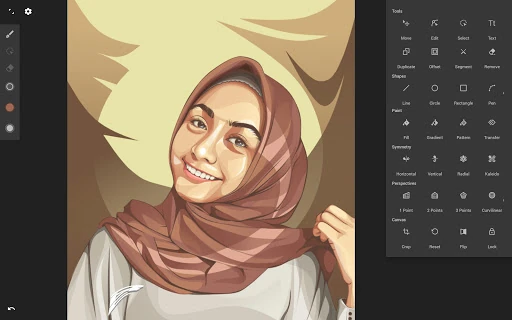
Several features give Infinite Design more range than a basic mobile sketch surface. The pen tool helps construct shapes, and automatic shape detection can turn drawn forms into cleaner shapes. Boolean operations, alignment, and distribution tools are useful for arranging objects, while the transform tool covers moving, scaling, rotating, flipping, distorting, and skewing them.
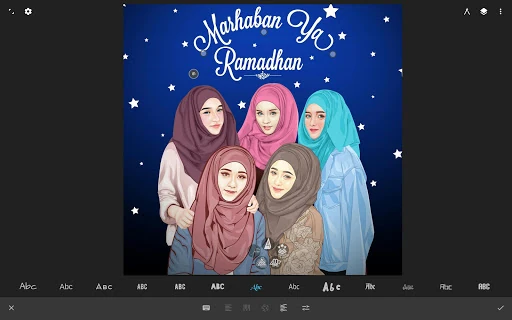
There are also options for more expressive work. Four symmetry types support mirrored experiments, and five perspective guides are available for drawing 3D cityscapes. Text can run horizontally, vertically, in a circle, or along a path. Gradient and pattern fills add variety, while image vectorization can turn an image into editable vector paths. These are substantial tools, but each serves a specific drawing task rather than acting like a shortcut to finished art.
A Practical Project Routine
For a personal logo or illustrated title, I would begin by importing a reference image from the Gallery or Camera, or by adding an image found through web search. I could then build shapes over it, using separate layers to keep components distinct. Once the main forms are in place, I would refine paths and use alignment tools to bring the elements into a cleaner arrangement.
After that, I would test a few colors or fills, perhaps using the color wheel or the app's ColourLovers search for colors, palettes, and patterns. I would zoom around the canvas to inspect edges, and use the history slider if an experiment took the design in the wrong direction. When finished, I could export as SVG for vector output or choose JPEG or PNG for a raster image, then share through the listed community or Instagram options.
Limits to Keep in Mind
The breadth of tools is both the main attraction and the main hurdle. Someone new to vector drawing may need time to understand how paths, layers, transforms, and Boolean operations fit together. Infinite Design can support detailed work, but that does not mean every project will feel quick on a small screen. I would start with a modest goal and let familiarity grow through use.
The app is centered on creating and editing artwork, so it is not a general-purpose image utility. Its range of export choices is helpful, but the best format depends on what you plan to do with the result. Also, while the app is free to download, in-app purchases are available. A potential user should check the current Google Play details for device requirements and purchase information before settling into a workflow.
Infinite Design stands out as a capable mobile space for vector drawing, with editable paths, a flexible canvas, and useful tools for shaping and arranging artwork. I especially like the combination of detailed revision controls and different ways to build a composition. It asks for patience, but that depth is the reason to choose it over a very basic sketch app.
I would recommend giving it a try if you use Android and want to make illustrations, lettering, or other vector-based designs on the go. If you only need occasional doodles or photo touch-ups, its specialized controls may be more than you want. For someone willing to learn the workflow, though, Infinite Design offers room to experiment and refine.
Infinite Design Frequently Asked Questions
What is Infinite Design used for?
Infinite Design is an Art & Design app for creating and editing vector artwork. It includes tools for drawing and adjusting paths, working with layers, arranging objects, adding text, and using symmetry or perspective guides. You can import and export SVG, and export images as JPEG or PNG. It is intended for hands-on artwork rather than simple photo editing.
Which devices can run Infinite Design?
Infinite Design is available on Google Play for Android devices. It supports drawing on a mobile canvas, with features such as zooming, panning, and rotating the canvas. The minimum Android version can vary by release or device, so check the current Google Play details to make sure it is compatible with your phone or tablet.
Does Infinite Design cost money?
Infinite Design is free to download, with in-app purchases priced from $1.99 to $7.99 per item in the provided app details. It does not contain ads. Purchase options and prices may change, so check Google Play for the current details before buying anything.
What Android version does Infinite Design require?
The Android requirement can vary by device and the current release, so the most reliable place to check is the Google Play app page on the device you plan to use. Infinite Design is an Android app, and its current version in the provided details is 3.5.9.
Is Infinite Design suitable for beginners?
It can suit beginners who want to learn vector drawing and are comfortable exploring a set of specialized tools. Path editing, layers, transforms, and Boolean operations offer plenty to work with, but may feel involved at first. If you want only a simple doodle pad or photo editor, a more basic app may fit better.
Pros
- An infinite, rotatable canvas makes it comfortable to inspect artwork at different scales.
- Path editing, layers, and unlimited undo support patient revisions.
- SVG, JPEG, and PNG export options cover vector and image output.
- Symmetry, perspective guides, and text-on-path tools broaden drawing possibilities.
Cons
- The specialized vector controls may take time to learn.
- A small mobile screen can make detailed artwork feel demanding.
- In-app purchases are available, despite the free download.
- Category
- Art & Design
- Version
- 3.5.9