Procore
- 3.27K
- 3.7
- Installs
- 1.00M
- Price
- Free

Screenshots
Analysis by Reviewed APKs
Procore is a construction project management app for people who need project information while they are away from a desk. It brings drawings, photos, models, tasks, and field records together for teams working on a project. After looking closely at what it offers, I see its value in connecting jobsite activity with the wider project workflow. It suits construction professionals already working with Procore, though it is more specialized than a general task app.
From the Field to the Team
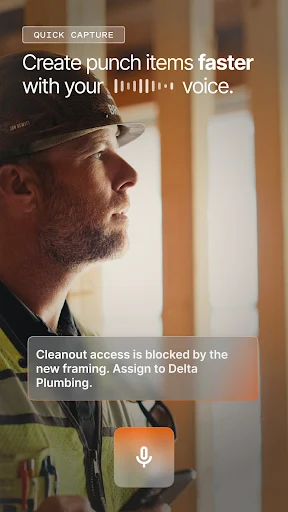
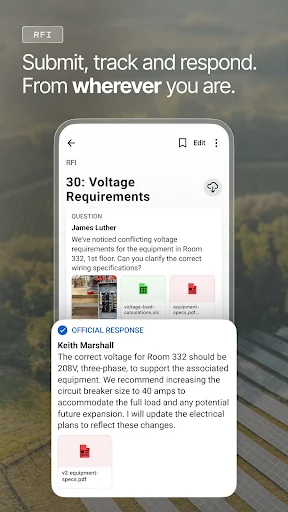
Picture a morning walk through a jobsite with a list of issues to document before the crew moves on. In Procore, a team member can take a photo, add an annotation, and turn that image into a punch item, observation, or RFI. That keeps the record close to the moment it happened instead of relying on a hurried note to pass along later. For field teams, that connection between seeing and documenting is the app’s central job.
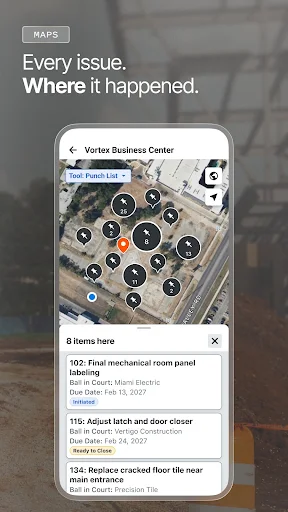
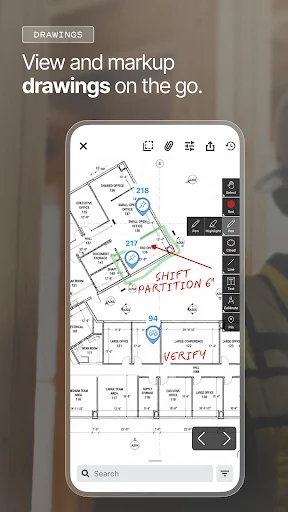
The same idea applies when the question is about a specific location or drawing. Procore can show project drawings, and QR codes can lead to open items associated with a location. A field worker can also record a daily report with details such as weather, crew, equipment, and notes. I like that these are practical records of work in progress, not just another general-purpose checklist with construction labels added.
A Construction-Specific Tool
Compared with a basic notes app, shared to-do list, or photo gallery, Procore is built around construction project information and workflows. Drawings, RFIs, punch lists, observations, inspections, and resource records all have a place in its described toolset. That specialization is the point: a project team can work with the kinds of information it already needs to coordinate, rather than trying to make a generic app cover every jobsite process.
That focus also sets a boundary. Procore is not a casual personal organizer, a broad consumer photo app, or a substitute for every conversation a team needs to have. It is most relevant when a company and project team are using Procore and have an active subscription. If you only need to remember a few errands or share family photos, the construction-specific structure would be more than you need.
Small Habits That Help
A useful habit is to capture a site issue when you are standing in front of it. Add a photo annotation or location context while the details are fresh, then route the issue into the appropriate record type. That can make a later handoff clearer than a vague message sent after the site walk. Procore’s photo tools also include GPS location, date, and direction stamps, which help preserve context in the captured record.
I would also make drawing checks part of the start-of-task routine. The app can access drawing revisions online or offline and sync them, so checking the relevant document before work begins can help a team stay aligned with current project information. For people responsible for daily logs, setting aside a consistent moment to enter crew, equipment, weather, and notes is another simple way to keep records from piling up.
More From Our News Desk

Zoom Meetings, Google Meet, or Teams: Which Is Easiest to Join?

How I Build a Free Streaming Lineup With Tubi

Why Crunchyroll Is the Default Anime App for So Many Fans

YouTube TV: A Practical Guide to Cutting Cable

Rummikub and the Small Comfort of Phone Games

TeamViewer Remote Control or AnyDesk for Helping Family?
Who Procore Suits
I’d recommend Procore to construction professionals who need to review drawings, document site conditions, or keep track of project tasks and resources while working in the field. It can be especially useful for teams that already use Procore across a project, since the app’s value comes from bringing shared project information onto a mobile device. Site walks, issue follow-up, daily reporting, and checking assignments are all natural fits for its described tools.
It may not suit someone looking for a standalone app to manage ordinary personal tasks, or a construction worker whose team does not use Procore. An active Procore subscription is required, so downloading the app alone is not the whole setup. I’d also consider whether the specific project workflows your team relies on are available to your account. The app covers a broad range of construction work, but the right fit depends on the project and team.
Procore is a productivity app from Procore Technologies Inc. On Google Play it has over 1 million installs, with a 3.7-star rating from about 3,300 ratings. The app is free to download, contains no ads, and has no in-app purchases listed in its store facts. However, the service requires an active Procore subscription, so free installation does not mean every project workflow is available without a subscription.
The content rating is Everyone. The listed version is 2026.1021, with a last update dated October 23, 2026; the app was released on September 22, 2010. Construction teams can use it for drawings, field documentation, project issues, and resource records. The minimum Android version depends on the current device and store compatibility information, so check Google Play before installing.
How Procore Works on the Jobsite
A Field-Focused First Look
When I first opened the description of Procore’s mobile experience, what stood out was its scope. It is intended to carry project work beyond the office, with drawings, models, teams, and resources available from a device. That is a useful framing for an app that could otherwise sound like a long list of separate construction tools. Its main promise is keeping field activity connected to the wider project.
Getting value from it depends on having a project and an active Procore subscription. The app is not described as a self-contained sandbox for trying out generic templates; it is part of a construction management service. That makes the setup feel team-oriented. I would expect its usefulness to grow when project information and coworkers are already part of the same Procore workflow.
The Daily Field Loop
A typical day can involve checking a drawing, walking a work area, recording an issue, and following up on its status. Procore’s tools cover each of those steps in different ways: drawings can be reviewed and marked up, photos can be annotated, and issues can be tracked as punch items, observations, or RFIs. The app is designed to make those records available from the field rather than waiting until someone returns to a desk.
I can see the appeal during a busy site walk, when people are moving between locations and details are easy to forget. A photo tied to a record is more useful than an image buried in a camera roll, while a daily report can capture weather, crew, equipment, and notes. These features do not remove the need for clear team communication, but they give teams structured ways to document work.
Photos, Drawings, and Models
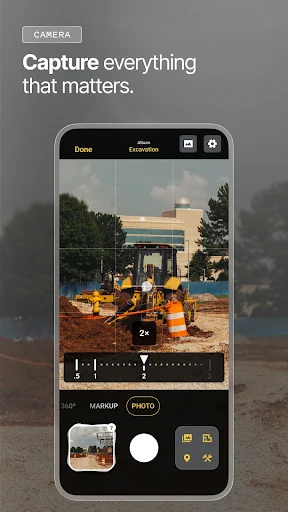
The photo workflow has several practical touches. Procore supports annotation at capture time and automatically stamps photos with GPS location, date, and direction. A photo can also become a punch item, observation, or RFI. That combination is more useful than simple image storage when the goal is to connect a visual detail with follow-up work and give the rest of the team some context.
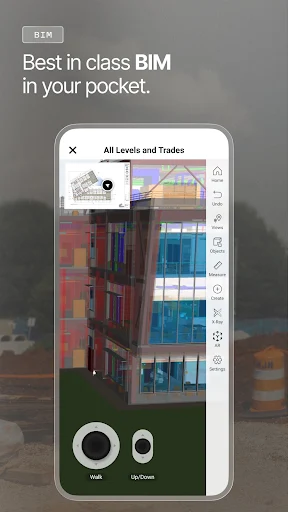
Drawing access is another important part of the package. The app offers revisions online or offline, with syncing, and a full annotation toolkit for markups. QR scanning can show open items by location. For projects using models, Procore can stream large models and show live RFI, submittal, and inspection status on them. Three-dimensional pins add spatial context to issues, which may help teams discuss exactly where a problem sits.
A Repeatable Site Routine
For a practical routine, I would begin by checking the relevant drawing revision before a work area review. If there is an open item nearby, a QR scan can help bring it into view. During the walk, I would capture notable conditions with an annotated photo and create the appropriate follow-up record while the issue is still clear. That sequence keeps document review and field observations close together.
At the end of the day, daily reporting can gather weather, crew, equipment, and notes in one record. People who manage resources can also request labor or equipment, check crew and schedule assignments, and log hours through Grid Time Entry, which is described as an Excel-style grid. Material inventory, receipts, and defects are covered too. These are focused steps, so teams can choose the parts that match their responsibilities.
Limits to Keep in Mind
Procore’s breadth is a strength for teams that need construction workflows, but it can also make the app feel like too much for someone with a narrow task. A person who only needs to jot down notes or take occasional photos may not benefit from a system built around drawings, RFIs, inspections, and project resources. It is worth matching the tool to the way a project team actually works.
The subscription requirement matters as well. The app is free to download, but an active Procore subscription is required to use the service. Teams should also check that the Android device meets the current Google Play requirements and that their account supports the work they need. I would treat the mobile app as part of a broader team setup, not as an independent purchase that solves coordination by itself.
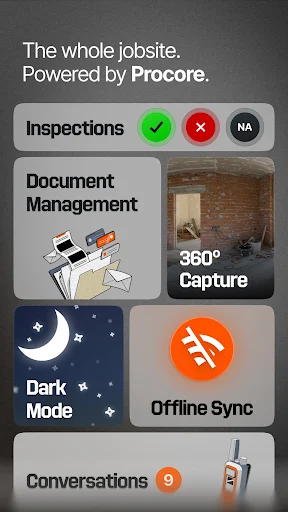
Procore makes the most sense as a mobile companion for construction teams that already manage projects through the service. Its mix of drawings, photo documentation, issue tracking, daily reports, models, and resource tools gives field workers ways to record and check project information on site. The focus is specific, and that is both its clearest advantage and the reason it will not suit everyone.
I’d recommend it to construction professionals who need project records close at hand and whose teams have an active Procore subscription. If you are looking for a simple personal organizer or a standalone field app, I would look elsewhere. For an established Procore team, though, the mobile tools appear well matched to the practical rhythm of documenting work and following issues through.
Procore Frequently Asked Questions
What is Procore used for?
Procore is a construction management app for working with project information from a mobile device. Its tools include drawing access and markups, photo documentation, punch lists, observations, RFIs, daily reports, models, and resource records. It is intended for construction teams that need to connect field activity with project workflows, rather than for general personal task management.
Which phones and devices support Procore?
Procore is an Android app available through Google Play. The minimum Android version and compatibility can vary by device and may change over time, so check the current Google Play page for requirements before installing. The app description also refers to using it on a device in the field, but the store facts here do not give a specific supported-device list.
Does Procore cost money to use?
The app is free to download and its Google Play facts show no in-app purchases or ads. However, Procore requires an active Procore subscription, so access to the service is not the same as downloading the app for free. Subscription arrangements can vary by team or project; check with your organization or the store information for current details.
Does Procore work without an internet connection?
Procore says project drawing revisions can be accessed offline or online and synced. That provides an offline option for drawings, but it does not mean every app feature works without a connection. What is available may depend on the project and device, so check the app’s current information and your team’s setup before relying on a particular offline workflow.
Who should use the Procore app?
Procore is best suited to construction professionals whose teams use the service and need to review drawings, document site conditions, track issues, or manage field resources. An active subscription is required. It may be a poor fit for someone who only needs a basic notes or task app, or for a worker whose project team does not use Procore.
Pros
- Connects field photos with punch items, observations, and RFIs.
- Provides drawing access and markups, including offline drawing use and syncing.
- Covers daily reports, issue tracking, models, and resource workflows.
- Adds location and date context to captured photos.
Cons
- An active Procore subscription is required to use the service.
- Its construction-specific scope may be excessive for simple personal task management.
- The minimum Android version should be checked against current Google Play requirements.
- Category
- Productivity
- Version
- 2026.1021











