PrintHand Mobile Print
- 33.38K
- 3.6
- Installs
- 5.00M
- Price
- Free
Screenshots
Analysis by Reviewed APKs
PrintHand Mobile Print is a mobile printing app for sending documents, photos, web pages and other content to a printer from an Android phone or tablet. It suits people who occasionally need a paper copy but do not want to move files to a computer first. My overall take is that it covers a useful range of printing routes and file sources, though checking printer compatibility and understanding the paid upgrade are essential before relying on it.
Printing From Your Phone
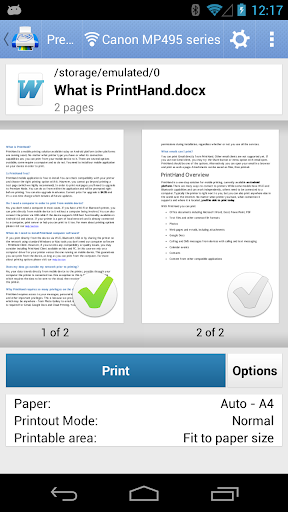
Picture a familiar last-minute task: I need a paper copy of a document before leaving home, but the file is already on my phone. PrintHand is built for that moment. It can send office files, PDFs, photos, web pages, email attachments and other content to a printer over Wi-Fi, Bluetooth or USB, without making a computer part of the process.
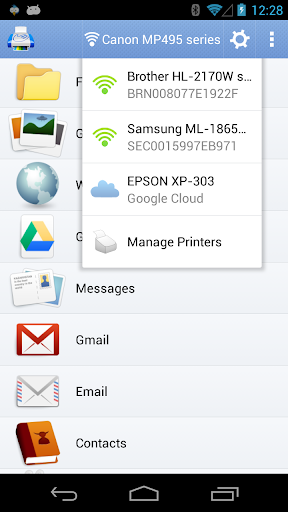
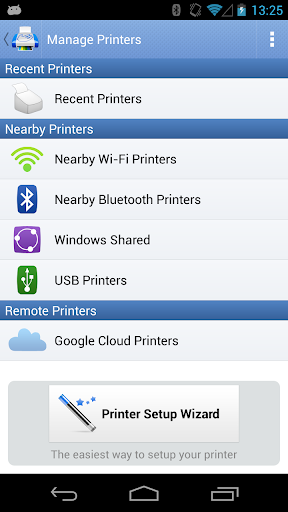
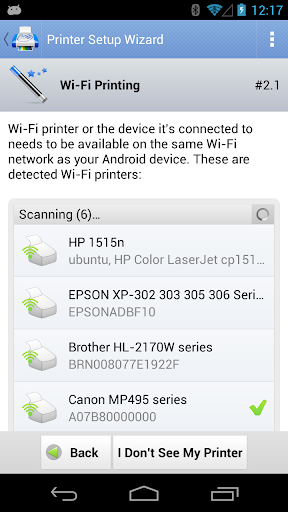
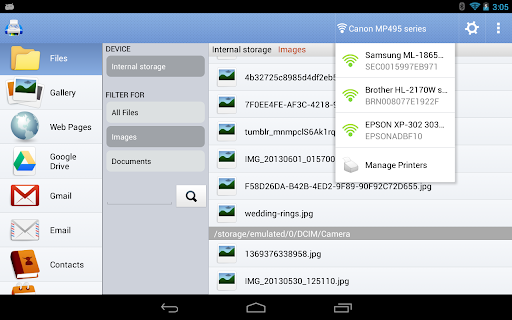
The practical first step is finding out whether the printer is supported and which connection makes sense. A Wi-Fi printer may connect through the router or Wi-Fi Direct; Bluetooth and USB are other options when the equipment and device support them. The setup wizard can detect printers and guide configuration. I like that the app includes a free test-page option, since a quick check is sensible before paying to print regularly.
A Companion, Not a Printer
Compared with emailing a file to myself or opening it on a laptop just to print, PrintHand keeps the job on the phone. It also brings together content from several places, including cloud storage services, calendar events, contacts and material shared from other apps. That makes it more of a mobile print bridge than a document editor or a replacement for a printer’s own hardware.
It is not a way to print real pages indefinitely for free: the app requires a Premium Mode purchase for real printing, while a test page is available without upgrading. Nor is it a universal fix for every printer connection. USB printing depends on device support, and some mobile devices may still have communication problems. I would treat printer compatibility as part of the decision, not an afterthought.
Small Steps, Better Results
I would start with one known file and a test page rather than queueing a whole folder. That keeps troubleshooting manageable if the printer does not appear or the connection needs attention. Before buying Premium Mode, I would also check the supported-printer information and confirm that the intended route—Wi-Fi, Bluetooth, USB, or a computer-shared printer—fits my equipment.
For a repeat task, it helps to think about where the content lives before opening the app. A photo in the gallery, a document in cloud storage, or an attachment shared from another app may call for a different starting point. PrintHand supports a broad mix of sources, so a little consistency in how I send material to it can make occasional printing less of a scramble.
More From Our News Desk

Zoom Meetings, Google Meet, or Teams: Which Is Easiest to Join?

How I Build a Free Streaming Lineup With Tubi

Why Crunchyroll Is the Default Anime App for So Many Fans

YouTube TV: A Practical Guide to Cutting Cable

Rummikub and the Small Comfort of Phone Games

TeamViewer Remote Control or AnyDesk for Helping Family?
Who Should Give It a Try
I would recommend PrintHand to people who already have access to a compatible printer and sometimes need to print directly from a phone or tablet. It is especially handy when the file is in a cloud account, an email attachment, a photo library, or another app, and moving it to a computer would be an unnecessary extra step. The range of connection methods gives it room to fit different home and work setups.
It may be a poor fit for someone expecting unlimited free printing, or for anyone whose printer is unsupported or difficult to connect to a mobile device. The paid upgrade is central to printing real pages, so I would try the free test page and check compatibility first. If printing is rare and a computer is already nearby, the extra app and setup may not be worth the effort.
PrintHand Mobile Print is made by PrintHand and is listed in the Productivity category on Google Play. The store shows over 5 million installs and a 3.6-star rating from about 33,000 ratings. It is rated Everyone. The app first appeared on June 15, 2012, and its listed version is 14.9.2.
The app is free to download and contains no ads, but real-page printing requires a Premium Mode in-app purchase. Google Play lists in-app products priced from $9.00 to $21.99 per item. The most recent update date shown is July 23, 2026. The available information does not give an Android minimum version, so check the Google Play page for device compatibility.
A Closer Look at Phone-to-Printer Workflows
First Setup and Expectations
When I first opened the idea of using PrintHand, the appeal was immediate: I could keep a print job on the phone instead of transferring a file to a computer. The setup wizard is intended to find printers automatically and offer configuration help when needed. That gives newcomers a starting point, though the printer itself still needs to be supported and reachable by the chosen connection.
The main expectation to get straight is the difference between testing and regular printing. A free test page is available, but real pages require the Premium Mode purchase. I would use that test to check the connection before committing, rather than assuming that a printer visible to another device will behave the same way with a phone.
Everyday Printing
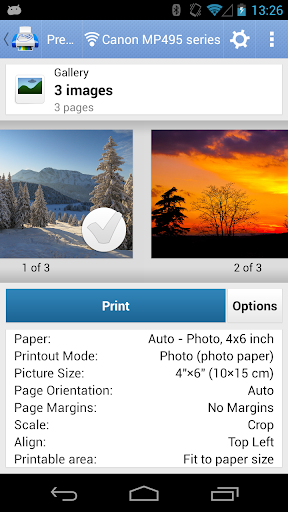
The core experience is about bringing different kinds of content to a printer from one mobile device. Office files such as Word, Excel, PowerPoint and PDF are supported, along with text files, photos, web pages, emails and attachments. I can see the value when an unexpected paper copy comes up during an ordinary day, especially if the file is already open or saved on the phone.
Connection choice is part of the routine. Wi-Fi can work through a router or a Wi-Fi Direct printer, while Bluetooth and USB offer other paths. PrintHand can also work with printers shared from a Mac or Windows computer. USB has extra dependencies: the device needs USB OTG support and Android 4.0 or later, and some hardware designs can still prevent reliable communication.
More Than Local Files
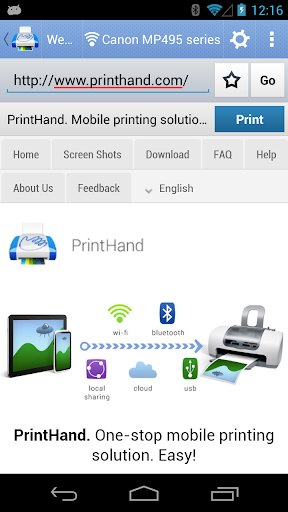
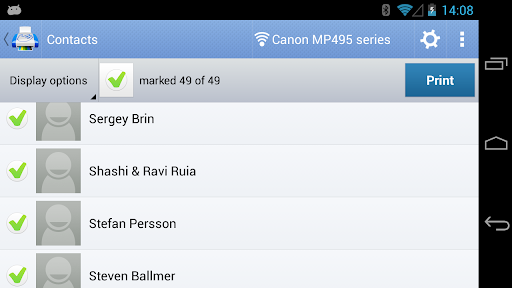
The breadth of supported sources is one of the app’s more distinctive conveniences. PrintHand can access content from Google Drive, Dropbox, Box, OneDrive, Creative Cloud and SugarSync, as well as notes from Evernote. It also supports calendar events, contacts, Facebook albums and content shared from other apps. That variety can spare me from collecting everything in one folder before starting a print job.
There is also direct mobile scanning from selected multifunction printers, but the feature is described as being in beta and is limited to supported devices. PrintHand can send jobs to shared printers in workgroup, domain and Active Directory environments too. Those options widen its usefulness beyond a simple home setup, provided the printer and connection arrangement match what the app supports.
A Useful Errand Routine
For a practical routine, I would first locate the file where it already lives, then send it through PrintHand and choose a printer connection that is already familiar. If I am using a new printer, I would run the free test page before starting a larger job. That keeps the first attempt low-stakes and helps separate a connection issue from a problem with a particular file.
For recurring needs, such as printing an attachment or a document stored in cloud storage, I would use the same starting point each time. The app also accepts shared content from other apps, which can be convenient when I am already viewing the item elsewhere. A short, repeatable process matters more here than exploring every source at once.
Limits to Keep in Mind
Compatibility is the biggest practical caveat. The printer needs to be supported, and USB depends on the phone or tablet’s hardware as well as Android requirements. Even when a device supports USB Host mode, its electrical design can interfere with printer communication. I would check the supported-printer details and connection options before treating PrintHand as a dependable part of a time-sensitive workflow.
The price model also deserves attention: downloading the app is free, but printing real pages requires an in-app purchase. The store shows individual in-app products from $9.00 to $21.99, so I would confirm the available purchase details before deciding. Direct scanning is limited to selected multifunction printers and is in beta. SMS and call-log printing features were removed, so those are not current reasons to install it.
PrintHand Mobile Print solves a clear problem: it lets me send a broad range of phone-based content to compatible printers without routing every job through a computer. Its multiple connection methods and support for cloud and shared content make it more flexible than a basic local-file printer tool.
I would try it if mobile printing comes up often and my printer is supported, starting with the free test page. I would pass if I need free ongoing printing or cannot confirm that my devices will work together. The app is useful, but the compatibility check and Premium Mode cost belong in the decision from the start.
PrintHand Mobile Print Frequently Asked Questions
What is PrintHand Mobile Print used for?
PrintHand Mobile Print sends documents, photos, web pages, emails and other supported content from an Android phone or tablet to a printer. It can connect through Wi-Fi, Bluetooth or USB, and it supports content from several cloud services and other apps. Direct scanning is available with selected multifunction printers.
Which devices and platforms support PrintHand Mobile Print?
PrintHand Mobile Print is an Android app on Google Play. Its description covers printing from Android phones and tablets, with some USB printing requiring USB OTG support. Compatibility also depends on the printer and connection. Check the Google Play page and the app’s supported-printer information for details that fit your device.
What Android version does PrintHand Mobile Print require?
The available app information does not specify a minimum Android version for the app as a whole. USB printing is described for Android 4.0 and above, with USB OTG support also required. Requirements may vary by device and feature, so check the Google Play page before installing.
Does PrintHand Mobile Print cost money?
The app is free to download and has no ads, but real-page printing requires a Premium Mode in-app purchase. Google Play shows in-app products priced from $9.00 to $21.99 per item. A free test page is available. Check the store for current purchase options and pricing.
Who is PrintHand Mobile Print best suited for?
It is best suited to people who want to print phone-based files, photos or shared content on a compatible printer without using a computer for each job. It may not suit someone expecting ongoing free printing or anyone with an unsupported printer. Trying the test page and checking compatibility first are sensible steps.
Pros
- Prints documents, photos, web pages and attachments directly from an Android phone or tablet.
- Offers Wi-Fi, Bluetooth, USB and shared-computer printer connection options.
- Supports content from several cloud services and other apps.
- A free test page lets users check a printer connection before buying.
Cons
- Printing real pages requires a Premium Mode in-app purchase.
- Printer support and mobile hardware compatibility can limit connection options.
- Direct scanning is beta and only works with selected multifunction printers.
- Category
- Productivity
- Version
- 14.9.2











