Planning Center Services
- 8.88K
- 4.1
- Installs
- 1.00M
- Price
- Free

Screenshots
Analysis by Reviewed APKs
Planning Center Services is a companion app for organizations that use Planning Center to schedule people and plan services. It suits staff, volunteers, musicians, and schedulers who need to check assignments or update plans away from a desk. After spending time with its feature set, my take is that it has a clear, useful job: keep service details and team schedules within reach, provided your organization already uses the platform.
A Sunday Schedule Check
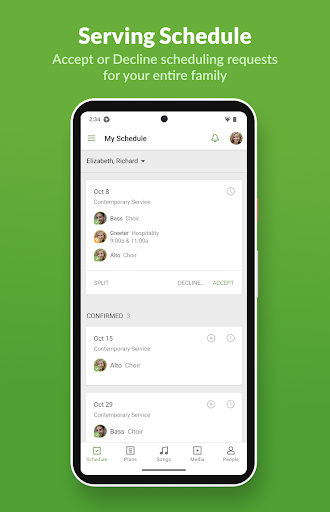
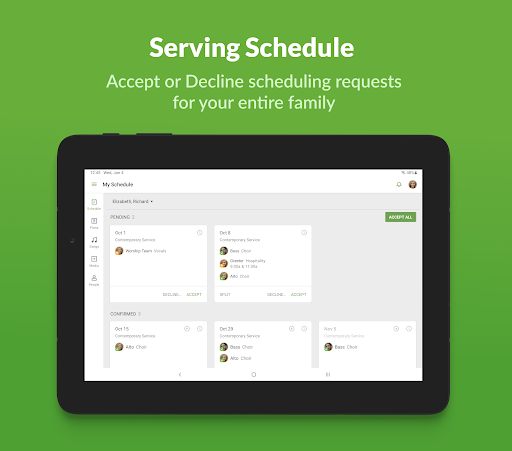
Picture a volunteer checking the weekend schedule between errands. In Planning Center Services, they can see their personal schedule, respond to a request by accepting or declining, and add dates when they are unavailable. That is a practical set of tasks to handle on a phone instead of waiting until they are back at a computer or trying to coordinate through a separate message thread.
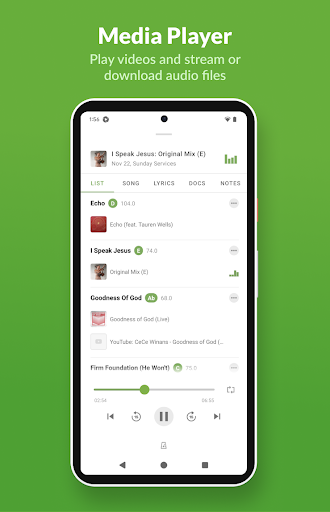
For a musician, the app can also bring rehearsal materials closer to the assignment: the description points to a built-in media player and an attachments section for music. I can see the appeal of checking what is needed while preparing at home, then returning to the plan later. Live updates to plan pages and personal schedules help keep the mobile view current.
A Companion, Not a General Planner
The obvious alternative is a general calendar or a group chat. Those can help with dates and quick conversation, but Planning Center Services is designed around scheduling people and organizing service plans within Planning Center. Its advantage is having assignments, requests, and plan details together for people whose organization already uses that system.
That focus is also the main boundary. This is not a standalone calendar for every part of life, nor a general-purpose team task manager that anyone can start using independently. An existing Planning Center account is required, and the organization's administrator handles signing up for an account subscription. If your group does not use Planning Center, this app has little reason to become part of your routine.
Small Habits That Help
A useful habit is to check the personal schedule when a new request comes in rather than leaving it unanswered. Accepting or declining from the app gives the scheduler a clearer response, while keeping blockout dates updated can help avoid conflicts later. Those are small actions, but they make the schedule more dependable for the rest of the team.
Musicians can make a quick rehearsal check part of their preparation: open the plan, look for available music in the media player or attachments, and revisit the plan page when details change. Schedulers can use the mobile app to add users, review conflicts, and email the team. I would treat it as a handy companion for these updates, not a reason to skip careful planning.
More From Our News Desk

Zoom Meetings, Google Meet, or Teams: Which Is Easiest to Join?

How I Build a Free Streaming Lineup With Tubi

Why Crunchyroll Is the Default Anime App for So Many Fans

YouTube TV: A Practical Guide to Cutting Cable

Rummikub and the Small Comfort of Phone Games

TeamViewer Remote Control or AnyDesk for Helping Family?
Who Will Find It Useful
I would recommend Planning Center Services to volunteers who want to check assignments and respond to schedule requests without being tied to a computer. It also makes sense for musicians who need to access rehearsal materials, and for schedulers who sometimes need to adjust plans, look for conflicts, or contact a team while away from their desk. The value comes from sharing a system with the rest of the organization.
It may not suit someone looking for a self-contained planning app to use with friends or a workplace that does not already use Planning Center. The account requirement is a real prerequisite, not a small setup detail. People who only need a basic calendar may also find the app more specialized than necessary. I would first check whether the organization has a Planning Center account and expects its team to use this mobile companion.
Planning Center Services is a Productivity app from Planning Center. On Google Play, it has over 1 million installs and a 4.1-star rating from 8,881 ratings. The app is free to download, and the provided app facts say it contains no ads and offers no in-app purchases. Using it does require an existing Planning Center account; the organization's administrator handles signing up for an account subscription.
The app is rated Everyone on Google Play. Its listed version is 6.10.11, with a release date of September 29, 2010, and a last update date of October 29, 2026. The minimum Android version is not included in the available app details, so check the Google Play page on your device for compatibility before installing.
A Closer Look at Service Planning
A Focused First Impression
When I first opened the description of Planning Center Services, the clearest thing was its audience: people already involved in a team that plans services with Planning Center. This is not an app that becomes useful simply by downloading it. Once an organization account exists, though, the mobile purpose is easy to understand: let team members access schedules and plans wherever they are.
The setup expectation is worth knowing before anyone starts. The app requires an existing Planning Center account, and an organization's administrator needs to arrange the account subscription. That makes it less of a personal sign-up experience and more of a mobile doorway into a shared system. I would ask the team's administrator about access first, then install it as part of joining that workflow.
The Everyday Loop
The core day-to-day loop is straightforward: check a schedule, respond to a request, and keep availability up to date. Having those actions on Android is useful for the ordinary moments when a volunteer is away from a computer and needs to confirm what they are doing. It also gives schedulers a way to make adjustments and check for conflicts while working through a plan.
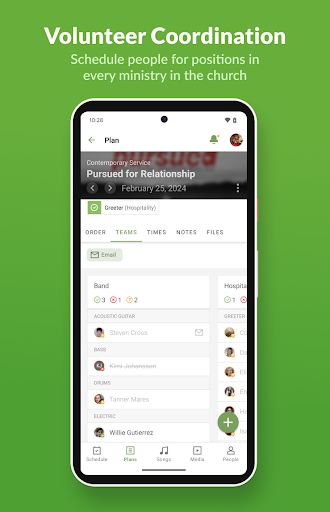
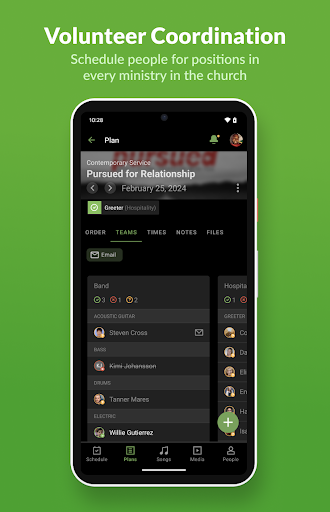
What I like about that division is that the app supports both sides of the schedule. A volunteer can manage their own response and blockout dates, while a scheduler can add people and reach the team by email. Those are different jobs, but they connect to the same shared plan. Live updates to personal schedules and plan pages make it more practical to revisit information as it changes.
Useful Tools for Music Teams
The built-in media player and attachments section are the most distinctive details for musicians. Instead of treating the app as only a roster, they provide places to access music and rehearse in connection with a service plan. That is a sensible fit for a person who wants to review materials while preparing, then check the schedule again closer to the event.
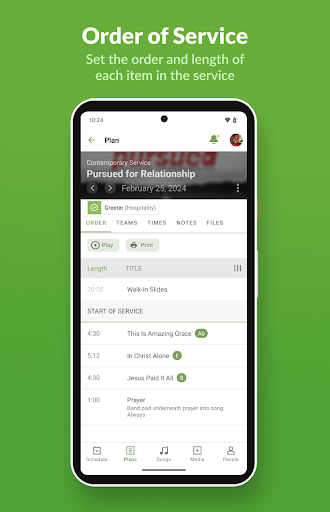
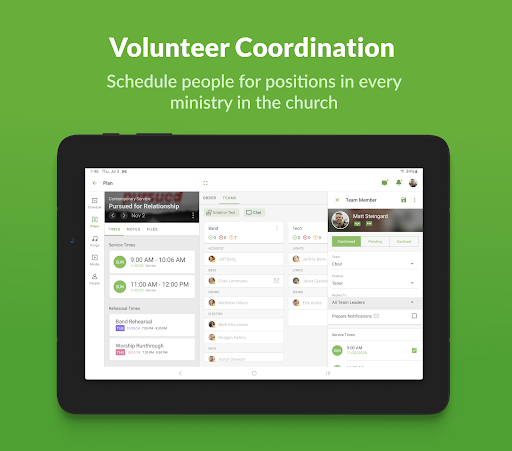
The planning tools matter just as much for the people coordinating the service. Plans can be added to, reordered, and edited, while schedulers can check conflicts and email teams. I would not assume that this replaces every communication or planning tool an organization uses. Its supported strengths are the schedule and plan tasks described here, rather than a broad collection of unrelated workplace features.
A Practical Weekly Routine
A simple routine could start with a schedule check early in the week. I would review the assignment, respond to any request, and enter blockout dates as soon as I know I cannot serve. That gives the scheduler more time to work through conflicts rather than discovering an availability problem at the last minute.
Later, a musician could open the plan and use the media player or attachments section to rehearse. A scheduler could make an edit, reorder plan items, add a user, or email the team as needed. Since plan pages and personal schedules update live, it is worth checking again when changes are expected. The routine stays small, but it keeps the mobile app tied to useful actions.
Boundaries to Keep in Mind
The biggest limitation is also the most important requirement: the app depends on an existing Planning Center account. It is not a standalone tool for setting up a new group calendar, and the organization's administrator is involved in arranging the subscription. That can make the first step outside an individual user's control, even though the app itself is free to download.
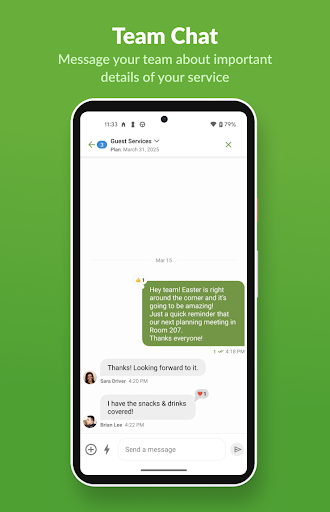
The focus may feel narrow to people who want a universal calendar, broad messaging workspace, or unrelated planning tools. The described communication option is emailing teams, while the main experience centers on schedules and service plans. Also, the app is specifically described as an Android app, so people using another platform should check the relevant store for availability and details rather than assume the same experience.
Planning Center Services makes the most sense as a practical mobile companion to an organization's existing service-planning setup. Schedule responses, blockout dates, music access, and plan edits all support a recognizable weekly routine without trying to be a general-purpose organizer.
I would recommend it to volunteers, musicians, and schedulers whose organization already uses Planning Center. If you need a planner that works independently, this is not the right starting point. Check with your administrator first; with the account in place, the app offers a focused way to stay connected to schedules and plans.
Planning Center Services Frequently Asked Questions
What is Planning Center Services used for?
Planning Center Services is used to access service plans and schedules for an organization that uses Planning Center. Team members can manage schedule requests and blockout dates, and musicians can use a media player or attachments section to access rehearsal materials. Schedulers can add users, check conflicts, edit plans, and email their teams.
Which devices can run Planning Center Services?
The app is described as a native Android app, and its Google Play page is the relevant store source for device details. The minimum Android version is not included in the available specifications, so check the store page on your device for current compatibility. Availability on other platforms may vary and is worth checking in the relevant store.
Does Planning Center Services cost money?
The app is free to download, and its provided app details say it has no ads or in-app purchases. However, using it requires an existing Planning Center account, and the organization's administrator handles signing up for an account subscription. Any subscription details may depend on the organization, so ask its administrator or check the store for current app details.
Do I need an account for Planning Center Services?
Yes. The app requires an existing Planning Center account, so downloading it alone will not provide a complete setup. The organization's administrator handles signing up for an account subscription. If you are a volunteer or staff member, check with the person managing your organization's Planning Center account about access before relying on the app for schedules.
Who should use Planning Center Services?
It is best suited to volunteers, musicians, and schedulers whose organization already uses Planning Center for service planning. Volunteers can manage schedule requests and availability, while musicians can access materials and schedulers can update plans. It may not suit people looking for an independent general calendar or a planning app for a group that does not use Planning Center.
Pros
- Lets volunteers accept or decline schedule requests and keep blockout dates current.
- Musicians can access rehearsal music through a built-in player or attachments section.
- Schedulers can add users, check conflicts, edit plans, and email teams.
- Plan pages and personal schedules update live with the latest information.
Cons
- Requires an existing Planning Center account arranged through an organization's administrator.
- Its focused service-planning role may not suit people seeking a general-purpose organizer.
- The minimum Android version should be checked in Google Play before installing.
- Category
- Productivity
- Version
- 6.10.11