Pilot
- 273.62K
- 4.7
- Installs
- 1.00M
- Price
- Free

Screenshots
Analysis by Reviewed APKs
Pilot is a road-trip companion for finding Pilot locations, checking for useful amenities, and handling fuel, food, and rewards along the way. I’d recommend it most to drivers who already stop at Pilot and want to make those visits a little easier to plan. Its range of practical options makes a good impression, though it is focused on Pilot rather than every stop on the road.
A stop with fewer surprises
Imagine driving for several hours and starting to plan the next break. I’d open Pilot to look for a nearby Pilot store and check whether it has the amenity I need, such as showers, laundry, or overnight parking. That can make choosing a stop less of a guess, especially when I want to take care of more than fuel. The app is built around those practical decisions rather than sightseeing or broad route planning.
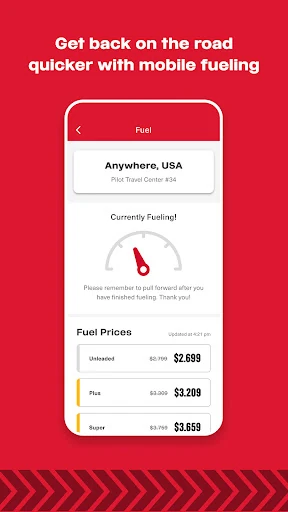
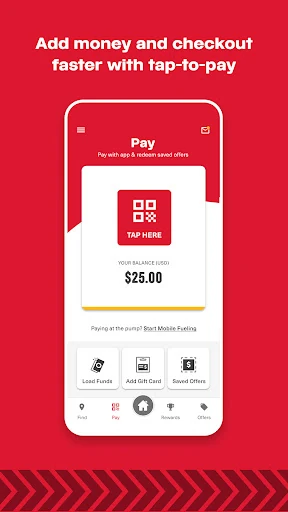
When I’m ready to stop, the app can also help with the visit itself. Pilot describes options for ordering food and drinks, reserving showers and parking, and using Mobile Fueling. I like that the same app covers several parts of a travel break: finding a location, checking what it offers, and getting some tasks started. The usefulness depends on what I need that day, but the focus is easy to understand.
A focused road companion
Compared with a general map app, Pilot is more specialized. Its appeal is not simply locating a place on a map; it is helping drivers find Pilot stores and look for specific amenities, then making food, fuel, parking, or shower tasks more convenient. Rewards and offers add another reason to open it when I’m already planning a stop. That narrower purpose is a strength for regular Pilot customers.
I would not treat Pilot as an all-purpose travel planner or a directory of every fuel station and restaurant. Its store-finding and convenience features center on Pilot, so drivers who want neutral comparisons across many brands may prefer a broader tool for that job. I see Pilot as a useful companion alongside general navigation, not a replacement for it. That distinction helps set sensible expectations before a trip.
Small habits that help
I’d get the most from Pilot by checking it before I’m tired or pressed for time. A quick look at nearby stores and their listed amenities can help me choose a break that suits the day, whether I’m looking for food, a shower, laundry, or overnight parking. If I know I’ll need a particular service, checking before I pull in is a simple habit that makes the app’s location focus more useful.
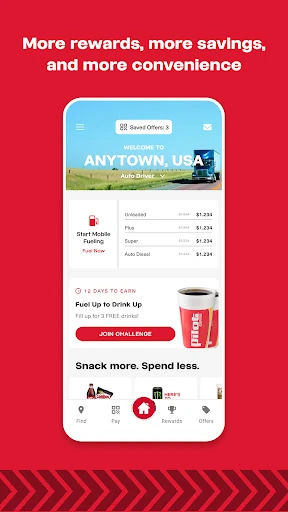
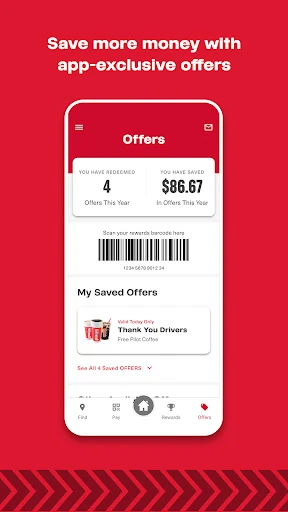
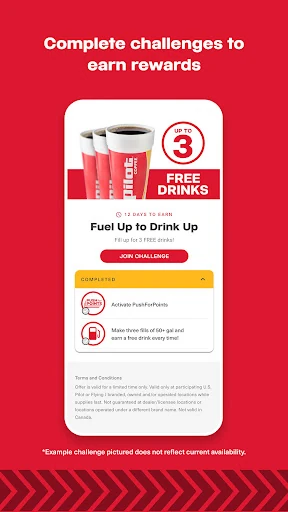
I’d also make a point of checking the rewards area and available offers when planning a stop, rather than assuming I’ll remember after I arrive. Pilot highlights a simplified PushForPoints experience, along with offers and challenges that are easier to find. For a driver who visits Pilot regularly, a few seconds spent checking those parts of the app can make rewards feel like part of the routine instead of an afterthought.
More From Our News Desk

Zoom Meetings, Google Meet, or Teams: Which Is Easiest to Join?

How I Build a Free Streaming Lineup With Tubi

Why Crunchyroll Is the Default Anime App for So Many Fans

YouTube TV: A Practical Guide to Cutting Cable

Rummikub and the Small Comfort of Phone Games

TeamViewer Remote Control or AnyDesk for Helping Family?
Who will find it useful
I’d recommend Pilot to drivers who already use Pilot stores and want one place to look for locations, amenities, food and drink ordering, fuel options, and rewards. It suits people who make frequent road stops and value being able to check for things like showers or parking before choosing where to pull in. The combination of travel conveniences and rewards gives regular customers a practical reason to keep it handy.
It may be less useful to someone who rarely visits Pilot or wants a complete travel toolkit for comparing every nearby brand. The app’s center of gravity is the Pilot network, so its particular advantages matter most when that is already part of the trip. If a driver only needs general navigation, a broader mapping app may be enough; Pilot makes more sense as a focused extra.
Pilot is developed by Pilot Flying J and is available on Google Play for Android devices running Android 8.0 or later. It is free to download, and the supplied store facts say it has no in-app purchases and contains no ads. The app is rated Mature 17+. Those details make the basic cost straightforward, while the age rating is worth noting for families choosing apps for younger drivers.
On Google Play, Pilot has more than one million installs and a 4.7-star rating from about 274,000 ratings. The supplied version is 6.30.1, with a last update dated January 29, 2026. It was originally released on November 30, 2011. Those figures offer a quick sense of its history and reach, though the current version and store details can change over time.
Making the next stop easier
A clear first impression
When I first opened Pilot, the purpose was immediately apparent: it is for drivers making stops at Pilot locations. The app’s description emphasizes a redesigned experience intended to be faster, more reliable, and easier to navigate than its previous version. That focus gives it a practical feel. I’m not opening it for a broad collection of travel content; I’m looking for useful information and actions connected to a stop.
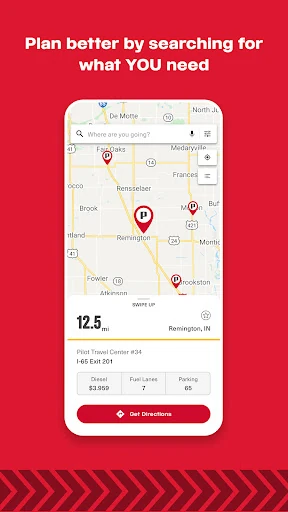
I’d begin by looking for a Pilot store and checking which amenities matter for the trip. The listed possibilities include food, showers, overnight parking, and laundry, so the app’s value is tied to the kind of break I need. Rather than planning an entire journey inside Pilot, I’d use it when deciding where to pause or what I might want to arrange once there.
Useful between stops
Day to day, Pilot makes the most sense as an occasional companion rather than an app I need to watch constantly. I’d open it when I’m considering a Pilot stop, looking for a service, or thinking about food and fuel. That task-based rhythm suits a travel app: I can check what matters, make a decision, and get back to the trip instead of spending time browsing without a reason.
The variety of stop-related tasks is what gives Pilot its practical role. Ordering food and drinks, reserving showers or parking, and using Mobile Fueling are all described as ways to move through a visit more quickly. Which option matters will change from one day to the next, but I appreciate that the app is designed around common needs drivers may have at a stop.
Rewards and travel tools
Pilot’s rewards experience is one of its more distinctive additions to the travel tools. The app describes PushForPoints as simplified and says offers and challenges are easier to find. I’d check that section during a planned stop, especially if I visit Pilot often. It gives the app a reason to be useful outside the moment when I’m searching for a location or checking amenities.
The store finder is another core feature, with the ability to look for amenities such as favorite food, showers, overnight parking, and laundry. I like that the description connects finding a location with figuring out what it can offer. That turns the app into more than a basic stop locator for Pilot customers, while keeping the scope clear and centered on the company’s locations.
Mobile Fueling, food and drink ordering, and reservations for showers and parking round out the feature set. These are concrete conveniences rather than a promise that every stop will work the same way. I’d use the relevant option when it fits my plans, while treating the app as a way to make a Pilot visit easier to organize rather than a substitute for trip preparation.
A simple stop routine
A routine I’d use starts before the stop. I’d check Pilot for a location that fits the journey, then look for the amenity I care about most. If I’m due for a meal, the food and drink ordering option may be relevant; if I need a longer break, showers or parking may be more important. This makes the app part of a quick decision rather than another distraction while driving.
Once the stop is chosen, I’d see whether Mobile Fueling or a reservation option suits the visit, then take a moment to look at rewards, offers, or challenges. I wouldn’t expect every part to matter on every trip. The habit is simply to check the app when it can answer a real question, such as what a Pilot location offers or whether there is an available reward worth considering.
Keep the scope in mind
Pilot’s main limitation is also its defining focus: it is built around Pilot stores. If my trip calls for comparing locations from many different companies, I’d want a general map or another broader resource alongside it. The app’s strengths are most relevant to drivers who already plan to stop at Pilot, and less compelling for someone whose travel routine rarely includes those locations.
Its many options also mean that not every feature will matter to every driver. Someone who only needs to locate a stop may not care about rewards, ordering, or reservations, while a frequent customer may value all of them. I’d keep the app for the parts of travel it handles well and avoid expecting it to be a universal navigation or planning solution.
The supplied store details identify a Mature 17+ content rating, so families may want to review the app’s current store information before choosing it for a younger user. App versions and store details can change, too. Those are small practical considerations, not reasons to overlook the app’s straightforward purpose for drivers who use Pilot.
Pilot is a focused, useful companion for drivers who stop at Pilot and want help finding amenities, handling parts of a visit, or checking rewards. I like that its features address practical road-break needs instead of trying to be everything at once. Its strongest case is for regular Pilot customers who will use those tools more than occasionally.
If Pilot is already part of your travel routine, I’d give the app a try as a convenient extra alongside general navigation. If you need a brand-neutral directory or a full trip planner, it is not the whole answer. For its intended audience, the mix of store information, stop-related services, and rewards makes sense.
Pilot Frequently Asked Questions
What is the Pilot app used for?
Pilot helps drivers find Pilot stores and look for amenities such as food, showers, overnight parking, and laundry. It also describes food and drink ordering, shower and parking reservations, Mobile Fueling, and rewards features including offers and challenges. It is designed around visits to Pilot locations rather than general travel planning.
Which devices can run the Pilot app?
Pilot is an Android app on Google Play, and the supplied requirement is Android 8.0 or later. Store availability and device requirements can change, so it is worth checking the current Google Play details for your device before installing.
Does the Pilot app cost anything?
The supplied Google Play facts say Pilot is free to download, with no in-app purchases and no ads. Store details can change, so check the current listing if you want to confirm the latest cost information before installing.
What Android version does Pilot require?
The supplied minimum requirement is Android 8.0. If you are unsure whether your phone meets the current requirement, check Pilot’s Google Play page, since app requirements may change with later versions.
Is the Pilot app useful for every driver?
It is most useful for drivers who visit Pilot stores and want to check amenities, use stop-related services, or look at rewards. Drivers seeking a brand-neutral directory or general navigation may need another app for those jobs. Pilot’s content rating is Mature 17+, which families may want to consider.
Pros
- Combines Pilot location search with checks for useful travel amenities.
- Includes options for food, fuel, showers, parking, and rewards.
- Free to download, with no ads or in-app purchases in the supplied facts.
- Useful for regular Pilot customers planning convenient road stops.
Cons
- Its location and convenience features focus on Pilot stores.
- Drivers who want general trip planning will need a broader tool.
- Some features may matter only to drivers who use Pilot regularly.
- Category
- Travel & Local
- Version
- 6.30.1











