Onshape 3D CAD
- 5.10K
- 2.9
- Installs
- 1.00M
- Price
- Free

Screenshots
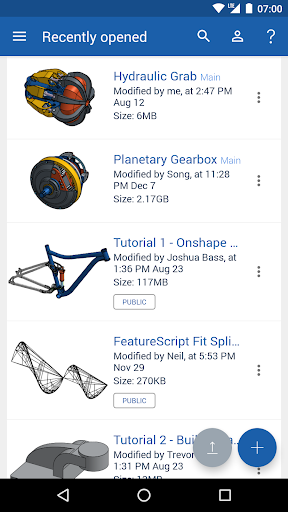
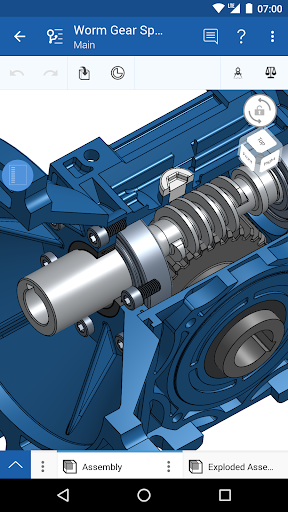
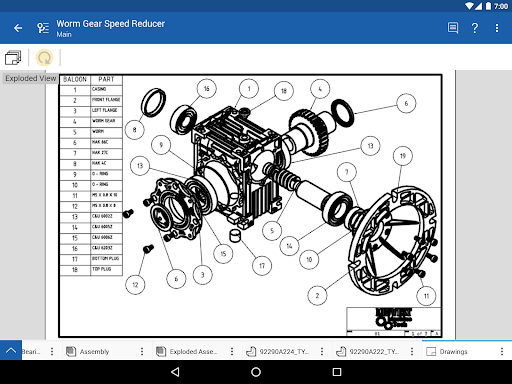
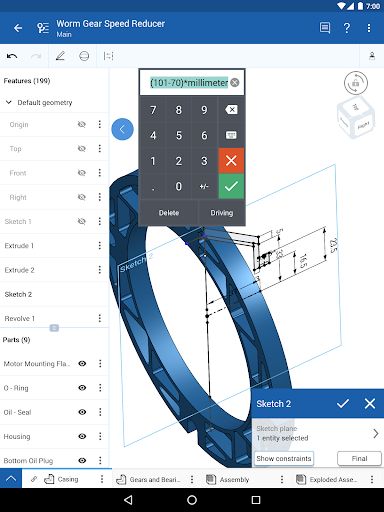
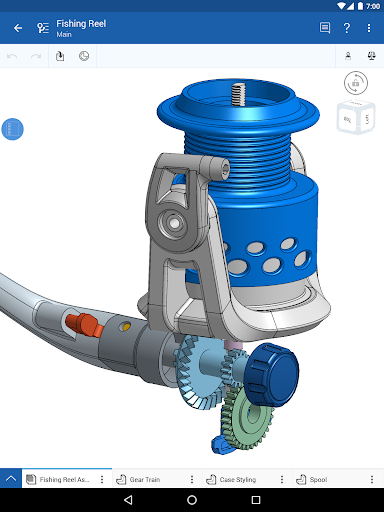
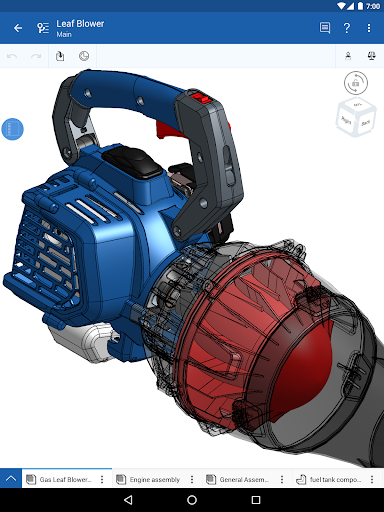
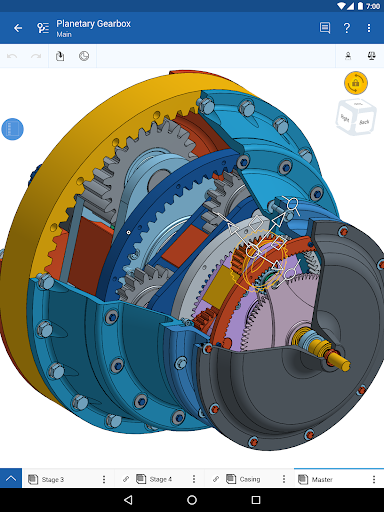
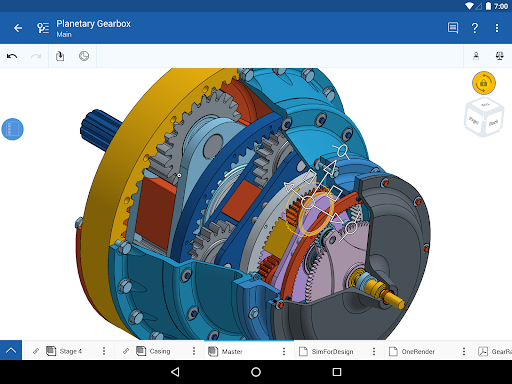
Analysis by Reviewed APKs
Onshape 3D CAD brings a professional mechanical design workspace to Android phones and tablets, connecting to an account so you can create, edit, review, and collaborate on models. I see it as a useful companion for engineers and design teams who need to keep work moving across devices, rather than a casual sketching app. Its cloud-based approach is appealing, though the professional focus asks more of users than a quick mobile doodle tool would.
A Design Review on the Go
Imagine leaving a design meeting with a question about how two parts fit together. Instead of waiting until you are back at your desk, you can open Onshape on your phone or tablet, connect to your account, and review or edit the CAD work. If a teammate is involved, the app supports real-time collaboration and comments, making it possible to discuss a change while looking at the same project.
That kind of moment is where I find the mobile version easiest to understand: it keeps a mechanical design project within reach when the computer is not. Onshape requires an internet connection, so I would plan to use it where connectivity is available. The point is not merely to carry a model around; it is to continue working with a shared, current design rather than passing files back and forth.
More Than a Mobile Viewer
Onshape is not presented as a stripped-down viewer. Its description includes parametric modeling in Part Studios and mechanical Assemblies for capturing complex motion, alongside tools to edit, share, and comment. That makes it a broader option than an app meant only to inspect a finished model. The cloud workspace also lets a project move between a computer and mobile device, which suits teams that split their work across screens.
I would not mistake it for a general-purpose drawing or note-taking app, though. Its focus is mechanical CAD and the needs of professional users and extended teams. Someone who only wants to sketch an idea casually may find that focus more involved than necessary. The collaboration and data-management features matter most when a project has multiple contributors or needs a consistent shared source.
Small Habits, Smoother Work
A useful habit is to start a project on whichever device suits the task, then continue on another when your situation changes. Onshape is designed to let users move between computers and mobile devices, so a quick review away from the desk can fit into a larger design workflow. I would also keep the internet requirement in mind and make sure I can connect before relying on the app during a review.
For group work, sharing permissions and comments can help keep feedback attached to the design conversation. Follow mode is another practical option: it lets you see what a teammate is seeing and add suggestions through built-in comments. I would use those tools for focused design discussions rather than sending a stream of separate files. Automatic saving and a single source of truth are intended to reduce the usual file-handling chores.
More From Our News Desk

Zoom Meetings, Google Meet, or Teams: Which Is Easiest to Join?

How I Build a Free Streaming Lineup With Tubi

Why Crunchyroll Is the Default Anime App for So Many Fans

YouTube TV: A Practical Guide to Cutting Cable

Rummikub and the Small Comfort of Phone Games

TeamViewer Remote Control or AnyDesk for Helping Family?
Who Should Try Onshape
I would recommend Onshape to engineers, design teams, and other users who already work with mechanical CAD and want access to projects from an Android device. It is especially relevant when collaboration is part of the job: the app supports real-time work, sharing, comments, and moving between devices. Students and educators may also find it worth considering, since the description says Onshape supports them free of charge.
It may be less appealing if you want a simple, offline-first drawing app or have no need for mechanical design tools. Onshape requires an internet connection, and its professional CAD focus is likely more than a casual user needs. The Google Play rating is 2.9 from around 5,100 ratings, so I would check recent user feedback and try it with a realistic task before making it central to a workflow.
Onshape 3D CAD is a Productivity app from PTC Inc. On Google Play it has over one million installs and a 2.9-star rating from about 5,100 ratings. The app is free, with no in-app purchases or ads listed in the supplied facts, and its content rating is Everyone.
The supplied app version is 1.222.8780. Onshape was released on August 6, 2015, and its listed last update is October 12, 2026. A minimum Android version was not provided in the supplied facts, so check Google Play for the device requirement that applies to your phone or tablet.
A Shared CAD Workspace in Your Pocket
Getting Started
When I first opened the idea of Onshape, what stood out was that the Android app is a doorway into an account-based CAD workspace, not an isolated place to keep drawings. The description says a free sign-up is required and that an internet connection is needed. That frames the first step clearly: have an account and connectivity ready before expecting to work on a project.
The cross-device design is a practical part of setup. A project can begin on one device and continue on another, which gives the mobile app a defined place alongside computer use. I would approach it as an extension of an existing design routine, rather than expecting the phone or tablet to replace every part of a desktop workflow.
The Day-to-Day Experience
Day to day, the central promise is continuity: access a CAD project from a connected mobile device, make or review changes, and keep the work in the shared workspace. For a team, seeing changes in real time can make a quick discussion more useful than describing a design from memory. Automatic saving also means the workflow is built around keeping changes together rather than manually shuffling copies.
That approach makes the app most compelling when I need to stay involved in a project between longer sessions. I can picture checking a design during a conversation, then continuing on a computer later. The internet requirement is the obvious boundary: this is a cloud-based work environment, not a promise that the full experience is available without a connection.
Tools for Mechanical Design
The feature set reaches beyond simple viewing. Onshape describes parametric tools for designing parts in Part Studios and mechanical Assemblies for representing complex motion. Those are substantial CAD concepts, and they make the app relevant to users who need to create or modify mechanical designs rather than just look at a finished result.
Collaboration is another defining feature. Users can share CAD data, adjust or revoke permissions, work together in real time, and use Follow mode to see what a teammate sees. Built-in comments let collaborators offer suggestions in context. Together, these features make the product feel oriented toward a team’s design process, not just an individual file-editing session.
A Practical Team Routine
I would use Onshape as part of a simple handoff routine: work on a design from a computer, open the project from a mobile device when a question comes up, and use comments or Follow mode to bring a teammate into the same discussion. That keeps feedback tied to the shared CAD work. If the task needs a longer or more detailed session, the ability to continue on another device fits naturally into the same process.
For a project with several ideas in play, the description says users can explore design options in parallel and create release and approval processes. I would treat those capabilities as ways to organize a team’s work, rather than as reasons to make every small task more formal. The strongest routine is the one that uses sharing and review where they genuinely help.
Limits to Keep in View
The first practical limit is connectivity. Onshape requires an internet connection, so it is not the right choice for a workflow that depends on working offline. The second is its intended audience: this is a full mechanical CAD platform aimed at professional users and extended teams. That depth may be welcome for experienced designers but can feel like too much for someone who just wants a quick, casual sketch.
I would also weigh the store rating before settling on it as a daily tool. On Google Play, Onshape has a 2.9-star rating from roughly 5,100 ratings. That number does not explain individual experiences, but it is a sensible reason to read current feedback and test the app against the tasks and devices that matter to you.
Onshape 3D CAD has a clear purpose: bring a shared, professional mechanical design workspace to connected devices and make collaboration less dependent on being at one computer. Its parametric tools, real-time teamwork, comments, and cross-device access give it substance beyond a basic model viewer.
I would recommend it to CAD users and teams who want mobile access to ongoing work and can rely on an internet connection. If you want an offline sketchpad or a lightweight casual drawing app, I would look elsewhere. For everyone else, it is worth trying with a real project and checking how it fits your device and routine.
Onshape 3D CAD Frequently Asked Questions
What is Onshape 3D CAD used for?
Onshape 3D CAD is a mechanical CAD platform for creating, editing, viewing, and collaborating on designs. It includes parametric part design in Part Studios, mechanical Assemblies, sharing, real-time collaboration, and built-in comments. It is intended for professional users and extended teams, though the description also mentions support for students and educators.
Which devices can run Onshape 3D CAD?
The app is available for Android phones and tablets, and Onshape describes access from computers and mobile devices with an internet connection. The minimum Android version can vary by device and app release, so check the Google Play store page for the current requirement for your phone or tablet.
Does Onshape 3D CAD require Android?
The app described here is the Android version of Onshape 3D CAD. Onshape also describes using its workspace from a computer or mobile device, but the supplied details do not give a minimum Android version. Check Google Play for the requirement that applies to your device.
Is Onshape 3D CAD free to use?
The Android app is listed as free, with no in-app purchases or ads in the supplied app facts. Onshape says a free sign-up is required. Its description also says students and educators are supported free of charge and that non-commercial projects are available free in an open-source public workspace; check the store and Onshape’s current terms for details.
Who is Onshape 3D CAD best suited to?
Onshape is best suited to people who work with mechanical CAD and want to design, review, or collaborate from more than one device. Its professional and team-oriented focus may not suit someone looking for a casual sketching tool, and it requires an internet connection. Students and educators are also mentioned as supported users.
Pros
- Combines parametric part design and mechanical Assemblies in one CAD platform.
- Supports real-time collaboration, sharing permissions, Follow mode, and comments.
- Projects can continue across computers and mobile devices.
- Automatic saving and a shared workspace reduce file-management chores.
Cons
- Requires an internet connection, limiting its usefulness away from connectivity.
- Professional mechanical CAD tools may feel excessive for casual sketching.
- Its Google Play rating is 2.9 stars from around 5,100 ratings.
- Category
- Productivity
- Version
- 1.222.8780











