Official E-ZPass NY
- 14.45K
- 4.3
- Installs
- 1.00M
- Price
- Free
Screenshots
Analysis by Reviewed APKs
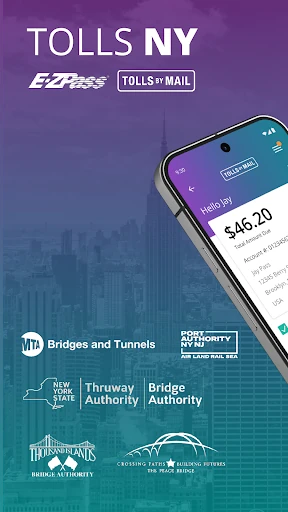
Official E-ZPass NY is a travel app for keeping tabs on an E-ZPass account and handling Tolls by Mail bills from a phone. It suits New York drivers who would rather check a balance or pay an invoice between errands than hunt for paperwork later. I like its practical focus: it brings several toll-related tasks together, though it is an account tool, not a general travel planner.
A Toll Bill After the Drive
When I first opened Official E-ZPass NY, I pictured using it after a drive rather than while navigating. Say a paper Tolls by Mail invoice arrives after a weekend trip: the app can scan the invoice for payment, or let you search for trips using a license plate. That gives the app a clear job in an ordinary routine: connect a toll road trip with the account or bill that follows it.
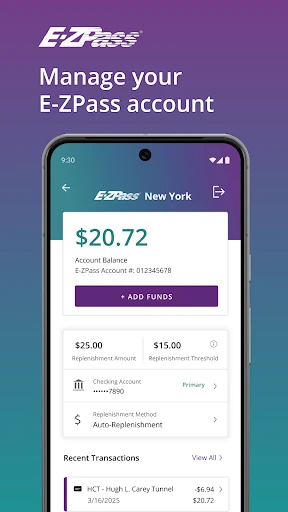
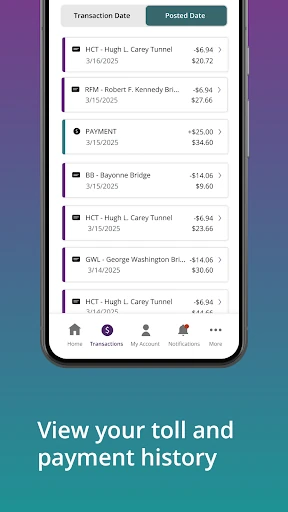
For an E-ZPass customer, the same after-drive check can be a quick look at the account balance or toll history. I can see why that would be useful after a busy week of commuting, when several charges may have accumulated and I want to check what has gone through. Account alerts add another way to keep up with important account information without waiting until the next time I need to make a payment.
A Toll Account, Not a Navigator
The app makes most sense alongside the things drivers already use for the road. A navigation app helps choose a route; Official E-ZPass NY is for managing toll-related account details and bills. It can help plan future trips, but its stated tools center on tolls, payments, vehicles and account information rather than turn-by-turn directions or broad travel planning.
That distinction matters if you are choosing what to install. I would not treat it as a replacement for a general map app, nor as a way to manage every part of a road trip. Its audience is narrower and more specific: E-ZPass NY account holders and people dealing with Tolls by Mail invoices. If tolls are not part of your driving routine, there may be little reason to keep it close at hand.
Small Habits That Help
A useful habit is to check the account balance after a stretch of toll-road driving, rather than only when a payment issue comes up. The app also lets customers view toll history, so a quick review can help make a charge easier to place while the trip is still fresh in memory. I would treat this as a practical check-in, not something that needs to become another daily phone ritual.
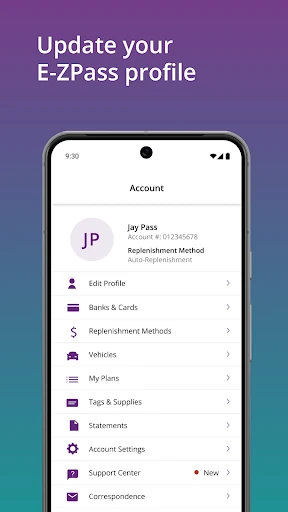
For Tolls by Mail, keeping an invoice nearby when opening the app makes sense because the app can scan and pay a paper invoice. Drivers can also search for trips by license plate, plan future trips, and choose to receive invoices digitally. For account holders, keeping vehicle information and payment methods current is another sensible occasional task, especially when a car or payment arrangement changes.
More From Our News Desk

Zoom Meetings, Google Meet, or Teams: Which Is Easiest to Join?

How I Build a Free Streaming Lineup With Tubi

Why Crunchyroll Is the Default Anime App for So Many Fans

YouTube TV: A Practical Guide to Cutting Cable

Rummikub and the Small Comfort of Phone Games

TeamViewer Remote Control or AnyDesk for Helping Family?
Who Will Find It Useful
I would recommend Official E-ZPass NY to drivers who already use E-ZPass NY or receive Tolls by Mail invoices and want a phone-based way to check account details. The balance, toll history, account alerts, payment method changes and vehicle information tools all address small chores that are easier to handle when they are gathered in one place.
It may not suit someone looking for a map, a route-by-route driving assistant or a broad travel organizer. The app is specifically about toll accounts and invoices, so its usefulness depends on having that kind of account or bill to manage. If you only encounter tolls occasionally, the ability to search trips or handle an invoice may still be handy, but the app is not designed to cover the rest of a trip.
On Google Play, Official E-ZPass NY is published by Conduent Incorporated. It has over one million installs and a 4.3-star rating from around 14,000 ratings. The app is free to download, with no in-app purchases and no ads. Google Play gives it an Everyone content rating.
The listed version is 3.16.2. Its release date is June 15, 2020, and the listed last update is October 14, 2026. The Android version requirement is worth checking on Google Play, since it can vary by device and app update.
A Closer Look at Toll Account Tasks
Opening and Getting Oriented
My first impression is that the app has a focused purpose rather than trying to be a one-stop driving companion. The description points to two main groups of tasks: managing an E-ZPass account and finding or paying Tolls by Mail invoices. That division is easy to understand before getting into the details, and it gives different kinds of toll customers a reason to open the same app.
I would start by deciding which side applies to me: an E-ZPass account or a Tolls by Mail invoice. From there, the useful setup work is straightforward in concept: review account details, payment methods and vehicle information, or keep an invoice available for scanning. The available material does not spell out every sign-in step, so I would expect to follow the app's prompts rather than assume a particular setup process.
The Everyday Account Check
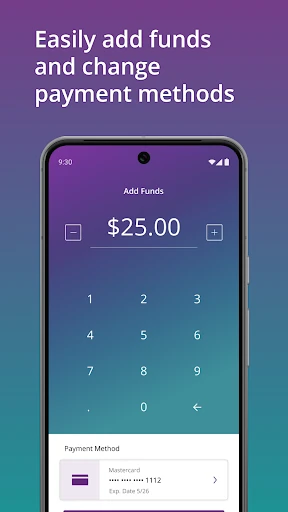
The core experience is about answering practical questions: What is my balance? What tolls appear in my history? Is there an account alert I should read? Those are the kinds of checks that fit into a short pause at home or during an end-of-week admin session. I appreciate that the app also supports changing payment methods and making one-time payments, so it is not limited to showing information.
I would use those account tools when I have a clear reason, not as a substitute for keeping records elsewhere. A look at toll history after a drive can help connect an account entry to a recent trip, while updating vehicle information can keep account details aligned with a change. The app's value is its concentration on toll business, rather than an attempt to make every part of driving happen on a phone.
Two Ways to Handle Mail Tolls
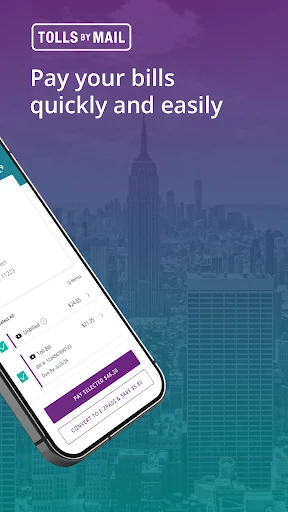
The Tolls by Mail tools stand out because they cover both an existing invoice and a trip someone wants to look up. A paper invoice can be scanned for payment, while a license plate search can find trips taken. These are useful options for different moments: one begins with a bill in hand, and the other begins with a question about a drive.
The app also lets customers opt in to receive Tolls by Mail invoices digitally. That is a practical choice for someone who prefers to keep billing in a digital channel, though the decision is personal. Planning future trips is another listed feature, which gives the toll tools some use before a drive as well as afterward. I see these as focused conveniences, not a substitute for full route guidance.
A Simple Weekly Routine
A routine I can imagine is a short account check once a week, perhaps while sorting other household admin. I would review the balance and toll history, read any important account alerts, and check that the vehicle information and payment method still make sense. That keeps the app useful without requiring a daily check-in or making toll management feel more complicated than it is.
If a Tolls by Mail invoice arrives, I would handle that as a separate task: open the app with the paper invoice nearby, scan and pay it, or search for a trip using the license plate. Someone who prefers digital bills can opt in to receive invoices that way. Breaking the tasks into these occasional moments feels more realistic than checking the app every time I get in the car.
Keep Its Scope in Mind
The main limitation is also the app's defining choice: it is for E-ZPass NY accounts and Tolls by Mail, not a general driving toolkit. Someone looking for navigation, broad trip organization or unrelated vehicle services will need other tools. Even the future-trip feature is described in the context of tolls, so I would not mistake it for a complete route planner.
There is also a practical distinction between having the app and having the relevant account or invoice. Many of its most useful tasks are tied to account management or Tolls by Mail, so a driver who rarely deals with either may not get much from it. For the intended audience, though, concentrating on balances, payments, history, vehicles and invoices is a sensible trade-off.
Official E-ZPass NY is a straightforward utility for a specific kind of driving admin. Its best uses are checking an E-ZPass balance and history, keeping account details current, and dealing with Tolls by Mail invoices. I like that it covers both account customers and invoice searches without pretending to be a navigation app.
I would try it if I use E-ZPass NY or need to manage Tolls by Mail, especially if I want those tasks available on my phone. Drivers who want maps or a full road-trip companion should look elsewhere for those jobs. As a focused toll-management app, it has a clear and useful role.
Official E Frequently Asked Questions
What is Official E-ZPass NY used for?
Official E-ZPass NY is used to manage E-ZPass accounts and Tolls by Mail invoices. Its listed tools include checking an account balance, viewing toll history and alerts, changing payment methods, making one-time payments, updating vehicle information, scanning paper invoices, searching trips by license plate and opting in to digital invoices.
Which devices can run Official E-ZPass NY?
Official E-ZPass NY is an Android app available through Google Play. The minimum Android version can vary with app updates and devices, so check the Google Play entry for the requirement that applies to your phone. The app's listed features are intended for managing toll accounts and invoices from a mobile device.
Does Official E-ZPass NY cost money?
The app is free to download on Google Play. It has no in-app purchases and contains no ads, according to its app details. Toll payments or account-related charges are separate from the cost of downloading the app; consult the relevant account or invoice information for those amounts.
Can Official E-ZPass NY help with a Tolls by Mail bill?
Yes. The app can scan and pay a paper Tolls by Mail invoice, and it can search for trips using a license plate. Customers can also opt in to receive invoices digitally. The app is focused on toll-related tasks rather than general navigation or all-purpose trip planning.
Who should use Official E-ZPass NY?
It is best suited to people managing an E-ZPass NY account or Tolls by Mail invoices. Balance checks, toll history, payment methods, vehicle details and invoice tools are relevant to those users. Drivers who do not deal with these services, or who mainly want navigation, may find it less useful.
Pros
- Brings E-ZPass account checks and Tolls by Mail invoice tools together.
- Supports invoice scanning and trip searches using a license plate.
- Includes balance, toll history, payment method and vehicle information tools.
- Free to download, with no in-app purchases or ads.
Cons
- Its narrow toll-management focus will not replace a navigation app.
- Drivers without E-ZPass NY or Tolls by Mail may have little use for it.
- The minimum Android requirement is worth checking for your particular device.
- Category
- Travel & Local
- Version
- 3.16.2