myGov
- 8.90K
- 3.4
- Installs
- 5.00M
- Price
- Free

Screenshots
Analysis by Reviewed APKs
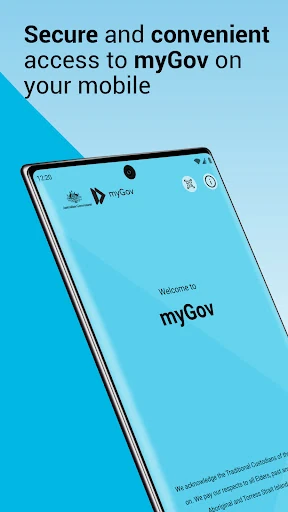
myGov is the Australian Government’s mobile app for signing in to a myGov account, checking Inbox messages, reaching linked services and keeping some government cards or certificates in a digital wallet. I found its purpose refreshingly practical: it brings a few useful account tasks together on a phone. It suits people who already use myGov, though it is not a replacement for the separate myID app.
A quick account check
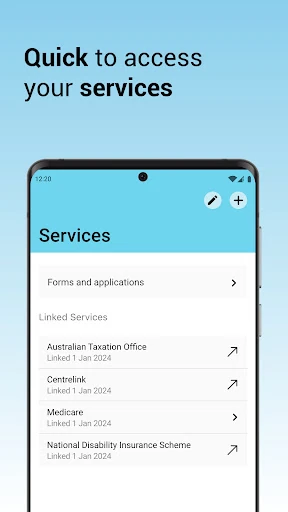
When I first opened myGov, the main appeal was easy to understand: I could sign in on my phone, check my myGov Inbox and get to services connected to my account without starting at a desktop. I imagined using it during an ordinary pause in the day, such as checking for a message while waiting for an appointment. The app is most useful in those short moments when I want to see what needs attention.
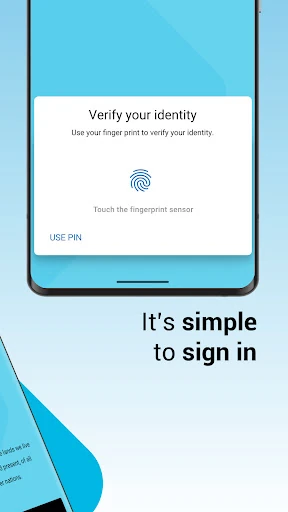
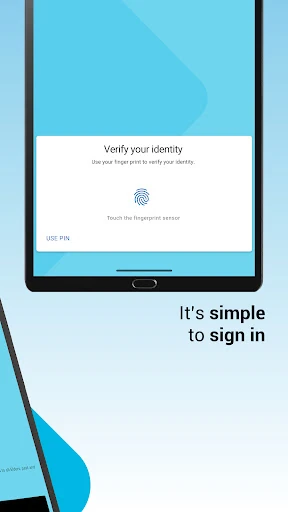
Setup depends on already having a myGov account, so this is not an app that starts by creating a complete government-services profile for you. Once set up, I could use a myGov app PIN or biometrics to sign in. That gives the app a straightforward role in my routine: keep access close at hand, then use the inbox or service links when something comes up.
A companion, not a catch-all
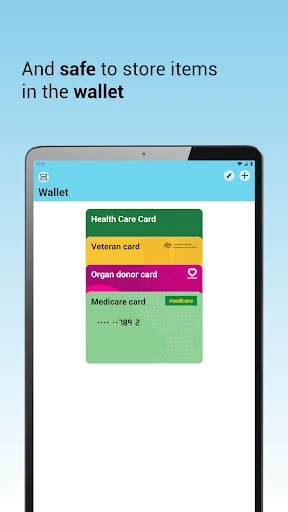
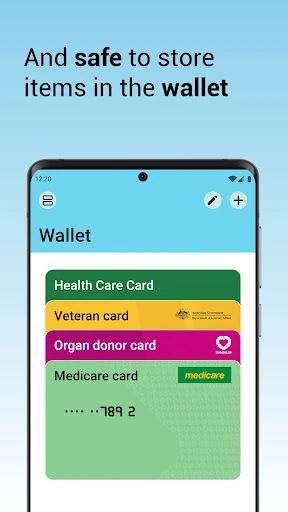
Compared with opening myGov in a mobile browser every time, the app offers a focused way to sign in and get to the account’s messages and services. It also has a digital wallet for some government cards and certificates. I would treat it as a convenient companion for those specific tasks, rather than assume that every government interaction or document belongs in the app.
The distinction from myID matters. myGov is the account-access app described here; myID is a separate Australian Government Digital Identity app. I would not install myGov expecting it to act as myID, nor treat it as a general-purpose wallet or a broad productivity suite. Its value is narrower: making a few myGov account activities easier to reach from a mobile device.
Small habits that help
I would make a habit of checking the myGov Inbox when I have a quiet minute, especially if I am already opening the app to reach a linked service. Keeping those two actions together makes the app feel more useful than opening it only when I remember a particular message. It also gives me a simple place to begin when I need to see what is available through my account.
For faster sign-ins, choosing a myGov app PIN or using biometrics can make returning to the app more convenient. I would also take a moment to see which digital cards or certificates are supported for my account instead of assuming the wallet holds everything I might need. These modest habits fit the app’s actual job: easier access, not a replacement for every service’s own process.
More From Our News Desk

Zoom Meetings, Google Meet, or Teams: Which Is Easiest to Join?

How I Build a Free Streaming Lineup With Tubi

Why Crunchyroll Is the Default Anime App for So Many Fans

YouTube TV: A Practical Guide to Cutting Cable

Rummikub and the Small Comfort of Phone Games

TeamViewer Remote Control or AnyDesk for Helping Family?
Who may find it useful
I would recommend myGov to Australians who already have a myGov account and want a phone-based way to sign in, check messages, reach services and keep some supported digital cards or certificates together. It is especially sensible for people who regularly use their account in short bursts rather than sitting down at a computer. The app’s focus is practical, and its PIN or biometric sign-in options fit repeat visits.
It may be less useful if you do not have a myGov account yet, since one is needed to set up the app, or if you are looking specifically for myID. I also would not choose it expecting an all-purpose government-services dashboard with every task handled in one place. People who rarely use myGov may have little reason to keep a dedicated mobile app for these account activities.
myGov is developed by Services Australia and is listed on Google Play as a free Android app. It has more than five million installs and a 3.4-star rating from about 8,900 ratings. The content rating is Everyone. Google Play shows version 1.44.0, released November 30, 2022, with the latest update dated October 5, 2026.
The app has no listed in-app purchases and contains no ads. A minimum Android version is not provided in the supplied app details, so I would check Google Play for compatibility with a particular phone. The app requires a myGov account for setup. Its stated role is mobile access to myGov, including sign-in, Inbox messages, linked services and some digital cards or certificates.
A closer look at everyday access
A direct first impression
When I first opened the app, its purpose felt more important than any promise of doing everything in one place. This is a mobile route into myGov, and the core tasks are clear from the description: sign in, look at Inbox messages, reach services and access some items in a digital wallet. That narrow scope helps set expectations before I depend on it for a particular task.
There is one prerequisite to keep in mind before setup: I need a myGov account. The app is not presented as the place to create one from scratch; account creation is handled through the myGov site. After that, the app supports a myGov app PIN or biometrics for sign-in, giving a returning user a couple of stated ways to get into the account.
Everyday account access
The day-to-day experience I would expect from myGov is a series of brief visits rather than a long session. I might open it to see whether there is a new Inbox message, then move on to a service linked to my account. The app’s convenience comes from bringing those entry points onto a phone, where checking something quickly can fit naturally into a break or a commute.
A PIN or biometric sign-in can make those repeat visits feel less cumbersome than starting from scratch each time. The app also offers access to services, though the description does not promise that every task within those services is completed inside myGov. I would think of it as a useful doorway and account companion, with the service itself determining what happens next.
Messages and digital wallet
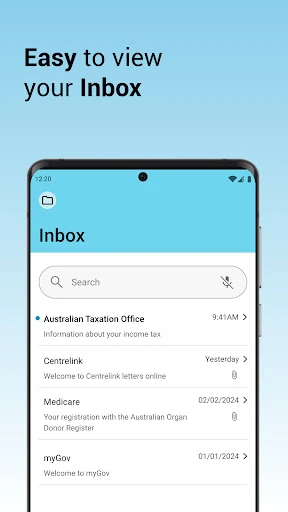
The Inbox is one of the features I would use most often because it gives messages a clear home in the app. Instead of treating the app as just a sign-in tool, I can see a reason to return and check what has arrived. The description says users can view and manage Inbox messages, which makes this more than a simple shortcut to a browser page.
The digital wallet adds a second practical use, but the wording is deliberately limited to some government digital cards and certificates. I would not assume it stores every document or that all services use the wallet. Still, having supported items available alongside account access could be handy when I am away from my computer and want to keep a relevant digital item close by.
A simple weekly check-in
A practical routine would be to check myGov when I have a few minutes at the end of the week. I could sign in, review the Inbox and then open any linked service I already need. That is a modest habit, not a reason to check the app constantly. It turns the app into a familiar starting point for account upkeep instead of something I only remember in a hurry.
I would also make sure I know whether the digital wallet supports the cards or certificates I personally need, rather than waiting until I am trying to find one. Setting a PIN or using biometrics may also make repeat access more comfortable. Together, those small choices keep the app useful for quick checks without expecting it to replace the myGov site or every service’s own steps.
Keep its limits in view
The main limitation is that myGov has a specific job. It helps with mobile sign-in, messages, linked services and some wallet items, but the description does not say that every government service or document is available through it. If I need something outside those areas, I may have to use the relevant service or the myGov site instead.
It is also easy to confuse myGov with myID, especially because both names are associated with Australian Government digital access. They are not the same app: myID is a separate Digital Identity app. The distinction is worth remembering when choosing what to install. And because setup requires a myGov account, people without one need to create it on the myGov site first.
myGov is a focused, useful mobile companion for people who already use a myGov account. I like that its stated jobs are concrete: sign in, check and manage messages, reach services and keep some digital cards or certificates handy. It is easier to recommend as a convenient access point than as a one-stop solution for every government task.
If you regularly use myGov and want those basic account activities on your phone, I think it is worth trying. If you are looking for myID, do not mix up the two apps; and if you rarely access myGov, the benefit may be modest. For its intended audience, the app offers a practical place to start.
myGov Frequently Asked Questions
What is the myGov app used for?
The myGov app is for mobile access to a myGov account. It supports signing in with a myGov app PIN or biometrics, viewing and managing Inbox messages, reaching services and storing some government digital cards and certificates in a digital wallet. A myGov account is needed to set it up.
Which phones can run the myGov app?
The app is listed for Android on Google Play. The minimum Android version can vary with app updates and device compatibility, so check the Google Play store entry for your phone before installing. The supplied app details do not identify other supported platforms.
Does myGov cost money or include purchases?
Google Play lists myGov as free. The supplied details say it has no in-app purchases and contains no ads. Store information can change, so it is worth checking the current Google Play entry for the latest terms before installing.
Do I need an account to set up myGov?
Yes. A myGov account is required to set up the app. If you do not have one, the app description directs you to create an account on the myGov site. myGov is separate from myID, the Australian Government’s Digital Identity app.
Who is the myGov app best suited to?
It is best suited to people who already use myGov and want mobile access to their account, messages, linked services and some supported wallet items. It may be less useful for people without a myGov account or anyone looking for myID instead. Check the store entry for device compatibility.
Pros
- Combines mobile myGov sign-in, Inbox access and service shortcuts in one app.
- Supports a myGov app PIN or biometric sign-in.
- Includes a digital wallet for some government cards and certificates.
- Free to download, with no ads or in-app purchases listed.
Cons
- A myGov account is required before app setup.
- The digital wallet supports only some government cards and certificates.
- Easy to confuse with the separate myID Digital Identity app.
- Category
- Productivity
- Version
- 1.44.0











