MyASUS
- 645
- 4.2
- Installs
- —
- Price
- Free

Screenshots
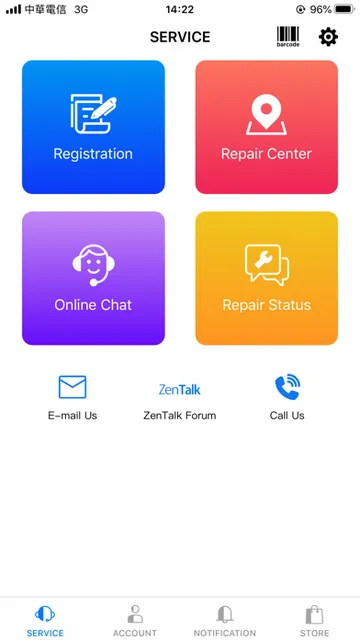
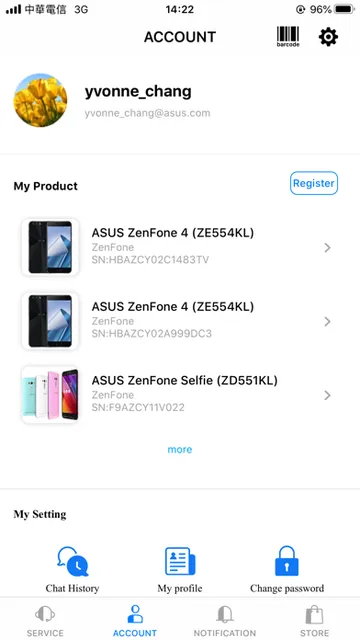
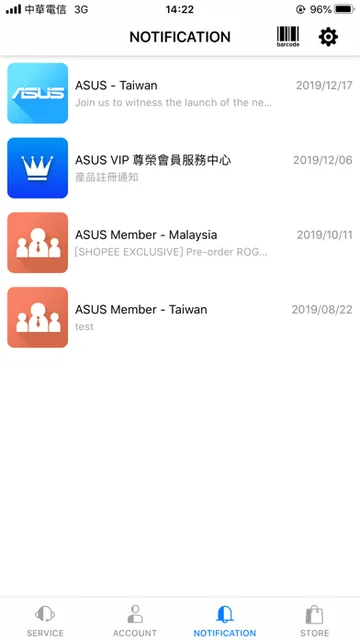
Analysis by Reviewed APKs
MyASUS is a support and product companion for people who own ASUS devices or are considering buying one. It brings together product registration, help options, service-location searches and product news. After spending time with the idea of using one app as a starting point for ASUS questions, I see its appeal: it can make support tasks easier to find, though its usefulness depends on how much ASUS help you need.
A Smoother Support Errand
Picture a familiar moment: I’m trying to sort out a question about an ASUS product while away from home, and I don’t want to hunt through old paperwork first. MyASUS gives me a place to look for product instructions, contact customer service or check a repair’s status. The app’s support focus makes sense for those small but time-consuming errands, especially when I need a route to the right ASUS help rather than a general answer.
Registration is another practical example. The app can scan a product barcode, and it also describes registration by taking a product photo. If I’m looking for a nearby ASUS retail or service location, the map lookup can help me find one. These are specific jobs rather than broad productivity tools, but they’re the kinds of tasks that are easier when I can start in one place.
An ASUS-Specific Starting Point
MyASUS makes the most sense alongside ASUS products. Instead of serving as a general device manager or a universal tech-help app, it focuses on product information, registration, repair status, instructions and customer-service contact. When I want an ASUS-related answer, that focus can save me from figuring out which support channel to try first.
That narrow scope is also its main boundary. It isn’t a general-purpose productivity suite, and it won’t be equally useful to someone who doesn’t own or plan to buy ASUS products. I’d treat it as a companion to ASUS ownership, not a replacement for broader troubleshooting resources or a single app for managing devices from many brands.
Small Habits That Help
I’d make a habit of opening MyASUS when I first need product support, rather than waiting until I’ve already spent time searching elsewhere. For a new ASUS purchase, the barcode registration option gives me a straightforward next step. If a problem is hard to describe, the app also says I can send customer service a photo to help identify it.
It can also be useful to check product instructions before contacting support, then look for the relevant customer-service option if the instructions don’t answer the question. When shopping or comparing products, product news and nearby retail locations may be handy. I’d keep the app’s role simple: a convenient starting point for ASUS information and support, not a daily destination without a reason.
More From Our News Desk

Zoom Meetings, Google Meet, or Teams: Which Is Easiest to Join?

How I Build a Free Streaming Lineup With Tubi

Why Crunchyroll Is the Default Anime App for So Many Fans

YouTube TV: A Practical Guide to Cutting Cable

Rummikub and the Small Comfort of Phone Games

TeamViewer Remote Control or AnyDesk for Helping Family?
Who May Find It Useful
I’d recommend MyASUS to people who own ASUS products and want a direct route to registration, product guidance or customer service. It may be particularly useful when a repair is underway, when I need to locate a nearby ASUS outlet, or when explaining a product issue feels easier with a photo. The combination of support and product information gives ASUS customers several practical reasons to keep it available.
It may not suit people who rarely need ASUS support, or anyone hoping for a universal device-management app. Its features center on ASUS products and services, so the value is tied to that ecosystem. If I mostly need help with unrelated brands, I’d look elsewhere for a broader tool. For occasional ASUS questions, though, having support options gathered together could make the app worth trying.
MyASUS is developed by ASUSTek and is available for iPhone and other compatible Apple devices through the App Store. The store gives it a 4.2-star rating from 645 ratings. It is free to download, and the stated content rating is 4+.
The current version shown is 4.02.01. The app was released on February 22, 2012, and the listed last update is October 30, 2026. It requires iOS 17.0 or later. The App Store describes product registration, customer-service contact, repair-status inquiries, product instructions, nearby locations and product news.
A Handy Home for ASUS Support
Getting Started
My first impression is that MyASUS has a clear job: connect ASUS customers with product information and support. The opening pitch covers several common needs, from registering a purchase to finding a retail location or contacting customer service. That focus helps set expectations. I wouldn’t open it expecting a general-purpose organizer; I’d reach for it when the question or task is specifically about an ASUS product.
For setup, the most concrete starting point is product registration. MyASUS says it can scan a product barcode for a quicker registration process, and it also describes taking a photo of the product. That gives new owners a couple of ways to begin. If I’m not registering anything, I can still use the app to look for instructions, support contact options or product news.
The Everyday Support Loop
The day-to-day appeal is having a few support tasks gathered under one roof. I can look for product-use instructions, ask customer service for help, check repair status or find a service location. When a device question interrupts an ordinary routine, a clear path to those options can be more useful than another stream of general tech tips.
The app also describes contacting customer service with a photo of a problem. I like that as a practical way to explain something visual, especially when a short description might miss the detail that matters. It doesn’t mean every issue will be resolved instantly, but it offers a direct way to share context with ASUS support.
Useful ASUS Extras
Registration and support are the core, but MyASUS also includes product news and information about launches, offers and discounts. For someone already considering an ASUS purchase, that material may be convenient to browse in the same app used for product questions. The map lookup is another useful extra, pointing users toward nearby ASUS retail locations.
The description also mentions online purchasing and customer-service assistance. Those additions broaden the app beyond troubleshooting, while keeping it centered on ASUS products. I’d think of them as optional reasons to open MyASUS, not features that every user needs every day. The strongest case remains having product-related help and practical ownership tasks close at hand.
A Practical Ownership Routine
A simple routine would start when I buy an ASUS product: use the barcode scan or photo-based registration option, then keep the app in mind for product instructions and support. If a question comes up later, I can check the guidance before contacting customer service. For a visual issue, I could use the photo-sharing option described by the app to provide more context.
If a repair is already in progress, I’d use the repair-status inquiry as a quick check rather than searching through unrelated support pages. And if I’m shopping locally, the map lookup may help me find a nearby ASUS outlet. These small, occasional tasks suit the app better than a rigid daily routine; I’d open it when an ASUS ownership need comes up.
Limits to Keep in Mind
MyASUS is built around ASUS, so its usefulness falls off quickly if I don’t own or plan to buy the company’s products. It also shouldn’t be mistaken for a general troubleshooting service. The support options described are tied to ASUS customer service and product information, which is helpful for the right user but limiting for people managing several brands.
Some tasks may also depend on the particular product or support need. The app offers routes to registration, repair inquiries and customer service, but those options don’t mean every question will have an immediate answer. I’d see it as a convenient point of contact, with product instructions and support channels to try, rather than a promise that every issue can be handled inside the app.
MyASUS has a clear and practical purpose: make common ASUS ownership tasks easier to reach. Product registration, support contact, repair inquiries, instructions and location lookup give it more substance than a simple news feed. I like that the features address real moments when I need product help, even if those moments aren’t part of everyone’s daily routine.
I’d recommend it to ASUS owners who want a dedicated support companion, especially those who register products or contact customer service from time to time. People looking for broad device management or help across brands should look elsewhere. For an ASUS-specific starting point, MyASUS is a sensible app to have available.
MyASUS Frequently Asked Questions
What is MyASUS used for?
MyASUS is a companion for ASUS product information and support. It can help with product registration, product-use instructions, repair-status inquiries, customer-service contact and finding nearby ASUS retail locations. The app also provides product news. Its focus is ASUS products rather than general support for devices from many manufacturers.
Which devices can use MyASUS?
MyASUS is available through the Apple App Store for compatible Apple devices. The stated requirement is iOS 17.0 or later. The app is centered on ASUS products and support, so the most useful features are intended for people who own or are considering ASUS products.
What iOS version does MyASUS require?
The App Store information gives iOS 17.0 as the minimum requirement. You’ll need an Apple device running that version or later to install the current app. Compatibility details can vary by device and may be worth checking on the App Store before downloading.
Does MyASUS cost anything?
MyASUS is free to download on the App Store. The provided store information does not give details about in-app purchases, so check the App Store listing for current information before installing if that matters to you.
Is MyASUS useful if I don't own ASUS products?
It may have limited value without an ASUS product or a plan to buy one. Its main tools cover ASUS registration, product guidance, customer-service contact, repair inquiries and nearby locations. If you want general tech support or a way to manage products across brands, MyASUS is probably not the right fit.
Pros
- Brings ASUS registration, product instructions and support contact into one focused app.
- Barcode scanning and photo-based registration offer practical ways to register a product.
- Includes repair-status inquiries and a map lookup for nearby ASUS retail locations.
- Photo sharing can help explain a product problem to customer service.
Cons
- Its support and information are focused on ASUS products, not multiple brands.
- The app may be of little use to people without an ASUS product.
- Customer-service access does not mean every issue will be resolved in the app.
- Category
- Productivity
- Version
- 4.02.01











