Minnesota 511
- 1.38K
- 2.9
- Installs
- 100.00K
- Price
- Free
Screenshots
Analysis by Reviewed APKs
Minnesota 511 is a travel information app for checking traffic and road conditions across Minnesota highways and interstates. I’d reach for it before a drive when winter weather, roadwork, or an incident could change the trip, rather than treating it as an all-purpose navigation tool. Its map, cameras, and audio traffic notices make it useful for local drivers and visitors, though its Google Play rating suggests it may not delight everyone.
Before the Drive
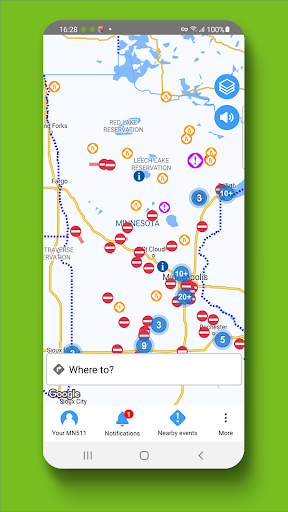
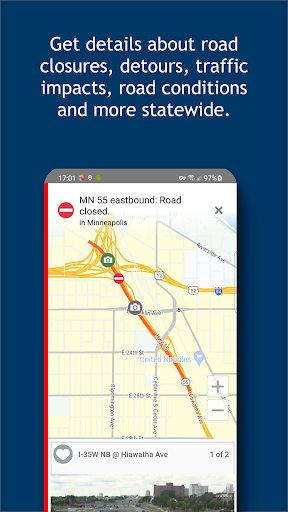
Picture a weekday morning with a drive across the Twin Cities, or a longer trip on an interstate after snow. Before leaving, I can open Minnesota 511 and look over the map for reported incidents, closures, construction, and winter road conditions. Current speeds and travel-time delays add context: a slow stretch may be more than a vague red line when the map also shows what is happening there.
The visual checks are especially practical when conditions are changing. I can zoom in, select event icons, and look at roadside camera images or live video where available. In winter, road-weather details and snow plow camera images give me another way to understand what is being reported. I would use that information to make a more informed travel decision before setting off, not to study the map while driving.
A Road Tool, Not Navigation
Minnesota 511 is best understood as a state-focused source of travel conditions, not a general-purpose turn-by-turn navigator. Its strength is the range of road information gathered in one place: traffic events, closures, work zones, speeds, cameras, weather information, and electronic sign messages. That makes it a useful companion when the question is “What is happening on the roads?” rather than “Which turn should I take next?”
Compared with relying on a broad map or a quick glance at a traffic report, the app gives Minnesota highways and interstates their own detailed view. But it is not a promise of a faster route, and the provided information does not describe route planning or suggested detours. I’d pair it with whatever navigation method I already use, checking Minnesota 511 for road context rather than expecting it to replace every travel app.
Small Checks, Better Context
A simple habit is to check the map before each longer drive, then zoom into the sections that matter instead of trying to read the entire state at once. Selectable event icons help turn a crowded overview into more useful detail. If a camera is available near a stretch I’m concerned about, its image can add a visual reference to the incident or road-condition report.
For regular commuters, it can be worth checking the same corridor before leaving and comparing reported speeds or travel-time delays with the usual pattern. On trips involving a rest stop, the app also includes rest area locations and real-time truck parking availability at select state-run rest areas. Audio notifications are intended to provide hands-free traffic event updates while driving; I’d set up any checking before moving and keep attention on the road.
More From Our News Desk

Zoom Meetings, Google Meet, or Teams: Which Is Easiest to Join?

How I Build a Free Streaming Lineup With Tubi

Why Crunchyroll Is the Default Anime App for So Many Fans

YouTube TV: A Practical Guide to Cutting Cable

Rummikub and the Small Comfort of Phone Games

TeamViewer Remote Control or AnyDesk for Helping Family?
Who May Find It Useful
I’d recommend Minnesota 511 to people who drive Minnesota highways regularly, especially commuters who encounter recurring construction or travelers who want a clearer picture before a longer trip. It also makes sense for occasional visitors who need local road-condition information, and for winter drivers who value reports, road-weather information, and camera views alongside traffic notices.
It may be less appealing if you want one app to handle navigation, route suggestions, and every part of trip planning. The focus here is roadway information, and the Google Play score is a modest 2.9 from 1,377 ratings, so I’d go in with measured expectations. Anyone who prefers a very simple map may also find the collection of selectable information more detail than they need.
Minnesota 511 is published by the Minnesota Department of Transportation and is available on Google Play. It has more than 100,000 installs and a 2.9-star rating from 1,377 ratings. The app is free to download, with no in-app purchases and no ads. Its content rating is Everyone, making it suitable for a broad audience.
The current version shown is 5.9.1. Minnesota 511 was released on July 10, 2013, and its last update was October 14, 2026. Android requirements can vary by device and app release, so check the Google Play page for compatibility before installing. The app notes that continued GPS use in the background can significantly reduce battery life.
A Closer Look at Minnesota 511
Opening the Map
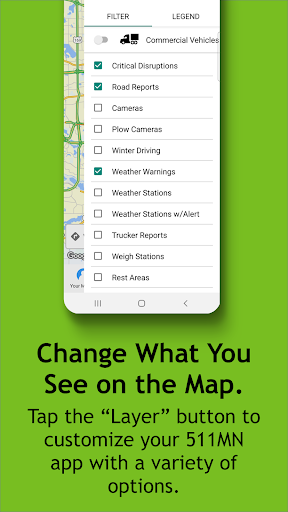
My first impression is that Minnesota 511 is designed around a practical question: what is happening on the road right now? The map is the main way to take in that information, and the selectable icons let me focus on the events that matter rather than treating every report as the same kind of warning. Zooming in is useful when I want to inspect a particular stretch.
I’d make my first check while parked or before leaving, especially if I’m not familiar with the route. The app covers statewide Minnesota highways and interstates, so it is aimed at road travel across the state rather than a narrow neighborhood view. That focus is clear from the outset and helps set reasonable expectations.
The Daily Check
Day to day, the value comes from bringing several kinds of travel information together. Traffic incidents, road closures, construction, current speeds, and delays associated with traffic reports can all help explain why a drive may be slower than usual. Winter road conditions and road-weather information are particularly relevant when conditions can change over a short distance.
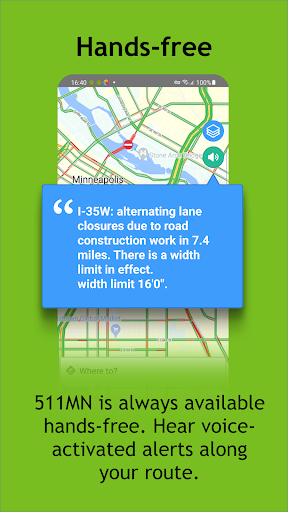
I would use the app as a pre-drive check and a source of context, not as something to keep studying while behind the wheel. Hands-free audio notifications provide traffic-event information while driving, but they do not change the basic need to pay attention to the road. The app also warns that GPS running in the background can have a substantial effect on battery life.
Cameras and Road Details
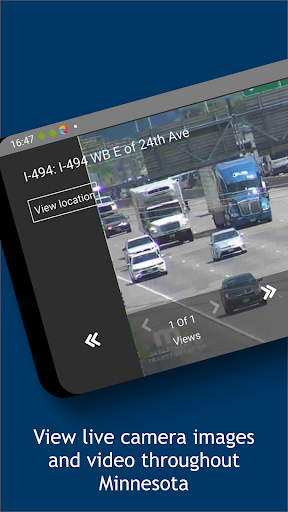
The cameras are one of the more tangible features. Roadside camera images and live video capabilities can provide a visual glimpse of a location, while snow plow camera images add another perspective during winter travel. I like that these views complement the map reports: an icon gives a location, and a camera may help me understand the scene more clearly.
There are useful details beyond incidents, too. Electronic roadway sign messages appear in the app, and rest area locations help with trip planning. At select state-run rest areas, it also provides real-time truck parking availability. These features do not turn it into a general travel planner, but they broaden its usefulness for people spending time on Minnesota roads.
A Winter Trip Routine
For a winter drive, I’d check Minnesota 511 before packing up, scan the route for road closures and reported conditions, and look at camera views where they are available. I’d also note any construction or incident reports that could affect the trip. This is a straightforward routine: gather useful context while stationary, then make travel decisions with the road and weather in mind.
On a familiar commute, I’d keep the check shorter. A glance at current speeds and travel-time delays can show whether the usual corridor is moving normally, while audio event notices may be useful once underway. If a rest stop is part of a longer journey, the app’s location information—and truck parking availability at select state-run rest areas—can be relevant without making the map the whole trip.
Limits to Keep in Mind
This is a specialized road-information app, so I would not expect it to replace a navigation service. The described features cover conditions, events, maps, cameras, signs, and selected rest-area details; they do not establish turn-by-turn guidance or route recommendations. If navigation is the main job, Minnesota 511 is better treated as a companion for checking local road reports.
The map and live information are most useful when the reports and camera views cover the stretch I care about. Audio notifications can help keep updates hands-free, but the app itself cautions about background GPS battery use. Finally, its 2.9-star Google Play rating is worth bearing in mind: this may be a useful source of state road information without being a polished favorite for every driver.
Minnesota 511 earns its place as a focused reference for Minnesota road conditions, especially when winter weather, construction, or traffic incidents could affect a drive. I appreciate the mix of map reports, camera views, speeds, and practical road details. It is a useful extra layer of awareness, not a substitute for attentive driving or a dedicated navigation tool.
I’d try it if I regularly drive Minnesota highways or want a state-specific check before a longer trip. The free price and lack of ads make it easy to consider, while the modest rating and battery note are reasons to keep expectations practical. For drivers who want road information more than route guidance, it is worth a look.
Minnesota 511 Frequently Asked Questions
What is Minnesota 511 used for?
Minnesota 511 provides traffic and road-condition information for Minnesota highways and interstates. It includes reports about incidents, closures, construction, winter conditions, current speeds, and delays, along with camera images, road-weather information, and electronic sign messages. It is most useful for checking road context before or during a trip, rather than as a general turn-by-turn navigation app.
Which devices can run Minnesota 511?
Minnesota 511 is an Android app available through Google Play. The information provided here does not specify support for other platforms, so check the store for current device compatibility. The app’s features focus on Minnesota road information, and device requirements can vary with the Android version and the particular phone or tablet.
What Android version does Minnesota 511 require?
The Android version requirement can vary by device and app release. Check the Minnesota 511 Google Play page for the requirement shown for your device before installing. The current version listed is 5.9.1, but that number alone does not determine whether the app will work with a particular phone or tablet.
Does Minnesota 511 cost money?
Minnesota 511 is free to download on Google Play. It has no in-app purchases and contains no ads. Store details can change over time, so the Google Play page is the best place to check the latest information before installing.
Is Minnesota 511 useful for everyday drivers?
It can suit Minnesota commuters, winter drivers, and travelers who want traffic and road-condition information before a trip. It may be less suitable for someone looking for a full navigation app or route-planning guidance. Its content rating is Everyone, and the app’s focused road-information features are relevant to a broad range of drivers.
Pros
- Combines traffic incidents, closures, construction, speeds, and road conditions in a Minnesota-focused map.
- Camera images and live video can add useful visual context to reported road conditions.
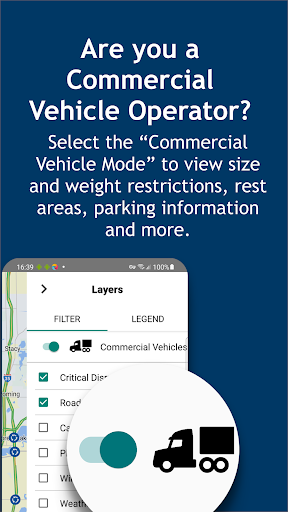
- Includes rest area locations and truck parking availability at select state-run rest areas.
- Free to download, with no in-app purchases or ads.
Cons
- It is focused on road information, not a complete turn-by-turn navigation experience.
- The Google Play rating is a modest 2.9 stars from 1,377 ratings.
- The app warns that background GPS use can significantly reduce battery life.
- Category
- Travel & Local
- Version
- 5.9.1











