Maps Driving Directions
- 2.51K
- 4.4
- Installs
- 500.00K
- Price
- Free
Screenshots
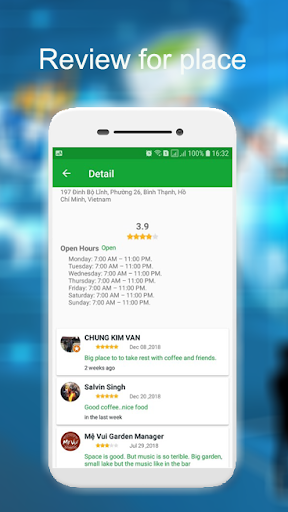
Analysis by Reviewed APKs
Maps Driving Directions is a general-purpose navigation and location app for finding routes, nearby places, and your current coordinates. It also includes map views, a compass, and tools for measuring distance and land area. I see it fitting people who want several practical map utilities together. Its broad feature set is useful, though I’d approach it as a handy everyday option rather than a specialist navigation tool.
A Route for the Day
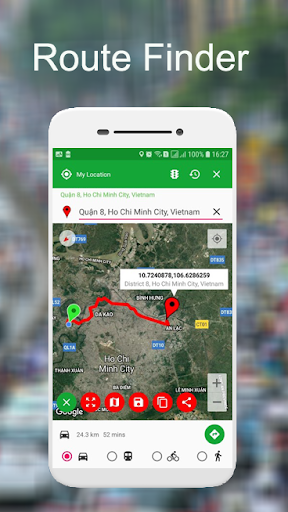
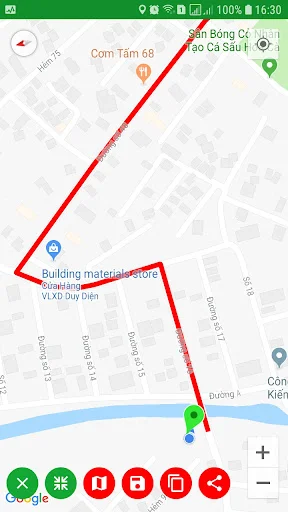
When I need to get across town to an unfamiliar address, I can search by place name, address, or coordinates and view a route from A to B. The app offers driving, walking, cycling, and transit directions, with distance and estimated duration shown. I can zoom the map and switch its display style, which is useful when I want a broader view before setting off or a closer look at the final turns.
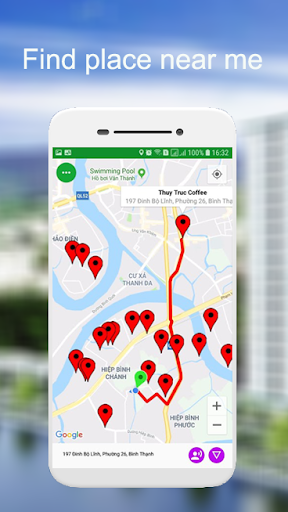
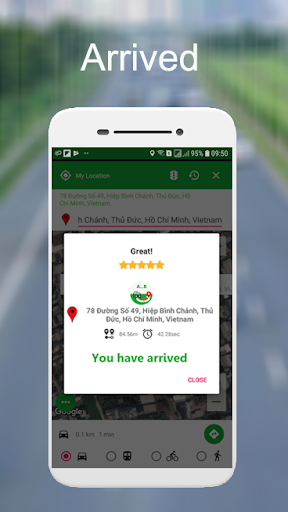
I also like the nearby-place search for the small decisions that come up during a trip. Looking for a gas station, coffee shop, ATM, or restaurant is a more natural task than typing a full address when I’m already on the move. The app can suggest addresses as I type, and its arrival notification is described as using a 10-meter radius. I’d still check the route before leaving, especially somewhere unfamiliar.
A Map Utility, Not Just Navigation
The obvious comparison is a dedicated navigation app, but Maps Driving Directions tries to cover more than getting from one place to another. In addition to routes and nearby searches, it can save or copy a location, share it, show a compass, and measure distances or land areas. That range makes it appealing when I want a general map toolkit rather than a single-purpose turn-by-turn navigator.
That breadth also means I wouldn’t choose it for features the supplied information doesn’t describe, such as offline maps or customizable route preferences. It is not presented as a specialized surveying product either, even though it includes area measurement. I’d treat its map tools as convenient extras and use a dedicated service when a trip or measurement depends on capabilities beyond the app’s stated functions.
Small Habits That Help
A useful habit is to save a location as soon as I find it, rather than trying to remember the exact search wording later. The app can keep saved or copied locations in its history, and a location can be shared through services including email, text messaging, and social apps. That can make meeting someone at a precise point simpler than describing a nearby landmark.
For a trip, I’d search the destination before leaving, compare the route modes that make sense, and check the distance and estimated duration. If I’m exploring, I’d switch to a nearby search for practical stops. For outdoor measuring, I’d mark at least two points for distance or three for area, as described. These little steps make the app’s different tools easier to use without turning every errand into a project.
More From Our News Desk

Zoom Meetings, Google Meet, or Teams: Which Is Easiest to Join?

How I Build a Free Streaming Lineup With Tubi

Why Crunchyroll Is the Default Anime App for So Many Fans

YouTube TV: A Practical Guide to Cutting Cable

Rummikub and the Small Comfort of Phone Games

TeamViewer Remote Control or AnyDesk for Helping Family?
Who May Find It Useful
I’d recommend Maps Driving Directions to someone who wants everyday directions alongside quick access to nearby businesses, location sharing, and a basic compass. It may suit a traveler planning a simple route, a local looking for a place to stop, or someone who occasionally needs to estimate distance or area on a map. The appeal is having those tasks gathered in one app.
It may be a less natural fit for someone who wants a narrowly focused navigation experience or relies on features not described here. The app offers several modes and tools, so people who prefer a minimal interface may find the range unnecessary. I’d also avoid assuming its measurement tools replace specialized equipment or that its route information covers every need; check the app’s options against your usual routine.
Maps Driving Directions is a free Android app from Navigate Traffic - Maps Directions. Google Play shows over 500,000 installs and a 4.4-star rating from 2,507 ratings. It contains ads, and the supplied facts say it does not offer in-app purchases. Its content rating is Everyone.
The version is listed as varying with device. The app’s release date is December 26, 2018. No minimum Android version or last-update date is included in the supplied facts, so I’m leaving those details out rather than guessing.
A Closer Look at Everyday Mapping
Getting Started
My first impression is that the app is built to make common map tasks straightforward: find a location, choose a route, or look for something nearby. The description emphasizes a simple interface and includes several map types, from normal and satellite to hybrid and terrain. That gives me a few ways to orient myself without changing the underlying purpose of the app.
I’d begin by searching a destination or checking my current location, then try a route mode that fits the trip. The app also describes location coordinates and address lookup, so it can help when a place is easier to identify by a pin or coordinate than by a familiar name. Getting comfortable with those basics should make the extra tools easier to find useful.
Everyday Directions
For routine use, the central experience is choosing a start and destination and seeing the route on a map. Driving, walking, cycling, and transit directions are supported, with distance and duration calculations. I can imagine using driving directions for an errand and walking directions once I’ve parked, without needing to change the app I’m using.
Voice navigation is another practical touch for following a route, while the app’s traffic map view can add context when I’m planning a drive. The description also says the route planner can show real-time location as I move. I’d treat those features as helpful guidance and keep my attention on the road rather than fiddling with the phone mid-trip.
Useful Extra Tools
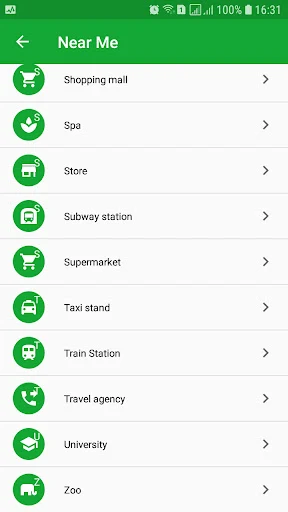
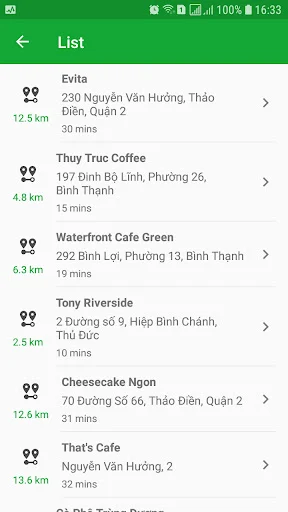
Nearby search is one of the features I’d reach for most often when a destination is only part of the problem. The app lists categories such as restaurants, gas stations, banks, hospitals, hotels, parks, and transit stations. That makes it easier to look for a type of place without needing its exact name or address.
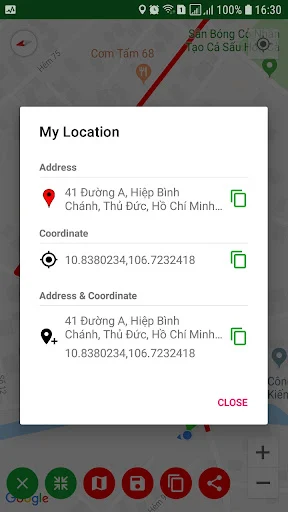
The compass shows the cardinal directions, along with azimuth and angle. For measuring, the app lets users mark points on a map or use GPS to calculate distance and area. It also supports saving, copying, and sharing locations. I like that these are practical companion tools rather than unrelated extras, especially when planning a meet-up or checking a place on a map.
A Simple Trip Routine
For a weekend drive, I’d search the destination at home, review the route, and note the expected distance and duration. Before setting off, I’d look for useful stops nearby, such as a gas station or restaurant. If I need someone else to meet me, I can share the current location rather than sending a vague landmark description.
When I’m out walking, I’d switch to walking directions and use the map’s zoom controls to check the streets around the destination. On a separate outdoor task, I could mark points to estimate a distance or area. Keeping these uses distinct helps: navigation for the trip, nearby search for stops, and measurement for a rough map-based calculation.
Keep Expectations Grounded
The app packs several jobs into one place, which is convenient but can feel broader than necessary if I only want straightforward turn-by-turn directions. The description names multiple map views and search categories, so there is plenty to explore. I’d spend a little time learning the tools I actually use rather than trying to make every feature part of my routine.
I would also keep the limits of the stated feature set in mind. The supplied description does not establish offline map access or route customization, and the area tool is presented as a map and GPS measurement feature. For a critical journey or precise measurement, I’d check that the app’s available options are suitable before relying on them. Ads are another practical consideration for a free app.
Maps Driving Directions is a useful all-rounder for routes, nearby searches, sharing locations, and a handful of map-based extras. I like the way it combines everyday navigation with tools such as a compass and area measurement. The experience will make the most sense to someone who values that variety more than a stripped-back navigation app.
I’d suggest giving it a try if those tasks overlap with your routine and you’re comfortable with ads. If you need a specialized navigation or measurement feature, check the available options carefully before making it your main tool. For casual trips and quick location lookups, it offers a practical set of functions in one Android app.
Maps Driving Directions Frequently Asked Questions
What is Maps Driving Directions used for?
Maps Driving Directions is used to find routes, search for nearby places, and check a current location or its coordinates. It supports driving, walking, cycling, and transit directions. The app also includes location sharing, a compass, and tools for measuring distance and land area on a map.
Which devices can run Maps Driving Directions?
Maps Driving Directions is an Android app available through Google Play. The supplied app details do not give a minimum Android version, so check the Google Play entry on your device for compatibility before installing. Its version is described as varying with device.
Does Maps Driving Directions cost anything?
The app is free to download and the supplied facts say it has no in-app purchases. It does contain ads. Store details can change over time, so it is worth checking Google Play for the current information before installing.
Does Maps Driving Directions work offline?
The app description covers map searches, directions, and other location tools, but does not describe offline map access. If offline use matters for your trip, check the current Google Play details or the app itself for available options rather than assuming maps can be downloaded.
Who is Maps Driving Directions best suited to?
It may suit Android users who want route finding, nearby-place searches, location sharing, and occasional compass or map measurement tools together. It may be less appealing if you prefer a very minimal navigation app or need specialized functions. Check the feature details in Google Play to see whether it fits your needs.
Pros
- Combines route finding with searches for nearby places and common services.
- Supports driving, walking, cycling, and transit directions.
- Includes location sharing, a compass, and map-based distance and area tools.
- Offers several map views, including satellite, hybrid, normal, and terrain.
Cons
- Contains ads, which may interrupt an otherwise straightforward map task.
- The broad collection of tools may feel unnecessary for basic navigation alone.
- The supplied description does not establish offline map access.
- Category
- Travel & Local











