Life Bible
- 113.45K
- 4.8
- Installs
- 1.00M
- Price
- Free

Screenshots
Analysis by Reviewed APKs
Life Bible is a Bible reading and study app for people who want Scripture, daily guidance, and reference material together on a phone. I like that it can serve both a quick morning reading and a more focused study session, without making users choose just one approach. Its many reading plans, translations, notes, and study resources make it useful for regular readers, though the range of options may take a little exploring.
A quiet morning reading
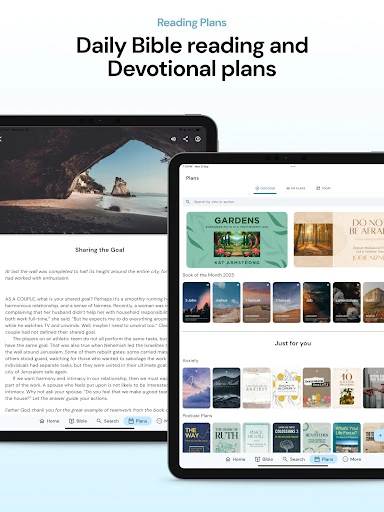
When I first opened Life Bible, I pictured using it during the first few minutes of a day: read a verse, consider a devotional, then decide whether I have time for more. The verse of the day and daily devotional suit that kind of short routine. If I want a little structure, I can pick a reading plan rather than spend the morning wondering where to begin.
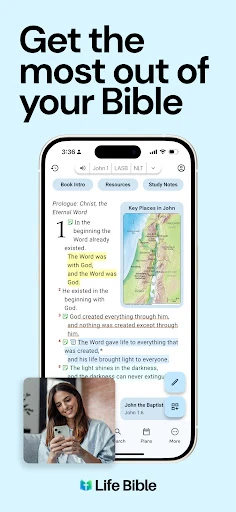
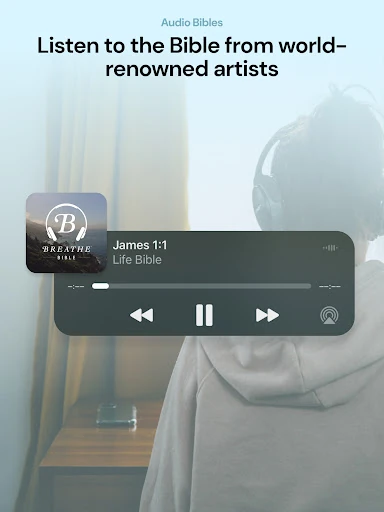
On a slower morning, I can follow a passage with Explain to explore its meaning, or Compare to see it in other translations. That makes the app feel less like a page-turning reader and more like a place to pause and ask questions. I also appreciate that audio Bible listening is available for times when looking at a screen is inconvenient.
Reader, not a general library
Compared with a basic e-book reader, Life Bible is built around Scripture and related study material. It offers Bible translations, study Bibles, commentaries, devotionals, and plans in one app, rather than treating the Bible as one title among many. Its search can look across more than 40 translations, which is particularly useful when I remember a phrase but not exactly which version I read.
That focus is also a boundary. I would not choose Life Bible as a general-purpose book reader, nor is it simply a place to open a passage and leave without any extras. There are plenty of ways to explore a topic or add notes. Someone who only wants a minimal, distraction-free text view may find the broader collection unnecessary.
Small habits that help
I would start by choosing one reading plan or devotional rather than browsing the whole catalog each day. The app offers plans ranging from one-year and chronological approaches to shorter custom plans, so there is room to match a routine to the time available. A daily notification can also serve as a prompt, if reminders are welcome rather than one more interruption.
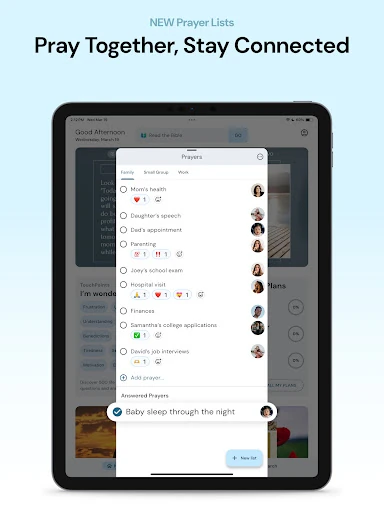
For study, I would make highlights and verse notes as I go, instead of expecting to remember every useful observation later. Quick-paste notes can help when switching between Bible text and writing, and split screen can keep a passage beside a commentary or personal note. Downloading a title ahead of time is a practical step for reading without an internet connection.
More From Our News Desk

Zoom Meetings, Google Meet, or Teams: Which Is Easiest to Join?

How I Build a Free Streaming Lineup With Tubi

Why Crunchyroll Is the Default Anime App for So Many Fans

YouTube TV: A Practical Guide to Cutting Cable

Rummikub and the Small Comfort of Phone Games

TeamViewer Remote Control or AnyDesk for Helping Family?
Who may enjoy Life Bible
I would recommend Life Bible to readers who want a regular Bible habit with room to grow into deeper study. Beginners can use reading plans, devotionals, and verse explanations for guidance, while experienced readers can compare translations, consult commentaries, and keep notes. It also suits people who like listening as well as reading, or who want a passage available offline after downloading a title.
It may be less appealing to someone who wants only a bare-bones Bible reader with very few choices. The app brings together many resources, and its free access sits alongside in-app purchases and ads, so readers should be comfortable with that mix. People who prefer their study materials in separate books or apps may not need this all-in-one setup.
Life Bible is a free Books & Reference app from Tecarta, Inc. On Google Play it has over 1 million installs and a 4.8-star rating from about 113,000 ratings. The app contains ads and offers in-app purchases; listed item prices range from $0.99 to $299.99. Its content rating is Everyone.
The supplied app details give version 10.2.557, a release date of September 12, 2014, and a last update date of October 26, 2026. An Android minimum version is not included among the supplied details, so check Google Play for the current device requirement.
A flexible space for daily Bible study
A welcoming first look
My first impression is of an app designed to accommodate different levels of commitment. Someone can begin with a daily verse, while a reader with a specific question can head toward search or study resources. That flexibility is useful, though it means the experience is not just a single reading screen. I would give myself a little time to see which parts fit my routine.
The range of Bible translations is a practical starting point. Life Bible says it offers popular translations, including NLT, NIV, KJV, ESV, CSB, NASB, NKJV, AMP, and The Message, along with Spanish and Chinese translations. Titles can be downloaded for offline access. That combination gives readers options for how they read and where they read.
Reading from day to day
For everyday use, I like that the app supports both a fixed plan and an open-ended visit. I can follow a scheduled reading or simply look up a passage that comes to mind. Search across more than 40 translations is a standout convenience when I want to find a verse without first guessing which translation contains the wording I remember.
There are a few useful ways to stay with a passage once I find it. I can change font settings and choose light or dark mode, mark verses with highlight colors, and add personal verse notes. These tools make the app more useful for returning to an idea later, rather than treating each reading as a one-time visit.
Study tools with range
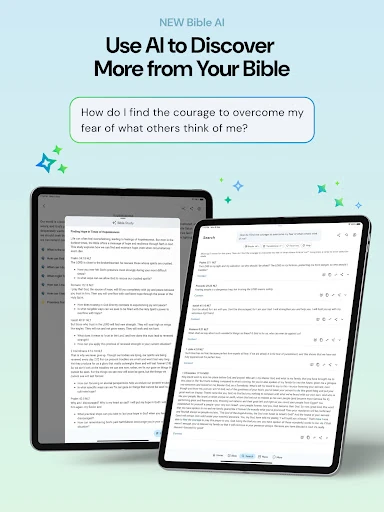
Explain and Compare are among the most approachable study features. Explain offers help with the meaning of a Bible verse, while Compare shows it in other translations. I can see these being useful when a sentence feels unfamiliar or when wording differs between versions. They give a reader a way to investigate without immediately leaving the passage to search elsewhere.
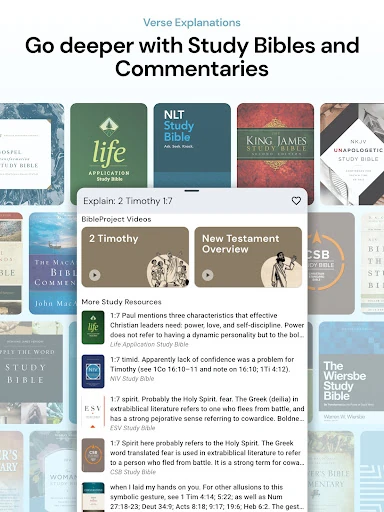
For a deeper session, the app brings together study Bibles and commentaries, including titles such as the Life Application Study Bible and Matthew Henry Concise Commentary. Split screen can place a Bible, study resource, commentary, or personal notes beside one another. The collection is broader than a simple reader, although which resources a user can access may depend on the available content and purchases.
A routine that sticks
A workable routine could be to open a daily verse over breakfast, read the connected passage, and jot down one thought in verse notes. On days with more time, I could continue through a reading plan or consult a commentary. The point is not to use every feature every day; it is to make the next useful step easy to find.
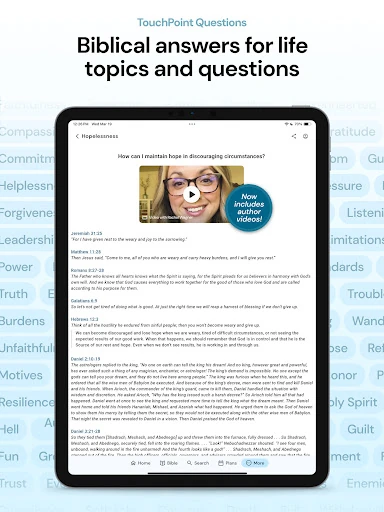
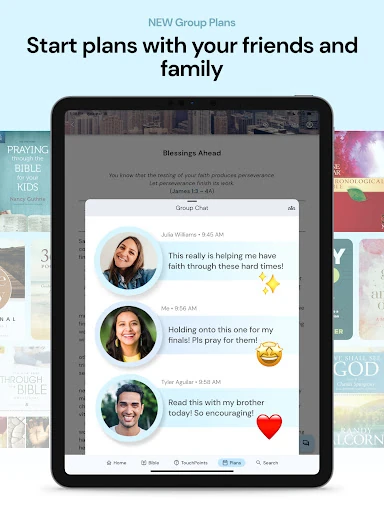
For a question that is more topical than passage-based, TouchPoints offers more than 350 topics with questions and Scripture references. There are also more than 600 devotional topics, and readers can create plans of their own, including short devotional plans. I would use these when I want a prompt or a little structure, rather than letting browsing become the whole session.
Things to keep in mind
The app’s breadth is its main trade-off. A newcomer may need to decide whether to start with a reading plan, a daily devotional, a translation, or a study resource. I would keep the first visit simple and add tools gradually. Otherwise, the choices can compete with the straightforward goal of sitting down to read.
Life Bible is free to install, but it contains ads and offers in-app purchases, with listed item prices spanning a wide range. That is worth considering if you prefer an entirely paid, ad-free experience or do not want optional purchases in a reading app. Downloading titles supports offline access, but the app’s many resources are not the same as a single uncluttered text view.
Life Bible brings everyday reading and more involved study into one flexible app. I especially value the combination of plans, translation comparison, notes, audio, and reference material. It can support a simple morning habit without closing off the option to dig deeper when a passage catches my attention.
I would recommend it to readers who want guidance and study tools in the same place, and who do not mind exploring a broad set of options. If your priority is a very minimal reader, its extra resources may feel like more than you need. For everyone else, it is a capable place to build a routine.
Life Bible Frequently Asked Questions
What is Life Bible used for?
Life Bible is for reading and studying the Bible. It includes Bible translations, reading plans, devotionals, audio Bible listening, verse explanations, translation comparison, notes, highlights, study Bibles, and commentaries. Readers can use it for a short daily reading or a more focused study session.
Which devices can run Life Bible?
Life Bible is an Android app available through Google Play. The app description also refers to accessing synced notes, bookmarks, highlights, and purchases across mobile and web devices. Check Google Play for current device compatibility and any platform-specific details.
What Android version does Life Bible require?
The Android minimum requirement can vary with app updates and device compatibility. Check the Life Bible Google Play page on the device you plan to use for the current requirement before installing.
Does Life Bible cost money?
Life Bible is free to install and includes ads and in-app purchases. The supplied Google Play details show in-app item prices ranging from $0.99 to $299.99. Available items and prices may change, so check Google Play for the current purchase details.
Is Life Bible suitable for beginners?
It can suit beginners as well as experienced Bible readers. Plans and devotionals offer structure, while Explain can help readers explore a verse and Compare shows other translations. The app has many resources, so someone who wants only a very simple reading screen may prefer a more minimal option.
Pros
- Combines reading plans, devotionals, translations, notes, and study references.
- Searches across more than 40 translations to help locate a verse.
- Supports offline access by letting readers download titles.
- Offers audio listening, verse comparison, highlights, and personal notes.
Cons
- The breadth of choices may take time to sort through.
- Ads and optional in-app purchases may not suit every reader.
- A minimal, text-only reading experience is not its main focus.
- Category
- Books & Reference
- Version
- 10.2.557











