Launcher with Multiple Widgets
- 3.39K
- 4.5
- Installs
- —
- Price
- Free
Screenshots
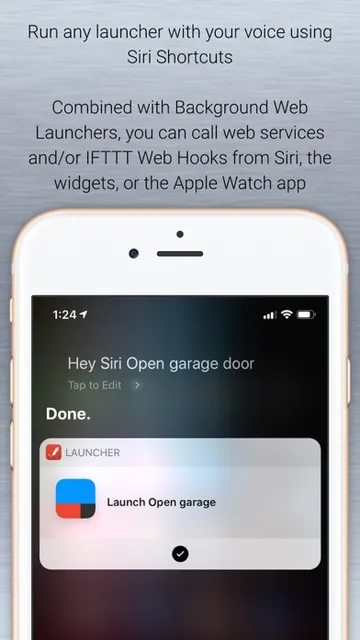
Analysis by Reviewed APKs
Launcher with Multiple Widgets is an iPhone and iPad utility for putting frequently used apps, contacts, websites, and actions within quick reach. It suits people who want more deliberate shortcuts than a standard app grid provides, without replacing the device’s Home Screen. After considering its range of widget placements and launch options, my overall take is that it’s a flexible convenience tool, especially if you’re willing to spend a little time setting it up.
A Faster Start to the Day
When I picture using Launcher in an ordinary routine, I imagine setting up a small Home Screen widget with the things I reach for before leaving home: a favorite contact, a directions shortcut, and a music launcher. Instead of finding each item in a crowded app grid, I can tap the relevant launcher directly. The appeal is not a dramatic change to the phone; it is shaving a few small steps off familiar tasks.
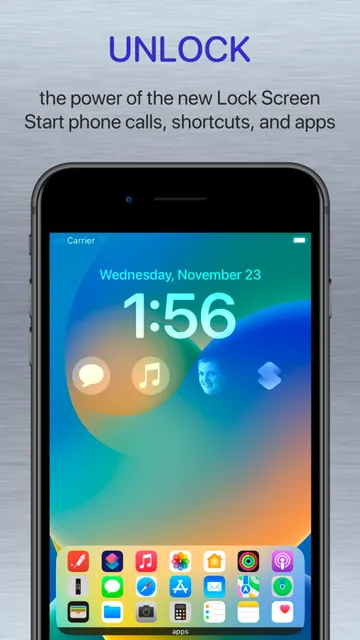
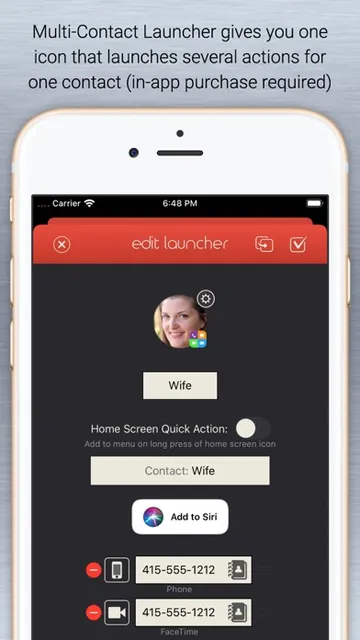
That same idea can help during a busy workday. A Lock Screen widget can bring a work contact or frequently used app closer, while a shortcut can run an action through Apple’s Shortcuts app. Launcher also supports calls, messages, email, FaceTime, directions, websites, and music launchers. I’d start with just a handful of actions I actually repeat, rather than trying to turn every available space into a control panel.
Shortcuts, Not a New Home Screen
The word “Launcher” can suggest a replacement home-screen environment, but this app’s role is narrower: it creates widgets and launchers that sit within Apple’s existing interface. That distinction matters if you’re comparing it with apps built around changing the whole look or layout of a phone. Launcher is about getting to selected apps, people, and actions quickly, not taking over the device’s basic navigation.
It also isn’t a general information dashboard for weather, news, or social feeds. Its widgets are centered on things you can launch or do, rather than streams of updates to browse. I’d choose it if my frustration is repeatedly hunting for the same apps or actions. If I mainly want a different overall home-screen design, this more focused approach may not address what I’m looking for.
Build Around Real Habits
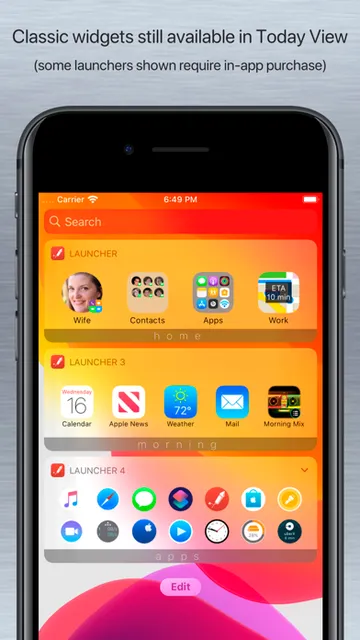
The most useful setup is likely to be a selective one. I’d note which apps, contacts, and actions I open repeatedly over a few days, then add only those to a widget. Launcher lets you customize icons and backgrounds with colors or images, and supports different Home Screen widget sizes. That gives room to make a short list readable instead of squeezing in every possible shortcut at once.
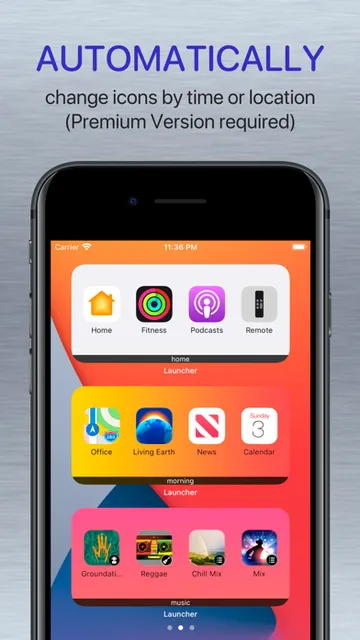
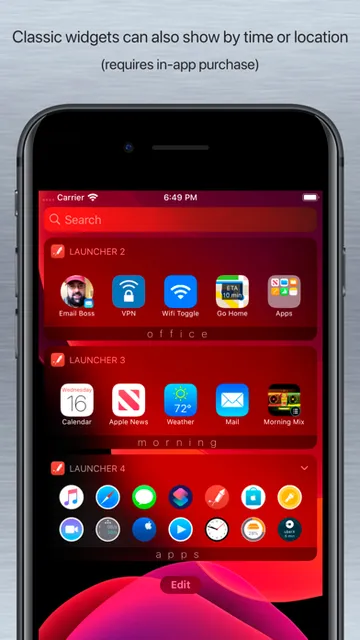
It can also help to group launchers by context. For example, I might keep directions and a work contact together in one place, then use another widget for personal calls or music. Premium adds features such as folders, stacks, and an unlimited number of widgets, while automatic changes by time or location can support context-specific views. Those extras are most compelling once a simple setup has proved useful.
More From Our News Desk

Zoom Meetings, Google Meet, or Teams: Which Is Easiest to Join?

How I Build a Free Streaming Lineup With Tubi

Why Crunchyroll Is the Default Anime App for So Many Fans

YouTube TV: A Practical Guide to Cutting Cable

Rummikub and the Small Comfort of Phone Games

TeamViewer Remote Control or AnyDesk for Helping Family?
Who Might Like Launcher
I’d recommend Launcher to people who already know which apps and actions they reach for throughout the day and want fewer steps to get to them. It has options across the Home Screen, Lock Screen, Dynamic Island, and Apple Watch, so it can suit users who like putting shortcuts where they naturally look. People who use Shortcuts may also appreciate having a more direct way to launch selected actions.
It may be less appealing if you prefer a completely hands-off setup or expect an app that replaces the iPhone’s home-screen system. There is some planning involved in choosing and arranging useful launchers, and Premium is needed for several organizational and customization features. I’d also check the current store information before deciding whether the available features and requirements fit my particular Apple devices.
Launcher with Multiple Widgets is a productivity app from Cromulent Labs, Inc. On the Apple App Store, it has a 4.5-star rating from about 3,400 ratings. The listed content rating is 4+. The app is free to download, and its description offers a Premium upgrade with additional features. The price of that upgrade can be checked on the App Store.
The listed minimum requirement is iOS 17.0, and the current version is 5.8.2. The app was released on September 17, 2014, and its last update is dated September 22, 2026. These details describe the iOS app; they do not indicate Android availability. I’d check the App Store for current device compatibility and any changes to the version or upgrade details.
Small Shortcuts, Across Apple’s Screens
A Practical First Setup
When I first opened an app like this, I’d resist the urge to configure every widget option immediately. I’d begin by choosing a few launchers for tasks that are already part of my routine: a contact I message often, a website I revisit, or a particular app. The point is to make something familiar quicker, not to invent a new workflow just because the customization tools are there.
From there, I’d decide where those shortcuts belong. Launcher supports Home Screen widgets in several sizes, as well as circular and rectangular Lock Screen widgets. It also describes Live Activities widgets for the Lock Screen and Dynamic Island, and support for Apple Watch. The available placement makes it possible to think about access in context, rather than relying on a single crowded widget.
Useful in the Daily Shuffle
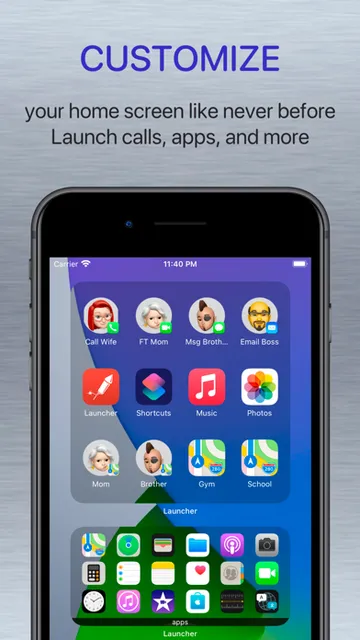
Day to day, Launcher makes most sense as a quick-access layer. A tap can start a call, message, email, or FaceTime session, open a website, get directions, or launch an app. It can also start music and run Shortcuts. Those are practical actions to surface when I know exactly what I want to do and would rather not search through several screens to find the right starting point.
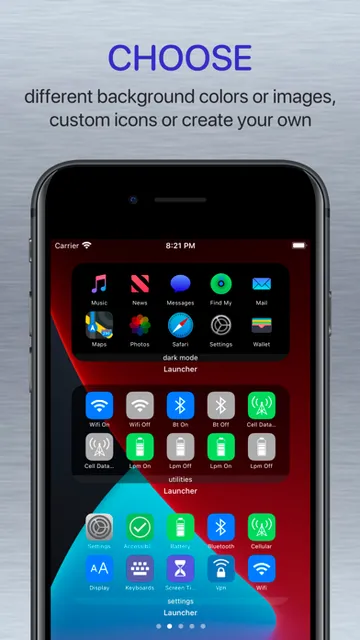
There are a few ways to tailor the feel of a widget without changing the underlying phone interface. Free features include custom icon and background colors or images, plus an option to import wallpaper for a simulated transparent background. The app also offers a choice of web browsers for web launchers. These details are useful for making shortcuts fit a screen, though the core benefit remains the saved tap or two.
Options Beyond App Icons
What stands out is how broad the meaning of “launcher” is here. A shortcut does not have to be a plain app icon: the description includes specific actions within apps, Settings shortcut launchers for many Settings screens, and one-tap launchers for selected device controls. It also supports directions to saved locations or searches for nearby businesses. That gives the widget a role beyond simply duplicating icons from the Home Screen.
Launcher triggers add another angle by sending a notification to launch an app at set times or locations. On the presentation side, Premium can change icons automatically based on time, day, or location, and supports folders, widget stacks, and iCloud backup and restore. Those are meaningful additions for someone managing a larger collection, but they are not necessary to understand the basic appeal of placing chosen actions within reach.
A Routine That Stays Tidy
A sensible way to use Launcher is to treat it as a small editing exercise. I’d start with the three or four actions I use most, place them where I can reach them easily, and leave the setup alone for a few days. If I keep overlooking a launcher or never tap it, that’s a sign it may not deserve the space. A short list is easier to scan when I’m moving quickly.
Once that basic arrangement earns its place, I’d consider whether separate groups would help. A work-oriented widget might collect a contact, a relevant website, and a shortcut, while another could be reserved for personal calls and music. Premium’s folders, stacks, and context-based icon changes may help with a larger setup. I’d add those only when the simpler arrangement starts feeling cramped or mismatched to the day.
Keep Expectations Grounded
Launcher’s usefulness depends on how well its shortcuts match real habits. Someone who enjoys customizing a device may find plenty to tune, but a person who rarely revisits the same apps or actions may see little benefit. Setting up a widget also takes some thought: the available choices are only helpful if I can identify the right launcher quickly and remember where I put it.
Some features are tied to Premium, including unlimited widgets and several organizational and automatic customization options. The app’s description also mentions different features for different iOS generations, including Quick Widget for iOS 27. I’d check the current App Store details for availability on my device before counting on a specific option. The app is best approached as a focused shortcut tool, not a promise of a wholesale interface makeover.
Launcher with Multiple Widgets has a clear job: make selected apps, people, and actions easier to reach through Apple’s widgets and related screens. I like that it covers more than app icons, while still leaving the familiar Home Screen in place. Its strongest case is for people who can name the repetitive tasks they want to speed up.
I’d recommend trying the free app if a few daily shortcuts would genuinely help, then considering Premium only if its extra organization or customization fits your routine. If you want a complete home-screen replacement or prefer not to configure anything, this probably isn’t the right match. For a purposeful set of quick actions, it is a practical option.
Launcher with Multiple Widgets Frequently Asked Questions
What is Launcher with Multiple Widgets used for?
Launcher with Multiple Widgets creates shortcuts for apps, contacts, websites, and actions. Its widgets can be placed on supported Apple screens, and launchers can start calls, messages, directions, music, apps, or Shortcuts actions. It is intended to make selected tasks quicker to reach, rather than replace the iPhone’s normal home-screen interface.
Which devices can run Launcher with Multiple Widgets?
The app is for Apple devices. Its description covers iPhone and iPad widgets and also describes Apple Watch support for actions such as calls, messages, directions, and music. The minimum listed requirement is iOS 17.0. Check the App Store for current compatibility details for your device and the specific features you want to use.
Does Launcher with Multiple Widgets require Android?
No Android requirement is provided because Launcher with Multiple Widgets is an iOS app distributed through the Apple App Store. Its listed minimum operating system is iOS 17.0. If you are checking compatibility for a particular iPhone or iPad, the App Store is the best place to confirm the current device requirements.
Is Launcher with Multiple Widgets free?
Launcher with Multiple Widgets is free to download, and its description includes a Premium upgrade for additional features. Premium features include options such as folders, stacks, unlimited widgets, and automatic icon changes. Upgrade pricing and subscription details may vary, so check the current App Store information before purchasing.
Who should use Launcher with Multiple Widgets?
It may suit people who repeatedly open the same apps, contact the same people, or run the same actions and want quick widget access. It may be less suitable for someone looking for a complete home-screen replacement or a setup that needs no customization. The best fit depends on whether its shortcuts match your everyday habits.
Pros
- Creates quick access to apps, contacts, websites, directions, music, and selected actions.
- Supports widgets across the Home Screen, Lock Screen, Dynamic Island, and Apple Watch.
- Free customization includes icon and background colors or images.
- Premium adds folders, stacks, context-based icon changes, and unlimited widgets.
Cons
- Setting up useful launchers takes some thought and ongoing editing.
- Several organization and customization features require the Premium upgrade.
- It adds shortcuts to Apple’s interface rather than replacing the Home Screen.
- Category
- Productivity
- Version
- 5.8.2











